Schedule Timeline Card: see when your schedule entities actually run
Hi everyone,
I built a Lovelace card to solve a limitation that has bothered me for a long time: the schedule entity only tells you whether it is on or off, not when it runs.
Display modes
- Simple: a clean on/off indicator with a configurable icon.
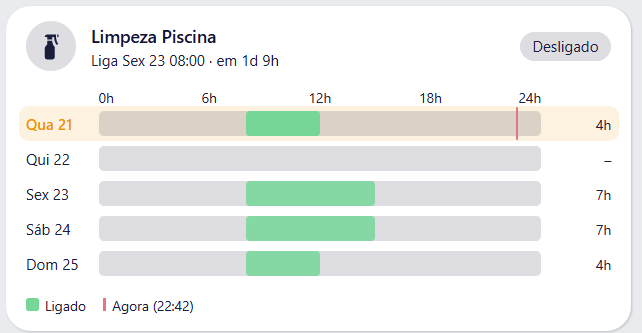
- Next event: shows the next activation or deactivation with a countdown (e.g. “Turns on tomorrow 05:30 · in 6h 49min”).
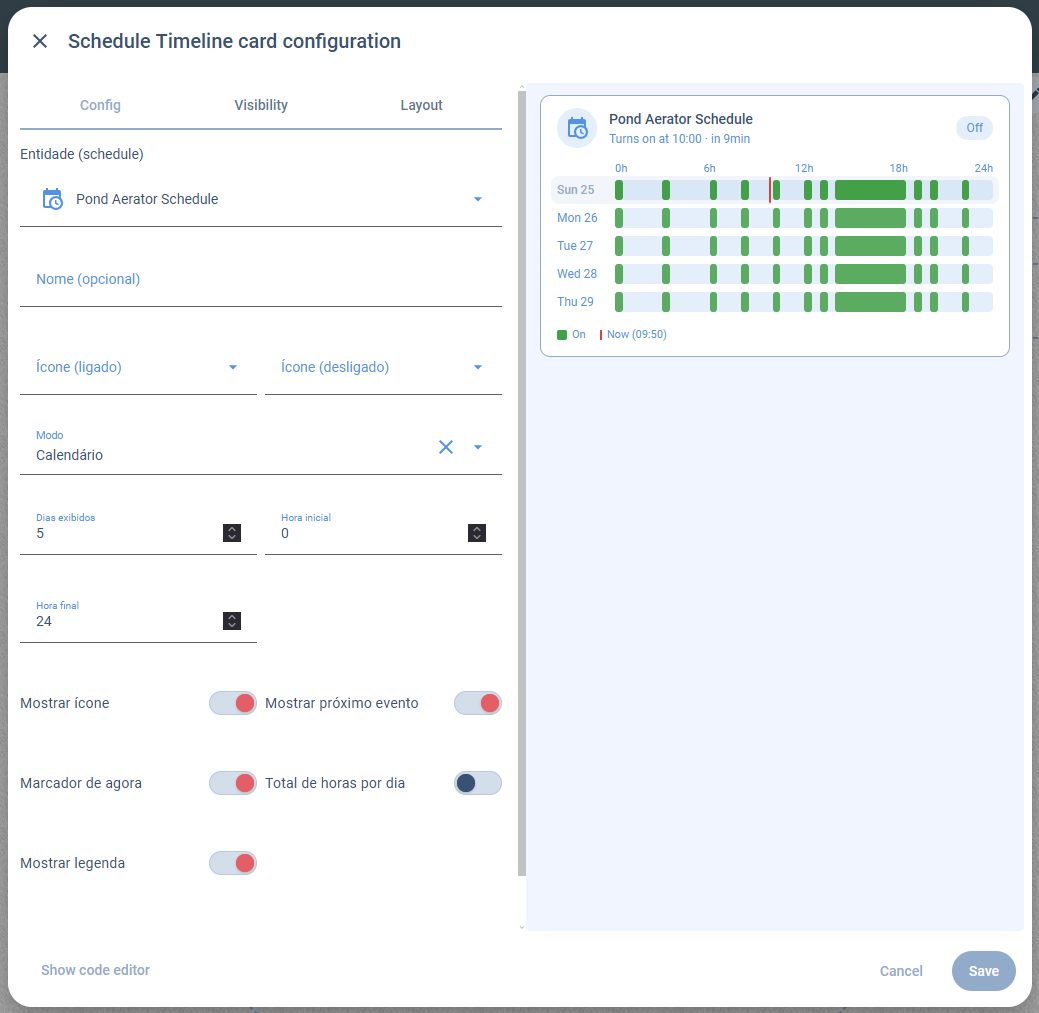
- Calendar: a 24h timeline per day with the configured on-periods painted in. Choose 1 to 7 days. Today comes first, highlighted, with a marker for the current time.

More features
- Separate icons for the on and off states
- Adjustable hour window (e.g. 06:00 to 22:00) and optional total on-time per day
- Tooltips on each period with start, end and duration
- Visual editor, no YAML required
- Follows your theme colors, works in light and dark mode
- Portuguese and English texts, picked from your Home Assistant language
Example
type: custom:schedule-timeline-card
entity: schedule.irrigation
mode: calendar
icon: mdi:sprinkler
days: 5
Installation
Via HACS, go to Custom repositories and add:
https://github.com/andregoncalvespires/schedule-timeline-card
with the category Dashboard. Manual installation is also possible, see the README.
I have also submitted it to the HACS default list, and the pull request is awaiting review.
Limitation
Schedules defined in YAML may not show up in calendar mode, because the card reads the periods through the helper WebSocket API. Schedules created in the UI (helpers) work normally.
Repository
Feedback, suggestions and bug reports are welcome, preferably through GitHub Issues or in this thread. If something does not work, please include your Home Assistant version and the card configuration.