Hi
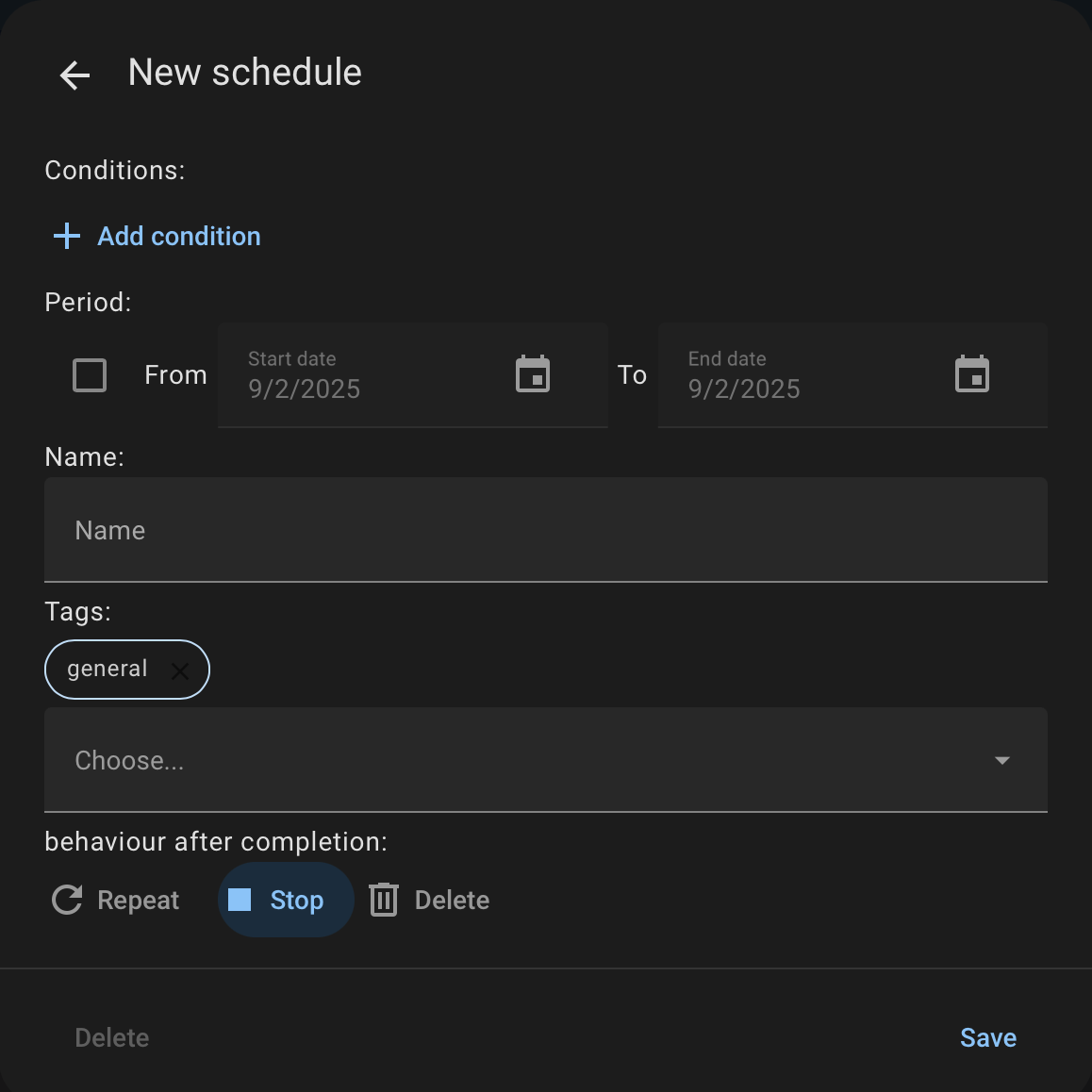
is there an option for action retries in case the action fails?
in the first post on this thread
but I cant seem to find where to do it
Hi
is there an option for action retries in case the action fails?
in the first post on this thread
but I cant seem to find where to do it
This is a superb add on. A question in case I’ve missed something. If I wanted to do a “one shot” timer e.g “Turn boiler on today at 3pm for two hours” is this available - it seems, from what I see theres no option for a one off? Or a period for on then off, it seems you need to set an on schedule and a seperate off. Have I missed something perhaps? Thanks for a great integration.
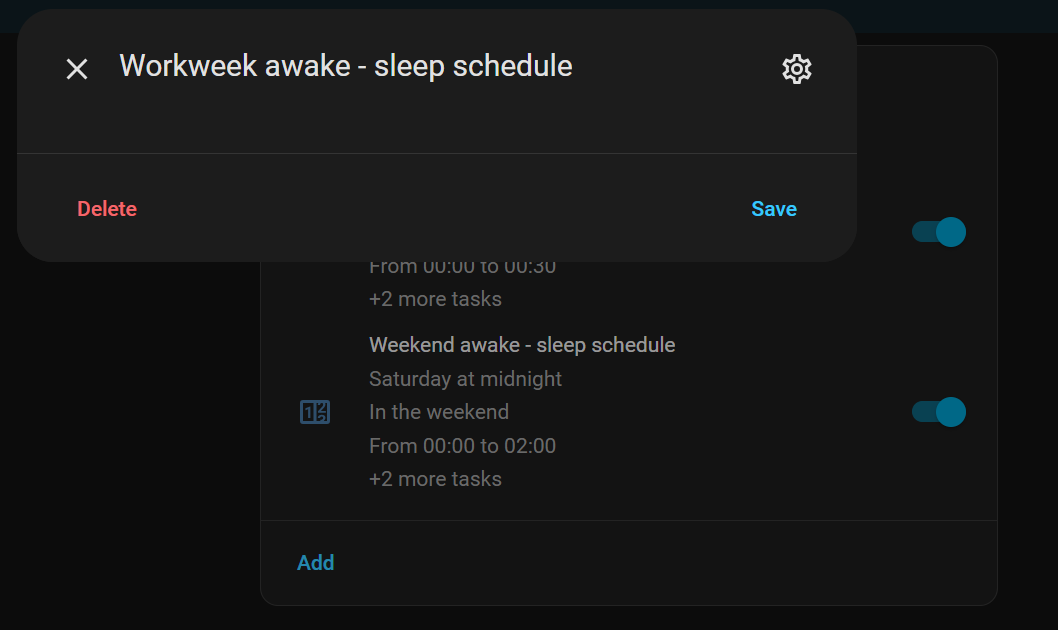
If you set up the task, hit the gear icon to get this dialog:
The PERIOD condition would seem to suit executing a task for a single day.
Thanks thats very helpful.
Not so much an issue, but I guess this is going to be popular seeing the mess at tado Upcoming changes to the tado° API · Issue #151223 · home-assistant/core · GitHub
It’s been a few years I installed scheduler and the card. I had setup 2 schedules. I’ve kept the components up to date all the time. I wanted to review my schedules and maybe update. However the schedule cards are empty now. When I create a new one I do get all the configure options.
And this is how my schedulder.storage looks in the storage folder.
{
  "version": 3,
  "minor_version": 1,
  "key": "scheduler.storage",
  "data": {
    "schedules": [
      {
        "schedule_id": "2825a1",
        "timeslots": [
          {
            "start": "00:00:00",
            "stop": "00:30:00",
            "conditions": [],
            "condition_type": null,
            "track_conditions": false,
            "actions": [
              {
                "service": "input_select.select_option",
                "entity_id": "input_select.home_state",
                "service_data": {
                  "option": "Awake"
                }
              }
            ]
          },
          {
            "start": "00:30:00",
            "stop": "06:30:00",
            "conditions": [],
            "condition_type": null,
            "track_conditions": false,
            "actions": [
              {
                "service": "input_select.select_option",
                "entity_id": "input_select.home_state",
                "service_data": {
                  "option": "Sleep"
                }
              }
            ]
          },
          {
            "start": "06:30:00",
            "stop": "00:00:00",
            "conditions": [],
            "condition_type": null,
            "track_conditions": false,
            "actions": [
              {
                "service": "input_select.select_option",
                "entity_id": "input_select.home_state",
                "service_data": {
                  "option": "Awake"
                }
              }
            ]
          }
        ],
        "weekdays": [
          "workday"
        ],
        "start_date": null,
        "end_date": null,
        "repeat_type": "repeat",
        "name": "Workweek awake - sleep schedule",
        "enabled": true
      },
      {
        "schedule_id": "4f57b9",
        "timeslots": [
          {
            "start": "00:00:00",
            "stop": "02:00:00",
            "conditions": [],
            "condition_type": null,
            "track_conditions": false,
            "actions": [
              {
                "service": "input_select.select_option",
                "entity_id": "input_select.home_state",
                "service_data": {
                  "option": "Awake"
                }
              }
            ]
          },
          {
            "start": "02:00:00",
            "stop": "07:30:00",
            "conditions": [],
            "condition_type": null,
            "track_conditions": false,
            "actions": [
              {
                "service": "input_select.select_option",
                "entity_id": "input_select.home_state",
                "service_data": {
                  "option": "Sleep"
                }
              }
            ]
          },
          {
            "start": "07:30:00",
            "stop": "00:00:00",
            "conditions": [],
            "condition_type": null,
            "track_conditions": false,
            "actions": [
              {
                "service": "input_select.select_option",
                "entity_id": "input_select.home_state",
                "service_data": {
                  "option": "Awake"
                }
              }
            ]
          }
        ],
        "weekdays": [
          "weekend"
        ],
        "start_date": null,
        "end_date": null,
        "repeat_type": "repeat",
        "name": "Weekend awake - sleep schedule",
        "enabled": true
      }
    ],
    "tags": []
  }
}
How can I get the cards for the existing schedules working again.
Latest update fixed this. Thanks!
Hi, this is really a nice card!
But would it be possible to create a card that graphically summarizes the parameter values for the week?
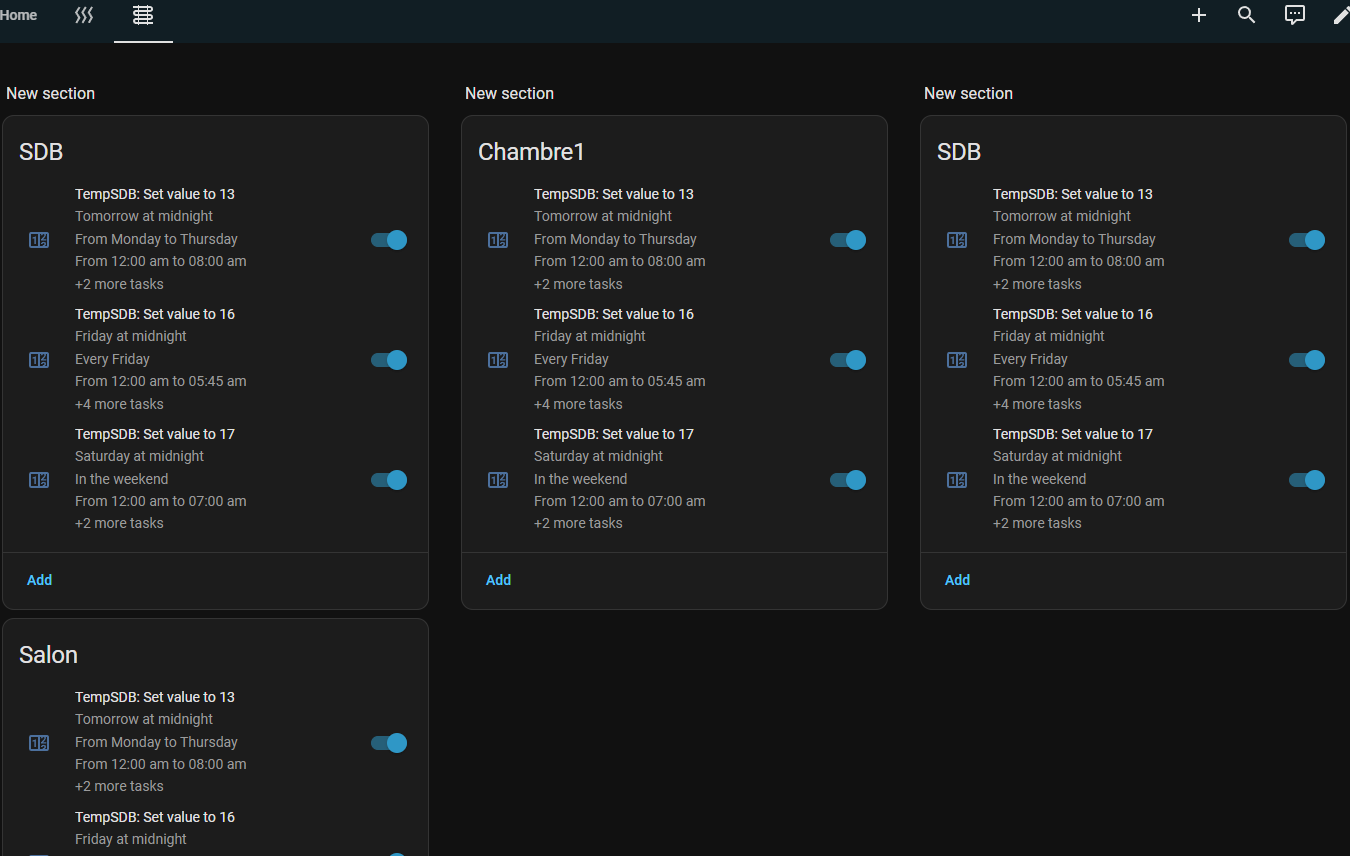
Because the Scheduler Card shown in the dashboard only displays the setpoint value for the next temperature change.
And I would really like to have a summary of the different timelines directly in the Lovelace view, without having to click on the card to configure it.
I feel like there’s a lack of an overview, without needing to click through the different cards.
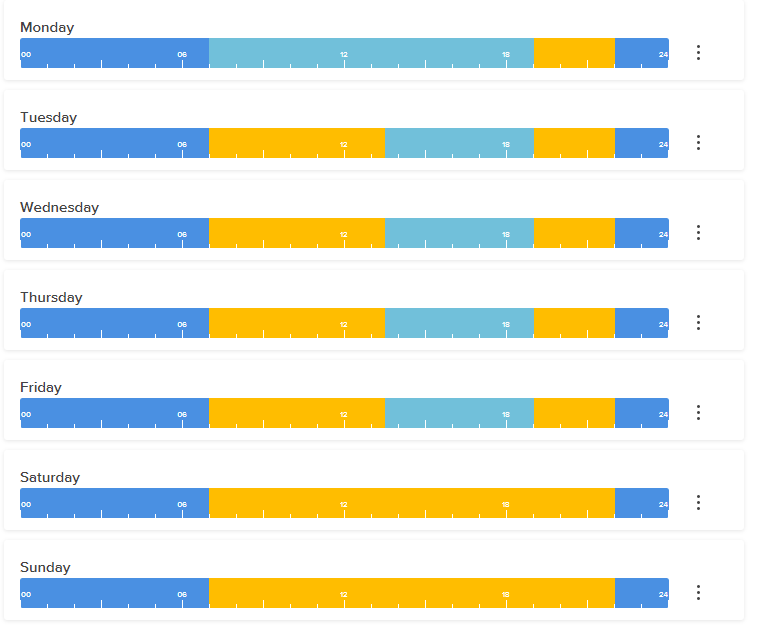
I would love to have a direct view that summarizes the weekly configuration, like in this image:
The view below, in my opinion, is not very readable for getting a quick summary of the heating setup:
or better like this one:
I’m having trouble setting the shutdown time.
I set it to turn off at 6:00 AM, but it always turns off at midnight (00:00 AM). It’s having trouble advancing to the next day.
Unless I’m doing something wrong.
I want to make separate cards for each of my 2 thermostats but they become duplicates of each other. When I make an edit in one it is reflected in the other. I intentionally selected only 1 thermostat and tagged it with the name. Renaming it changes the name in both. Is this a glitch or am I just missing something here? Maybe both thermostats have to be in the same card?
I’m trying to add a condition which should depend on a binary_sensor but I seem to be unable to do this from the frontend schedular card as it only allows me to select input booleans, input numbers and climate entities:
Anyone has an idea what’s up?
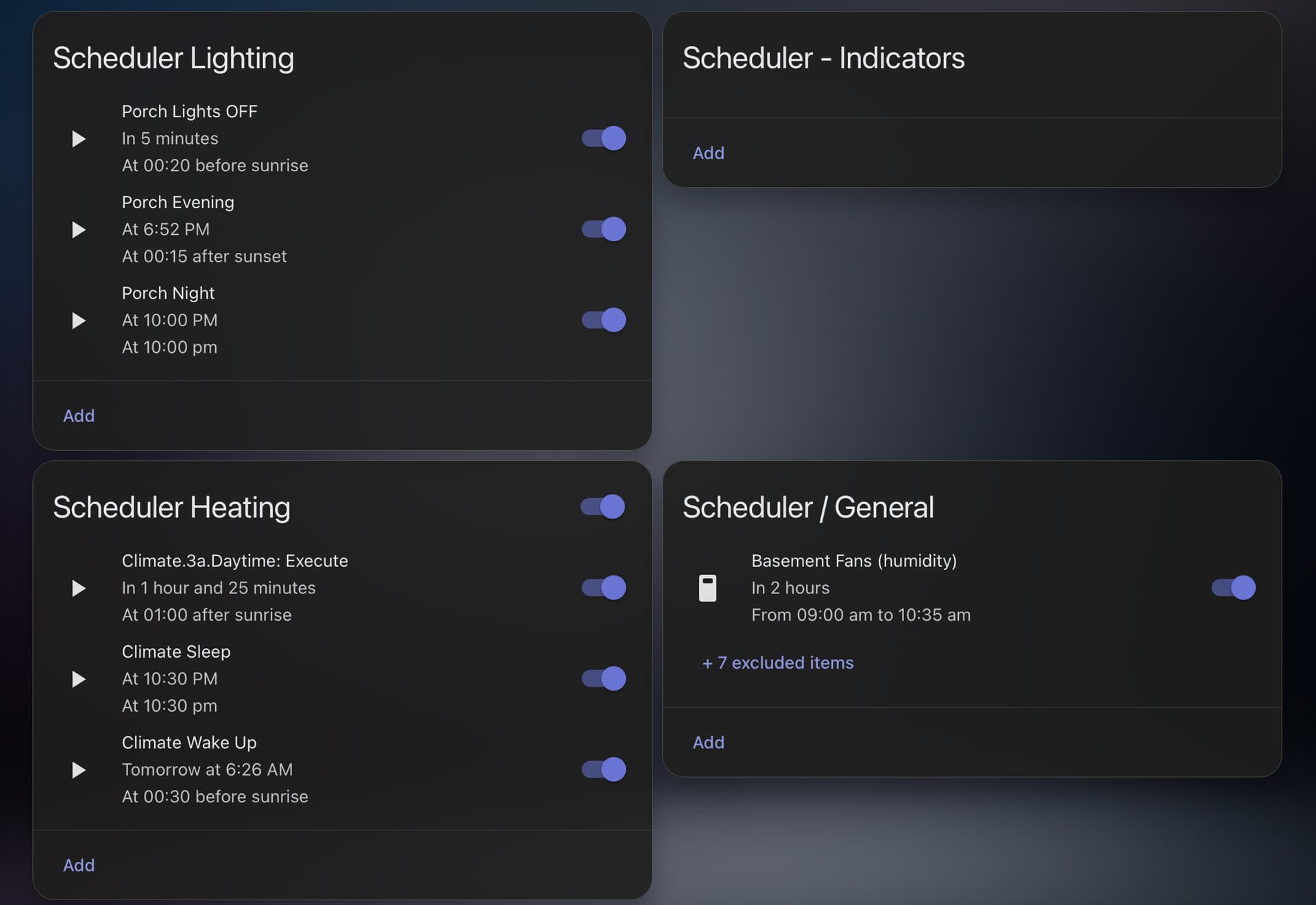
Scheduler CARDS will display schedules created. You can use Scheduler CARD TAGS to filter the schedules a particular card will display. Below exhibits the use of tags created that are called LIGHTING, HEATING, INDICATORS, and GENERAL.
Consider whether a different tag for each thermostat (one thermostat per scheduler card) is what you require.
I tried all that. It appears I had “Show all Schedules” ticked. Once I turned that off it is working the way I need it to.
Now that Tuya water timer switch are replaced by valve entities… how to use them with Scheduler? I see that only switch can be used… valve doesn’t appear in the list (even if added as “included entities”…
How to solve?
somebody has an idee how to fdo that please ?
Sorry for eventual repeat question. How to view the current action in display_options? Now is possibile to view next action, but I think it’s also useful to see the current action. Thanks.
Unfortunately not, but I would also be very interested in a solution.
how did you now command your heating solution ?
At the moment, I am running a 3-step system.
All core functions are done by the original units, e.g. my Stiebel Eltron LWZ404 and via KNX.
All the logic and comfort functions are still running on EDOMI.
Most visualization ist done via HA.
Unfortunately, EDOMI is no longer longer supported. Thus, I am trying to switch over to HA little by little, one function at a time. The scheduling portion is one function/visualization in HA I am not really happy with so far. As I like your proposal, I will continue looking for a solution for this approach.
I found the way to use valve (need to restart creating my schedule)…
Solved!