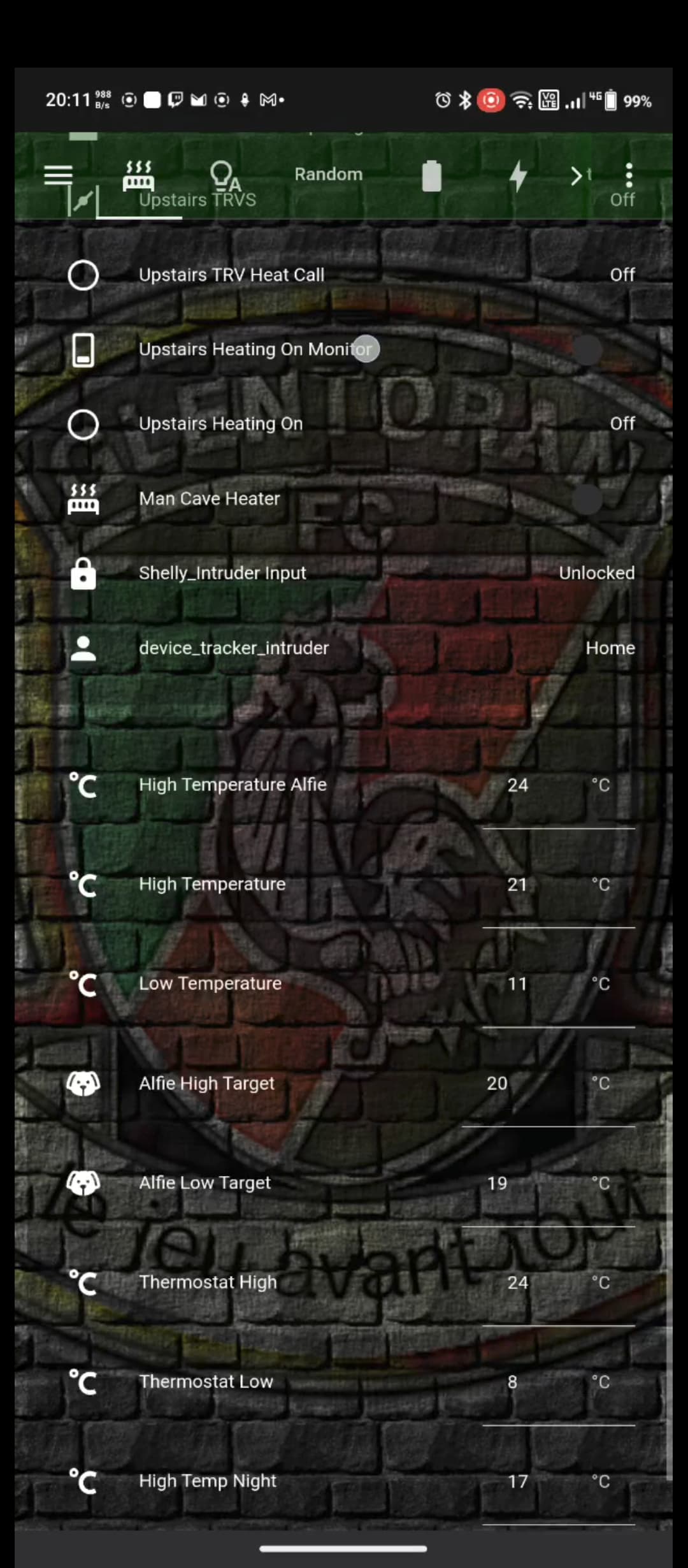
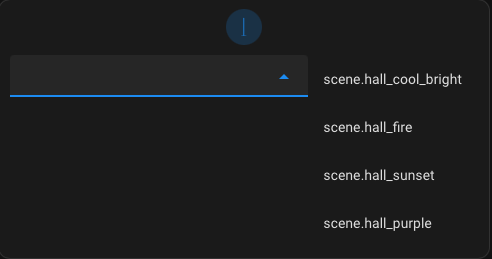
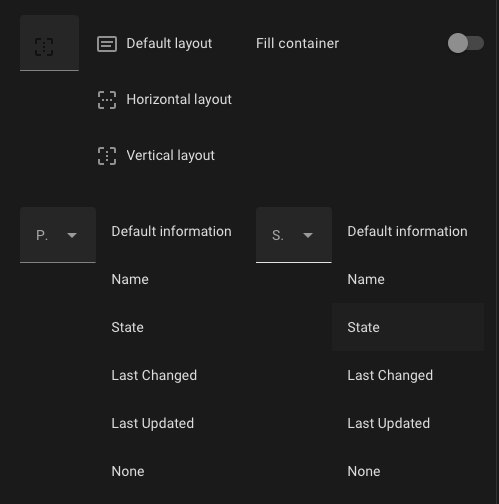
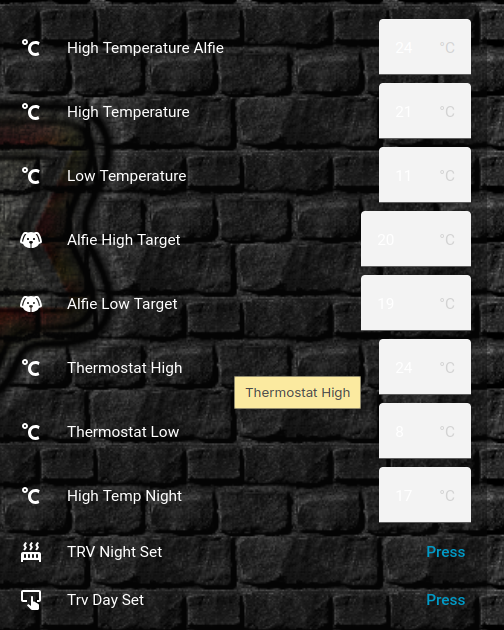
Hello, I have used a custom theme for a few years but a recent update must have changed something about the dropdown/selection boxes and I can’t for the life of me figure out how to fix it.
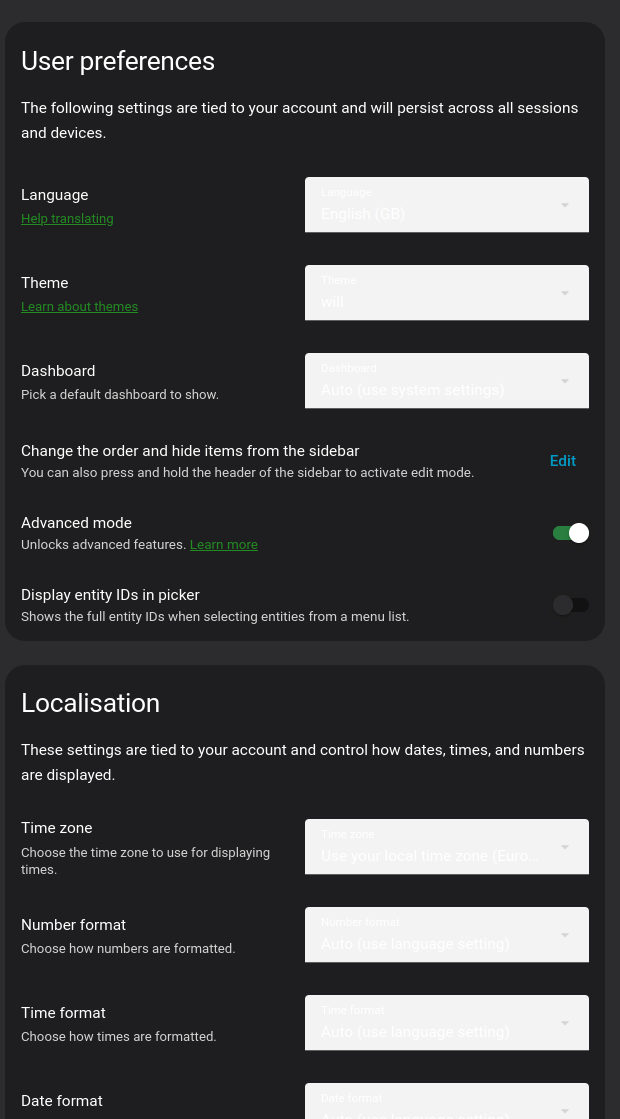
will:
  # Global
  background-image: "center / cover no-repeat fixed url('/local/images/glens.png')"
  lovelace-background: var(--background-image)
  primary-color: "#228b22"  # from Apple systemOrange dark mode
  light-primary-color: "#B6B6C1"  # (icons on left menu) (light: systemGray5 from iOS dark mode, dark: XXX)
  primary-background-color: "#2c2c2e"  # systemGray5 dark mode
  secondary-background-color: rgba(25, 25, 25, 0.9)
  divider-color: rgba(152, 152, 157, 0.3)  # from Apple systemGray dark mode
  accent-color: rgba(255, 159, 9, 1)
  # Text
  primary-text-color: "#FFF"
  secondary-text-color: "#d3d3d3"
  text-primary-color: "#FFF"
  disabled-text-color: "#555"  # XXX: https://github.com/basnijholt/lovelace-ios-dark-mode-theme/issues/2
  text-dark-color: "#FFF"
  # Sidebar Menu
  sidebar-background-color: var(--primary-background-color)
  sidebar-icon-color: var(--light-primary-color)
  sidebar-text-color: "#F1F1F1"
  sidebar-selected-background-color: var(--primary-background-color)
  sidebar-selected-icon-color: "#FFF"  # (light: systemGray5 from iOS light mode, dark: XXX)
  sidebar-selected-text-color: var(--sidebar-selected-icon-color)
  # States and Badges
  state-icon-color: "#FFF"
  state-icon-active-color: rgba(255, 214, 10, 1)  # or make light icons yellow when active: rgba(255, 214, 10, 1)
  state-icon-unavailable-color: var(--disabled-text-color)
  paper-item-icon-active-color: rgba(255, 214, 10, 1)  # see https://github.com/basnijholt/lovelace-ios-dark-mode-theme/issues/30
  # Sliders
  paper-slider-knob-color: "#FFFFFF"
  paper-slider-knob-start-color: var(--paper-slider-knob-color)
  paper-slider-pin-color: var(--paper-slider-knob-color)
  paper-slider-active-color: "#0984ff"  # from Apple systemBlue dark mode
  paper-slider-secondary-color: var(--paper-slider-knob-color)
  paper-slider-container-color: rgba(255, 255, 255, 0.5)
  paper-slider-font-color: "#000"
  ha-slider-background: none !important
  # Labels
  label-badge-background-color: "#23232E"
  label-badge-text-color: "#F1F1F1"
  label-badge-red: rgba(255, 159, 9, 0.7)  # from Apple systemOrange dark mode
  # Cards
  card-background-color: var(--secondary-background-color)  # Unused entities table background
  paper-listbox-background-color: var(--primary-background-color)
  ha-card-border-radius: 20px
  ha-card-background: rgba(10, 10, 10, 0.4)
  paper-card-background-color: var(--ha-card-background)
  ha-card-border-width: 0  # https://github.com/basnijholt/lovelace-ios-dark-mode-theme/issues/82#event-7732695357
  # Toggles
  paper-toggle-button-checked-button-color: "#484848"
  paper-toggle-button-checked-bar-color: "#484848"
  paper-toggle-button-unchecked-button-color: var(--paper-toggle-button-checked-button-color)
  paper-toggle-button-unchecked-bar-color: var(--disabled-text-color)
  # Table row
  table-row-background-color: var(--primary-background-color)
  table-row-alternative-background-color: var(--secondary-background-color)
  # Switches
  switch-checked-color: "#30d257"  # XXX: remove when https://github.com/home-assistant/home-assistant-polymer/pull/4203 is in HA
  switch-checked-track-color: "#30d158"  # from Apple systemGreen dark mode
  switch-checked-button-color: "#FFF"
  # Other
  paper-dialog-background-color: rgba(55, 55, 55, 0.8)  # e.g., background of more-info
  paper-item-icon-color: white  # also should mini-media-player icon white (but doesn't work by itself)
  more-info-header-background: rgba(25, 25, 25, 0.5)
  lumo-body-text-color: var(--primary-text-color)  # see https://github.com/basnijholt/lovelace-ios-dark-mode-theme/issues/42
  app-header-background-color: rgba(5, 80, 0, 0.4)
  markdown-code-background-color: "#464646"
  code-editor-background-color: "#161616"
  # Custom
  mcg-title-letter-spacing: .15em
  mini-media-player-base-color: white
  mini-media-player-icon-color: white
  # Added for https://github.com/basnijholt/lovelace-ios-dark-mode-theme/issues/72
  # TODO: add description for lines below. Suggested in https://github.com/basnijholt/lovelace-ios-dark-mode-theme/issues/72
  input-ink-color: var(--primary-text-color)
  input-fill-color: transparent
  input-disabled-fill-color: transparent
  input-label-ink-color: var(--primary-text-color)
  input-disabled-ink-color: var(--disabled-text-color)
  input-dropdown-icon-color: var(--primary-text-color)
  input-idle-line-color: var(--secondary-text-color)
  input-hover-line-color: var(--secondary-text-color)
  codemirror-property: var(--accent-color)
I did base this theme off one of the IOS themes that haven’t been updated in a while and they’re all doing the same thing with the white boxes.
I’d looked through a few old posts about similar issues but none of the additional options I’ve tried seem to change the colour of the boxes.
#  mdc-select-fill-color: var(--primary-background-color)
#  mdc-select-ink-color: var(--primary-text-color)
#  mdc-select-label-ink-color: var(--primary-text-color)
#  mdc-select-dropdown-icon-color: var(--primary-text-color)
#  paper-listbox-background-color: var(--secondary-background-color)
# Add to your theme yaml file
#  mdc-select-fill-color: var(--primary-background-color)
#  mdc-select-ink-color: var(--primary-text-color)
#  mdc-select-label-ink-color: var(--secondary-text-color)
#  mdc-select-dropdown-icon-color: var(--primary-text-color)

# Fix for input fields / text boxes
#  mdc-text-field-fill-color: var(--primary-background-color)
#  mdc-text-field-ink-color: var(--primary-text-color)
#  mdc-text-field-label-ink-color: var(--secondary-text-color)

# Fix for dropdown background popup
  mdc-select-container-color: rgba( 75, 92, 105, 0.45)
  mdc-text-field-fill-color: rgba( 75, 92, 105, 0.45)
  mdc-text-field-ink-color: "#FFF"
  mdc-text-field-label-ink-color: "#FFF"
  mdc-select-fill-color:  rgba( 75, 92, 105, 0.45) #rgba( 10, 10, 10, 0.5)
  mdc-select-ink-color: "#FFF"
  mdc-select-label-ink-color: "#FFF"
  md-sys-color-surface: rgba( 75, 92, 105, 0.45)
I can change the text colour within the boxes with the text variables but the white boxes are ugly so I’d love to know what element I need to set the colout for to put them back to the nice grey they were last month.