 Sensor Bar Card Plus
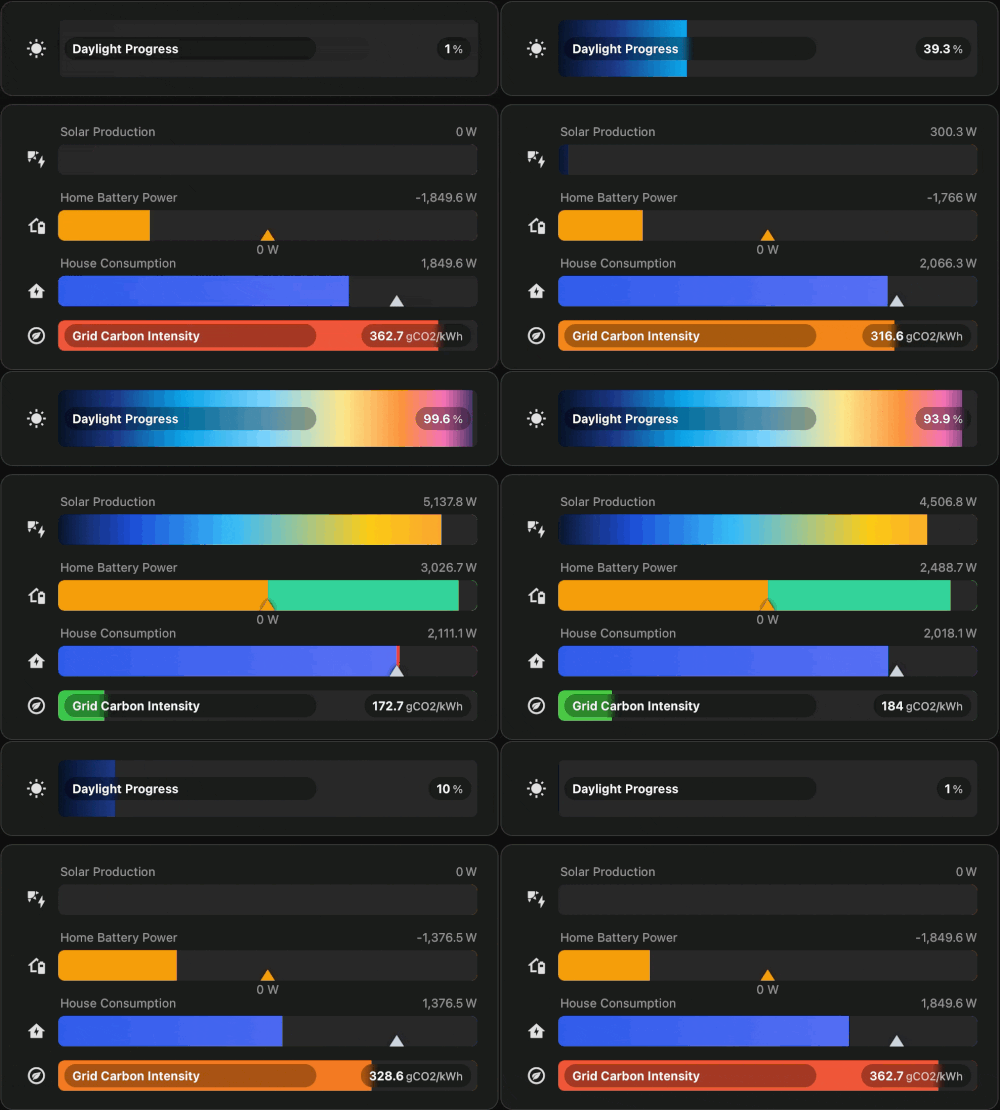
Modern dashboards deserve better sensor bars.
Sensor Bar Card Plus is a heavily redesigned sensor visualization card for Home Assistant dashboards, focused on dynamic data sources, flexible rendering and modern information-dense layouts.
Originally inspired by the Sensor Bar Card concept by TommySharpNZ.
Perfect for:
- energy dashboards
- battery & solar systems
- EV charging
- infrastructure monitoring
- server statistics
- environmental telemetry
 What Makes It Different?
Sensor Bar Card Plus focuses heavily on:
- dynamic data sources
- dynamic min/max/target entities
- flexible sensor rendering
- compact information presentation
- inline value presentation
- markers and peak indicators
- severity-based coloring
- highly configurable layouts
- flexible sizing and layouts
- modern dashboard styling
The goal is to create dashboards that feel visually structured and information-dense without becoming cluttered.
Example YAML
type: custom:sensor-bar-card-plus
title: Energy Overview
label_position: left
label_width: 145
animated: true
entities:
  - entity: sensor.solar_power
    name: Solar
    min: 0
    max: 7000
    color_mode: gradient
    gradient_stops:
      - pos: 0
        color: '#16324f'
      - pos: 65
        color: '#f59e0b'
      - pos: 100
        color: '#fb923c'
    target: 5200
    show_target_label: true

  - entity: sensor.house_consumption
    name: House
    min: 0
    max: 3200
    color_mode: gradient
    gradient_stops:
      - pos: 0
        color: '#2F5BEA'
      - pos: 100
        color: '#6476F7'
    target: 2100
    above_target_color: '#ef4444'
Installation
HACS (recommended)
Sensor Bar Card Plus is now available through HACS.
Add directly through HACS:
(the fancy install badge will be added when I'm no longer a newbie on this forum; for now I'm limited to the link above or you can simply use the github page)
Manual Installation
resources:
  - url: /local/sensor-bar-card-plus.js
    type: module
Full instructions at the Github page below.
Credits
Originally inspired by Sensor Bar Card by TommySharpNZ.