Hi,
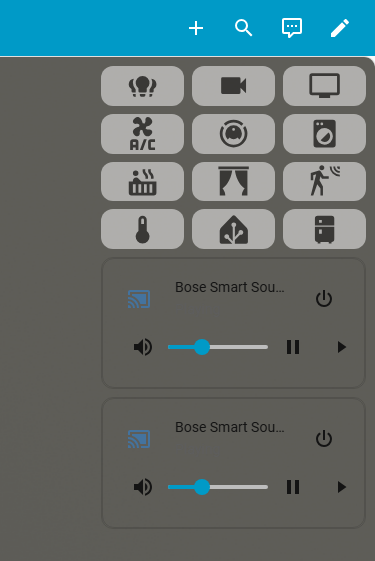
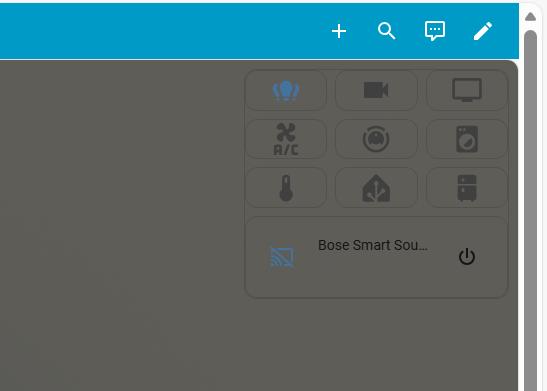
I am trying to change the button and auto entities color in vertical stack and grid in bubble card. Can any one help me in setting color for buttons and auto entities? Below is my YAML configuration for buttons in vertical stack.
      - type: custom:mod-card
        card_mod:
          style: |
            :host {
              --vertical-stack-card-margin: 1px;
              --ha-card-background: '#5c5a5a9c' !important;
              transform: translate( 0, 0 );
              top: calc( var(--header-height) + 10px );
              position: absolute;
              width: 265px;
              right: 10px;
              height: auto !important;
            }
        card:
          type: vertical-stack
          cards:
            - type: grid
              square: false
              columns: 3
              cards:
                - type: custom:button-card
                  label: All Lights
                  show_label: false
                  icon: mdi:lightbulb-group
                  color: '#404040'
                  entity: input_boolean.livingroom_light
                  show_name: false
                  tap_action:
                    action: more-info
                - type: custom:button-card
                  icon: mdi:video
                  label: All Cameras
                  show_label: false
                  color: '#404040'
                  show_name: false
                - type: custom:button-card
                  icon: mdi:television
                  label: All TVs
                  show_label: false
                  color: '#404040'
                  show_name: false
                - type: custom:button-card
                  icon: mdi:air-conditioner
                  label: All Air Conditioners
                  show_label: false
                  color: '#404040'
                  show_name: false
                - type: custom:button-card
                  icon: mdi:robot-vacuum
                  label: Robo Vacuum
                  show_label: false
                  color: '#404040'
                - type: custom:button-card
                  icon: mdi:washing-machine
                  label: Washing Machine
                  show_label: false
                  color: '#404040'
                  show_name: false