Dear community,
for contolling a cover I want to use a Shelly 2PM (Gen3) and I am (successfully  ) trying to include it in HA. Thanks to the responsible pleople, it gernerally works great.
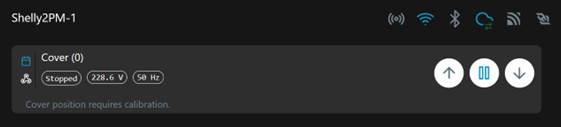
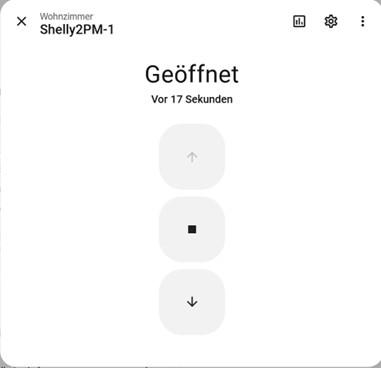
There ist just one issue about the states (cover.shelly2pm_1), used in the Shelly itself and in HA. I have read the states from the Shelly through the web-interface, see the attached picture. When lifting or lowering the cover and stopping it before it reaches its end position (or end time), shelly displays the state “stopped”, whereas HA displays the state “open”.
All other states are shown correctly; if the cover is fully open, also “open” is shown in HA as well as in Shelly.
The consequence on the standard-dashboard for the Shelly is that the cover cannot be lowered, although it is not fully open.
I would be happy, if someone can take care of this issue.
And if my topic is not created in the correct category, I appologize and please move it into the correct one. Many thanks
Marcus
your screenshot says “cover position requires calibration”
That’s correct, but I also do not need a calibration. There are limit switches on the cover (roller blind) which are used for an end stop.
What I do not understand is, why the Shelly shows “stopped” at the manual end of a movement and HA says “open”. In my opinion, the state is transfered not correctly from the Shelly into HA.
really, calibrate and try again
I have tried to calibrate, but was not successful. The reason is: there is no real cover connected to the Shelly. I am testing just the Shelly in advance with two lamps connected (;-).
Would you do me a favor, please?
Could you please open your cover completely (until it stoppes automatically) and compare the results: On the image similar you posted before, “open” will be displayed in the Shelly web-application and in HA (Einstellungen → Geräte und Dienste → Integritäten → Shelly → Plus2PM Kueche). You can see this in the dialog, attached in the picture, if you display the “Steuerelemente”.
If you now lower the cover just a bit and stop it manually, you should see in the Shelly “Stopped” and on the mentioned dialogue in HA “open” (Geöffnet).
This is exactly, what I mentioned. Many thanks for your kind support.
If you use mode “cover” you should connect to a cover…
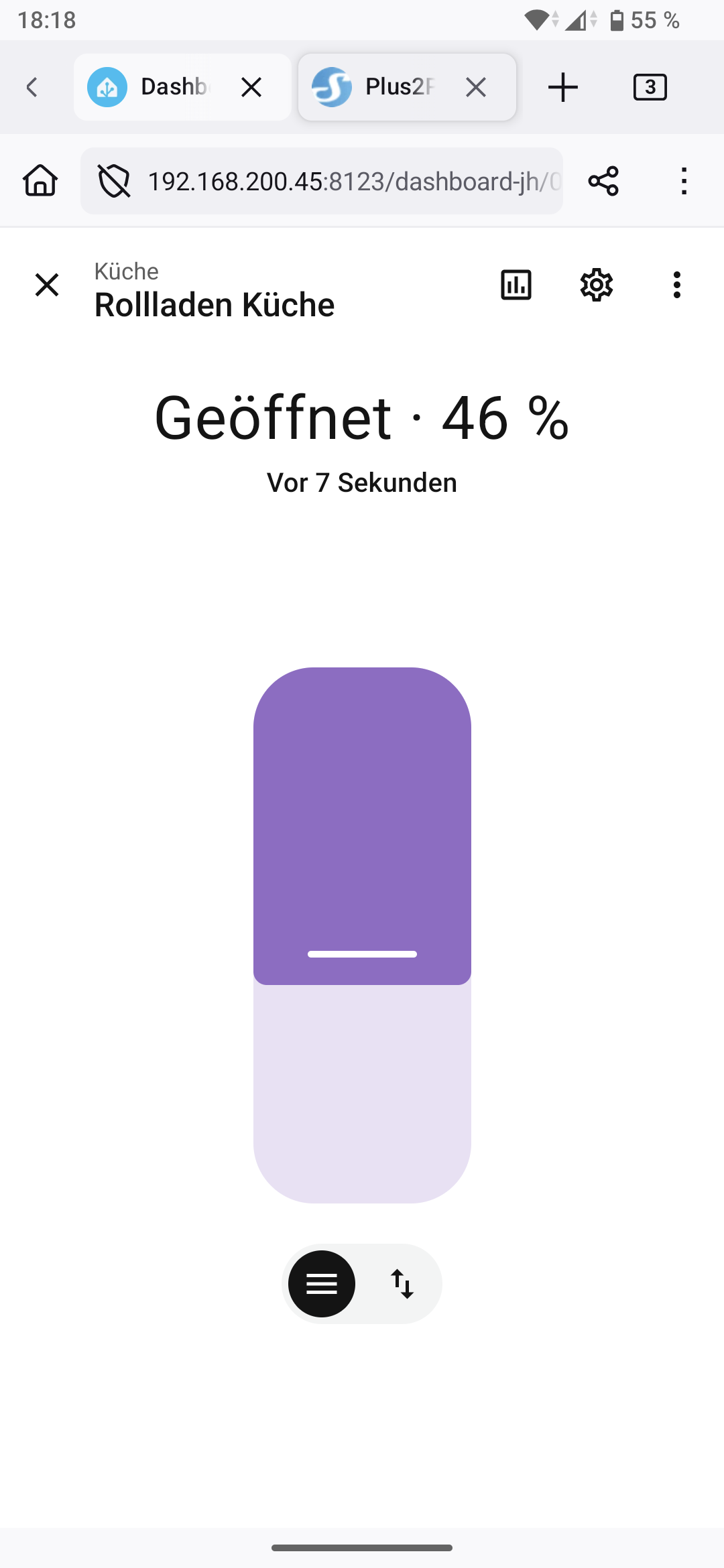
Anyways, here the screenshots how it should be, the whole idea is to have a cover position of course
1 Like
Many thanks for your kind supprt, now I see the difference!
The two mentioned values are not comparable (and maybe have a different meaning). I never took the percentage opening value into account. That makes sense and might give more options for the cover. I will try this later with the connected cover. Thanks again!
Just for your information: yes, I use the cover mode.
Edit: Just for information: with an uncalibrated Shelly it is not possible to open the cover with the standard control element, until it is completely lowered.