Hi all,
I’d like to share ShellyLanMan, a free and open-source (GPL-3.0) tool to discover,
monitor and manage the Shelly devices on your LAN — Gen1 to Gen4, Pro, and BLU devices
through their gateways — from any browser, and inside Home Assistant.
It started from ShellyScanner by Antonio
Flaccomio (usnasoft), a Java desktop tool, and is built on its basis — its
features, terminology and Shelly know-how — then developed further as a web
application. The look — appearance settings and
palettes — comes from MikroDash by SecOps-7.
Both endorse this project
What it does
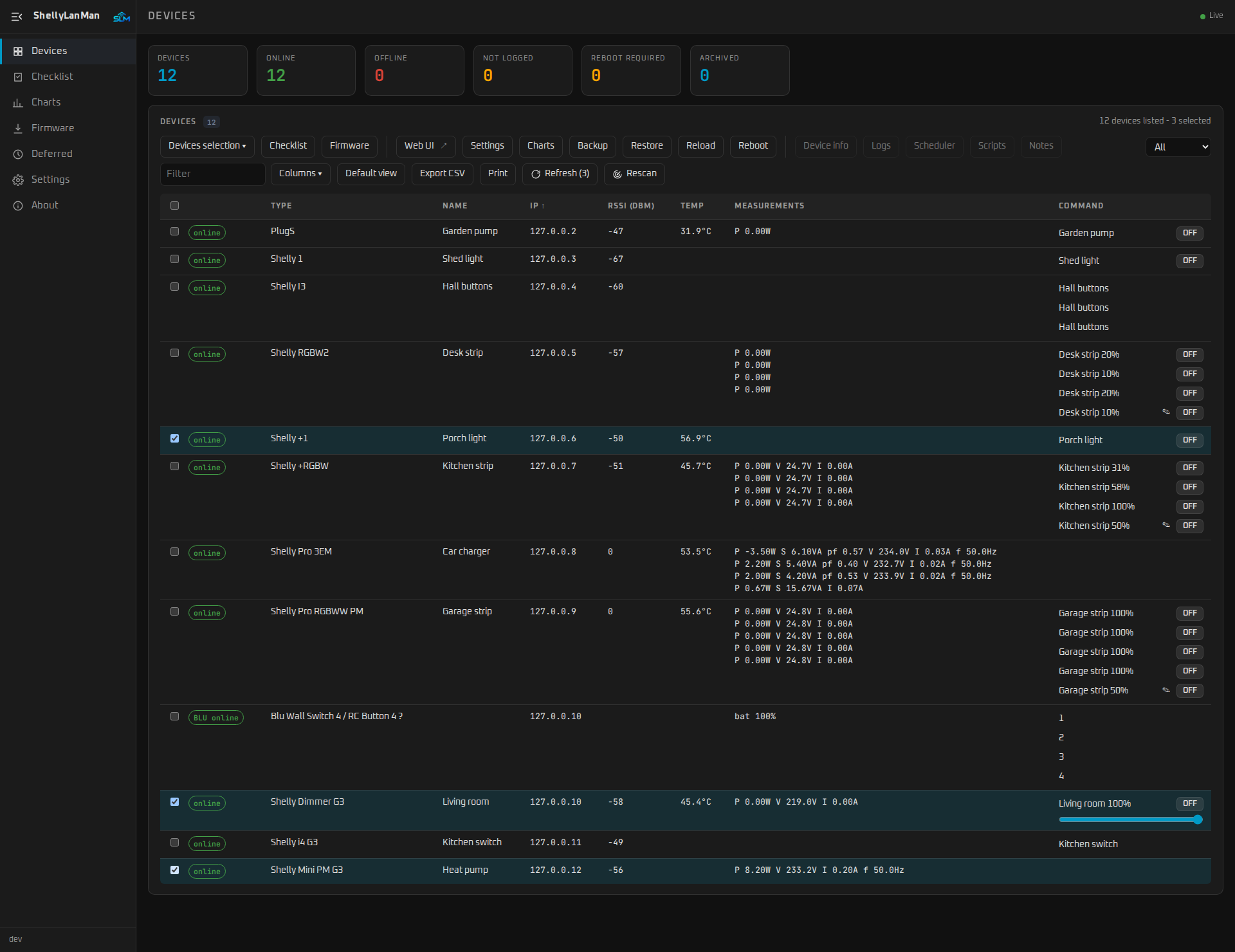
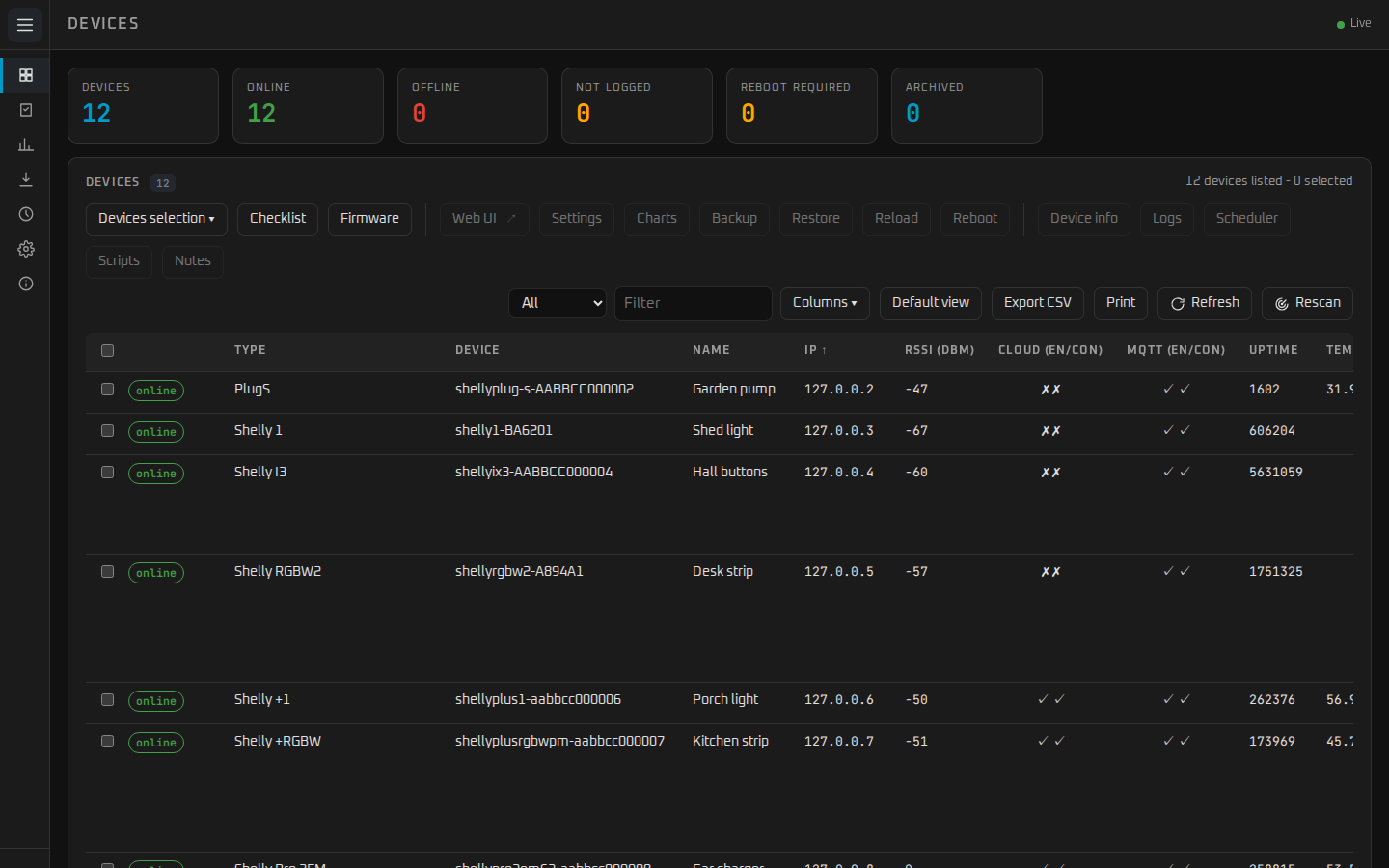
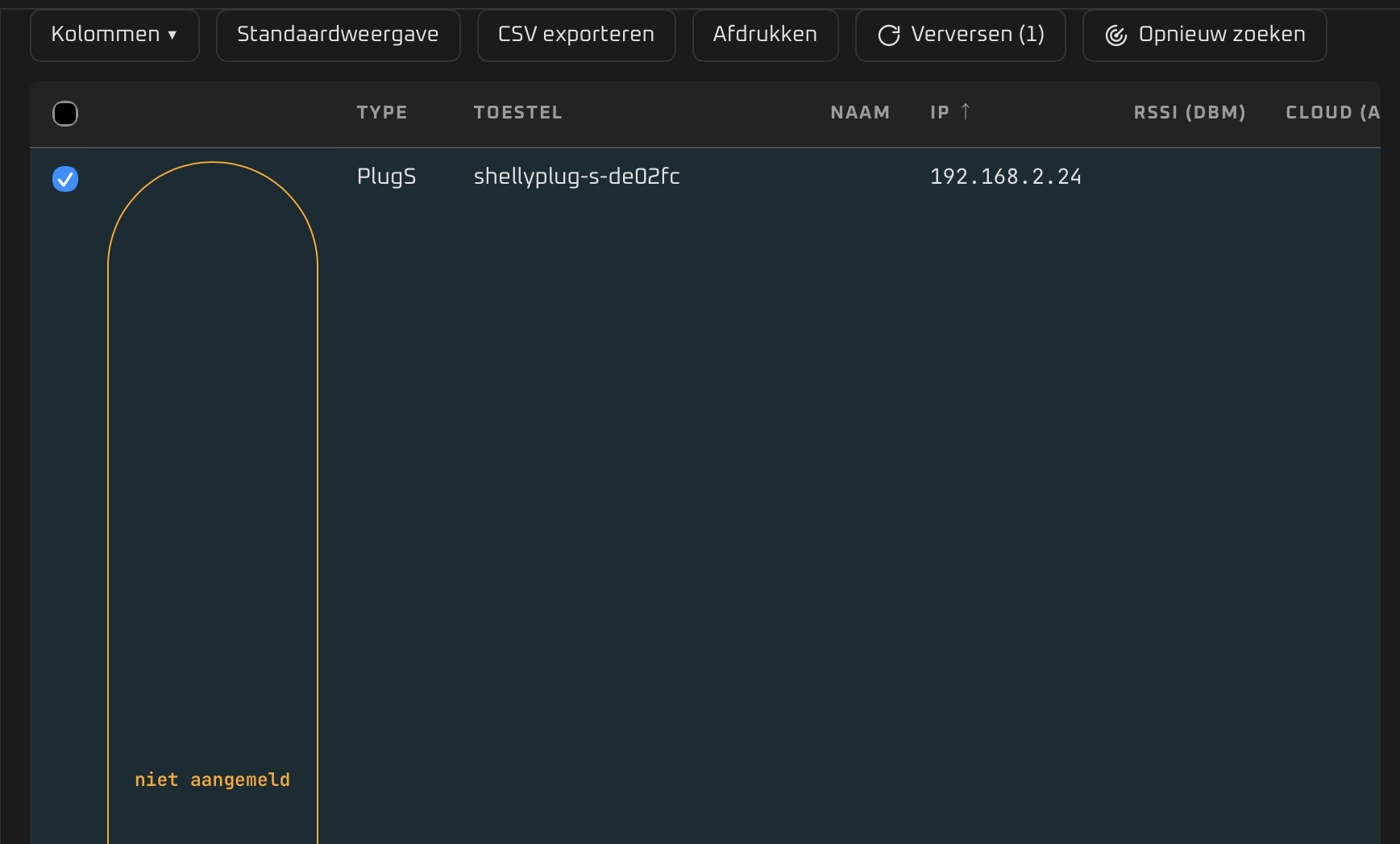
- One table of every Shelly: status, Wi-Fi, cloud/MQTT, uptime, temperature,
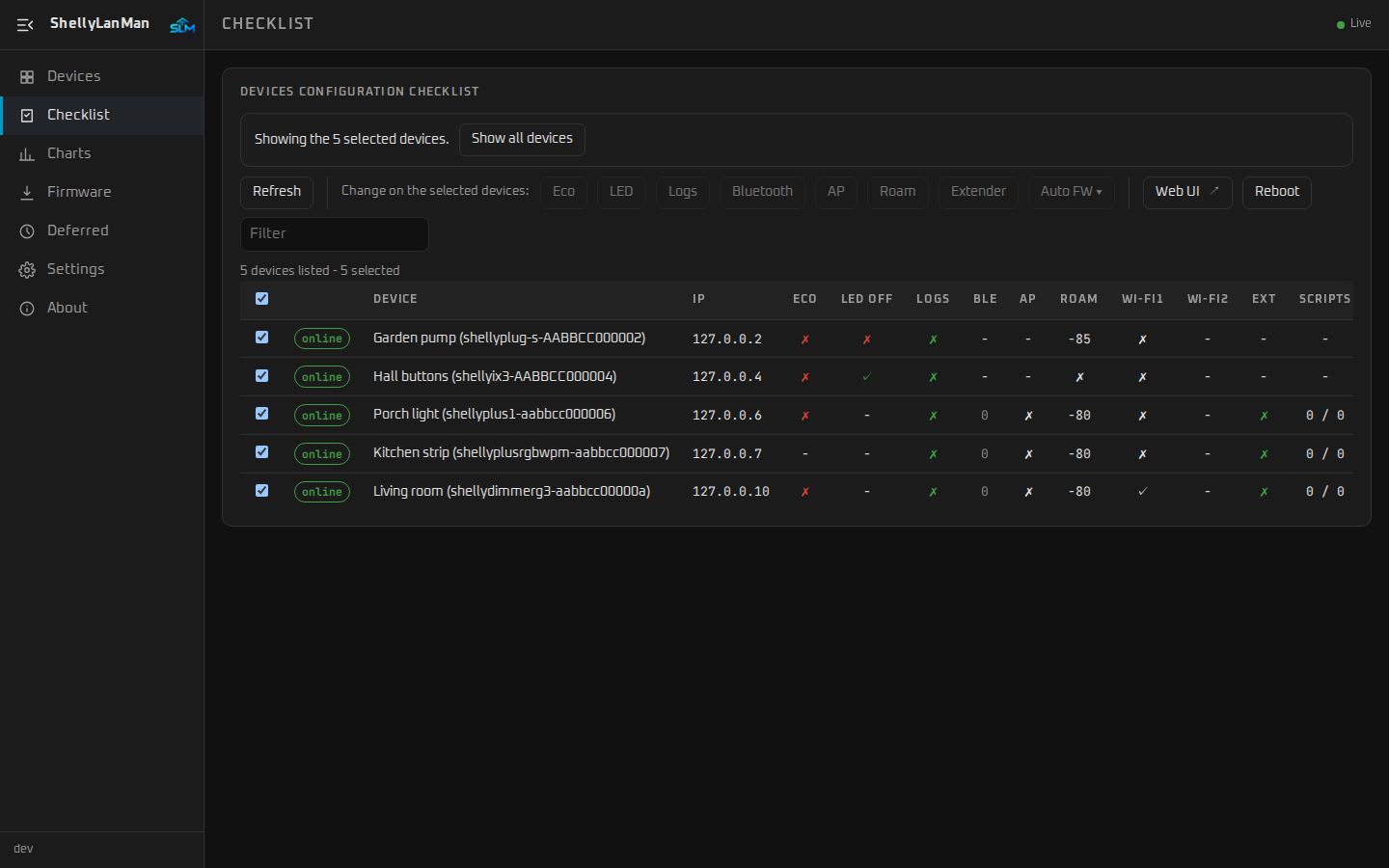
measurements and controls (relays, dimmers, lights, rollers, thermostats). - A configuration checklist — eco mode, LED, debug log, Bluetooth, access point,
roaming, static IP, range extender, scripts, automatic firmware updates — that you
can switch for many devices at once. - Settings for one or many devices, configuration backup and restore, firmware
updates with progress (and a QR code to update a device from your phone), scripts
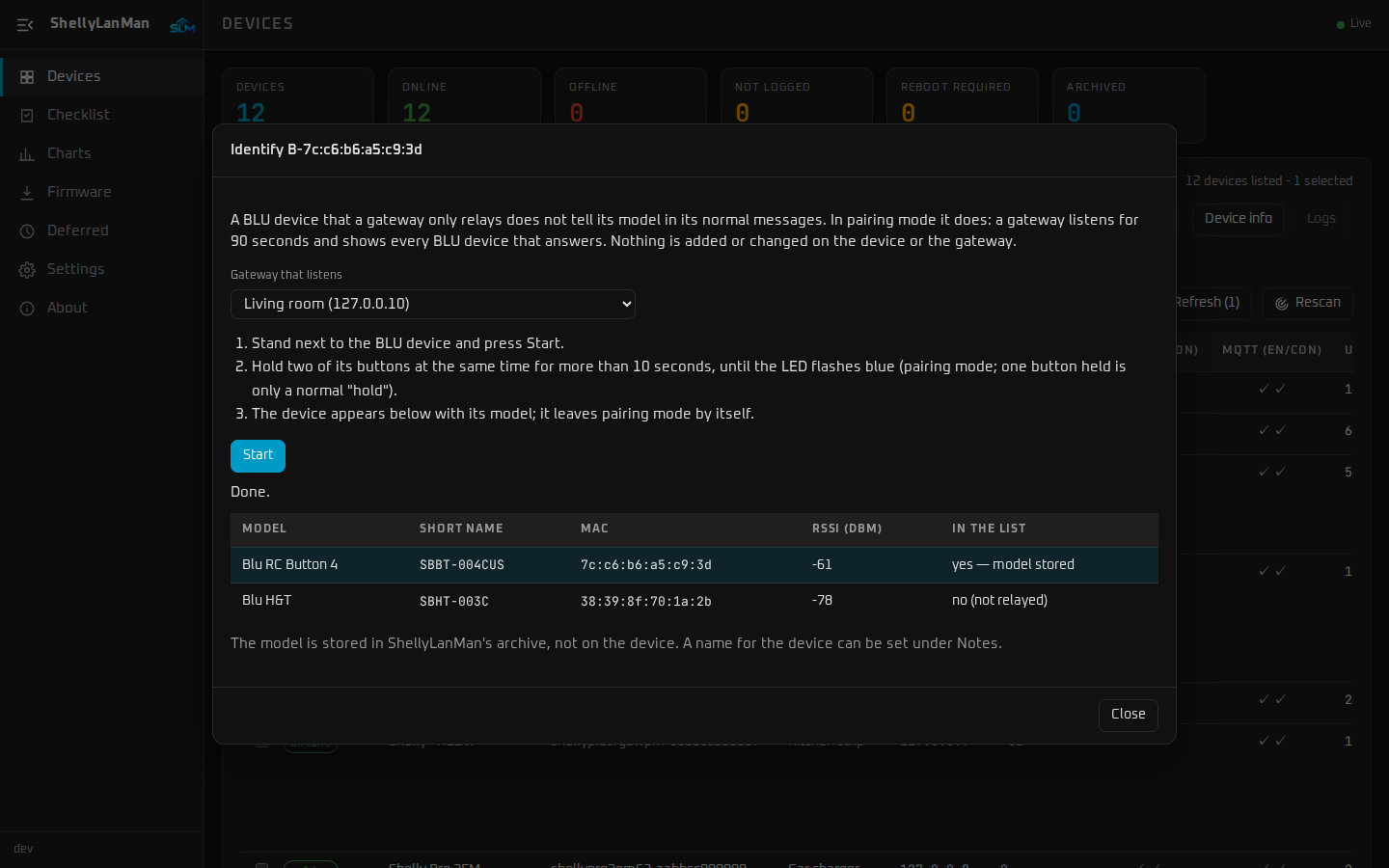
with an editor, KVS, schedules, live logs and charts. - BLU devices that a gateway only relays to the Shelly cloud get a row of their own,
and a small wizard tells you which model they are (the gateway listens while you
put the device in pairing mode). - An MCP server, so AI assistants can read — and, if you allow it, control — your
Shellys locally. - Local only: no cloud, no telemetry. Optional password, eight languages, works on a
phone too.
In Home Assistant
- App (Home Assistant OS): ShellyLanMan in the sidebar, in Home Assistant’s look,
with a full or minimal sidebar like Home Assistant’s own. - Integration (HACS): ShellyLanMan’s status, last configuration backup and
checklist per Shelly, and Configure → Add Shellys to Home Assistant: it lists the
Shellys ShellyLanMan knows that are not in the Shelly integration yet — also the
ones Home Assistant did not discover — and adds the ones you tick through the
Shelly integration’s own steps, passwords included. On my test instance that was
25 Shellys in two clicks instead of 25 confirmations. - ShellyLanMan’s tools in Assist.
Relays, lights and meters stay with the official Shelly integration; ShellyLanMan is
not in the path of your automations.
Install
- App: Settings → Apps → App Store → ⋮ → Repositories → add
https://github.com/wimmme/shellylanman-ha, then install ShellyLanMan. - Integration: HACS → ⋮ → Custom repositories →
https://github.com/wimmme/shellylanman-ha(type Integration). It is submitted to
the HACS default list (PR), but that
queue takes months — the custom repository works right now. - Without Home Assistant OS: one Docker container,
ghcr.io/wimmme/shellylanman
(amd64 and arm64) — see the README.
Links: ShellyLanMan ·
Home Assistant app and integration
Feedback, bug reports and ideas are very welcome.
Feedback and ideas here, issue as a
GitHub issue.