Hi everyone,
I’ve built Smart Heating Schedule, a custom integration that gives any thermostat in Home Assistant a weekly heating schedule, edited on a timeline inspired by Tado’s Smart Schedule. It’s now in the HACS default store. I have been personally using it for a while now, open to new ideas and feedback!
What it does
The integration adds a Smart Heating Schedule page to the sidebar. On it you can:
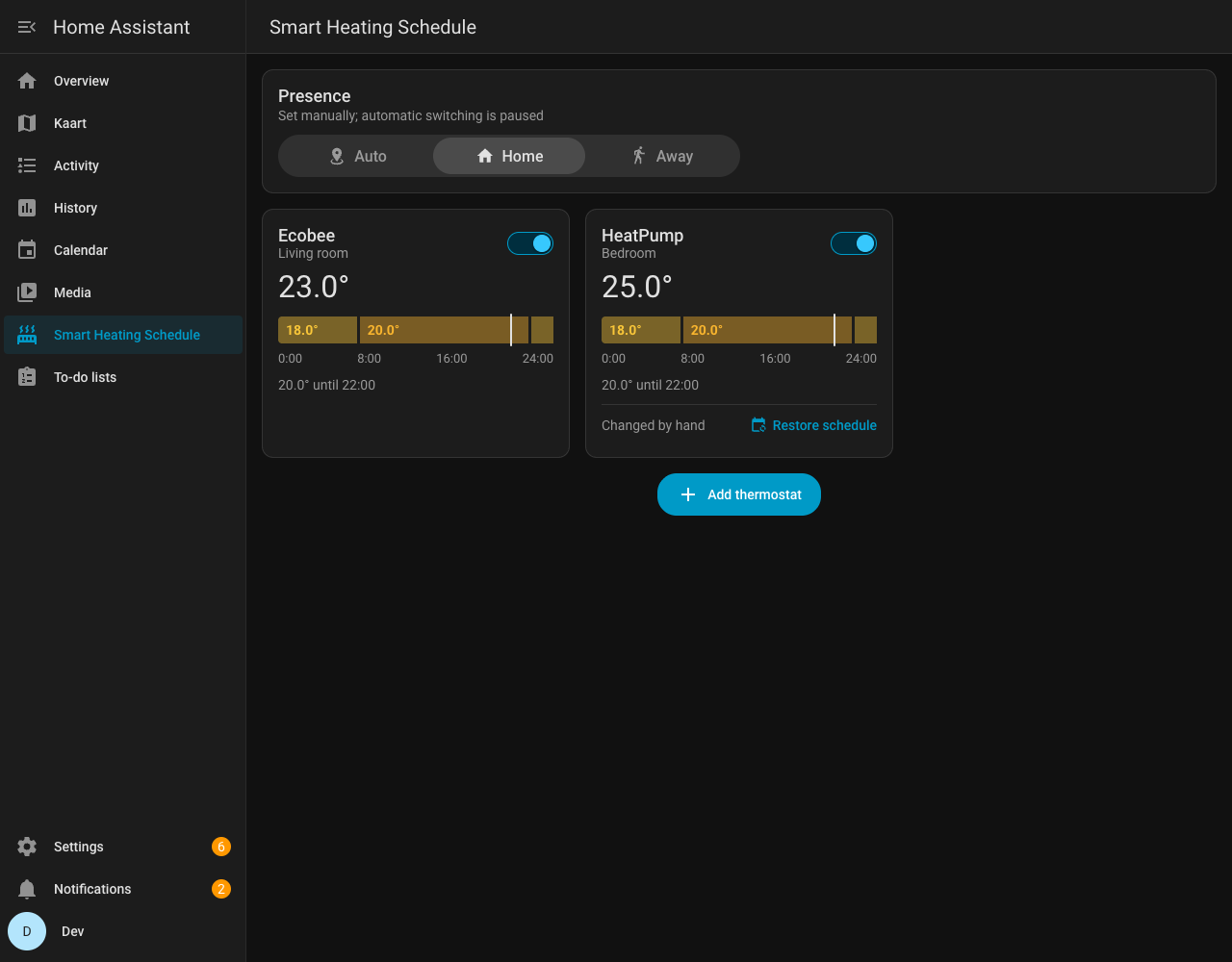
- see every thermostat at a glance: its room, current temperature and today’s schedule
- give each thermostat a weekly Home and Away schedule
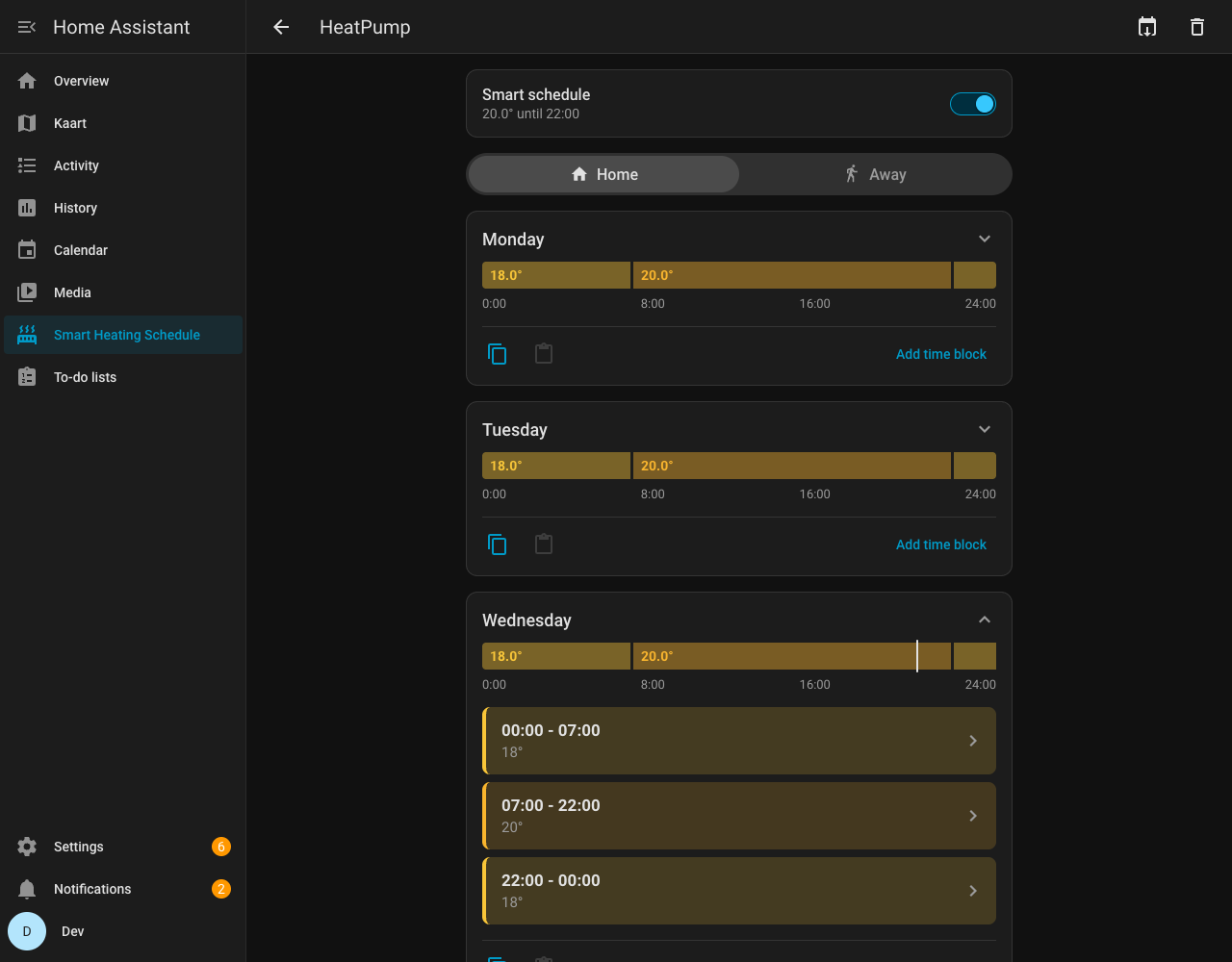
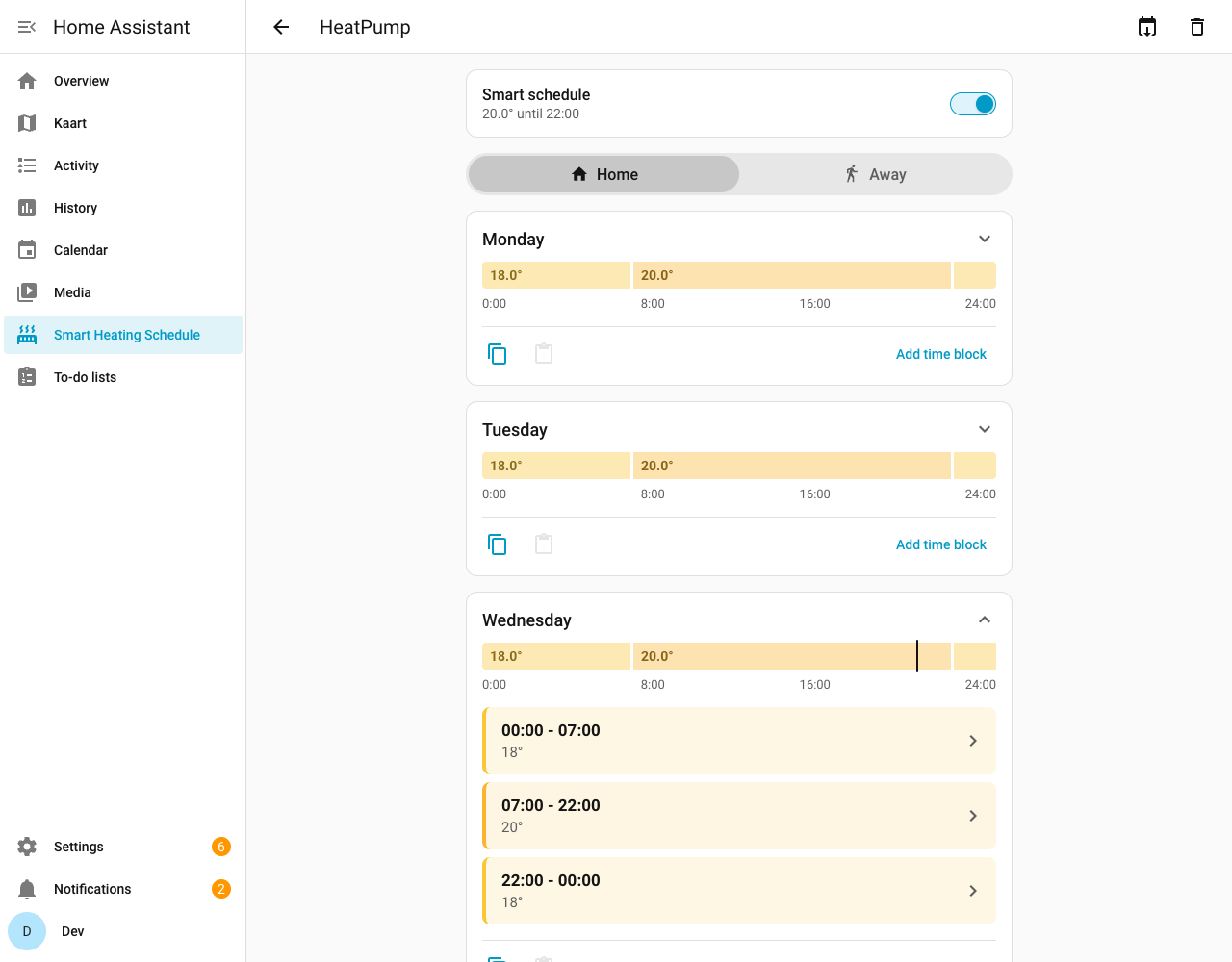
- see every day of the week (Monday to Sunday) as a coloured timeline, which expands into its time blocks
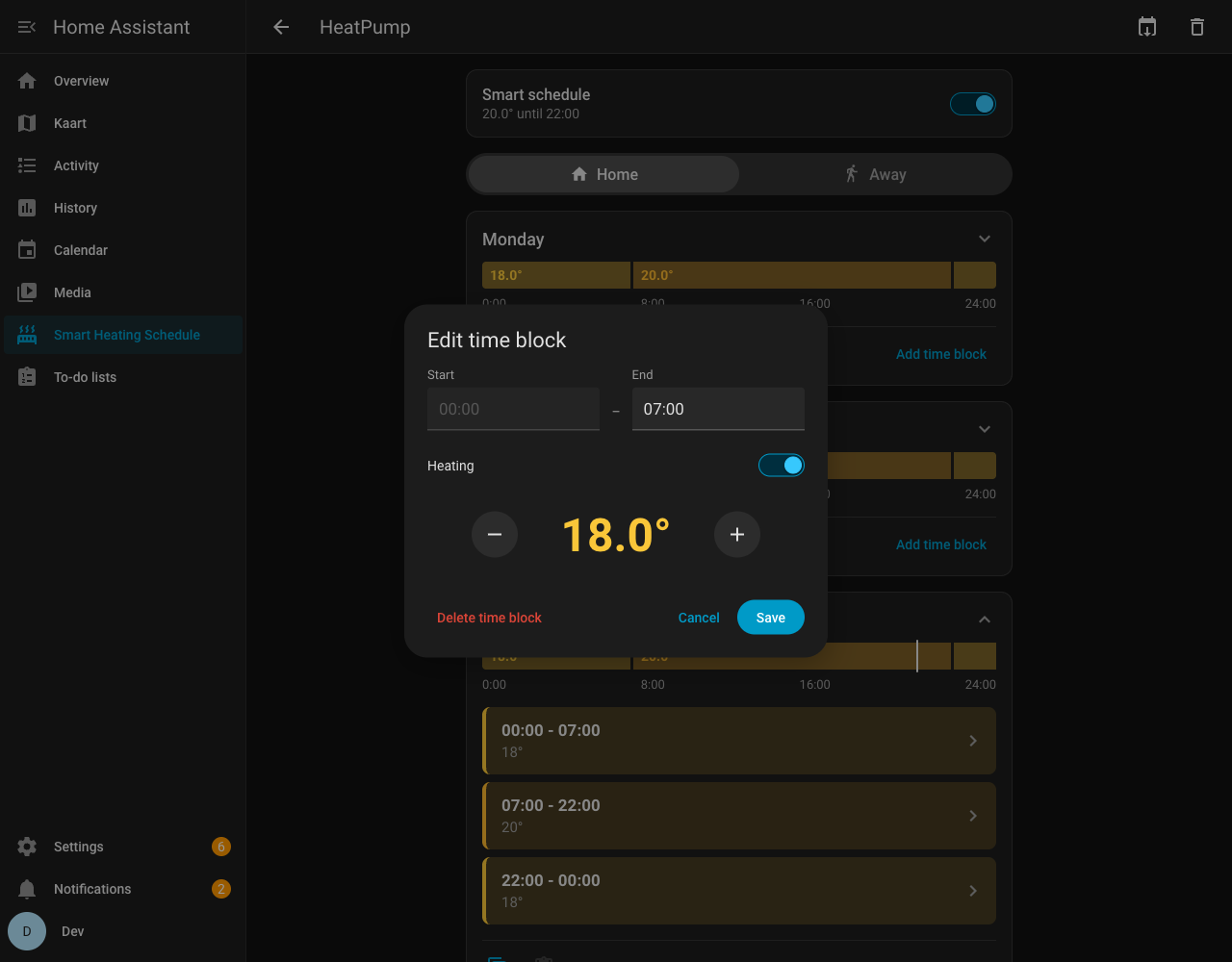
- add, edit and delete time blocks on a 15-minute grid
- set a block to a temperature or to Off (frost protection on devices that can’t turn off)
- copy one day and paste it onto another, or copy a whole schedule to other rooms
- switch Home and Away automatically from presence (
zone.homeby default), or set it by hand - see when someone changed a thermostat by hand, and go back to the schedule with one tap (Restore schedule)
It is vendor agnostic: it works with Tado, Netatmo, Zigbee/Z-Wave radiator valves, generic_thermostat, Ecobee, Nest and any other climate entity. Celsius and Fahrenheit both work, and the UI follows your Home Assistant theme, language (English, German, Dutch, French, Spanish, Italian, Polish, Portuguese, Russian, Turkish and Simplified Chinese included) and 12/24-hour setting.
Installation
Requires Home Assistant 2026.3 or newer.
HACS (recommended)
- Open HACS and search for Smart Heating Schedule, or use the button below.
- Download it and restart Home Assistant.
- Go to Settings → Devices & services → Add integration and pick Smart Heating Schedule.
If it doesn’t show up in the search, add it as a custom repository instead: in HACS, open the menu (⋮) → Custom repositories, add https://github.com/talhaucar/smart-heating-schedule with type Integration, then continue from step 2.

Manual
Copy custom_components/smart_heating_schedule into your config/custom_components folder, restart, and add the integration as above.
Using it
- Open Smart Heating Schedule in the sidebar and choose Add thermostat. The thermostat starts with a default schedule: Home 18° / 20° from 07:00 / 18° from 22:00, and Away 16° all day (64° / 68° / 64° and 61° °F).
- Tap a day to see its time blocks. Tap a block to change its times or temperature, or use Add time block.
- Use the Home | Away switch at the top to edit the away schedule.
- To give several days the same schedule, use the copy button on one day and the paste button on the others.
Changes are saved immediately, like in the Tado app.
Home and Away
The Presence control at the top of the panel, also available as the entity select.smart_heating_schedule_presence_mode, has three modes:
- Auto: follows the presence entity. The default is
zone.home, which counts as away when nobody is in it. You can choose another entity under Settings → Devices & services → Smart Heating Schedule → Configure:- a
person,device_trackerorgroup: away when it isn’thome - a
binary_sensororinput_boolean: away when it isoff
- a
- Home / Away: forces one profile, like Tado’s manual Home/Away.
Presence changes are debounced by a few seconds. If presence is unknown, the home schedule is used.
Entities, actions and the rest of the documentation are in the README on GitHub. Feedback, bug reports and feature requests are very welcome, either here or as a GitHub issue.