I just released Smartphone Card, a Lovelace card for displaying your phone’s Companion App sensors (battery, Wi-Fi, location, last used app, steps, light sensor…) — either as a normal entities-style list, or as a little illustration of the phone itself.
I built this because I wanted a dashboard tile for my phone’s sensors that didn’t look like a random “AI-generated” gradient widget — so it’s built to match HA’s own design language as closely as possible, in both display modes.
Features
Two modes
List – rows styled exactly like the native entities card (percentage/battery sensors can render as a progress bar).
Phone – a realistic phone frame (notch, status bar with clock/Wi-Fi/battery) with a fixed-aspect “screen” showing your chosen entities.
Fully configurable via the visual editor – no YAML required. Entity/device/icon pickers all use Home Assistant’s own selectors, drag-and-drop row reordering, and a bulk “add all entities from this device” button.
Clickable rows – list mode opens HA’s standard more-info dialog; phone mode opens a small in-card detail sheet with a history chart, and a toggle button for toggleable entities.
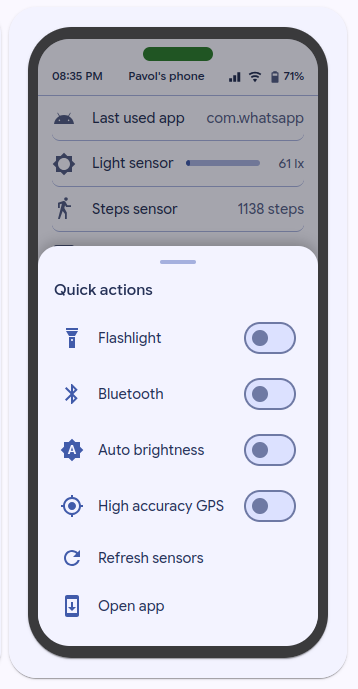
Quick actions – tap the phone’s notch/device name to reveal a sheet of configurable quick actions (service calls), including ready-made examples for the Android Companion App’s special commands (DND, flashlight, ringer mode, force sensor refresh, etc.).
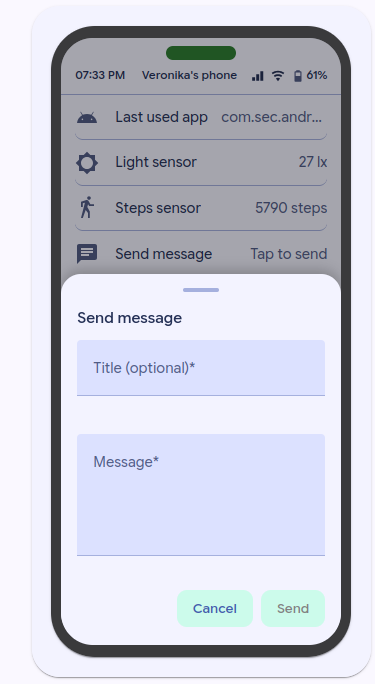
Send a message – a quick action (or a regular row) that opens a small compose dialog (Title/Message/Priority/Channel) and calls notify.send_message on modern notify entities, or the legacy notify.* service directly when needed.
Configurable frame/notch color, friendly attribute display for sensors that report raw values (like a package name for “last used app”), and signal-strength-aware Wi-Fi/mobile icons.
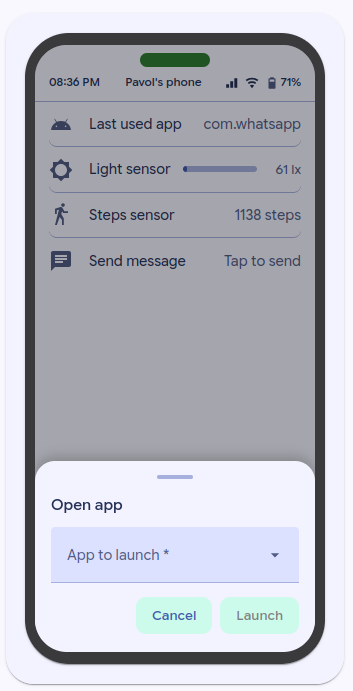
One more thing I have to share, because it genuinely surprised me: the Android Companion App’s notification commands are way more capable than I expected — flashlight, Bluetooth, auto-brightness, high-accuracy location, force-refreshing sensors, even launching another app on the phone, all triggerable straight from Home Assistant.
Most of these have no corresponding HA entity at all, so without something like this they’re basically invisible from the dashboard.
Interested? Open this expandable to see more!
I just shipped v1.3.0 of Smartphone Card specifically to make these nicer to use. The card’s quick_actions can now bind a command directly to a tappable row/switch — no need to hand-write the data payload every time. For example, launching an app is now just:
The editor has a searchable dropdown for package_name with common apps pre-filled (WhatsApp, Chrome, Gmail, Maps, Spotify…), but you can also just type any package name — there’s no API for Home Assistant to list what’s actually installed on the phone, so it’s search-or-type.
One note if you copy the example above: notify.mobile_app_sm_a346b is my device’s notify target — swap it for your own (Settings → check your device’s entry under the mobile_app integration, or just look at what shows up when you send a test notification from Developer Tools → Actions).