The multiradio protocol thing is something HA abandoned for their product. Even if you can get it to work, at best the radio has to multitask between 2 frequencies and that means the other frequency will not be monitored while the other one is in use, (Like Phones that have BT and WIFI same chip)
The current suggestion is to plug in 2 radios and keep them far away from each other.
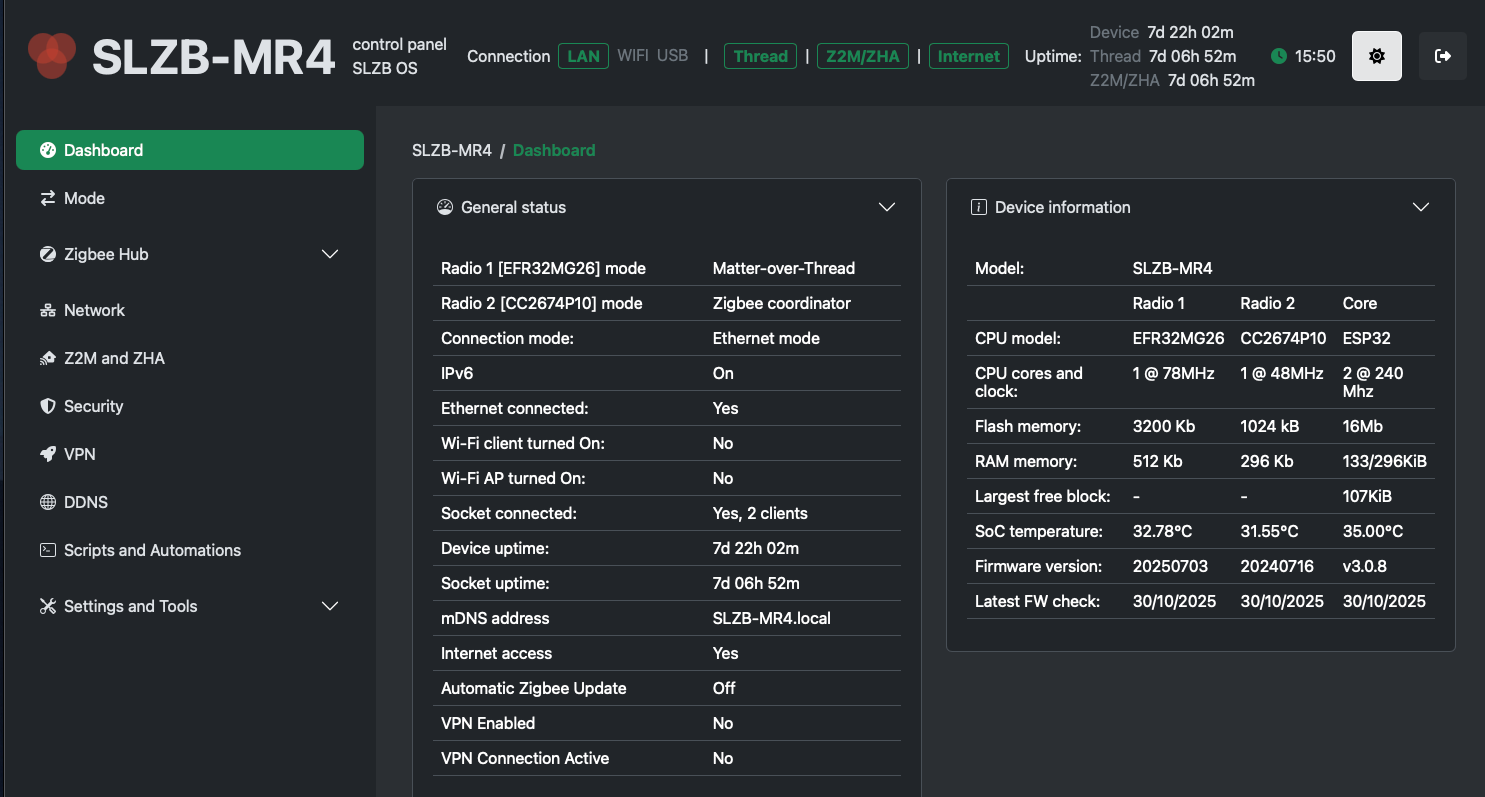
This is an entirely different beast than multi-protocol mate. It actually has 2 separate radios, so you can run 2 zigbee networks or 1 zigbee & 1 thread network. They even have the MR10, which can run Zwave & zigbee on separate radios. Quite cool stuff.
Each network runs on its own individual radio, so no multi-protocol shenanigans involved.
I just received one and tried to integrate this, it is discovered but the integration not ready for this SLZB-MR4 and only for the 1, 2, and 3.
To work around this is an option, but that is more work and a more possible issues.
I created a ticket at SMLight with the question when the integration is available.
It is written on the box: “Home Assistant Integration”.
Let’s see what the response is.
So I actually went for the MR3 in the end. While not as powerful as the MR4, the chip firmware is far more developed and my usage doesn’t require the extra memory, etc. I want both my networks to be stable so I chose to avoid a new chip with immature firmware.
Does anyone please know the latest info on Z2M compatability?
The smlight site still says…
“Recommended for ZHA integration. Extensive real-world testing with ZHA has been successfully completed. Testing with Zigbee2MQTT is ongoing, with initial results being positive (as of 28 June 2025).”
I did quite a bit of research comparing all the MR models and decided to take the plunge with the SLBZ-MR4. I’ve had it installed and functional since 28th August - AMA.
I’ve been running it as an experiment (ahead of moving into a new home), managing only 6x GU10 Aqara lights and 2 Philips Hue buttons. First had them working with Z2M for a week and then switched to ZHA. No misses, glitches or issues experienced with either method thus far. I didn’t switch back to Z2M just because I didn’t want to pair and setup entities in HA again.
My only gripe which I don’t think is related to the product is that I couldn’t get anything connected via Thread. I think I had everything running correctly; socket running, connection established, no errors. However, HA kept saying “Matter is currently unavailable” when I attempt pairing a device. Anyone able to help or have a guide?
I can confirm the SMLIGHT integration now also picks up the SLZB-M4 and I have it added.
I’m guessing they will upgrade the SoCs as the product is developed and reaches proper release, since the MR4 has newer (less mature) versions than what the SMHUB Early Adopter version currently ships with.
Is yours still working? i installed the lastest ha update and now the frontend for z2m won’t start (but the mqtt connection is active (despite one econnreset on the mqtt connection)
it works with cc and also with efr
but only on 115200
and not packet processing
there is still a bug and some github issues, but they will fix this also
i tried ember and now zstack.
i had poor lqis maybe because of too much plugs, or because of zstack. but now everything is over 220
currently running on ember with less plugs as the philips bulbs great routers !
i like the product, switching from conbee2 to sonoff zbdongle e, ember, to mr4 zstack to ember
works fine…
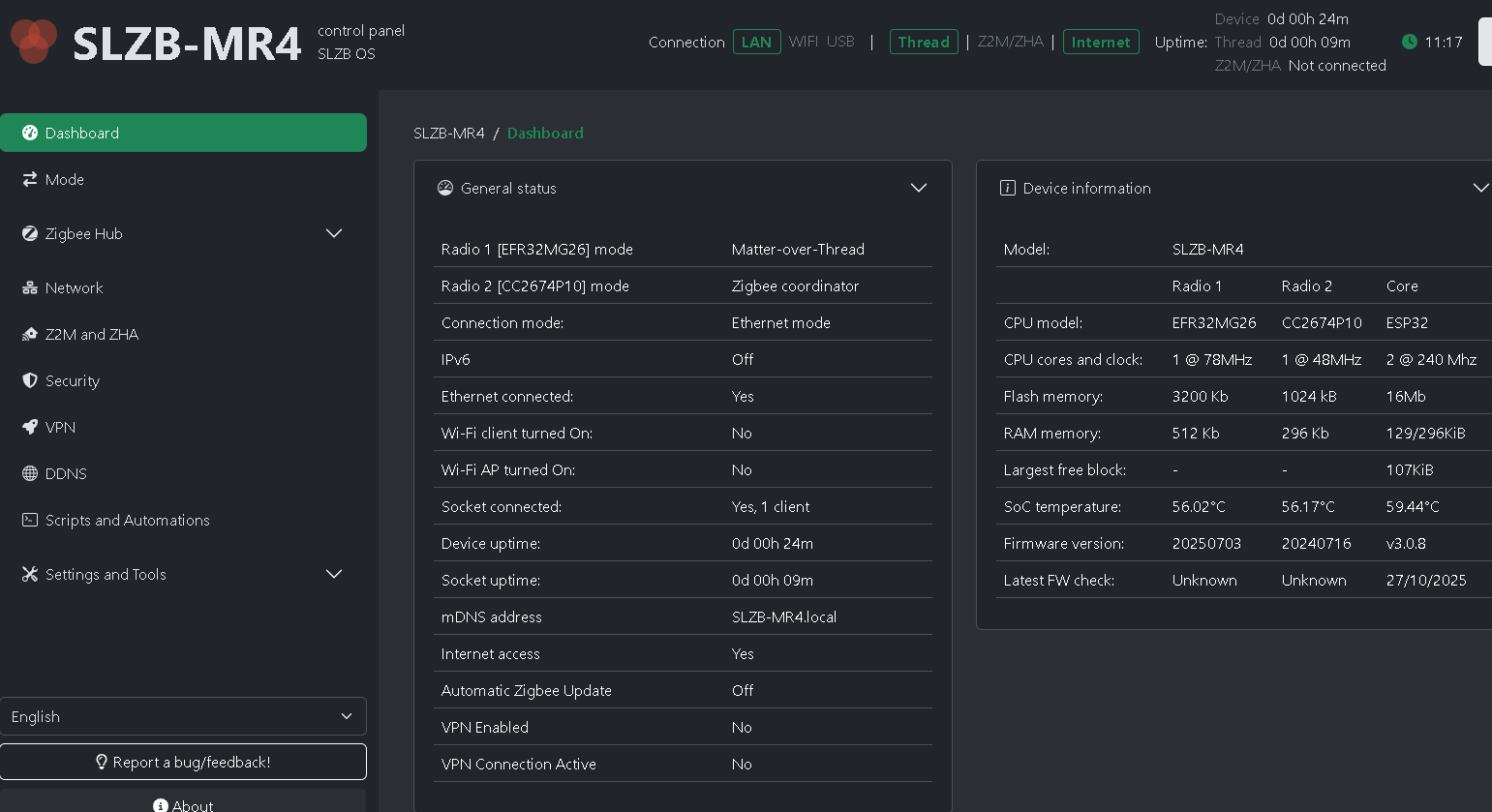
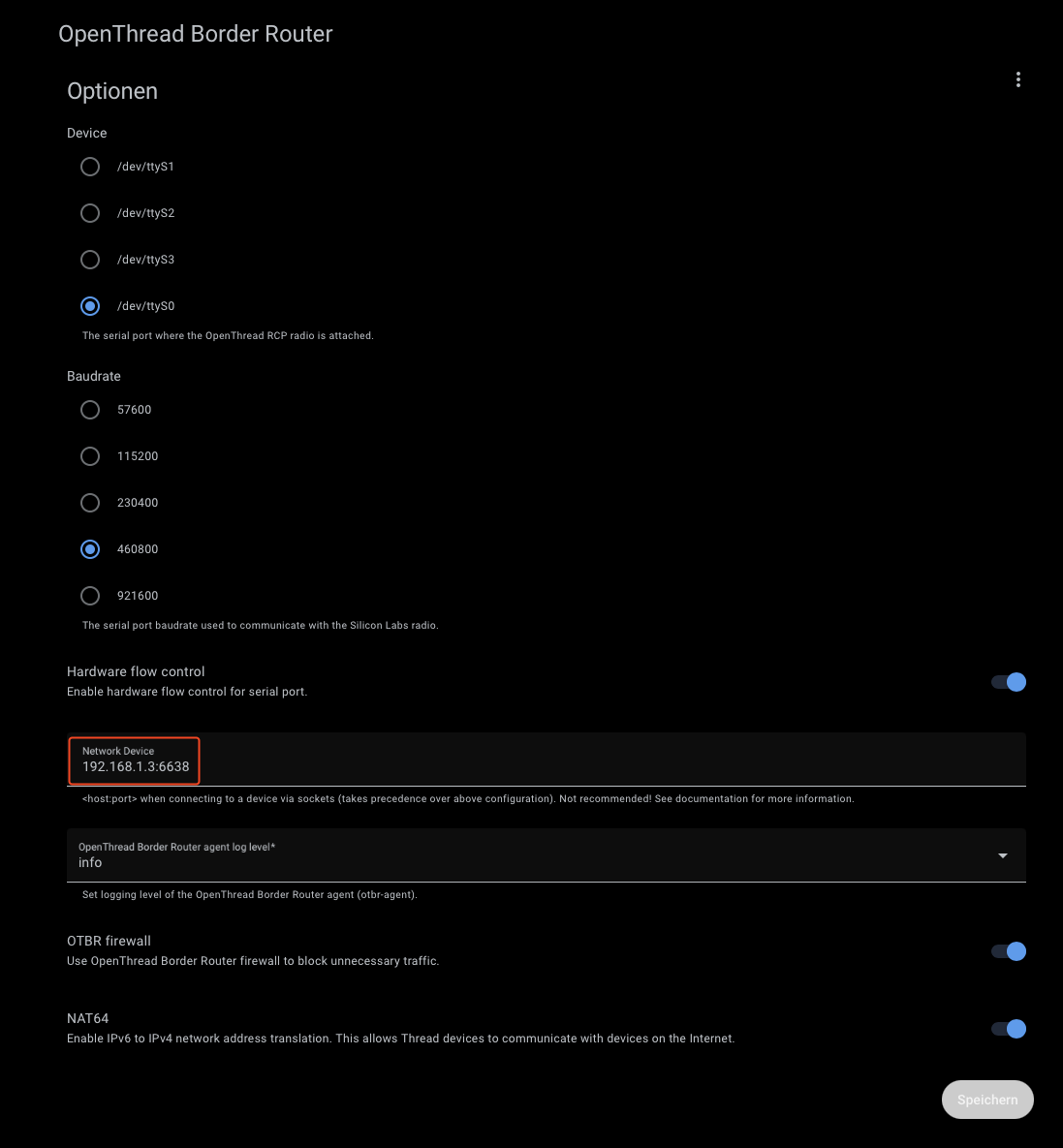
I just got my MR4 and have flashed the EFR32MG26 radio side with Matter-over-Thread and tried to setup the Open Thread boarder router add-on in HA but it doesn’t seem to be working.
The SLZB-MR4 web UI is showing Thread as ‘not connected’ and the add-on has the following in the log:
add-on log
[15:51:11] INFO: otbr-agent exited with code 0 (by signal 0).
Chain OTBR_FORWARD_INGRESS (0 references)
target     prot opt source               destination
DROP       all  --  anywhere             anywhere             PKTTYPE = unicast
DROP       all  --  anywhere             anywhere             match-set otbr-ingress-deny-src src
ACCEPT     all  --  anywhere             anywhere             match-set otbr-ingress-allow-dst dst
DROP       all  --  anywhere             anywhere             PKTTYPE = unicast
ACCEPT     all  --  anywhere             anywhere
otbr-ingress-deny-src
otbr-ingress-deny-src-swap
otbr-ingress-allow-dst
otbr-ingress-allow-dst-swap
Chain OTBR_FORWARD_EGRESS (0 references)
target     prot opt source               destination
ACCEPT     all  --  anywhere             anywhere
[15:51:11] INFO: OTBR firewall teardown completed.
s6-rc: info: service otbr-agent successfully stopped
s6-rc: info: service legacy-cont-init: stopping
s6-rc: info: service banner: stopping
s6-rc: info: service mdns: stopping
Default: mDNSResponder (Engineering Build) (Oct  7 2025 12:31:51) stopping
s6-rc: info: service banner successfully stopped
s6-rc: info: service legacy-cont-init successfully stopped
s6-rc: info: service fix-attrs: stopping
s6-rc: info: service fix-attrs successfully stopped
s6-rc: info: service s6rc-oneshot-runner: stopping
s6-rc: info: service s6rc-oneshot-runner successfully stopped
[15:51:12] INFO: mDNS ended with exit code 4 (signal 0)...
s6-rc: info: service mdns successfully stopped
[15:52:54] INFO: The otbr-web is disabled.
s6-rc: info: service mdns: starting
s6-rc: info: service s6rc-oneshot-runner: starting
s6-rc: info: service s6rc-oneshot-runner successfully started
s6-rc: info: service fix-attrs: starting
s6-rc: info: service banner: starting
s6-rc: info: service mdns successfully started
s6-rc: info: service fix-attrs successfully started
s6-rc: info: service legacy-cont-init: starting
s6-rc: info: service legacy-cont-init successfully started
[15:52:55] INFO: Starting mDNS Responder...
Default: mDNSResponder (Engineering Build) (Oct  7 2025 12:31:51) starting
-----------------------------------------------------------
 Add-on: OpenThread Border Router
 OpenThread Border Router add-on
-----------------------------------------------------------
 Add-on version: 2.14.0
 You are running the latest version of this add-on.
 System: Home Assistant OS 16.2  (amd64 / generic-x86-64)
 Home Assistant Core: 2025.10.4
 Home Assistant Supervisor: 2025.10.0
-----------------------------------------------------------
 Please, share the above information when looking for help
 or support in, e.g., GitHub, forums or the Discord chat.
-----------------------------------------------------------
s6-rc: info: service banner successfully started
s6-rc: info: service otbr-agent: starting
[15:52:56] INFO: Setup OTBR firewall...
[15:52:56] INFO: Starting otbr-agent...
[NOTE]-AGENT---: Running 0.3.0-b067e5ac-dirty
[NOTE]-AGENT---: Thread version: 1.3.0
[NOTE]-AGENT---: Thread interface: wpan0
[NOTE]-AGENT---: Radio URL: spinel+hdlc+uart:///dev/serial/by-id/usb-SMLIGHT_SMLIGHT_SLZB-MR4_d2aa87efbb6def11bc85dcc2c169b110-if00-port0?uart-baudrate=460800&uart-init-deassert
[NOTE]-AGENT---: Radio URL: trel://eno1
[NOTE]-ILS-----: Infra link selected: eno1
49d.17:03:41.870 [C] P-SpinelDrive-: Software reset co-processor successfully
49d.17:03:41.888 [C] P-RadioSpinel-: RCP => [C] Platform------: Reset info: 0x3 (EXT)
49d.17:03:41.891 [C] P-RadioSpinel-: RCP => [C] Platform------: Extended Reset info: 0x301 (PIN)
00:00:00.047 [N] RoutingManager: BR ULA prefix: fdfe:b93b:dff2::/48 (loaded)
00:00:00.047 [N] RoutingManager: Local on-link prefix: fdec:a08d:c6f7:b30b::/64
00:00:00.060 [N] Mle-----------: Role disabled -> detached
00:00:00.065 [N] P-Netif-------: Changing interface state to up.
00:00:00.075 [W] P-Netif-------: Failed to process request#2: No such process
00:00:00.076 [W] P-Netif-------: Failed to process request#6: No such process
s6-rc: info: service otbr-agent successfully started
s6-rc: info: service otbr-agent-configure: starting
Done
s6-rc: info: service otbr-agent-configure successfully started
s6-rc: info: service otbr-agent-rest-discovery: starting
00:00:00.385 [W] P-Daemon------: Daemon read: Connection reset by peer
[15:52:56] INFO: Successfully sent discovery information to Home Assistant.
s6-rc: info: service otbr-agent-rest-discovery successfully started
s6-rc: info: service legacy-services: starting
s6-rc: info: service legacy-services successfully started
00:00:27.260 [N] Mle-----------: RLOC16 1800 -> fffe
00:00:27.395 [N] Mle-----------: Attach attempt 1, AnyPartition reattaching with Active Dataset
00:00:33.895 [N] RouterTable---: Allocate router id 6
00:00:33.895 [N] Mle-----------: RLOC16 fffe -> 1800
00:00:33.898 [N] Mle-----------: Role detached -> leader
00:00:33.898 [N] Mle-----------: Partition ID 0x314e65cb
[NOTE]-BBA-----: BackboneAgent: Backbone Router becomes Primary!
00:00:35.049 [W] DuaManager----: Failed to perform next registration: NotFound
Default: mDNSPlatformSendUDP got error 99 (Cannot assign requested address) sending packet to ff02::fb on interface fe80::f046:f5ff:fec1:329a/veth864bd4f/19
Default: mDNSPlatformSendUDP got error 99 (Cannot assign requested address) sending packet to ff02::fb on interface fe80::f046:f5ff:fec1:329a/veth864bd4f/19
Default: mDNSPlatformSendUDP got error 99 (Cannot assign requested address) sending packet to ff02::fb on interface fe80::f046:f5ff:fec1:329a/veth864bd4f/19
Default: mDNSPlatformSendUDP got error 99 (Cannot assign requested address) sending packet to ff02::fb on interface fe80::f046:f5ff:fec1:329a/veth864bd4f/19
You only have to Add ZHA with option “enter manually” for serial port and put your config shown unter der topic “Z2m and ZHA” in the SLZB GUI later in the zha options.