Could you please share the logs from when using ESP-IDF?
Yes of course…
Here is my basic config just fyi:
substitutions:
###### CHANGE ME START ######
  device_name: "nspanel"
  wifi_ssid: "xxxxxxx"
  wifi_password: "xxxxxxxx"
  domain: ".xxxxx"
#  wifi_domain: .xxxxxxx"

# In case of TFT update errors flash this blank Nextion TFT first and then re-install and falsh again with proper nspanel_eu.tft file
# nextion_update_url: "https://raw.githubusercontent.com/Blackymas/NSPanel_HA_Blueprint/dev/custom_configuration/nspanel_blank.tft"

# local copy of current nspanel .tft file
#  nextion_update_url: "http://192.168.0.15:8123/local/nspanel_blank.tft"

# Git repo for current nspanel TFT file
  nextion_update_url: "http://192.168.0.15:8123/local/nspanel_blank.tft"
##### CHANGE ME END #####


##### DO NOT CHANGE ANYTHING! #####

packages:
  ##### download esphome code from Github
  remote_package:
    url: https://github.com/Blackymas/NSPanel_HA_Blueprint
    ref: main
    files: [nspanel_esphome.yaml]
    refresh: 300s

##### DO NOT CHANGE ANYTHING! #####

# Custom Arduino framework enforcement
esp32:
  framework:
    type: esp-idf
Attached is the ESP32Home logfile output when running a TFT update using the Use nextion_update_url option (it seems it doesn’t pickup the URL to my local HassIO instance at all!?). It doesn’t work using the setting for nspanel_eu.tft either btw.
This seems odd:
[10:43:20][D][nextion.upload.arduino:292]: Upload resp: [D8.0C.FF.FB.FF.FC.BF.FC.70.3C.96.E8.AF.FA.FF.EF.3F.7F.7F.EB.BF.5B.EC.18.BF.EF.BF.FF.7F.EF.FF.BF.7D.E8.FA.FE.40.C0.7C.FD.7F.BC.EB.FF.FF.FE.E0.FF.BF.DB.FD.7D.BF.7F.06.80.FF.7F.FF.FF.FD.7F.D6.FD.EF.FD.FD.FD.FF.7F.FF.FD.FF.FD.FF.FB.FF.01.70.ED.80.FD.FB.FF.BF.FD.FD.3F.0C.40.F0.FF.7D.FF.8D.80.00.80.DE.7F.D6.D2.C0.5E.FF.BD.BF.32.8F.7F.E0.FC.1E.F0.30.36 (116)] 116 B
[10:43:20][E][nextion.upload.arduino:300]: Prep failed 216 '\xd8\xff\xfb\xff\xfc\xbf\xfcp<\x96\xe8\xaf\xfa\xff\xef?\xeb\xbf[\xec\xbf\xef\xbf\xff\xef\xff\xbf}\xe8\xfa\xfe@\xc0|\xfd\xbc\xeb\xff\xff\xfe\xe0\xff\xbf\xdb\xfd}\xbf\x80\xff\xff\xff\xfd\xd6\xfd\xef\xfd\xfd\xfd\xff\xff\xfd\xff\xfd\xff\xfb\xffp\xed\x80\xfd\xfb\xff\xbf\xfd\xfd?@\xf0\xff}\xff\x8d\x80'
[10:43:20][D][nextion.upload.arduino:301]: Close HTTP
[10:43:20][E][nextion.upload:017]: Upload failed
Here is the log:
[10:43:00][D][button:010]: 'Update TFT display' Pressed.
[10:43:01][W][nextion:091]: Not connected
[10:43:01][C][nspanel_ha_blueprint:2216]: Wi-Fi: Good (-59 dBm)
[10:43:01][C][nspanel_ha_blueprint:2227]: API: Connected
[10:43:01][C][nspanel_ha_blueprint:2235]: Blueprint:
[10:43:01][C][nspanel_ha_blueprint:2237]: Version: 4.3.16
[10:43:01][C][nspanel_ha_blueprint:2238]: Init steps: 62 (100.0%)
[10:43:01][C][nspanel_ha_blueprint:2247]: ESPHome:
[10:43:01][C][nspanel_ha_blueprint:2248]: Version: 4.3.16
[10:43:01][C][nspanel_ha_blueprint:2249]: Compiler: 2025.7.2
[10:43:01][C][nspanel_ha_blueprint:2252]: Framework: Arduino
[10:43:01][C][nspanel_ha_blueprint:2259]: Free heap:
[10:43:01][C][nspanel_ha_blueprint:2262]: Internal: 127184 bytes (41.1%)
[10:43:01][C][nspanel_ha_blueprint:2272]: PSRAM: 2091748 bytes (99.7%)
[10:43:01][C][nspanel_ha_blueprint:2280]: UART:
[10:43:01][C][nspanel_ha_blueprint:2281]: Baud rate: 115200 bps
[10:43:01][C][nspanel_ha_blueprint:2282]: Queue size: 240
[10:43:01][C][nspanel_ha_blueprint:2286]: Nextion:
[10:43:01][C][nspanel_ha_blueprint:2287]: Queue size: 0
[10:43:01][W][nspanel_ha_blueprint:2291]: Is setup: False
[10:43:01][W][nspanel_ha_blueprint:2292]: Is detected: NO
[10:43:02][W][nextion:091]: Not connected
[10:43:02][D][addon_upload_tft.script.open_upload_dialog:134]: Showing upload dialog page
[10:43:03][W][nextion:091]: Not connected
[10:43:04][W][nextion:091]: Not connected
[10:43:05][W][nextion:091]: Not connected
[10:43:05][D][sensor:104]: 'ntc_source': Sending state 1.49000 V with 2 decimals of accuracy
[10:43:05][D][resistance:042]: 'resistance_sensor' - Resistance 9219.9Ω
[10:43:05][D][sensor:104]: 'resistance_sensor': Sending state 9219.89160 Ω with 1 decimals of accuracy
[10:43:05][D][ntc:026]: 'Temperature' - Temperature: 26.8°C
[10:43:05][D][sensor:104]: 'Temperature': Sending state 24.03914 °C with 1 decimals of accuracy
[10:43:05][W][nextion:091]: Not connected
[10:43:06][W][nextion:091]: Not connected
[10:43:06][D][addon_upload_tft.script.report_upload_progress:158]: Set Nextion unavailable for blueprint calls
[10:43:06][D][addon_upload_tft.script.report_upload_progress:158]: Preparing for upload...
[10:43:06][D][script.nextion_status:107]: Nextion status:
[10:43:06][D][script.nextion_status:108]: Is detected: NO
[10:43:06][D][script.nextion_status:109]: Is setup: NO
[10:43:06][D][script.nextion_status:110]: Queue size: 0
[10:43:06][D][addon_upload_tft.script.upload_tft:220]: Starting the upload script
[10:43:06][D][addon_upload_tft.script.upload_tft:221]: Valid TFT: NO
[10:43:06][D][addon_upload_tft.script.upload_tft:222]: Current baud rate: 115200 bps
[10:43:06][D][addon_upload_tft.script.upload_tft:223]: Target upload baud rate: 921600 bps
[10:43:06][D][addon_upload_tft.script.upload_tft:224]: Upload URL: https://raw.githubusercontent.com/Blackymas/NSPanel_HA_Blueprint/v4.3.16/hmi/nspanel_eu.tft
[10:43:07][W][nextion:091]: Not connected
[10:43:07][W][nextion:091]: Not connected
[10:43:08][W][nextion:091]: Not connected
[10:43:08][D][addon_upload_tft.script.open_upload_dialog:134]: Showing upload dialog page
[10:43:09][W][nextion:091]: Not connected
[10:43:09][W][nextion:091]: Not connected
[10:43:10][W][nextion:091]: Not connected
[10:43:11][W][nextion:091]: Not connected
[10:43:12][W][nextion:091]: Not connected
[10:43:12][D][addon_upload_tft.script.report_upload_progress:158]: Stopping other scripts
[10:43:12][D][script.nextion_status:107]: Nextion status:
[10:43:12][D][script.nextion_status:108]: Is detected: NO
[10:43:12][D][script.nextion_status:109]: Is setup: NO
[10:43:12][D][script.nextion_status:110]: Queue size: 0
[10:43:12][D][addon_upload_tft.script.report_upload_progress:158]: Setting baud rate
[10:43:12][D][script.set_baud_rate:3014]: Baud rate changing from 115200 to 921600 bps
[10:43:12][D][script.set_baud_rate:3015]: Flush UART
[10:43:13][W][nextion:091]: Not connected
[10:43:13][D][script.set_baud_rate:3021]: Sending instruction 'baud=921600' to Nextion
[10:43:13][D][script.set_baud_rate:3023]: Flush UART
[10:43:13][D][script.set_baud_rate:3029]: Set ESPHome new baud rate to 921600 bps
[10:43:13][C][uart.arduino_esp32:145]: UART 0 was reloaded.
[10:43:13][C][uart.arduino_esp32:151]: UART Bus 0:
[10:43:13][C][uart.arduino_esp32:152]: TX Pin: GPIO16
[10:43:13][C][uart.arduino_esp32:153]: RX Pin: GPIO17
[10:43:13][C][uart.arduino_esp32:155]: RX Buffer Size: 256
[10:43:13][C][uart.arduino_esp32:157]: Baud Rate: 921600 baud
[10:43:13][C][uart.arduino_esp32:157]: Data Bits: 8
[10:43:13][C][uart.arduino_esp32:157]: Parity: NONE
[10:43:13][C][uart.arduino_esp32:157]: Stop bits: 1
[10:43:13][D][script.set_baud_rate:3032]: Current baud rate: 921600 bps
[10:43:13][D][text_sensor:069]: 'Device Name': Sending state 'nspanel'
[10:43:14][W][nextion:091]: Not connected
[10:43:14][W][nextion:091]: Not connected
[10:43:15][W][nextion:091]: Not connected
[10:43:15][D][sensor:104]: 'ntc_source': Sending state 1.48867 V with 2 decimals of accuracy
[10:43:15][D][resistance:042]: 'resistance_sensor' - Resistance 9204.9Ω
[10:43:15][D][sensor:104]: 'resistance_sensor': Sending state 9204.85840 Ω with 1 decimals of accuracy
[10:43:15][D][ntc:026]: 'Temperature' - Temperature: 26.9°C
[10:43:15][D][sensor:104]: 'Temperature': Sending state 24.07632 °C with 1 decimals of accuracy
[10:43:15][D][main:403]: Attempting to upload TFT
[10:43:15][D][addon_upload_tft.script.report_upload_progress:158]: Attempt #1 at 921600 bps
[10:43:15][D][addon_upload_tft.script.nextion_upload:118]: Waiting for empty UART and Nextion queues
[10:43:16][W][nextion:091]: Not connected
[10:43:16][W][nextion:091]: Not connected
[10:43:17][W][nextion:091]: Not connected
[10:43:18][W][nextion:091]: Not connected
[10:43:18][D][addon_upload_tft.script.nextion_upload:126]: Starting TFT upload...
[10:43:18][D][nextion.upload.arduino:151]: TFT upload requested
[10:43:18][D][nextion.upload.arduino:152]: Exit reparse: YES
[10:43:18][D][nextion.upload.arduino:153]: URL: https://raw.githubusercontent.com/Blackymas/NSPanel_HA_Blueprint/v4.3.16/hmi/nspanel_eu.tft
[10:43:18][D][nextion.upload.arduino:168]: Exit reparse mode
[10:43:18][D][nextion.upload.arduino:182]: Baud rate: 921600
[10:43:18][D][nextion.upload.arduino:210]: Connected
[10:43:18][D][nextion.upload.arduino:215]: URL: https://raw.githubusercontent.com/Blackymas/NSPanel_HA_Blueprint/v4.3.16/hmi/nspanel_eu.tft
[10:43:19][D][nextion.upload.arduino:241]: TFT size: 7610000 bytes
[10:43:19][D][nextion.upload.arduino:253]: Uploading
[10:43:20][D][nextion.upload.arduino:292]: Upload resp: [D8.0C.FF.FB.FF.FC.BF.FC.70.3C.96.E8.AF.FA.FF.EF.3F.7F.7F.EB.BF.5B.EC.18.BF.EF.BF.FF.7F.EF.FF.BF.7D.E8.FA.FE.40.C0.7C.FD.7F.BC.EB.FF.FF.FE.E0.FF.BF.DB.FD.7D.BF.7F.06.80.FF.7F.FF.FF.FD.7F.D6.FD.EF.FD.FD.FD.FF.7F.FF.FD.FF.FD.FF.FB.FF.01.70.ED.80.FD.FB.FF.BF.FD.FD.3F.0C.40.F0.FF.7D.FF.8D.80.00.80.DE.7F.D6.D2.C0.5E.FF.BD.BF.32.8F.7F.E0.FC.1E.F0.30.36 (116)] 116 B
[10:43:20][E][nextion.upload.arduino:300]: Prep failed 216 '\xd8
\xff\xfb\xff\xfc\xbf\xfcp<\x96\xe8\xaf\xfa\xff\xef?\xeb\xbf[\xec\xbf\xef\xbf\xff\xef\xff\xbf}\xe8\xfa\xfe@\xc0|\xfd\xbc\xeb\xff\xff\xfe\xe0\xff\xbf\xdb\xfd}\xbf\x80\xff\xff\xff\xfd\xd6\xfd\xef\xfd\xfd\xfd\xff\xff\xfd\xff\xfd\xff\xfb\xffp\xed\x80\xfd\xfb\xff\xbf\xfd\xfd?
@\xf0\xff}\xff\x8d\x80'
[10:43:20][D][nextion.upload.arduino:301]: Close HTTP
[10:43:20][E][nextion.upload:017]: Upload failed
[10:43:20][D][addon_upload_tft.script.nextion_upload:128]: TFT upload: NO
[10:43:20][W][component:407]: script took a long time for an operation (2190 ms)
[10:43:20][W][component:408]: Components should block for at most 30 ms
[10:43:20][W][nextion:091]: Not connected
[10:43:20][D][addon_upload_tft.script.report_upload_progress:158]: Attempt #1 at 921600 bps returned: NO
[10:43:20][W][nextion:091]: Not connected
[10:43:21][W][nextion:091]: Not connected
[10:43:22][W][nextion:091]: Not connected
[10:43:22][W][nextion:091]: Not connected
[10:43:23][W][nextion:091]: Not connected
[10:43:23][W][nextion:091]: Not connected
[10:43:24][W][nextion:091]: Not connected
[10:43:24][W][nextion:091]: Not connected
[10:43:25][D][sensor:104]: 'ntc_source': Sending state 1.48917 V with 2 decimals of accuracy
[10:43:25][D][resistance:042]: 'resistance_sensor' - Resistance 9210.5Ω
[10:43:25][D][sensor:104]: 'resistance_sensor': Sending state 9210.49316 Ω with 1 decimals of accuracy
[10:43:25][D][ntc:026]: 'Temperature' - Temperature: 26.9°C
[10:43:25][D][sensor:104]: 'Temperature': Sending state 24.06238 °C with 1 decimals of accuracy
[10:43:25][D][main:403]: Attempting to upload TFT
[10:43:25][D][addon_upload_tft.script.report_upload_progress:158]: Attempt #2 at 921600 bps
[10:43:25][D][addon_upload_tft.script.nextion_upload:118]: Waiting for empty UART and Nextion queues
[10:43:25][W][nextion:091]: Not connected
[10:43:26][W][nextion:091]: Not connected
[10:43:26][W][nextion:091]: Not connected
[10:43:26][D][sensor:104]: 'RSSI': Sending state -60.00000 dBm with 0 decimals of accuracy
[10:43:27][W][nextion:091]: Not connected
[10:43:27][D][addon_upload_tft.script.nextion_upload:126]: Starting TFT upload...
[10:43:27][D][nextion.upload.arduino:151]: TFT upload requested
[10:43:27][D][nextion.upload.arduino:152]: Exit reparse: YES
[10:43:27][D][nextion.upload.arduino:153]: URL: https://raw.githubusercontent.com/Blackymas/NSPanel_HA_Blueprint/v4.3.16/hmi/nspanel_eu.tft
[10:43:27][D][nextion.upload.arduino:168]: Exit reparse mode
[10:43:27][D][nextion.upload.arduino:182]: Baud rate: 921600
[10:43:27][D][nextion.upload.arduino:210]: Connected
[10:43:27][D][nextion.upload.arduino:215]: URL: https://raw.githubusercontent.com/Blackymas/NSPanel_HA_Blueprint/v4.3.16/hmi/nspanel_eu.tft
[10:43:28][D][nextion.upload.arduino:241]: TFT size: 7610000 bytes
[10:43:28][D][nextion.upload.arduino:253]: Uploading
[10:43:29][D][nextion.upload.arduino:292]: Upload resp: [FD.FF.9B.FD.FD.FD.FD.AF.FE.FF.7F.7F.7D.FF.AF.82.70.DB.FD.FD.80.FF.EF.AF.7F.83.ED.FD.FE.03.AD.FD.E0.FA.7F.FB.4F.03.CF.8F.35.BF.FD.8F.FF.A8.1E.F0.9E.BF.FD.FD.EF.FF.7D.7F.FF.BF.DE.3D.E3.B0.EF.FA.7F.EF.FF.80.BF.7F.FC.BF.BF.BF.00.7D.CC.FF.A0.AF.F3.FF.FD.FD.BF.FD.3C.AC.AF.FF.FF.BF.FE.30.F0.FF.FF.FC.FF.01.FB.7D.FF.FF.7F.BF.8F.FD.FF.F5.FF.FF.7F.FF.FD.EF.F4.7F.FF.EF.FF.FD.FF.FD.FF.7F.FD.FF.FD.FD.FD.FF.EF.BF.FF.BD.B1.DE.A5.9B.C0.FD.B0.BF.C4.D3.F8.FD.FF.7D.3F.8F.C
[10:43:29][E][nextion.upload.arduino:300]: Prep failed 253 '\xfd\xff\x9b\xfd\xfd\xfd\xfd\xaf\xfe\xff}\xff\xaf\x82p\xdb\xfd\xfd\x80\xff\xef\xaf\x83\xed\xfd\xfe\xad\xfd\xe0\xfa\xfbOϏ5\xbf\xfd\x8f\xff\xa8
\xf0\x9e\xbf\xfd\xfd\xef\xff}\xff\xbf\xde=\xe3\xb0\xef\xfa\xef\xff\x80\xbf\xfc\xbf\xbf\xbf'
[10:43:29][D][nextion.upload.arduino:301]: Close HTTP
[10:43:29][E][nextion.upload:017]: Upload failed
It’s interesting… Your yaml specifies esp-idf, but your logs shows arduino in use.
Could you please try to flash your panel with esp-idf twice in a sequence, in a try to have both partitions with esp-idf and then try the upload again?
1 Like
It’s back online now with reflashing 2x and uploading the nspanel_eu.tft file!?
[20:03:55][C][nspanel_ha_blueprint:2216]: Wi-Fi:         Good (-59 dBm)
[20:03:55][C][nspanel_ha_blueprint:2227]: API:           Connected
[20:03:55][C][nspanel_ha_blueprint:2235]: Blueprint:
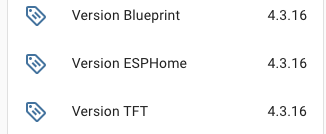
[20:03:55][C][nspanel_ha_blueprint:2237]:   Version:     4.3.16
[20:03:55][C][nspanel_ha_blueprint:2238]:   Init steps:  62 (100.0%)
[20:03:55][C][nspanel_ha_blueprint:2247]: ESPHome:
[20:03:55][C][nspanel_ha_blueprint:2248]:   Version:     4.3.16
[20:03:55][C][nspanel_ha_blueprint:2249]:   Compiler:    2025.7.2
[20:03:55][C][nspanel_ha_blueprint:2254]:   Framework:   ESP-IDF
[20:03:55][C][nspanel_ha_blueprint:2259]:   Free heap:
[20:03:55][C][nspanel_ha_blueprint:2262]:     Internal:   204164 bytes (60.1%)
[20:03:55][C][nspanel_ha_blueprint:2272]:     PSRAM:     1996992 bytes (95.8%)
[20:03:55][C][nspanel_ha_blueprint:2280]: UART:
[20:03:55][C][nspanel_ha_blueprint:2281]:   Baud rate:   115200 bps
[20:03:55][C][nspanel_ha_blueprint:2282]:   Queue size:  0
[20:03:55][C][nspanel_ha_blueprint:2286]: Nextion:
[20:03:55][C][nspanel_ha_blueprint:2287]:   Queue size:  0
1 Like
I had the same issue – [nextion:091]: Not connected
But using ESP-IDF and flashing 2 times in sequence and uploading the TFT version 4.3.16 has resolved the issue.
Thanks for the tip 
2 Likes
We are facing an issue with ESPHome 2025.8.0, so please do not update your panel until I communicate here about a fix.
2 Likes
I didn’t see this prior to updating and now it’s stuck on Starting Sequence …
I’m working in a fix for this.
v4.3.21 - Enhanced Boot Stability for ESPHome 2025.8.0+
Summary
This hotfix addresses persistent boot issues with ESPHome 2025.8.0 by implementing a more robust boot sequence with enhanced logging and timing adjustments.
Key Improvements
Enhanced Boot Stability
Improved boot engine reliability for ESPHome 2025.8.0 and later versions. This release introduces timing optimizations and enables serial logging (required for proper boot sequence execution) to address remaining boot issues that some users experienced after the v4.3.20 update.
Changes include:
- Added strategic delays during boot sequence to reduce system intensity
- Enabled serial logging (required for boot sequences to execute properly with ESPHome 2025.8.0+)
- Rebuilt boot engine with more conservative timing approach
Trade-offs:
- Slightly longer boot times in exchange for improved stability
- Additional warning messages in logs about components taking longer than expected (will be addressed in future releases)
Issues Reference:
Bugwith Esphome 2025.8.0beta · Issue #2685 · Blackymas/NSPanel_HA_BlueprintBugAfter installing ESPHome 2025.8.0 I have a bootloop · Issue #2686 · Blackymas/NSPanel_HA_Blueprint
Technical Details
This release prioritizes boot reliability over speed, implementing a more conservative approach to system initialization. The enhanced logging will help identify any remaining edge cases, while the timing adjustments provide more breathing room for system components during startup.
Users who previously experienced successful boots with v4.3.20 will see minimal changes, while those who continued to experience issues should see improved stability.
This hotfix continues our commitment to ensuring reliable operation across all supported ESPHome versions.
2 Likes
I have one question, i flashed a new NSPanel and configured the Relays to Toggle
binary_sensor:
  - id: !extend left_button
    on_click:
      then:
    on_press:
      then:
        switch.toggle: relay_1

  - id: !extend right_button
    on_click:
      then:
    on_press:
      then:
        switch.toggle: relay_2
but when i am pressing one of the Buttons, the Relay is switching to On and immediately to Off. On Relay_1 is a Ceiling Lamp and on Relay_2 is my underfloor Heating. When i am pressing the Button more than 3 Seconds, the Relay will be on, the same to switch Off, i have to press the Button more than 3 Seconds. On an existing NSPanel the Relay’s are toggeling when i am pressing one of the button shortly and release. So the Ceiling Lamp is on and when i am pressing the button again, the Ceiling Lamp is off. I’ve checked the Configuration.yaml and the blueprint meticulously; both are identical, yet the relays behave differently. What could be causing this?
Thanks a lot!
Regards Jürgen
Please try this:
binary_sensor:
  - id: !extend left_button
    on_click: !remove
    on_press:
      then:
        switch.toggle: relay_1
I cannot try it myself right now, but will take a look as soon I solve some of the critical issues registered on GitHub.
By the way, you would make my live a bit easier if yiu register this as another issue there… It’s much easier to track than this forum. 
I try to update ESPHome 2025.7.5 to 8.0, but get the following error and the update does not succeed:
Logger: homeassistant.components.websocket_api.http.connection
Bron: components/websocket_api/commands.py:317
integratie: Home Assistant WebSocket API (documentatie, problemen)
Eerst voorgekomen: 10:18:02 (3 gebeurtenissen)
Laatst gelogd: 10:50:39

[140226277290720] Error during service call to update.install: Error compiling nspanel.yaml; Try again in ESPHome dashboard for more information
[140225515215968] Error during service call to update.install: Error compiling nspanel.yaml; Try again in ESPHome dashboard for more information
I all ready updated the blueprint to v4.3.21
My Nspanel.yaml:
substitutions:

 device_name: "nspanel"
 wifi_ssid: !secret wifi_ssid
 wifi_password: !secret wifi_password

 nextion_update_url: "http://192.168.1.136:8123/local/nspanel_eu.tft" # URL to local tft File
# nextion_update_url: "https://raw.githubusercontent.com/Blackymas/NSPanel_HA_Blueprint/main/nspanel_eu.tft" # URL to Github

packages:
  ##### download esphome code from Github
  remote_package:
    url: https://github.com/Blackymas/NSPanel_HA_Blueprint
    ref: main
    files: nspanel_esphome.yaml
    refresh: 300s
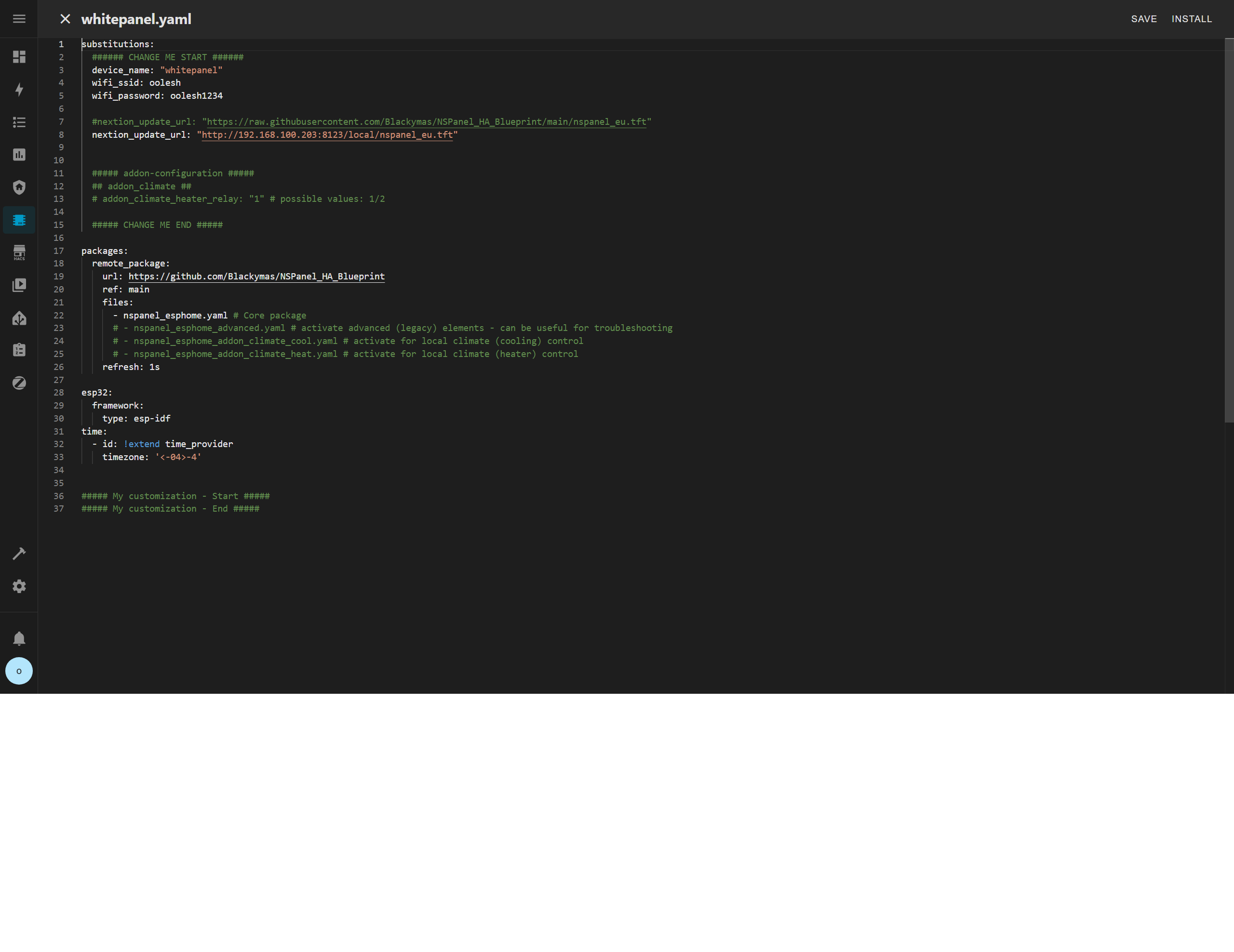
Also installation via ESPHome gives an error:
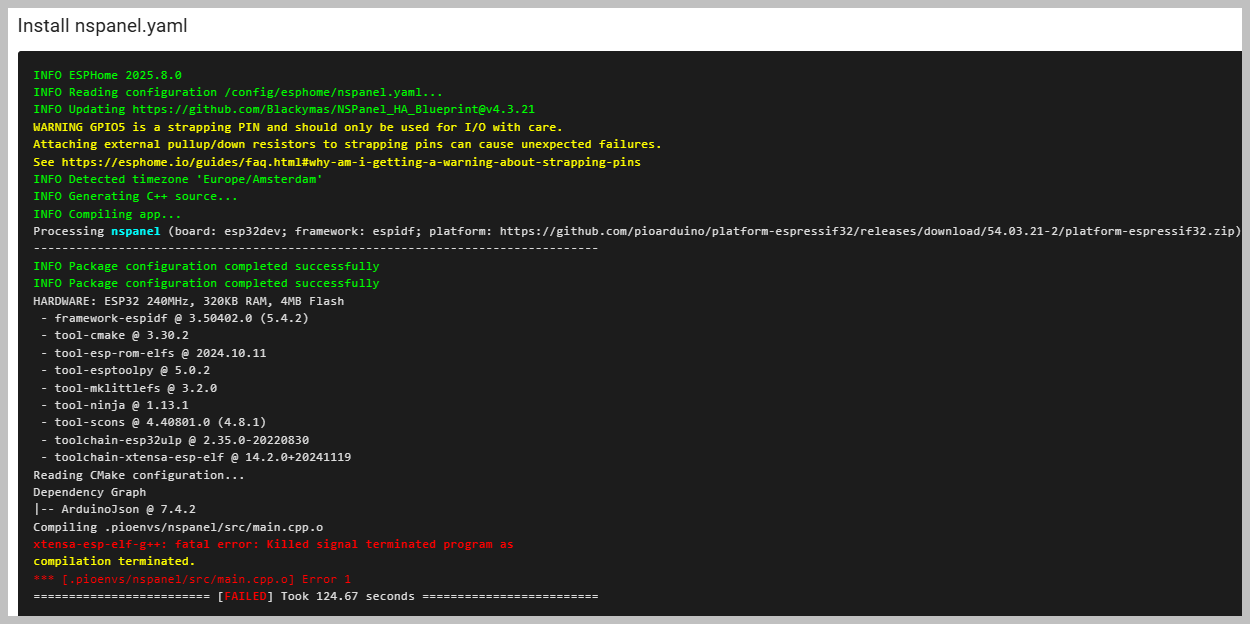
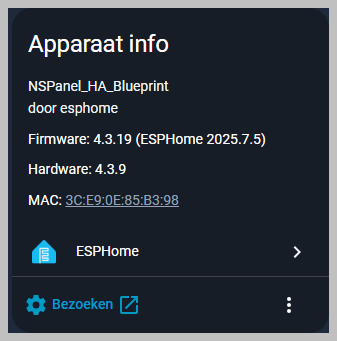
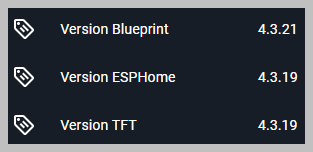
Any idea what to do to get the update 2025.8.0?
my nspanel is not working properly after updating to 4.3.21.did i bricked it do i need to downgrade it to older version?how can i fix it please help me? keep freezing on esphome


Please try the latest version (v4.3.24 right now - we had a few releases yesterday trying to address this).
By the way, those timezone settings shouldn’t be needed anymore. You can select the timezone in the Blueprint and that will overlap your yaml settings.
I’m currently running version v4.3.24 on my four NSPanels. Overall, the panels work well, but I’ve noticed some issues:
When scrolling the screen, some icons disappear randomly. Sometimes an icon is missing completely and becomes non-functional.
If I restart the panel directly from the panel’s screen menu, it “freezes” and disconnects from Wi-Fi. In this state, it does not recover on its own.
To bring it back, I have to perform a manual restart using the hidden physical reset button at the bottom. After this reset, the panel starts working again and the missing icons also reappear.
Has anyone else noticed that the brightness of the NSPanel display cannot be adjusted from the Home Assistant interface? It seems that the display does not react to brightness changes. Is this expected behavior, or am I missing something in the configuration?

This needs some investigation…
1 Like
This is not expected. It should work from Home Assistant.
Just to add some info about the brightness issue I’m seeing with Home Assistant:
I don’t use sleep mode on the display (Timeout Sleep is set to 0s).
When I change brightness with the slider in HA, it doesn’t update right away.
The only way to apply the change is to set Timeout Sleep to 1s and then back to 0s, after which the brightness finally adjusts.
It used to work instantly just by moving the slider, so I thought it was broken at first.
Thanks a lot for all the work you put into this! Really appreciate it.