I’ve started a dedicated repo to capture PIDs here: GitHub - loryanstrant/BYD-PID-list: An attempted listing of all PIDs for BYD cars
Hopefully as people find them, they can update the doco so everyone benefits.
Hi
This macro just stopped working as from today. I there a fix? I get wrong soc from BYD app. Get 0.XX not xx.xx
I have the pids for the BYD Dolphin thanks to A Better Route Planner.
typecode: byd:dolphin:23:45
pids:
{“init_commands”:{“command”:[“ATZ”,“ATE0”,“ATD”,“ATD0”,“ATE0”,“ATH1”,“ATSP6”,“ATE0”,“ATH1”,“ATM0”,“ATS0”,“ATAT1”,“ATAL”,“STCSEGT1”,“ATST96”,“ATSH7E7”]},“obd_protocol”:“6”,“data_commands”:{“command”:[“221FFC”,“220008”,“220009”,“220032”]},“soc”:{“equation”:“(A + B256)/100",“minValue”:-5,“maxValue”:105,“type”:“Number”,“command”:“221FFC”,“ecu”:“7E7”},“voltage”:{“equation”:"A + B256”,“minValue”:200,“maxValue”:1000,“type”:“Number”,“command”:“220008”,“ecu”:“7E7”},“current”:{“equation”:“((A + B*256)-5000)/10”,“minValue”:-600,“maxValue”:1000,“type”:“Number”,“command”:“220009”,“ecu”:“7E7”},“batt_temp”:{“equation”:“A-40”,“minValue”:-40,“maxValue”:80,“type”:“Number”,“command”:“220032”,“ecu”:“7E7”},“alg”:“RS256”,“isVerified”:true}
Awesome! Are you comfortable with doing a PR on the GitHub page and putting them into the table directly?
I am not sure how to format these. These are straight out from abrp in it’s default format
All good, I’ve put them in the table.
I have a Seal. I’ve got some arduino code running on an M5 AtomS3 in the garage. It connects to an OBDLink CX and reads the state of charge and then uploads that to an MQTT server every 5 minutes. The Atom doesn’t like using WiFi and BLE at the same time, so it will only connect to WiFi when it needs to upload the data.
It’s been pretty robust now and gracefully handles when the car is not available.
I think this might be the optimal route, having an app push updates to MQTT or HASS. There is some information here (on how to bypass the SDK authentication etc). So one could either build an custom HASS app that works with BYD, or create an simple MQTT client to do the same.
Just an followup on this, here’s more resources:
There is an app called Diplus (vanjoge in the Github thread/issue previously posted is the author of this app) which already does the hack mentioned above to access the data - it has an custom API, documentation found here (perhaps one could poll this API with Tasker or similar and post to MQTT?)
There is also something called diplus-www which basically piggybacks on the custom Diplus API
Lots of stuff related to the above here http://lanye.pw/di/ (use Google Translate)
So I grew restless and created my own solution, much like the diplus-www solution this piggybacks of the Diplus API (I might look into hooking the BYD/car’s SDK later).
My solution runs in the car and pushes updates (using cellular and wifi - whatever is available at time of push) to HASS using an bash script with local cache (to save bandwith), more information can be found here
I did the installation but I’m not sure what to do next. I need to validate if an invalid ssl certificate is ok for the connection. Also, if a non-admin user token is ok for the integration. I saw no files on the cache folder. So, I tried running manually and got termux-location not found. I tried without the localtion line but I was not getting the api response. This url http://localhost:8988/ responses with a datepicker but the /api does not exists. I guess I need some additional configurations. Thanks
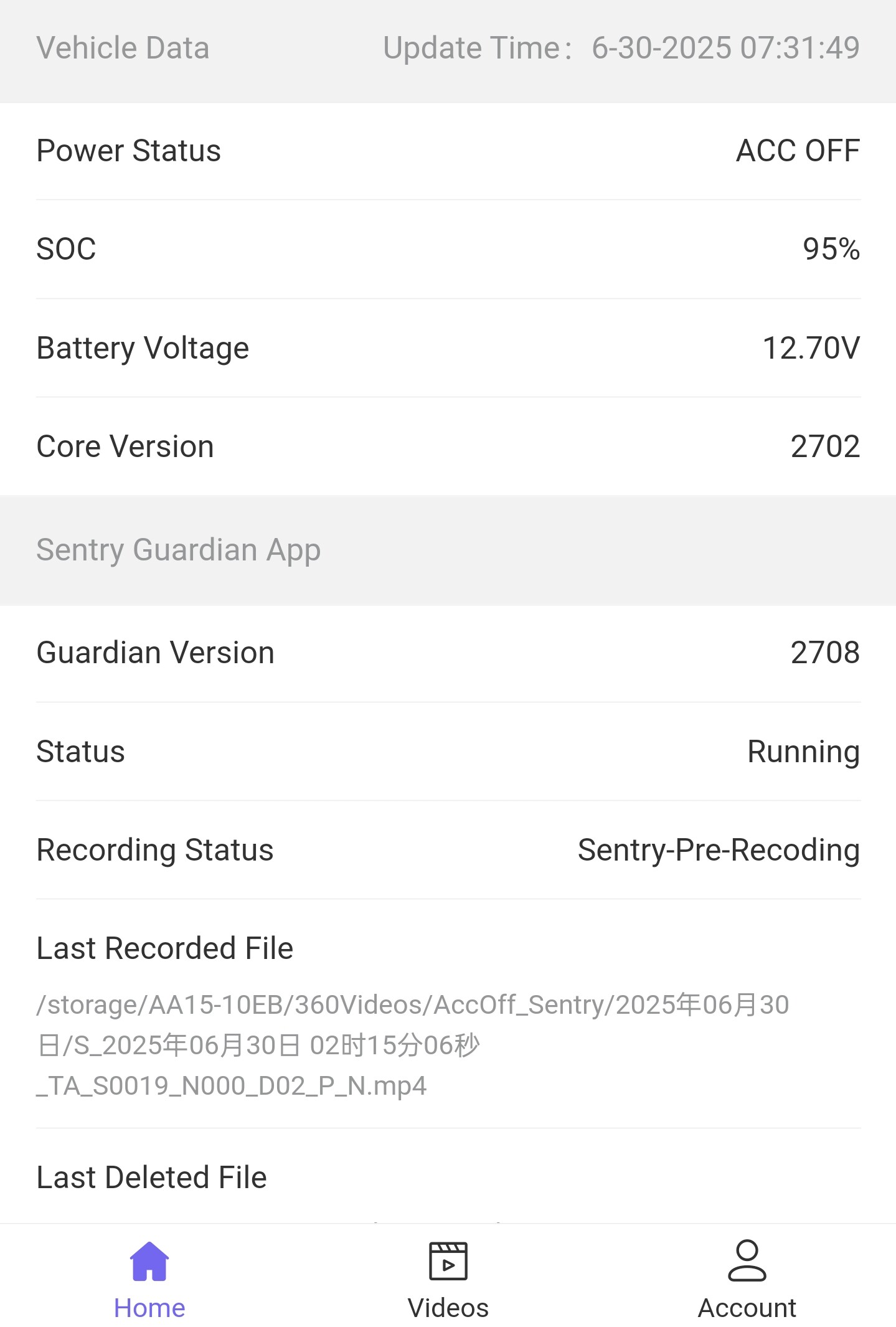
Are you able to share some information about this app please, like where we can find it and how it’s interacting with the official API?
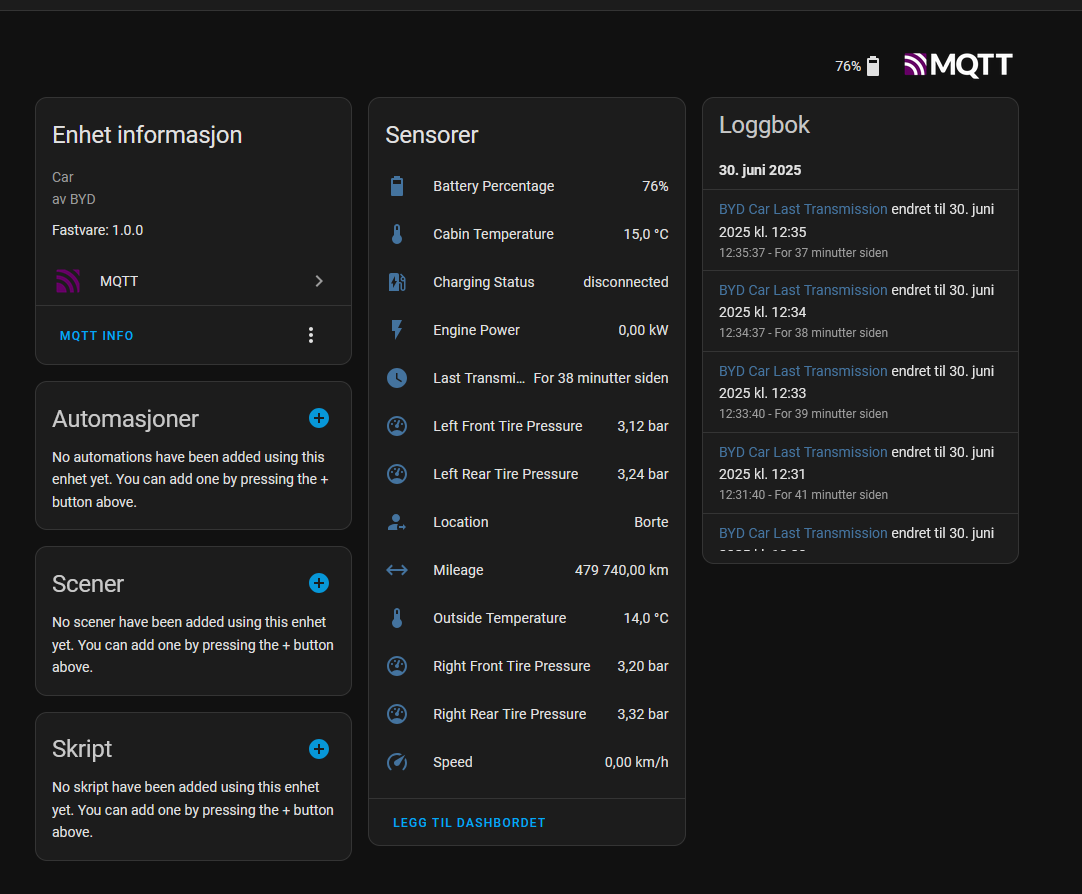
I’d love instructions on how to fully install and set this up. I’m fairly technical
anyone know why Di+ app didn’t publish the /api endpoint? I’ve installed the app and can access the localhost:8988 but the /api isn’t available / not found
Thank you
this seems to be the best way as local solution.
I have a tang EV and when i lock the car and OBDLink CX is plugged in and it is connected to the CarScanner APP then after the few seconds the car alarm starts.
Can you please test if you have the same behavior with the CarScanner app?
If you do what is the workaround?
Do you keep your car unlocked all the time?
Dont you have the same behaviour with your M5 AtomS3 solution.
If the fetching of data is just a short period of time and the connection is closed after a few second you may never have this issue with the AtomS3.
I don’t have an issue with the alarm going off with either the esp32 connection or the Car Scanner app, even if the car is locked and turned off.
If anyone ever makes a tutorial on this, I would love to have my byd sensors on my home assistant.
do you remember around when you had the last software update in your BYD? Maybe this is some new security feature.