Hi everyone,
I built a small tool for my home server called Stowaway, along with a Home Assistant integration for it, and I’d love some feedback.
What Stowaway does
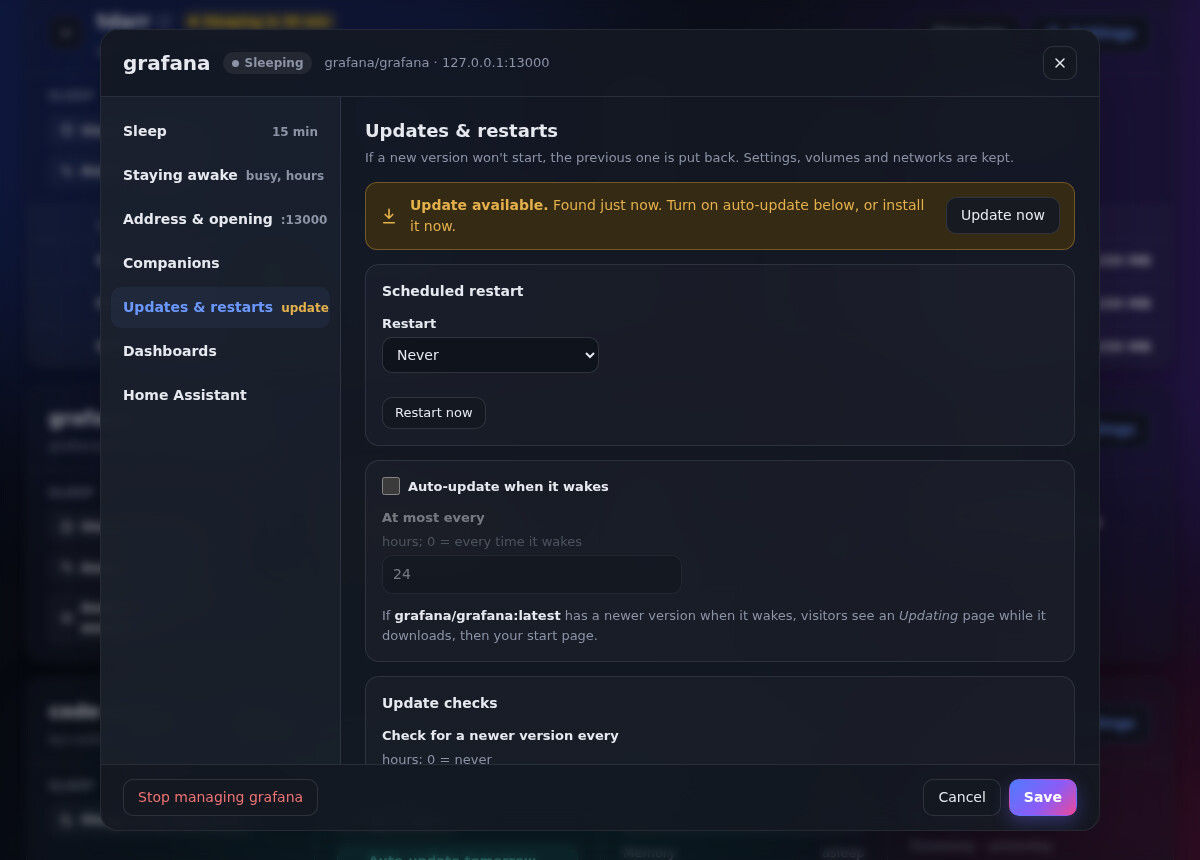
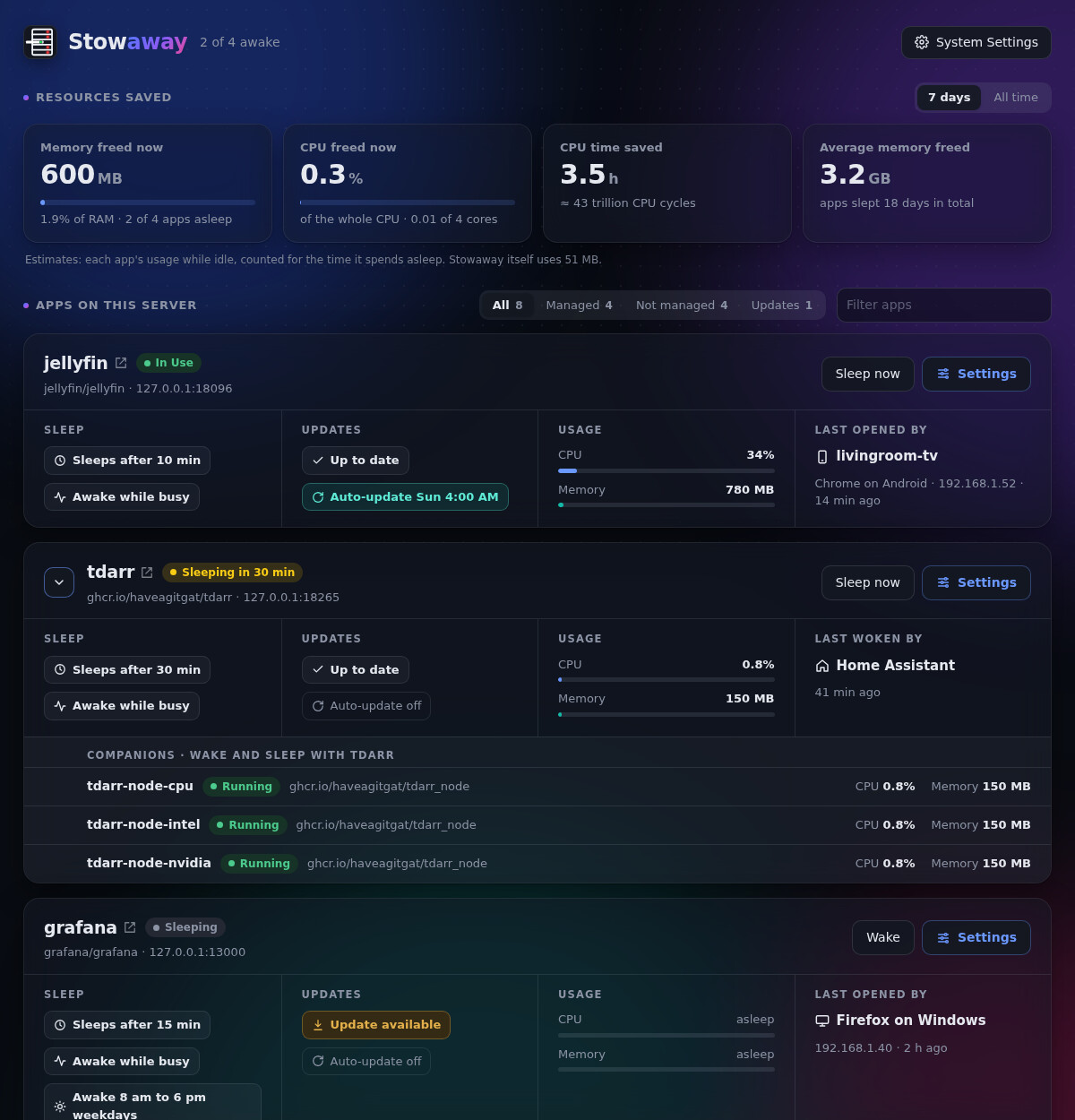
Stowaway sits between your dashboard or bookmarks and your containers’ web interfaces. When you open an app’s link, it starts the container, shows a short “waking up” page, and then lets you through. When nobody has used the app for a while, it stops the container again. Apps you only open now and then (Tdarr, Calibre-Web, a game server, that thing you installed to try out) stop using RAM and CPU around the clock.
It’s careful about when to put something to sleep. It won’t stop an app that’s busy, for example during a transcode or download, and helper containers like Tdarr nodes wake and sleep together with their main app.
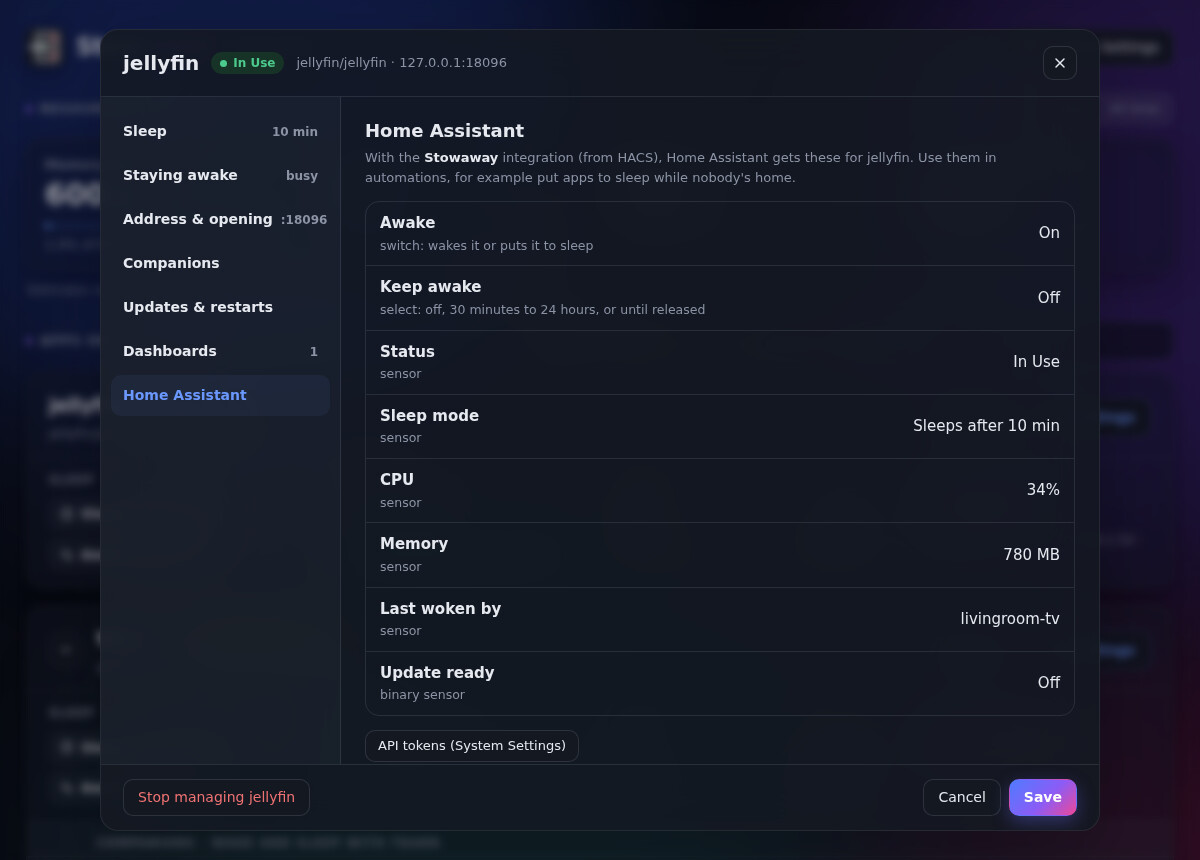
What the integration gives you
For each app Stowaway manages, you get:
| Entity | What it does |
|---|---|
switch.<app>_awake |
Wake the app, or put it to sleep now |
switch.<app>_don_t_wake |
Block waking. Visitors see a “switched off” page instead |
sensor.<app>_status |
Awake, Asleep, Starting, Updating, Maintenance… Attributes include CPU and memory |
sensor.<app>_sleeps_at |
When an idle app will go to sleep |
sensor.<app>_next_restart |
The next scheduled restart |
binary_sensor.<app>_update_ready |
A newer image is ready to install |
button.<app>_keep_awake_1_hour / _restart_now |
One-tap buttons to keep the app awake or restart it |
There are also three actions: stowaway.keep_awake (for a set number of minutes, or forever), stowaway.release and stowaway.sleep (with an optional block). Stowaway itself gets sensors for how many apps are asleep and how much memory that frees.
You can also set an app to “Only when I say so”. Stowaway then never puts it to sleep on a timer, and Home Assistant decides when it runs.
Example: switch media servers off while nobody’s home
yaml
automation:
  - alias: Media servers off while away
    triggers:
      - trigger: numeric_state
        entity_id: zone.home
        below: 1
        for: "00:15:00"
    actions:
      - action: stowaway.sleep
        target:
          entity_id: [switch.plex_awake, switch.jellyfin_awake]
        data:
          block: true   # leave this out if remote streaming should still be able to wake them

  - alias: Media servers back when home
    triggers:
      - trigger: numeric_state
        entity_id: zone.home
        above: 0
    actions:
      - action: switch.turn_off
        target:
          entity_id: [switch.plex_don_t_wake, switch.jellyfin_don_t_wake]
Example: keep Jellyfin awake for movie night
yaml
- action: stowaway.keep_awake
  target:
    entity_id: switch.jellyfin_awake
  data:
    minutes: 240
Installing
- Run Stowaway on your Docker host. There’s a sample compose file in the repo, and it works on OMV, Unraid, TrueNAS, Synology and plain Docker.
- In HACS, go to ⋮ → Custom repositories and add
https://github.com/Sat32blk/stowaway-homeassistantas an Integration. Install it, then restart Home Assistant.
Open in HACS - In the Stowaway dashboard, go to Integrations → Home Assistant → Create token.
- In Home Assistant, go to Settings → Devices & services → Add integration → Stowaway, and enter Stowaway’s address and the token.
Links
- Stowaway: GitHub - Sat32blk/stowaway · GitHub
- Integration: GitHub - Sat32blk/stowaway-homeassistant: Home Assistant integration for Stowaway · GitHub
Both are free and MIT licensed. Bug reports, ideas and automation examples are welcome, here or on GitHub. I’d especially like to hear what automations people come up with.