Using the lovelace UI I can stream any one of my 9 cameras to any one of 8 different google cast devices (Chromecast and Hubs). It works perfectly (e.g. Click on Living Room Hub and Select → Browse Media → Camera → Office Camera and the camera picture is displayed instantly on the hub)
However, trying to do this in a script/automation/developers tool service call does not work.
service: camera.play_stream
target:
  entity_id: camera.office
data:
  media_player: media_player.living_room_hub
When I try this, the hub turns on, displays "Playing Default Media Receiver’ for 30 seconds before I get an error in home assistant
Failed to call service camera.play_stream.
CastMediaPlayerEntity._quick_play Failed: Execution of quick play
https://notmyhaurl.duckdns.org:8123/api/hls/some_token/master_playlist.m3u8?authSig=very_long_auth_sig
timed out after 30.0 s.
Any Ideas?
What about just using the media_player.play_media service and selecting the camera?
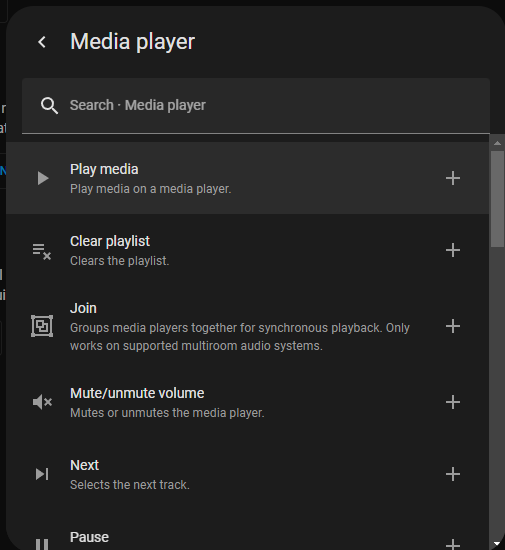
So, that’s interesting. There are two “Play Media” options in the UI.
Note the different descriptors. They even have different follow-on menus:
The first one is the one you want.
Alternatively…this YAML snippet might help you get there. Just change the target entity, the entity name for the camera feed in media_content_id, the name of the camera in title under metadata, and the entity ID for the camera in thumbnail.
service: media_player.play_media
target:
  entity_id: media_player.google_nest_hub
data:
  media_content_id: media-source://camera/camera.camera_to_display
  media_content_type: application/vnd.apple.mpegurl
metadata:
  title: Name of camera
  thumbnail: /api/camera_proxy/camera.camera_to_display
  media_class: video
  children_media_class: null
  navigateIds:
    - {}
    - media_content_type: app
      media_content_id: media-source://camera
1 Like
Thanks, this was all that was needed for an MJPEG camera
service: media_player.play_media
target:
  entity_id: media_player.master_bedroom_hub
data:
  media_content_id: media-source://camera/camera.patio
  media_content_type: video/x-motion-jpeg
3 Likes