New here, but I’ve been running into this problem almost completely. It’s when I can’t close a window that I have open in Home Assistant. Any ideas?
Thanks, Bill
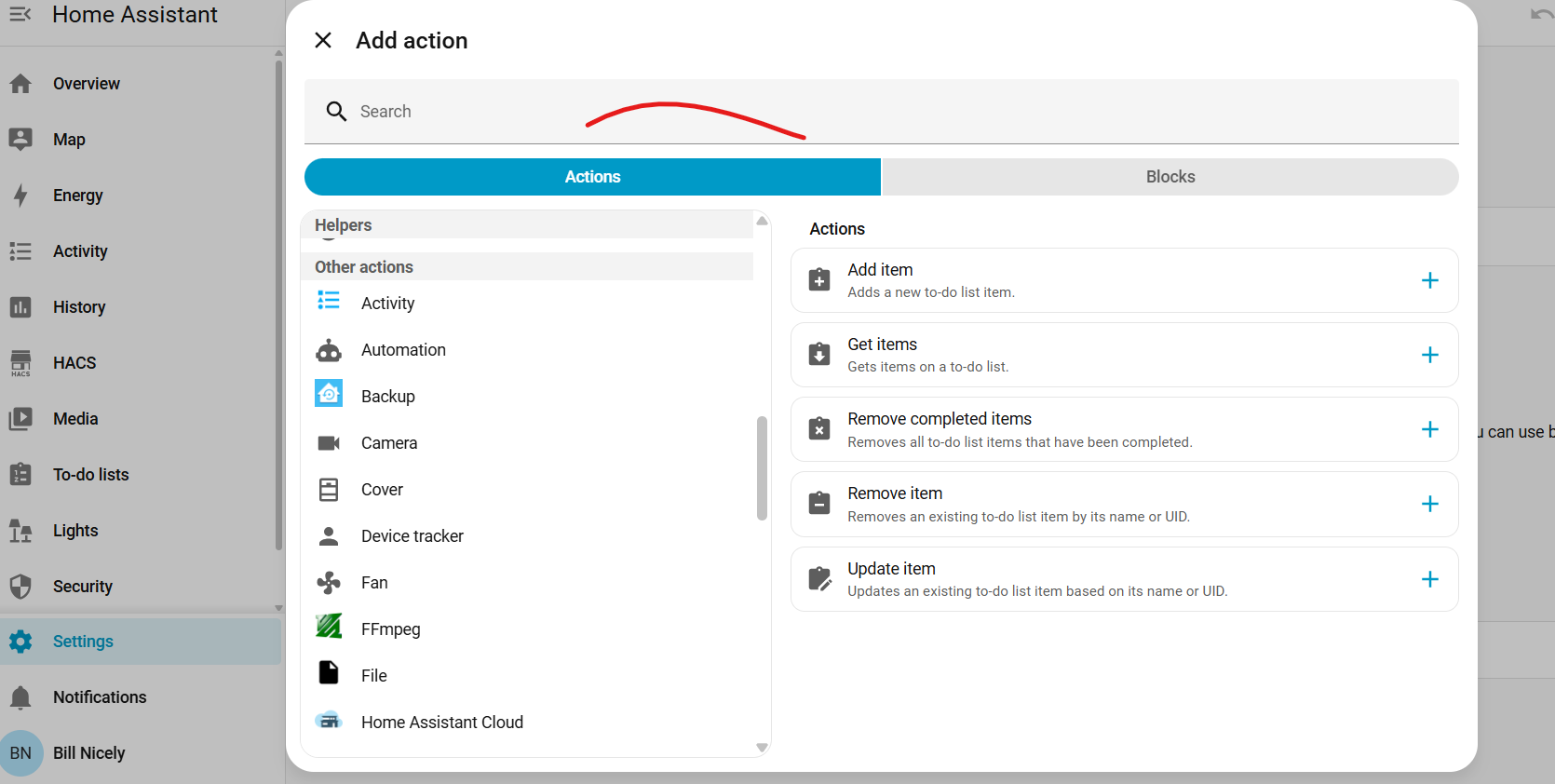
Hi Bill, welcome to the forum!
You are not sharing much to help us help you…
How did you open it in the first place and what is the purpose of sharing that screenshot?
How is that window integrated/controlled in HA?
Are you running the latest version? All updates done and system restarted from the system menu (not by pulling the power plug)?
Does pressing the X at the left of Add Action, or the menu hamburger on the far left not work?
What are you trying to achieve?
sorry guys, very new here. All I’m trying to do here is close the stinking window and move forward. clicking on the “X” doesn’t close it. All is up to date. I’m sure I rebooted everything, but I’ll give it another shot. Ican get by it sometimes if I can click on the main HA window someplace and refresh the page. I’m also pretty sure it’s random and not linked to just one particular window.
Hope this clears things up some. Just want to close the add action window and MOVE ON…
Thanks! Bill
I have something similar happen with the HA windows desktop client. When I got to one of my sensor devices, look at the history graph and then download the csv of it… its gets stuck there after download and I can’t back out… not clicking the X for the window or typing escape etc… tried it all. I have to use task manager to end the associated task and restart the app.
I don’t do it often enough that I want to fill out a bug report.
if you think of it, when you get a fix, please let me know. I’ll monitor
Do you have any desktop or lovelace apps/addons that may be over-riding normal functionality?
NOt that I know of. But I’ll look. Thanks