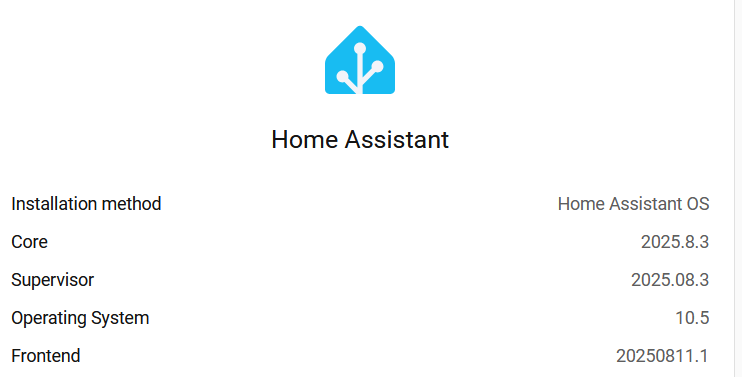
Hi everyone. I haven’t updated HA since last August and now I can’t up date at all. The Core and Supervisor versions are 2025.8.3, the OS version is 10.5, and the Frontend is 20250811.01.
I’ve enabled “Show skipped updates”, and reloaded the updates page, but nothing shows up. (Note that the selection of “Show skipped updates” does not stick.)
On the settings page there is a notice that there was an Unsupported system – Home Assistant OS version. Clicking on the notice, and then the Learn More button bring you to a help page. It suggests that: …you may need to use the CLI to update to the latest OS version 17.2. Note that page doesn’t match what I see as it references a cog wheel icon and I see three vertical dots.
I tried updating via command line but “no updates available” is displayed for each of the system components. I ran CLI ha os info and it shows that the boot slot is A, and B has 9.5 in it.
Do I need to start from scratch? Or is there a better way to get up to date?
FYI I’m running on a Raspberry Pi 4 Model B Rev 1.2.
Thanks for your quick replay petro. HA OS is directly installed on the RPi 4 model B Rev 1.2’s SD card.
When you say hard cutoff, are you saying that my hardware may be too old for versions of some HA components greater than 2025.9?
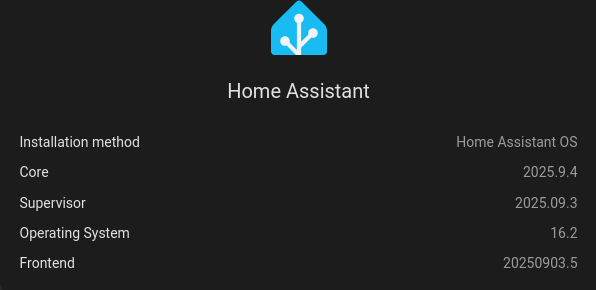
Under Hardware by Pi is listed as “rpi4-64”, so based on your listing above I should be able to what looks like the latest version: 2026.4.1, which is a good thing. Any idea how I can get unstuck?
Spiro, I used commands like you show above. I have not tried specifying version yet as I want to have a list of valid versions and how they should be paired together. I think that might be my next step.
Did an OS update from CLI: ha os update
terminal responded with:
Processing … Done
Error: Version 10.5 already installed
No error messages in the DNS log.
HA Core error message:
2026-04-10 15:39:47.768 WARNING (MainThread) [homeassistant.components.hassio.coordinator] Error on Supervisor API: ‘StoreManager.reload’ blocked from execution, unsupported OS version
Suppervisor messages:
2026-04-10 15:40:52.899 INFO (MainThread) [supervisor.api.middleware.security] /os/update access from a0d7b954_ssh 2026-04-10 15:40:52.902 WARNING (MainThread) [supervisor.os.manager] Version 10.5 is already installed
Maybe I should just do a fresh install and then do a restore? Would that be cleaner than trying to update?
It seems the broken part is where it looks for the version to update to. I remember seeing something like that once.
Have you tried the suggestion by @Spiro ? That should work.
Also, you probably had this problem for a lomg time (assuming you regularly update). OS 10.5 is waayy older than last August.
I ran into a similar situation a while back on a slightly newer version: HAOS stuck at 11.5 and won't update - #2 by joneshf. It’s like they changed the endpoints for where to look for updates, or the new data format isn’t backwards compatible, or something like that. I dunno, I don’t know enough about how it works to really say.
Either way, as mentioned above, you can try an explicit version update to get up to date (e.g. ha os update --version 17.2 or whatever). After doing that, I seem to be getting regular updates now.
I tried: ha os update --version 17.2
… and that worked. Thank you @Spiro and @joneshf ! I was hesitant to do that but it seems to have brought me up to date. Thank you all for your help!!
The OS was updated by the command which restarted HA. After HA restarted, there was an update box showing that there was an update available for the Core. I installed the Core update.
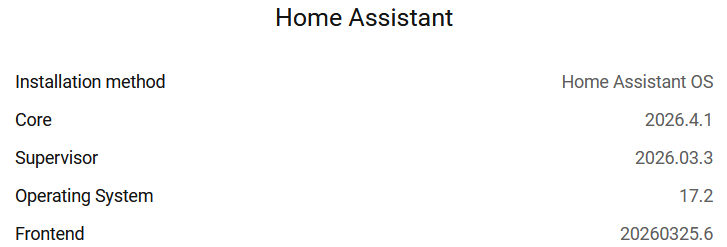
At this point updates were available for add-ons and all major parts of HA seemed to be at the current baseline: