After factory resetting my only Thread Border Router (Eero Pro 7), the new Thread credentials were not synced to iOS Keychain, and the old credentials were not removed.
Problems:
- Lost access to Matter devices in HomeKit/HA.
- Got the “Thread Border Router Required” error when re-adding devices via HomeKit and HA.
- Syncing via Eero app, regenerating credentials, and HA iOS Thread Debugger all failed to clear the old Thread credentials.
Workaround:
I was able to add the new Thread credentials to HA using the “Add Dataset from TLV” feature. I can now successfully pair Matter devices using the HA iOS app.
The Remaining Problem:
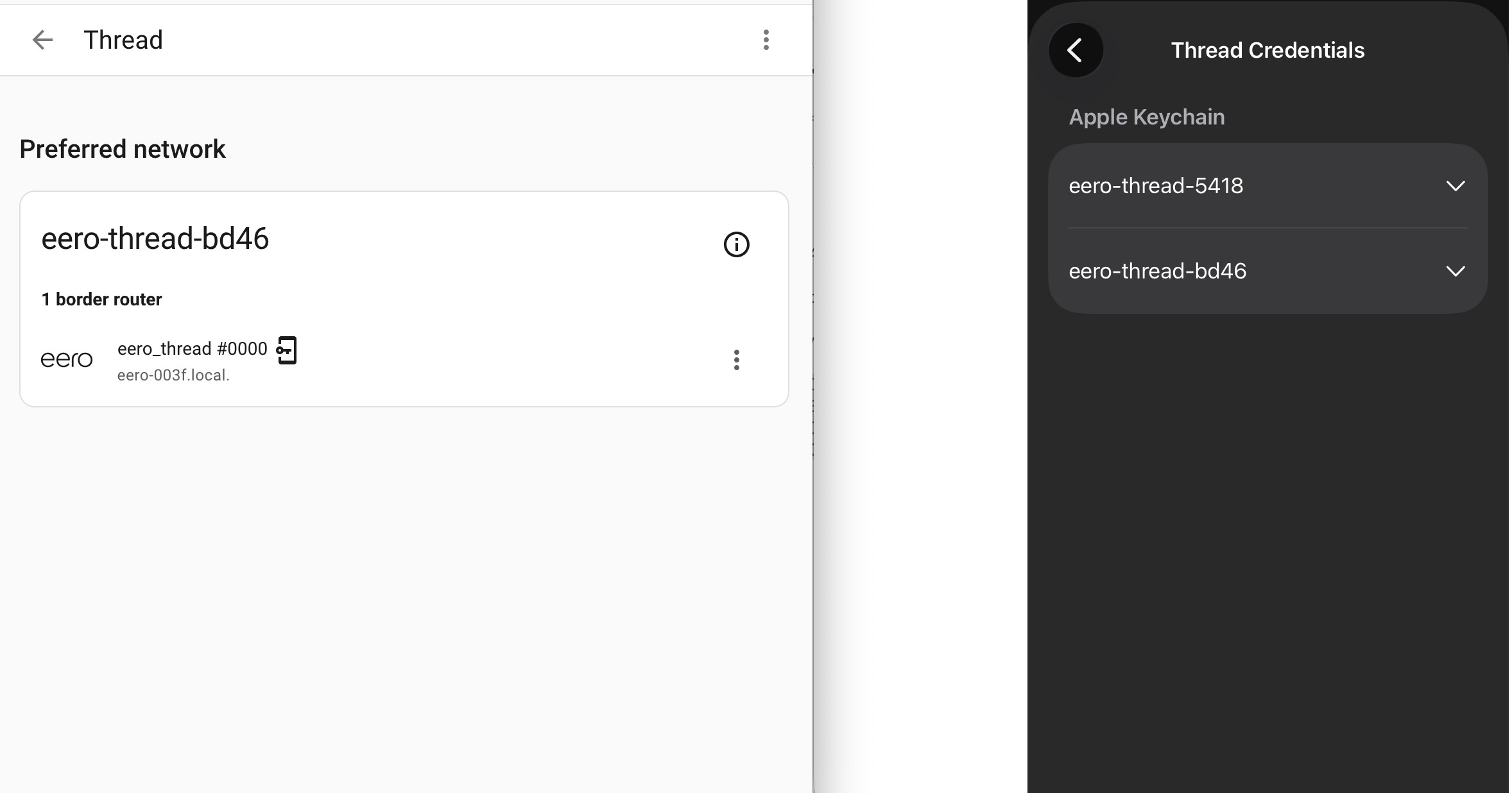
The HA iOS app shows 2 sets of Thread credentials in Keychain: the old/invalid creds and the new/working creds.
- I cannot delete the old credentials. Swiping left and confirming “Yes” makes them immediately reappear without an error message.
- As a result, pairing Matter devices via HomeKit fails saying “Thread Border Router Required” (note pairing via HA works because it using the preferred Thread network credentials).
Screenshots:
- Thread Network (added via TLV and working) + both sets of credentials in the HA iOS app
Has anyone found a way to force-purge stale Thread credentials from the iOS Keychain when normal UI deletion fails?