Everything works as expected. It’s just this one thing that I’m having an issue with.
Hardcoding room numbers in the params works fine, but calling a sensor’s state here instead to allow dynamic room selection doesn’t seem to work unfortunately.
Everything works as expected. It’s just this one thing that I’m having an issue with.
Hardcoding room numbers in the params works fine, but calling a sensor’s state here instead to allow dynamic room selection doesn’t seem to work unfortunately.
Hello everyone,
I have been trying for weeks to setup my HA with my xiaomi vacuum s20+ but no luck.
As the map extractor is not working, I am using a img as background, but what I would like to do it, create the sections and click on the section to send the vacuum to the room with default settings used on the app, is that possible?
I have installed xiaomi vacuum miot auto and I was able to send the vacuum to the room using call action, however, I want to integrate it in the map.
Thanks for the answers.
I see you guys all talk about the s20+ with the code xiaomi b108gl.
But my vacuum is the xiaomi c102gl, is this the reason i dont get the separate room cleaning working?
Hi Juan Manuel! your post is very usefull! I’m having some trouble with Xiaomi Vacum S12. I think its related to the attribute “params”. Can you help me please? I leave here the link to de s12 discussion: Support for Xiaomi S12 Roborock in Xiaomi Miio Integration - #13 by rubengonzalez96
Thanks!
Hello,
how are you?
I also purchased a Xiaomi S20 Plus and am trying to get an automation to work to clean the selected rooms.
action: xiaomi_miot.call_action
data:
  entity_id: vacuum.xiaomi_b108gl_3de0_robot_cleaner
  siid: 2
  aiid: 13
  params: |
    {"room": [{{ states('sensor.vacuum_rooms') }}]}
Have you managed to get it to work?
Because if I use it with the sensor that has the rooms, it doesn’t work and doesn’t generate any errors.
Has anyone managed to get it to work?
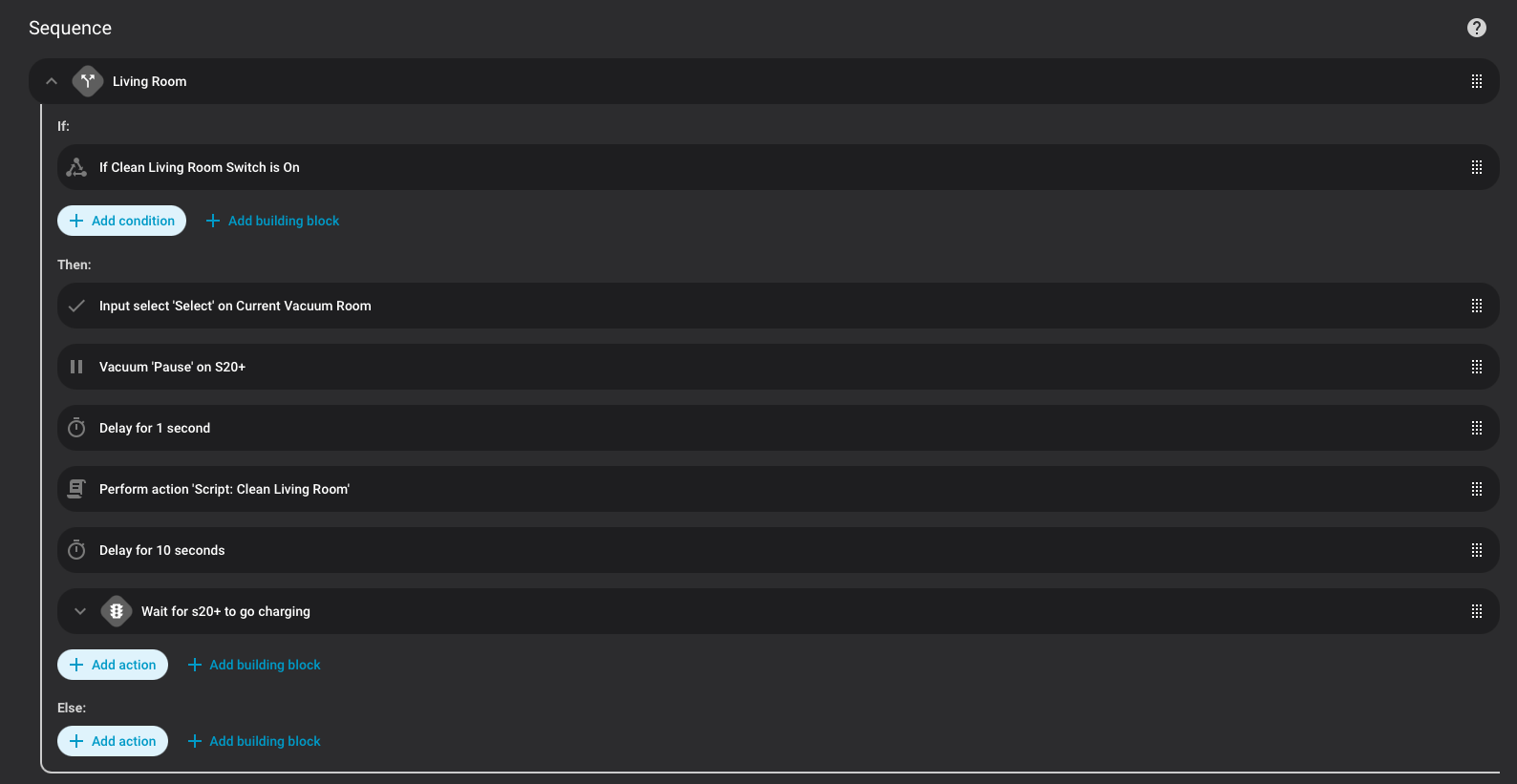
Apologies for the delayed response! I ended up losing the will to live with it and gave up trying to use a state as the param. Instead I set up individual scripts to clean each room then used a separate script that, when run, checks if the relevant room helpers are switched on and triggers the script for each room in sequence. It’s a bit hacky as the vacuum attempts to return home after each room before it is interrupted and sent on to the next one. I have attached a screenshot of my script to give you an idea.
I am trying to get the same working for S20 PRO version, but I am not able to send vacuum in to the room. How I will find which parameters to set/define for respective actions? went through this thread and struggling to get this working. Thanks!
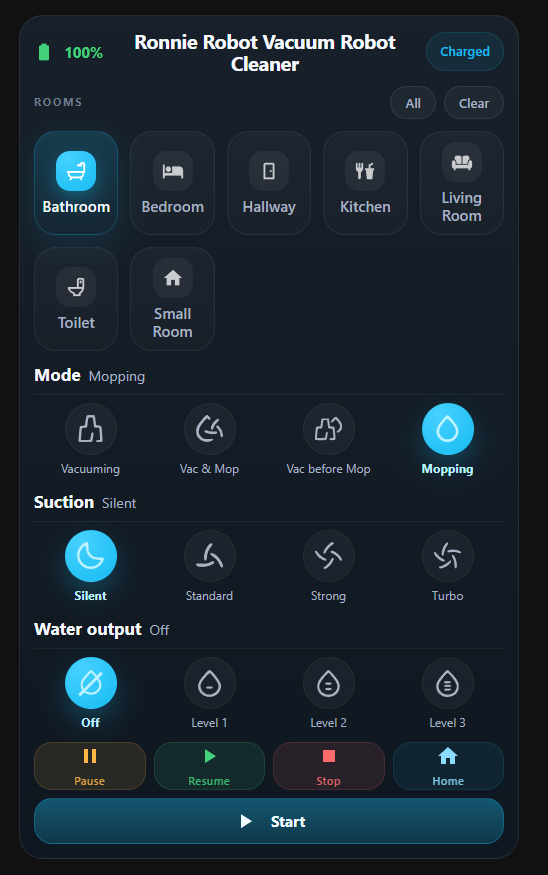
I had the same problem so I built a custom Lovelace card for using the xiaomi_miot integration that handles room by room selection natively (no scripts needed). It cleans all selected rooms in one run without returning home between rooms. GitHub: GitHub - tojolab/xiaomi-s20plus-vacuum-card: Room-by-room control card for Xiaomi Robot Vacuum S20+ via xiaomi_miot · GitHub
It works only with Xiaomi Miot integration (both in LAN mode and cloud).
Feedback would be greatly appreciated