Switch from off to Heat on a Tuya's Quality heating in Node Red

Hello readers, I have a boiler with limited intelligence. However, I don’t want to use that intelligence. I want to control the boiler via HA. ​​This can be done through automation. Node Red offers more options to account for unusual circumstances. For example, I work out on certain days and shower at the gym. When I’m on vacation, the boiler doesn’t need to heat up. Sometimes I have guests staying overnight, and then the boiler also needs to heat up when I go to the gym. In those cases, I also want the boiler to heat up when electricity is cheapest. This causes the number of automations to increase considerably. That’s why I wanted to try it in Node Red.

Now I have the following problem: the status has two options: off and heat.
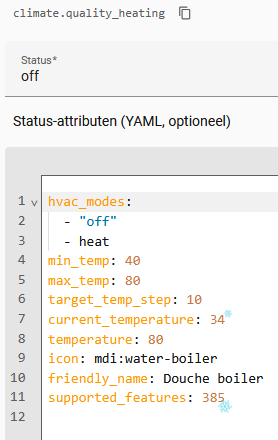

Does anyone know how to approach this in Node Red?

An Action Node was used in the test. It offers the option to turn on the boiler. However, the boiler is already on and should start heating, but that doesn’t happen. Providing data immediately results in an error message.
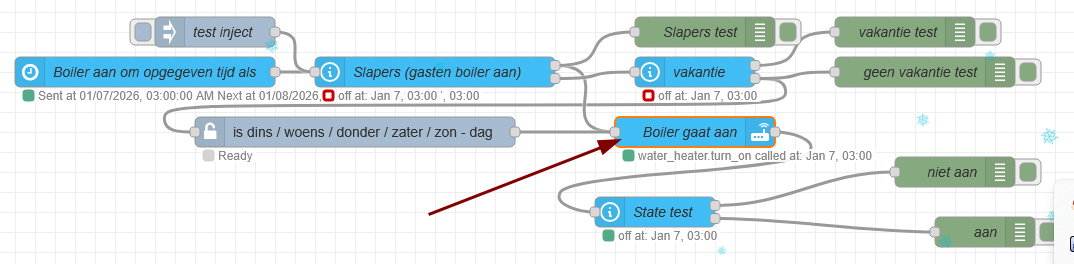
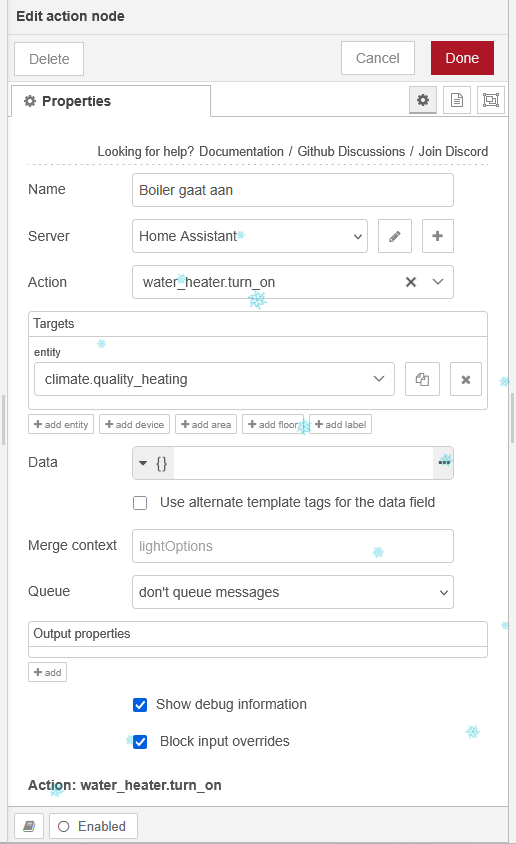
Any suggestions?
Simple things like switches and lights have a state that is either “on” or “off”, and the relevant Home Assistant action is a very basic *-turn_on or *_turn_off.

More complex devices like HVAC, which HA provides the climate platform, have ‘modes’, which can be quite a long array of options. My A/C unit has off, heat, dry, cool, fan_only, heat_cool. In this case we are typically setting the ‘mode’ rather than simply turning the device on and off.

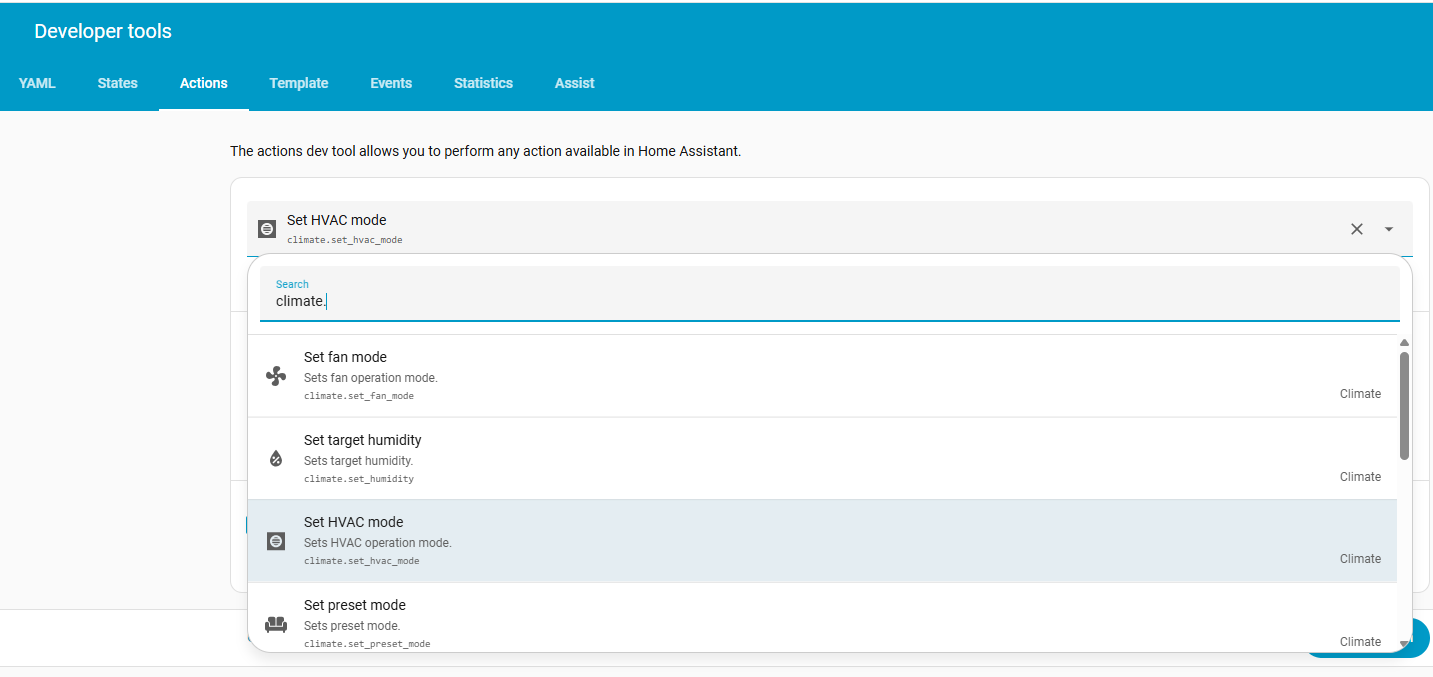
As always with Actions, the best place to start is in Home Assistant, Developer Tools > Actions, not only to test out the action, but also to see what the options are.

As I don’t have a “water-heater” but I do have A/C, I can only use actions that apply to A/C “climate” devices. For example - just entering ‘climate.’ will bring up a full list of the climate-actions.

If you select something like climate.set_hvac_mode, you can see what entities you have that can have this action applied to it/them, and also what the options are, and if you select the HVAC mode you also get a list of the available modes that your device (entity) will support.

Then you can test the Action there before using the Action node with similar settings.

The water_heater integration has a similar set of actions. However, since the ‘water_heater’ platform is different to the ‘climate’ platform, you probably can’t use ‘water_heater’ actions on an entity that starts with ‘climate.’ and vice versa. Another good reason for testing actions out in Home Assistant first, since HA will not permit you to select actions that cannot be applied.

You will find the climate integration documented here, and the water heater integration documented here.

I think you need to use “climate.set_hvac_mode”…

Thanks for your reply.
It now works with “climate.set_hvac_mode” and
DATA on JSON { “hvac_mode”: “heat”}.
Now I can continue developing.
Thanks again.