I did an update on my Synology and after that, I ran into issues with the Home Assistant.
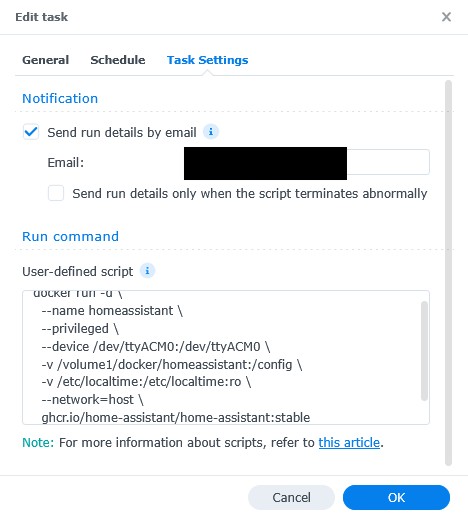
I did then made a new Image and Container.
Adding TP-Link, Panasonic and other standard devises I am able to do but adding the ConBee II I have nor been able to (it has been working earlier) .
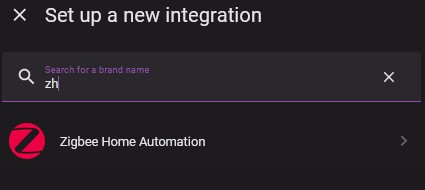
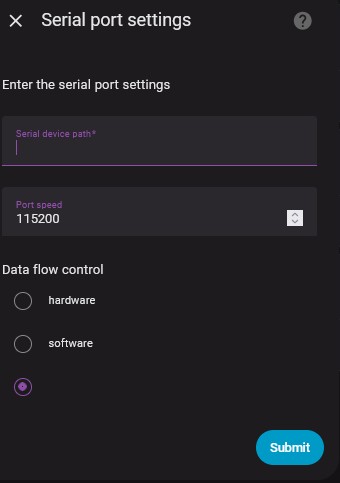
When adding the Zigbee
Checking if the tty is percent.
This seems OK but did not solve the issue.
Then I did the following:
sudo cp ~/DSM-USB-DRIVER/modules/geminilake/dsm-7.2/cp210x.ko /lib/ modules
chmod 777 /lib/modules/cp210x.ko
But no luck in doing that.
Is there anyone who have an idea how I can add the ConBee II agian.
I’m been looking widely on the internet and there is nothing about this problem.
I have tried lots of things hereby changing the configuration.yaml but nothing works.
I’m stuck at step 2. You can’t get a good Guinness on the mainland. Oh well, lets try again. If it doesn’t work, fine. I don’t have a Conbee anymore anyway.
You right, but when I put my Guinness shirt on, made at Guinness themself, its helps
Is it a new Conbee you have or do you have the same issue that I have?
If you cannot see the ttyACM0 in /dev you must run the Marius part or if you have then just another script.
Please replay maybe I can help.