Does not happen every time but most times when I reboot the host also intermittently on HA Restarts. Known issue and I am not sure if @EDouna can improve it or not.
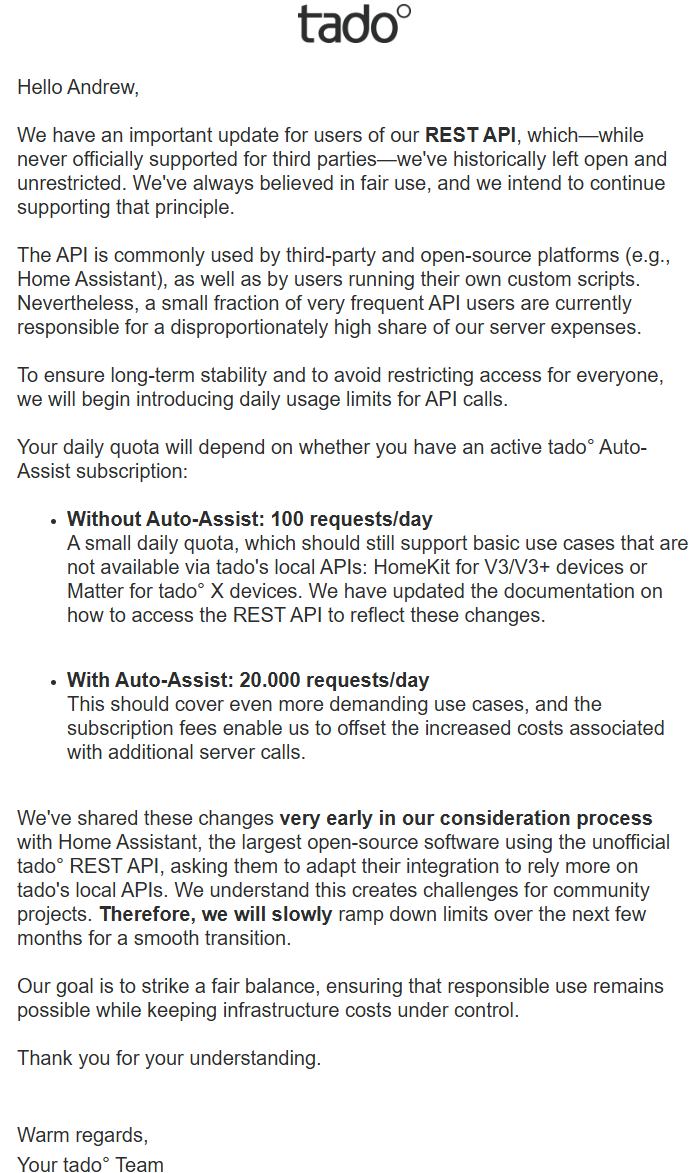
@EDouna will this latest announcement affect us?
| Action Type | Frequency | Estimated Daily Calls |
|---|---|---|
| Polling (every 5 min) | 12× per hour | 288 calls/day |
| Automation/Commands | Variable | Adds on top |
| Total Usage | Base + actions | > 288 calls/day |
Looks like will be forced to pay for API use under the banner of ‘Auto-Assist’ even though I am sure most of our instances take over the Auto-Assist functions.
AUD $53.99 / year or AUD 6.99 / month to ensure we can use the API to control the heat in our homes. A fair price I suppose for the server use.
For that price it would be nice if they supported us a bit better, especially since we have already shelled out for their devices.
Looks like they have also discontinued their community forum as well.
For me I think this is the nudge I need to move to LinknLink eRemote and eTHS, for full local control.
1 Like
Yes, it will affect Tado in HA. He’s already working an a PR to mitigate impact.
2 Likes
I too, just got the email about rate limiting. Everything except my hot water control is exposed through homekit, but what happens when you do that, but you still have schedules running on the tado server ? I assume they would just overtake the setting applied locally via homekit ?
For example, say I have the heating set to 21 degrees between 10am and 4pm, and I use homekit to change the temperature to 19 degrees at 2pm ? I assume tado won’t know until the temperature reaches (say) 19 degrees and the heating turns off. But I also assume that sends a message to tado’s servers, so what then ? Does the heating turn back on because its not 21 degrees ?
Last night I ended up looking at what else is available if I wanted to move away from Tado.
I looked at a few things that seem to integrate well into HA, and settled for a while on the drayton wiser stuff.
Then I realised I could do it all with a few Sonoff Mini-D modules:-
These can act as ‘dry’ switches which is whats typically used in thermostat switches (they only complete a circuit, they don’t contribute any mains power like a normal ‘wet’ switch does.
The downside is that this solution does not support opentherm modulation. I my boiler supports it, but my existing tado extension kit doesn’t (apparently the UK versions don’t, but the EU stuff does…)
So missing opentherm isn’t a biggie for me.
I’m going to start as a trial and disconnect the hot water control from the tado extension kit and route it through the mini-d instead. That might be enough, as the rest I can control through homekit; or I might end up replacing the rest as well.
Note, if I totally move away from Tado, I’ll need some alternative TRV’s
1 Like
Just to finish off my reply to this thread, with the internet disconnected, but the tado internet gateway still on the network, you can get full local control of the devices exposed through the HA homekit integration without requiring any connection to tado’s servers.
Changing device settings (say thermostat temps) via homekit, or directly on the device buttons works as expected, and home assistant is updated with those changes within a few seconds.
So, looks like switching to homekit, and using a sonoff mini-d just for the hot water is a way to avoid the rate limiting.
Just as a final test, I tried changing the device settings using homekit whilst the internet bridge was connected to the internet, and it does call home in that scenario, but as homekit is not talking directly to tado’s servers, the call home must be coming from the device itself, to the internet bridge and through tado’s official API, which won’t be rate limited.
I’ve been testing with Homekit through the Homekit device integration for some time. The homekit integration is less reliable: every once in a while devices go offline or miss commands.
You will also miss the bliler control and the opportunity to set temperature compensation (so you won’t need to shell out 80 euro’s or more for an external temperature sensor).
But for me the most annying is you miss the presets for auto/home/away and the climate timer action that allows you to determine wht kind of temperature override you want.
Fortunately I seem to be one of the lucky ones that will get the high rate limit though because I have the auto assist features provided by Apple.
Most of that functionality I can replicate using automations, but there are alot of sensors in the full tado integration that are exposed, that aren’t in the homekit version of the device.
For example, the tado integration shows this for a thermostat control:-

And the homekit version shows this:-
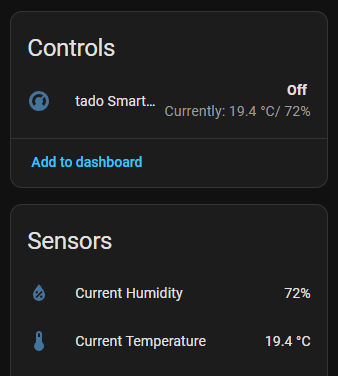
If you care about those other sensors, then thats an issue.
Also, if you know where to look, you can get basic battery info for the devices via the tado integration, but this is not available in homekit.
I’m mostly concerned about the fact you mention the homekit devices don’t always respond to commands or go offline…
I’m suspecting Homekit device integration is less reliable, ymmv with a real homekit hub. But I do not have any.
The reauthentication process has been working fine for me until this morning. No if I try to follow the authentication process I am receiving the error “The authentication process has timed out. Please try again”. I’ve tried restarting HA, but t seems the error is now permanent. Is there a way to sign out of Tado from within HA so I can try the full authentication again? Maybe something went wrong during my authentication attempt.
1 Like
Is anyone else seeing this problem? It seems erratic. I could log in yesterday, but after the core update and restart, now the reauthentication process is failing. I get a success message from Tado, but then this error from the integration.
1 Like
Might have something to do with this and the recent update to HA 2025.10.0. My Tado integration seems to be connected and working though.
Logger: homeassistant.util.logging
Source: util/logging.py:167
First occurred: 21:06:23 (1 occurrence)
Last logged: 21:06:23

Exception in <function _register_repairs_platform at 0xffffa77ea480> when processing platform 'repairs': (<HomeAssistant RUNNING>, 'tado', <module 'homeassistant.components.tado.repairs' from '/usr/src/homeassistant/homeassistant/components/tado/repairs.py'>) Traceback (most recent call last): File "/usr/src/homeassistant/homeassistant/components/repairs/issue_handler.py", line 116, in _register_repairs_platform raise HomeAssistantError(f"Invalid repairs platform {platform}") homeassistant.exceptions.HomeAssistantError: Invalid repairs platform <module 'homeassistant.components.tado.repairs' from '/usr/src/homeassistant/homeassistant/components/tado/repairs.py'>
What’s happening
- HA tries to register
homeassistant.components.tado.repairsat startup; that module doesn’t meet the expected interface, so Core throwsHomeAssistantError: Invalid repairs platform …. Reported multiple times and considered benign (doesn’t break the integration). GitHub - A repairs platform must expose
async_create_fix_flow; when it doesn’t, Core logs exactly this error. developers.home-assistant.io
I’m trying to get it working via HomeKit. However, setting the temperature in a climate control widget seems not to actually set the temperature on the device and the mode does not change. Does anyone experience the same?
Given that Tado are also going to be moving to seriously restricting their API usage, unless you pay a subscription fee, I decided to de-tado my house.
I’m now using Sonoff TRVZB TRV’s and some Sonoff Mini-d switches with a few generic thermostats and I’ve got a completely locally controlled system thats easily a match for the old tado stuff.
If you have an opentherm boiler, you’ll need something other than just switches, but there are also solutions out there for that.
Its also a net financial gain, as re-selling my tado gear has re-couped me more money than I spent on the Sonoff stuff.
I am heading the same direction. Will be most likely moving to LinknLink eRemote for my Split System Heat Pumps. Once I can get the eRemoteHA working via MQTT.
I’m also getting fed up with tado’s practices: I can’t log in anymore, even when I manually add the integration, and I pay monthly for Auto-Assist:
Error handling request from 192.168.0.10
Traceback (most recent call last):
  File "/usr/local/lib/python3.13/site-packages/aiohttp/web_protocol.py", line 510, in _handle_request
    resp = await request_handler(request)
           ^^^^^^^^^^^^^^^^^^^^^^^^^^^^^^
  File "/usr/local/lib/python3.13/site-packages/aiohttp/web_app.py", line 569, in _handle
    return await handler(request)
           ^^^^^^^^^^^^^^^^^^^^^^
  File "/usr/local/lib/python3.13/site-packages/aiohttp/web_middlewares.py", line 117, in impl
    return await handler(request)
           ^^^^^^^^^^^^^^^^^^^^^^
  File "/usr/src/homeassistant/homeassistant/components/http/security_filter.py", line 92, in security_filter_middleware
    return await handler(request)
           ^^^^^^^^^^^^^^^^^^^^^^
  File "/usr/src/homeassistant/homeassistant/components/http/forwarded.py", line 83, in forwarded_middleware
    return await handler(request)
           ^^^^^^^^^^^^^^^^^^^^^^
  File "/usr/src/homeassistant/homeassistant/components/http/request_context.py", line 26, in request_context_middleware
    return await handler(request)
           ^^^^^^^^^^^^^^^^^^^^^^
  File "/usr/src/homeassistant/homeassistant/components/http/ban.py", line 86, in ban_middleware
    return await handler(request)
           ^^^^^^^^^^^^^^^^^^^^^^
  File "/usr/src/homeassistant/homeassistant/components/http/auth.py", line 242, in auth_middleware
    return await handler(request)
           ^^^^^^^^^^^^^^^^^^^^^^
  File "/usr/src/homeassistant/homeassistant/components/http/headers.py", line 41, in headers_middleware
    response = await handler(request)
               ^^^^^^^^^^^^^^^^^^^^^^
  File "/usr/src/homeassistant/homeassistant/helpers/http.py", line 73, in handle
    result = await handler(request, **request.match_info)
             ^^^^^^^^^^^^^^^^^^^^^^^^^^^^^^^^^^^^^^^^^^^^
  File "/usr/src/homeassistant/homeassistant/components/http/decorators.py", line 83, in with_admin
    return await func(self, request, *args, **kwargs)
           ^^^^^^^^^^^^^^^^^^^^^^^^^^^^^^^^^^^^^^^^^^
  File "/usr/src/homeassistant/homeassistant/components/config/config_entries.py", line 225, in post
    return await super().post(request, flow_id)
           ^^^^^^^^^^^^^^^^^^^^^^^^^^^^^^^^^^^^
  File "/usr/src/homeassistant/homeassistant/components/http/data_validator.py", line 74, in wrapper
    return await method(view, request, data, *args, **kwargs)
           ^^^^^^^^^^^^^^^^^^^^^^^^^^^^^^^^^^^^^^^^^^^^^^^^^^
  File "/usr/src/homeassistant/homeassistant/helpers/data_entry_flow.py", line 121, in post
    result = await self._flow_mgr.async_configure(flow_id, data)
             ^^^^^^^^^^^^^^^^^^^^^^^^^^^^^^^^^^^^^^^^^^^^^^^^^^^
  File "/usr/src/homeassistant/homeassistant/data_entry_flow.py", line 346, in async_configure
    result = await self._async_configure(flow_id, user_input)
             ^^^^^^^^^^^^^^^^^^^^^^^^^^^^^^^^^^^^^^^^^^^^^^^^
  File "/usr/src/homeassistant/homeassistant/data_entry_flow.py", line 393, in _async_configure
    result = await self._async_handle_step(
             ^^^^^^^^^^^^^^^^^^^^^^^^^^^^^^
        flow, cur_step["step_id"], user_input
        ^^^^^^^^^^^^^^^^^^^^^^^^^^^^^^^^^^^^^
    )
    ^
  File "/usr/src/homeassistant/homeassistant/data_entry_flow.py", line 497, in _async_handle_step
    result: _FlowResultT = await getattr(flow, method)(user_input)
                           ^^^^^^^^^^^^^^^^^^^^^^^^^^^^^^^^^^^^^^^
  File "/config/custom_components/tado/config_flow.py", line 161, in async_step_timeout
    return await self.async_step_user()
           ^^^^^^^^^^^^^^^^^^^^^^^^^^^^
  File "/config/custom_components/tado/config_flow.py", line 114, in async_step_user
    "url": tado_device_url,
           ^^^^^^^^^^^^^^^
UnboundLocalError: cannot access local variable 'tado_device_url' where it is not associated with a value


Traceback (most recent call last):
  File "/config/custom_components/tado/config_flow.py", line 85, in _wait_for_login
    await self.hass.async_add_executor_job(self.tado.device_activation)
  File "/usr/local/lib/python3.13/concurrent/futures/thread.py", line 59, in run
    result = self.fn(*self.args, **self.kwargs)
  File "/usr/local/lib/python3.13/site-packages/PyTado/interface/interface.py", line 99, in device_activation
    self._http.device_activation()
    ~~~~~~~~~~~~~~~~~~~~~~~~~~~~^^
  File "/usr/local/lib/python3.13/site-packages/PyTado/http.py", line 554, in device_activation
    if self._check_device_activation():
       ~~~~~~~~~~~~~~~~~~~~~~~~~~~~~^^
  File "/usr/local/lib/python3.13/site-packages/PyTado/http.py", line 545, in _check_device_activation
    raise TadoException(f"Login failed. Reason: {token_response.reason}")
PyTado.exceptions.TadoException: Login failed. Reason: Bad Request
Would it be possible to stop using the tado integration and use the Google Home integration instead? https://github.com/leikoilja/ha-google-home
tado devices can be added to Google Home relatively easily and could then be accessed via the Google API…
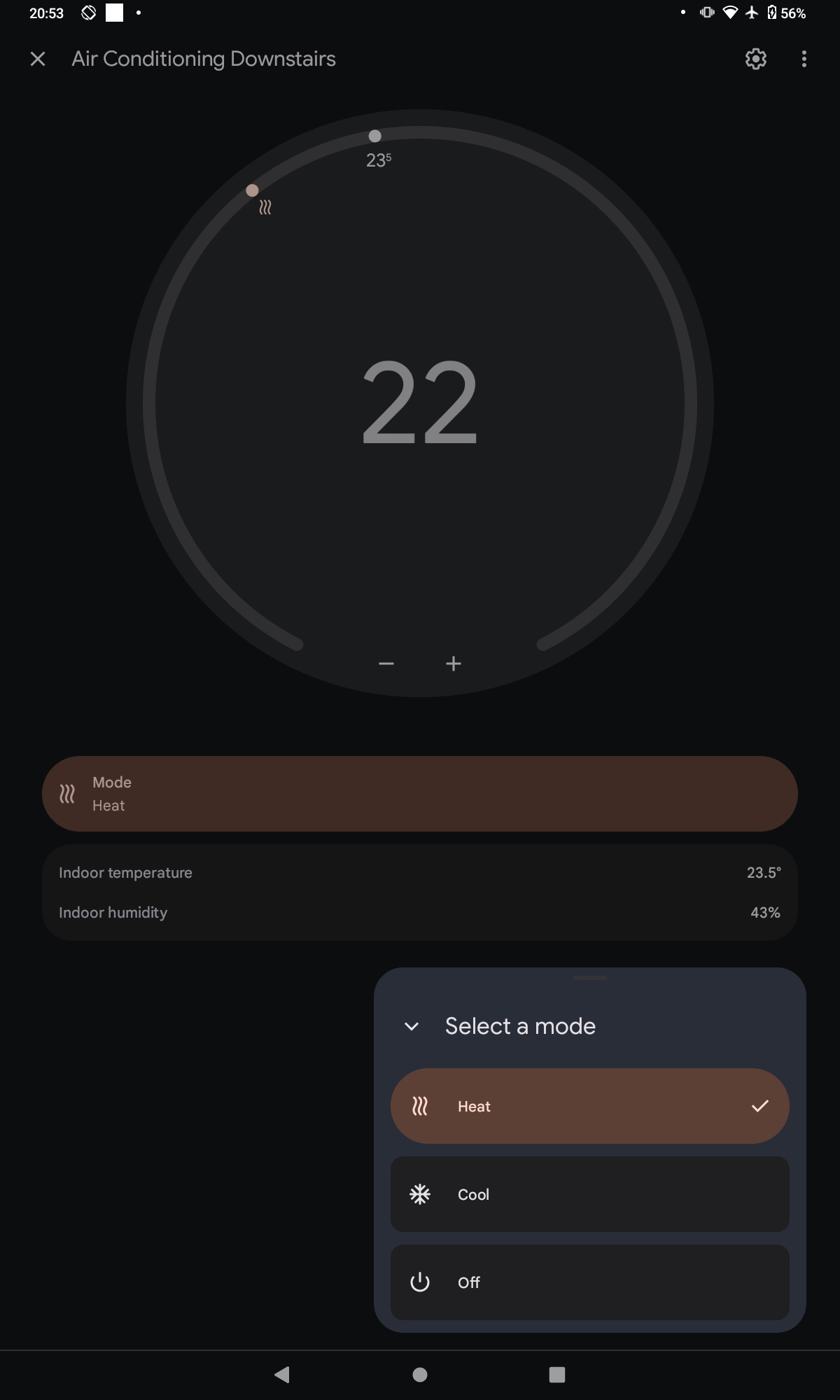
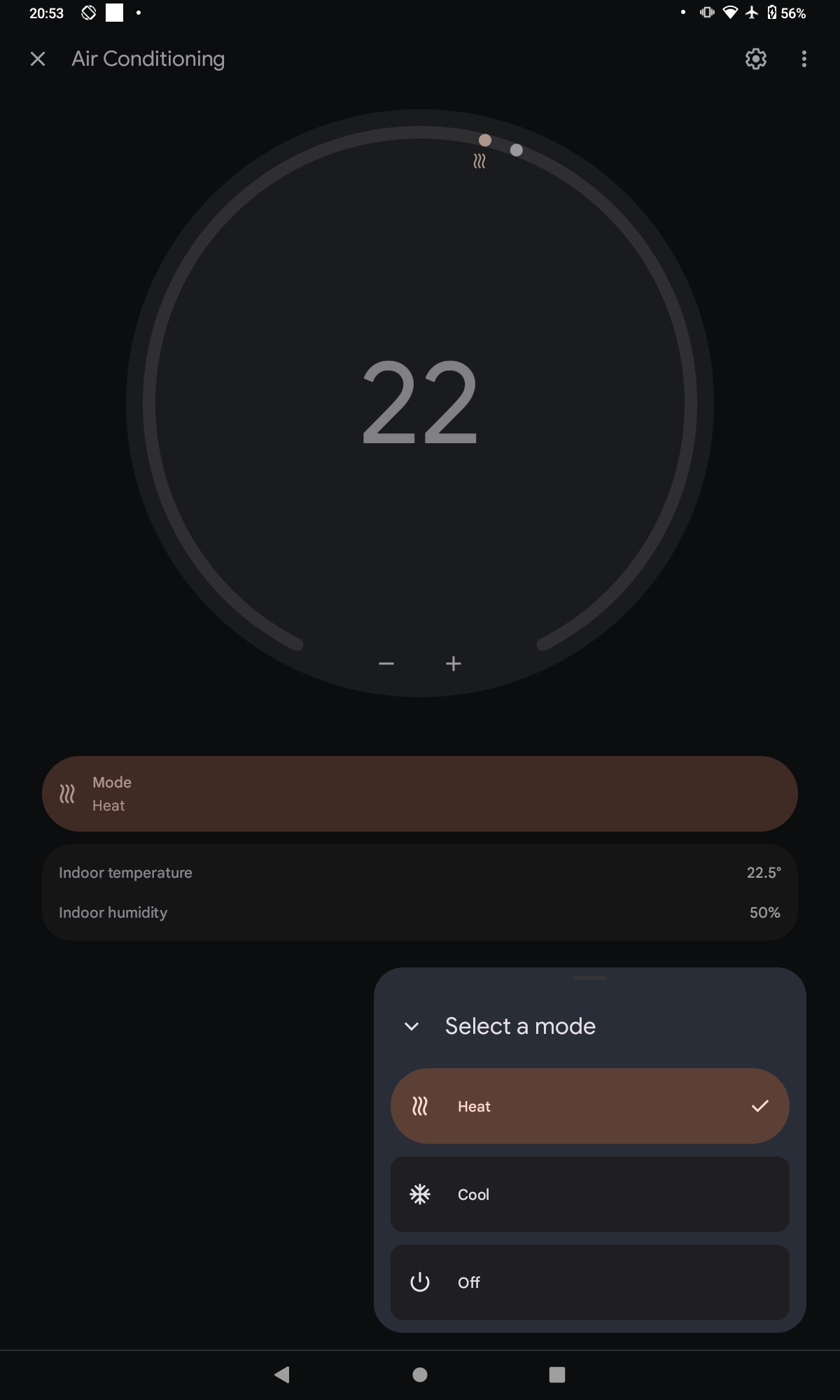
Do you have some solution of this problem? I have the same problem. I try to uninstall tado integration and now I cannot install it again because of same error. Thanks
I now also have the same problem! Just installed HA last week to control my TADO devices. and now it is not working anymore? I uninstalled the TADO integration, and cannot install it again just like drdla49. is there anyone working on the solution?
Do we have to wait on updates?
Thanks
UPDATE###
I just gave it another go (maybe 10th time today) and now i was able to connect to the TADO integration again, with no error messages!