TaskMate – family chore & rewards integration (now in HACS default)

Hi all,

I wanted to share something I’ve been working on for a while now: TaskMate, a chore and rewards integration for kids (and let’s be honest, adults too).

Like a lot of these projects, it started because of a problem at home. Getting my kids to do chores was a daily battle, and the paper sticker chart on the fridge lasted about a week before everyone forgot about it. Since the whole house already runs on Home Assistant, I figured chores should too.
What it does

The basic loop is simple:

  1. You create chores and assign them to your kids, with point values and schedules
  2. Kids tick them off on a dashboard card (wall tablet in our case) and earn points
  3. Chores that need checking land in a parent approval queue
  4. Kids save up points and claim rewards - points only come off once a parent approves

It’s grown a fair bit beyond that though. Some of the things I ended up adding because my own family asked for them:

  • Streaks, levels, badges and quests - the gamification genuinely works, my kids check their streaks daily
  • Flexible scheduling - specific days, recurrence, rotation between siblings, or first-come-first-served
  • Routine Mode - guided step-by-step morning/bedtime flows, which has honestly been the biggest win in our house
  • Pre-Reader Mode - icon-based cards for kids who can’t read yet
  • Photo proof - “yes you actually have to show me the tidy room”
  • Weather-aware chores - no point showing “sweep the patio” when it’s chucking it down
  • Savings jars, allowance tracking, family goals - and rewards that can unlock devices for a set time (e.g. 30 minutes of TV via a smart plug)
  • 21 dashboard cards with 5 design styles, including a high-contrast accessible one

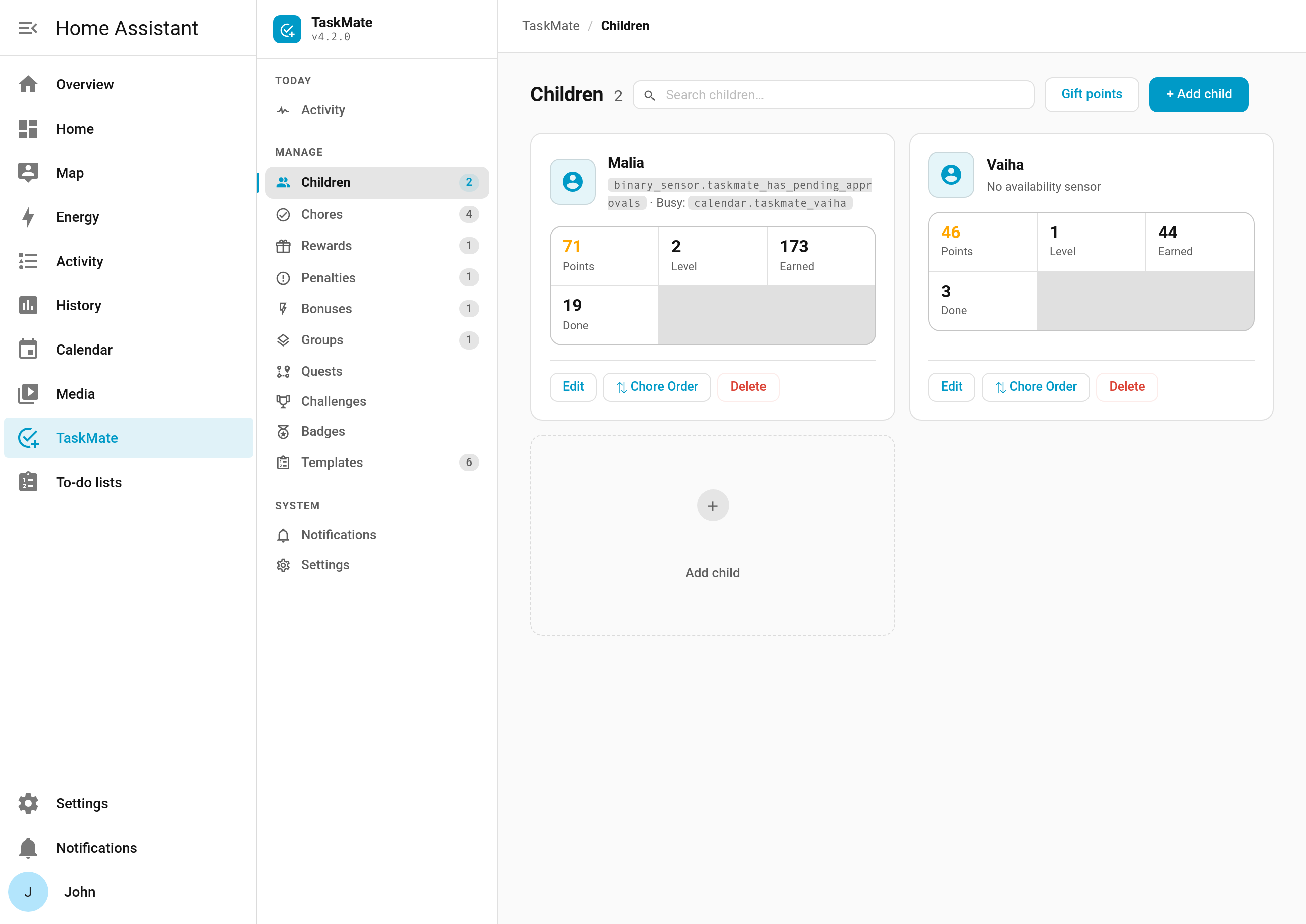
Everything is managed from a panel in the HA sidebar, so day-to-day you never touch YAML. All data stays local in your HA instance - nothing phones home.

Installing

TaskMate is in the HACS default repository now, so no custom repo needed:

  1. HACS → search “TaskMate” → Download
  2. Restart HA
  3. Settings → Devices & Services → Add Integration → TaskMate

Needs HA 2024.7 or newer. Available in English, German, French, Norwegian and Portuguese.

Links

Credit where it’s due: this started life as a fork of choremander by vinnybad, though it’s been almost entirely rewritten since.

Happy to answer any questions, and if you give it a go with your family I’d love to hear how it lands. Feature ideas welcome too - most of the best ones so far have come from other parents.

2 Likes

This is exactly what i have been looking for. Thank you so much!

1 Like

TaskMate v5.6.0 is out — two new features this time, both aimed at the same thing: making a reward or a chore feel like it belongs to a particular moment rather than just sitting there all week.


:speaker_high_volume: Custom completion sounds

You could already pick from the built-in effects when a chore is ticked off. Now you can upload your own clips and choose one per chore — a recorded “well done” in your own voice, a favourite game noise, whatever actually gets your kid to take the bins out.

Settings → Completion sounds → Upload sound. MP3, OGG, WAV or M4A, up to 1 MB each. Name them, then pick one on any chore from its Completion sound field. You can play, rename and delete them from the same screen, and deleting one puts any chore that used it back on the default.

The built-ins are untouched and still the default, so nothing changes unless you upload something.


:alarm_clock: Time-locked rewards

Some rewards only make sense at certain times. Film night belongs to Friday evening. An hour of screen time shouldn’t be claimable at 6am on a school day.

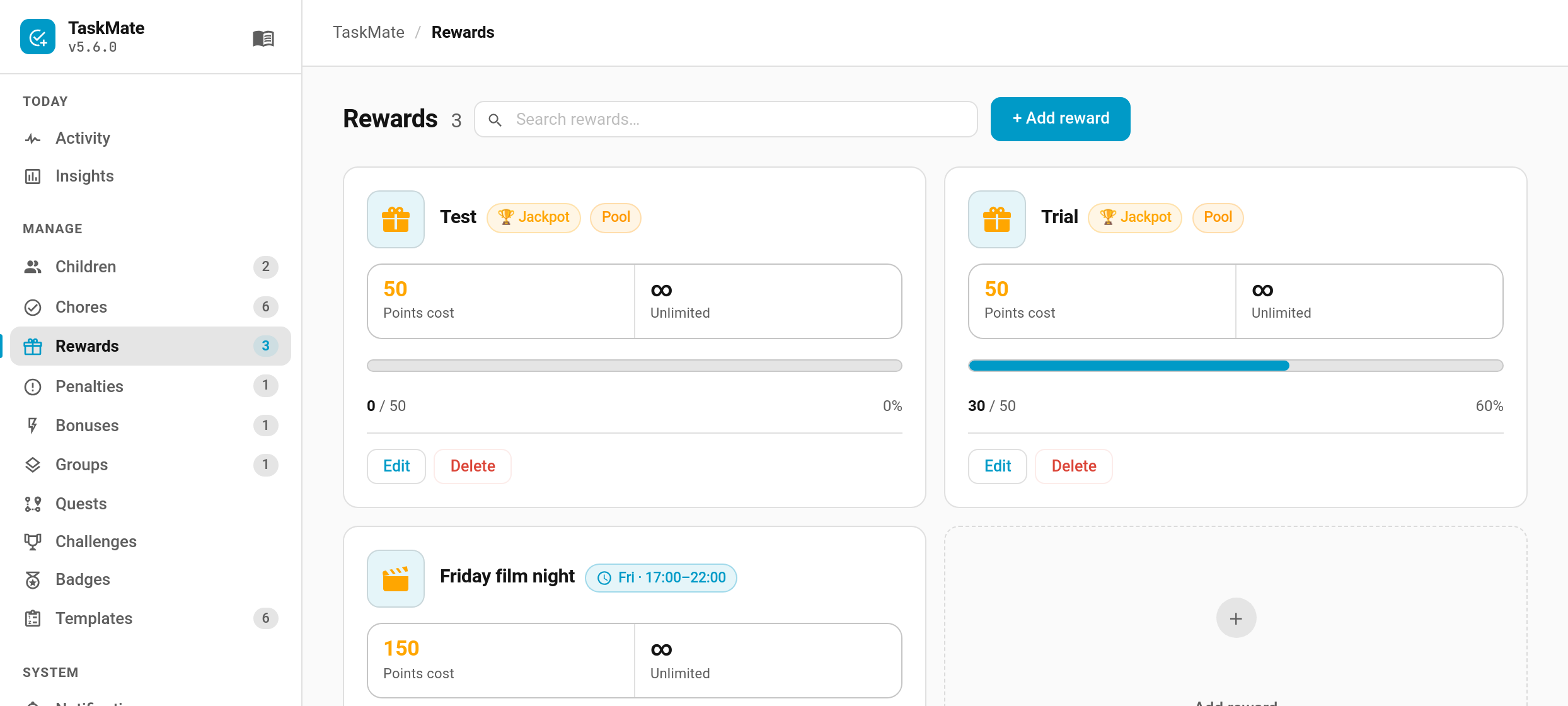
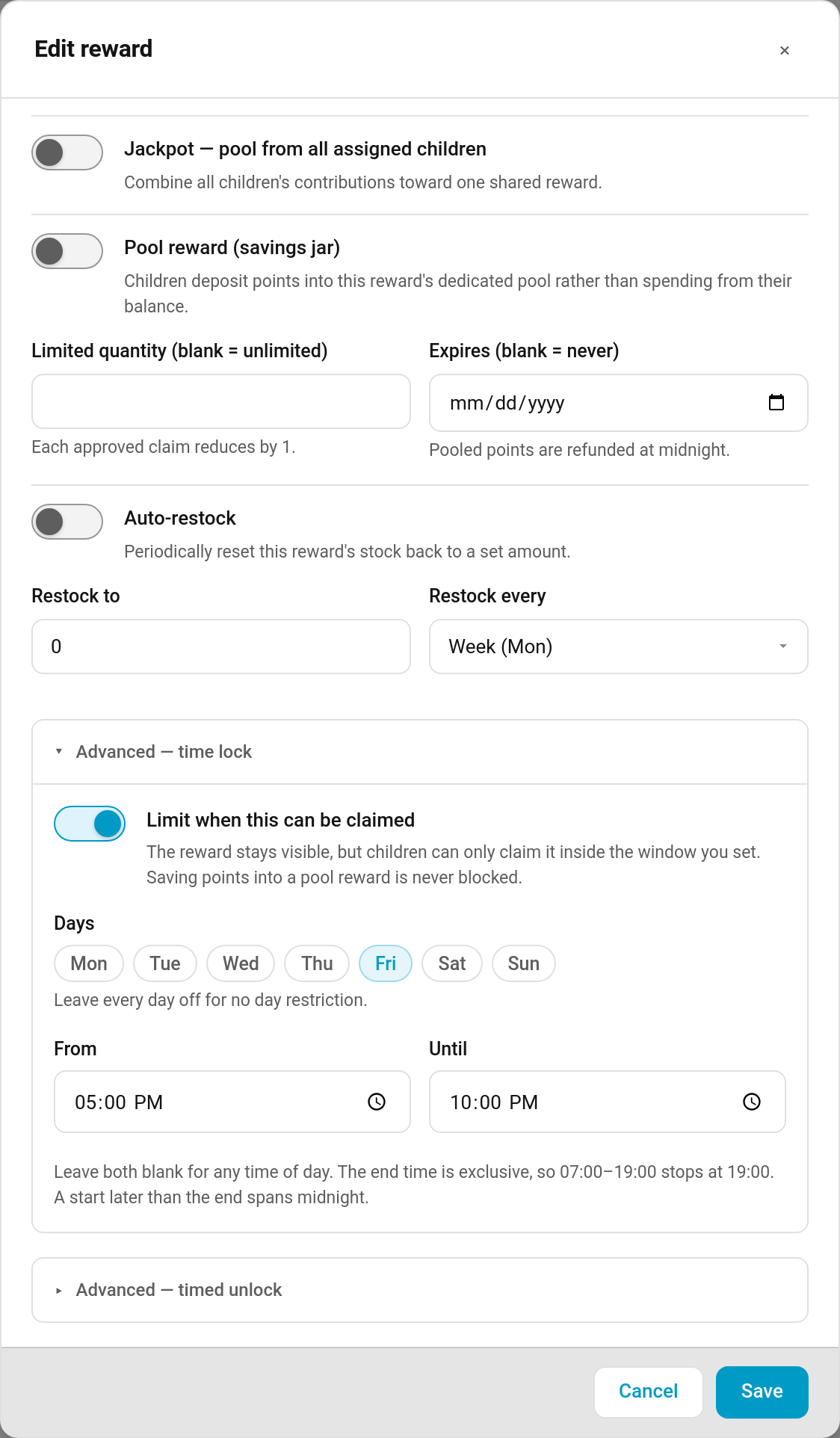
A time lock restricts when a reward can be claimed, without hiding it the rest of the week — it stays visible on the card and shows as locked until its window opens.

Open a reward → Advanced — time lock → Limit when this can be claimed, then pick days, a time window, or both.

A few details worth knowing:

  • Leave the days unticked for no day restriction, or the times blank for any time of day.
  • The end time is exclusive, so 07:00–19:00 stops at 19:00.
  • A start later than the end spans midnight — 20:00–01:00 works.
  • Saving into a pool reward is never blocked. Kids can keep putting points into a savings jar whenever they like; only the final claim waits for the window.
  • If a claim is already sitting in the queue when the window closes, you can still approve it. Approving is your call, not the child’s.

:locked: One new optional setting

Settings → Parents → Require a linked account per child. It’s off by default and off means exactly the behaviour you have today.

Leave it off if you run a shared family tablet where one Home Assistant account is used by everyone — that’s the common setup. Turn it on if each child has their own HA login and you’d rather only that account could act as that child. Parents and admins can always act for any child either way.


Also in this release

  • The icon picker in the admin panel now matches the panel’s own inputs instead of Home Assistant’s default Material styling.
  • A double-tap on a chore, or an “Approve all” overlapping a single approve, now pays out once rather than twice.
  • Undoing an approval steps any quest chain back and refunds the quest bonus, so re-approving the same completion doesn’t pay a repeatable quest twice.
  • Approving a reward claim re-checks stock and expiry, so queued claims can’t hand out more of a limited reward than exists.
  • Rejecting a chore now re-checks whether a mandatory-chore penalty is owed.
  • A round of internal hardening and input validation across the integration, the admin panel and CI.

One thing to check if you automate: taskmate.read_aloud now requires real media_player.* and tts.* entity ids for its media_player and tts_entity fields. If an automation was passing something else, it’ll now fail validation instead of being forwarded.


Updating

Update through HACS and restart Home Assistant. No configuration changes needed. Card resources re-register automatically, so a hard refresh (Ctrl+Shift+R) clears any stale card JavaScript.

:clipboard: Full release notes · :open_book: Wiki · :bug: Issues

As always, bug reports and feature ideas are very welcome — a lot of what’s in TaskMate started as a suggestion in this thread.