Ouwekaas
February 5, 2026, 3:32pm
1
Dear reader,
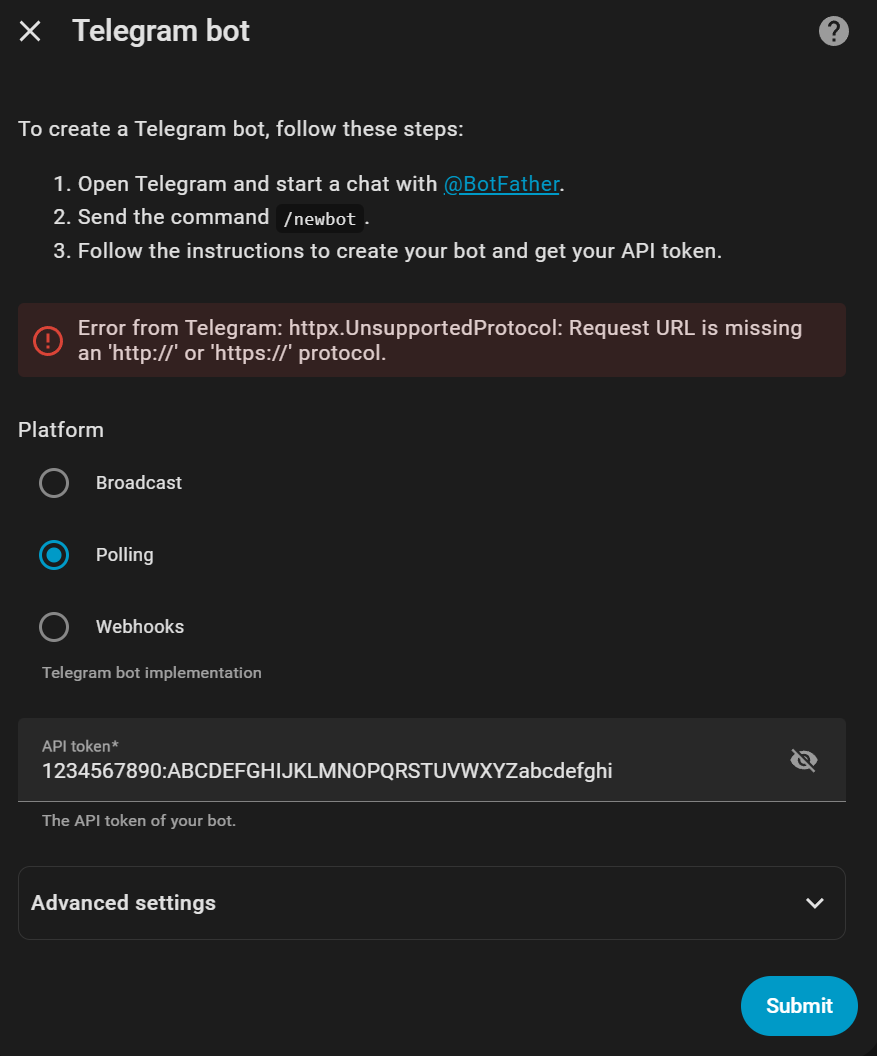
Thanks for reading, I try to setup “Telegram Bot” in HA and run into an error.
“Error from Telegram: httpx.UnsupportedProtocol: Request URL is missing an ‘http://’ or ‘https://’ protocol.”
I sniffed my network traffic and I can confirm, nothing has been tried to https://api.telegram.org . It really get stuck at the add on.
My API is not the real one but for lenght considurations etc…
Kind regards Ouwekaas.
5 Likes
juergenjw
February 5, 2026, 3:50pm
2
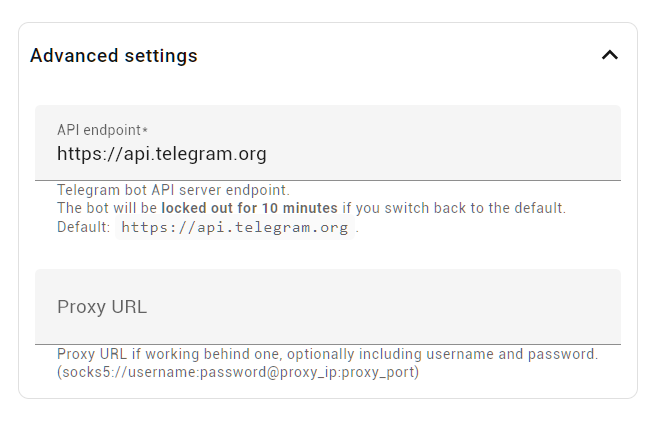
What did you configure under advanced settings?
jonathang
February 5, 2026, 4:26pm
3
Just tried doing the same and getting the same error.@juergenjw
2 Likes
juergenjw
February 5, 2026, 4:41pm
4
I’m using broadcast instead of polling. And i use send message only.
jonathang
February 5, 2026, 5:12pm
5
Polling or Broadcast give the same error message unfortunately.
3 Likes
sDaddy
February 5, 2026, 5:38pm
6
Have the same issue on Raspberry PI HA instance
2 Likes
juergenjw
February 5, 2026, 7:15pm
7
I can reproduce the error on my HAOS 2026.2.0 where i had not installed the telegram_bot integration before.
2 Likes
I have the same issue on 2026.2.0
1 Like
sDaddy
February 5, 2026, 7:36pm
9
to fix issue you should downgrade to previous version of HAha core downgrade --version 2026.1.3
2 Likes
Ouwekaas
February 5, 2026, 7:48pm
10
Default settings. Like shown in your picture
juergenjw
February 5, 2026, 7:52pm
11
This seems to be a bug that was introduced with HA 2026.2.0.
JLestis94
February 5, 2026, 7:57pm
12
2 Likes
Thank you. I wish developers released every three month instead of monthly.
1 Like
Are both instances on 2026.2 ?
1 Like
mmenzie
February 6, 2026, 6:05pm
15
i am following this as i am getting the same error as the OP and i have the correct API key
2 Likes
Same problem here. Waiting for the fix…
mhenriquez
February 7, 2026, 10:30pm
17
darn it…waiting for the fix too
1 Like
agree, the only solution for now
Still had this issue on 2026.2.1
chele81
February 9, 2026, 10:35pm
19
I have the same issue on Raspberry PI HA 2026.2.1
menace_dk
February 11, 2026, 7:28am
20
I too have the same issue on Raspberry PI HA 2026.2.1