Hi everyone! 👋
I'd like to share a small DIY project I've been working on: Tem(H)u — a compact standalone ambient sensor display showing temperature, humidity and the current time on a beautiful round Waveshare AMOLED screen, powered by ESPHome.
What is it?
Tem(H)u (Temperature + Humidity) combines a Waveshare ESP32-S3 1.75" round AMOLED display with an SHT31 temperature & humidity sensor. It sits anywhere in your home and tells you at a glance whether the air is comfortable — no phone, no dashboard required.
At the heart of the display are two counter-rotating arcs. Their color shifts gradually through WHO and ASHRAE Standard 55 health thresholds: a cool blue when values are outside the comfort zone (too cold / too dry), drifting through mint-green in the ideal range, into warm amber and coral as conditions become uncomfortable.
This is not a data display. It is an ambient one.
Automatic display & swipe
Tem(H)u automatically cycles through all three pages — no interaction needed. Just place it on your desk and it quietly rotates between temperature, humidity and clock. The page switches every 15 seconds, triggered at the moment the arcs pass the 12 o'clock position for a seamless, natural transition. You can also swipe manually at any time to jump directly to the page you want.
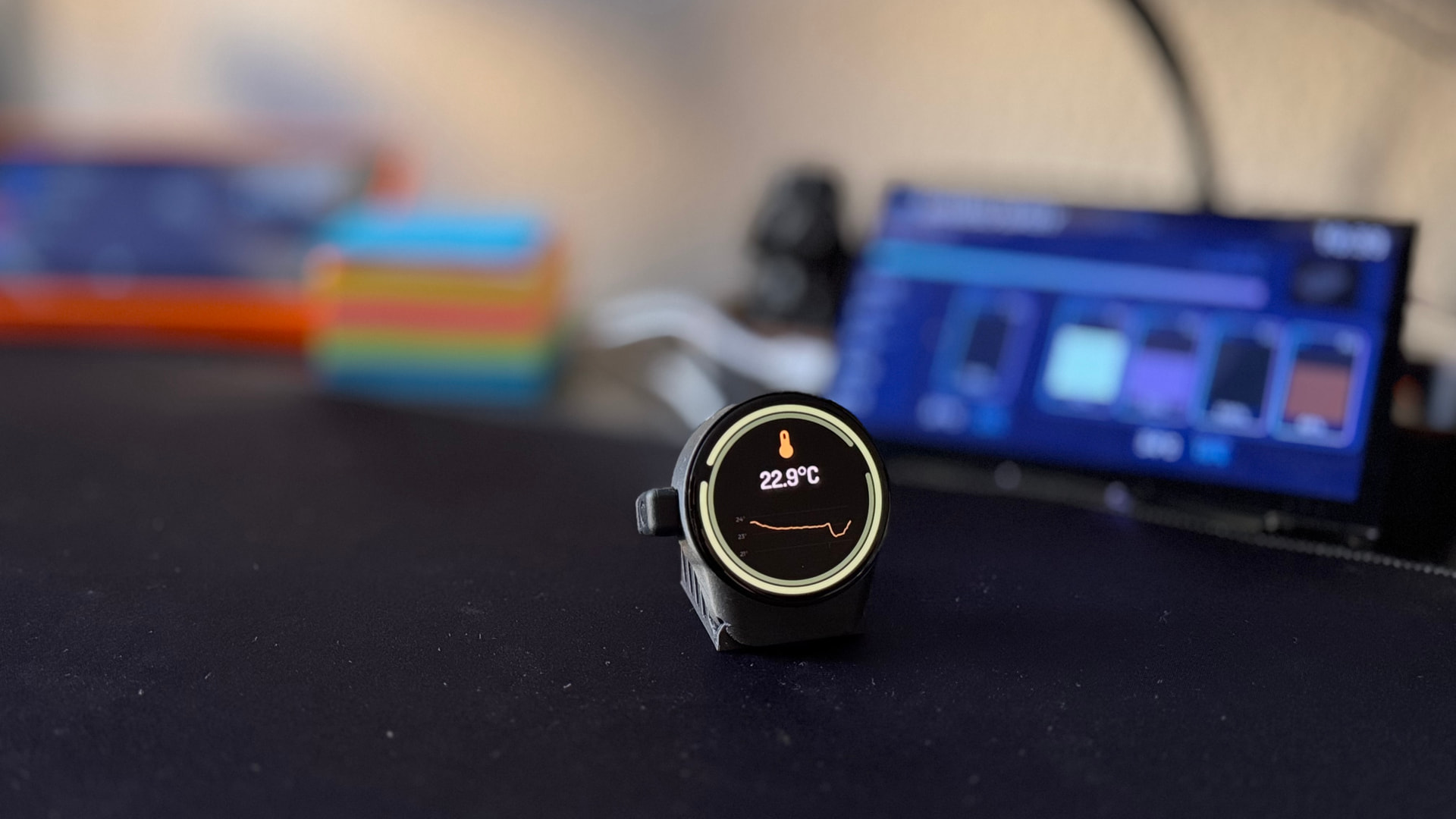
- 🌡️ Temperature page — large value + color arc + 24h trend graph
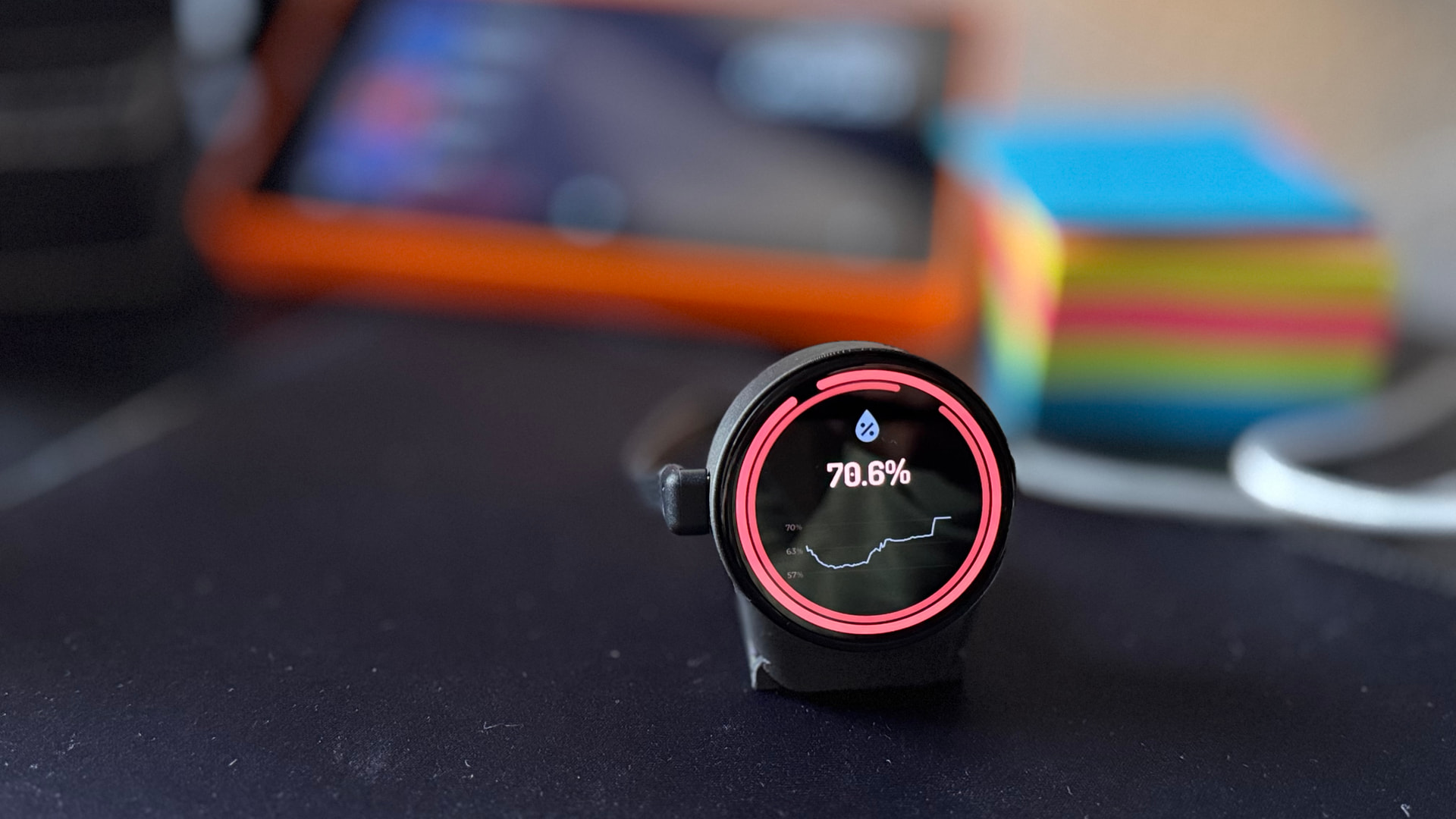
- 💧 Humidity page — large value + color arc + 24h trend graph
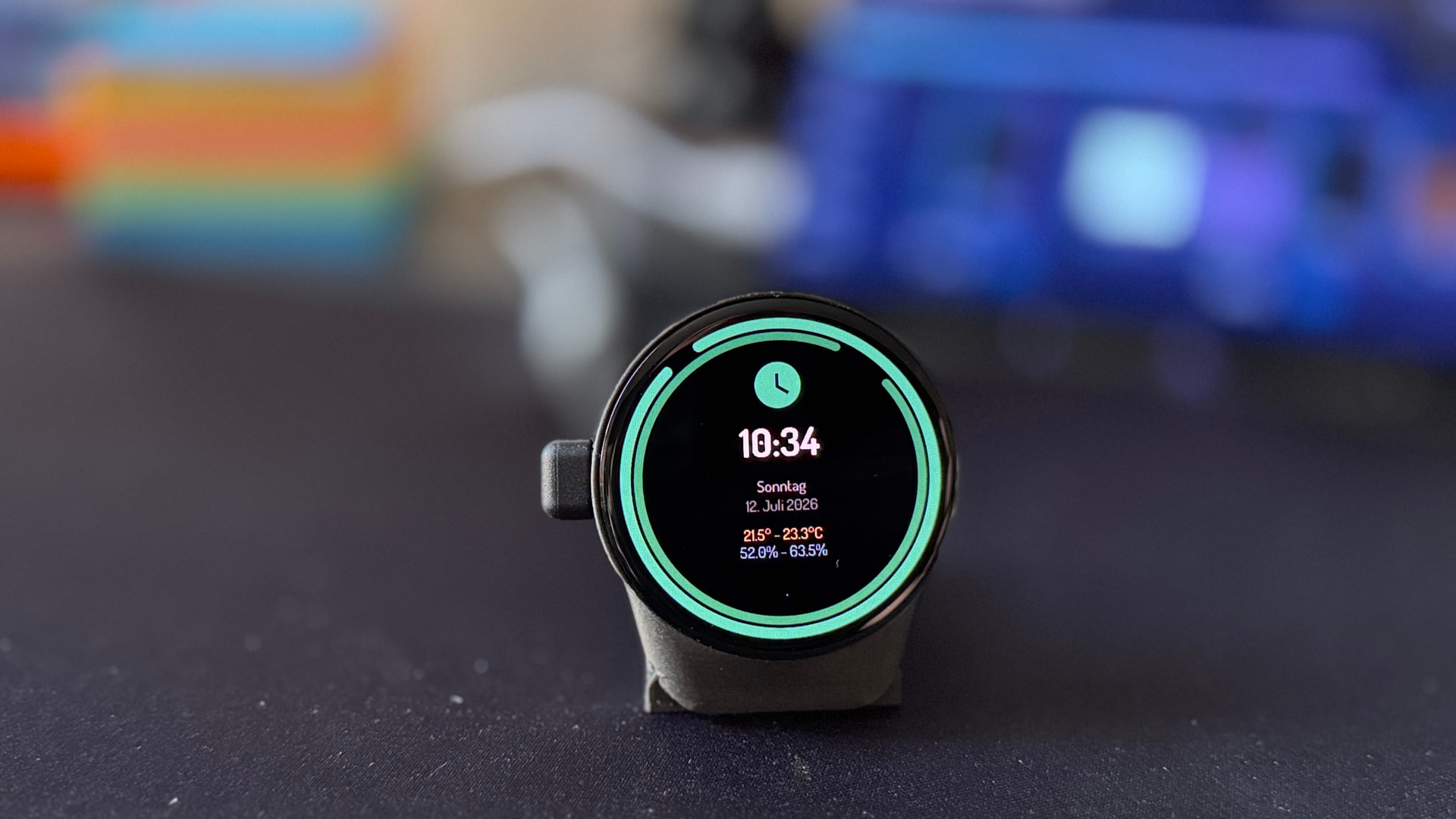
- 🕐 Clock page — current time, date, and today's min/max for temperature & humidity
Photos
Clock page — time, date and today's min/max at a glance:
Humidity page — coral/red arc signals elevated humidity (above the ASHRAE 65 % comfort threshold):
Temperature page — mint-green arc indicates the optimal comfort range (18–22 °C per WHO/ASHRAE), with 24h trend graph:
Features
- 🔄 Automatic page cycling — rotates through all 3 pages on its own, The page switches every 15 seconds, triggered at the moment the arcs pass the 12 o'clock position for a seamless, natural transition. You can also swipe manually at any time to jump directly to the page you want.
- 📊 Live readings — temperature, humidity & clock always up to date
- 🎨 Color-coded arc ring — smooth color transitions based on WHO & ASHRAE Standard 55 thresholds:
- 🌡️ Temperature: blue (<16 °C) → mint-green (18–22 °C, optimal) → amber (22–26 °C) → lavender (>26 °C) — warning activates below 16 °C or above 26 °C
- 💧 Humidity: blue (<30 %, too dry) → mint-green (40–60 %, optimal) → amber (>60 %) → coral (>70 %, mold risk) — warning activates below 30 % or above 65 %
- 📈 24h history graph — 96 data points × 15 min, auto-scaling Y-axis
- 🌐 Full web interface — all settings configurable at `http://temhu-macro.local`, no app needed
- 🕐 45 timezones — including DST, fully configurable
- 📏 Calibration offsets — temperature & humidity correction built in
- 📡 Home Assistant integration — optional, via MQTT auto-discovery (no YAML needed, entities appear automatically)
- 🔧 Static IP support — with automatic gateway derivation
Hardware
| Component | Details |
|---|---|
| Display + MCU | Waveshare ESP32-S3 Touch AMOLED 1.75" |
| Sensor | SHT31 (I²C, ±0.2 °C / ±2 % RH) |
| Case | Custom 3D-printed (available on MakerWorld) |
| Power | USB-C 5V |
Getting started — no YAML, no coding
- Wire the SHT31 sensor to the 8-pin header on the back of the display
- Flash the pre-built factory firmware via web.esphome.io (Chrome/Edge + USB)
- Connect to Wi-Fi using the Captive Portal
- Open `http://temhu-macro.local` to configure everything in the browser
No ESPHome add-on, no YAML, no compiling required — just flash and go.
Home Assistant integration (optional)
Tem(H)u supports mqtt to integrate with Home Assistant:
- MQTT auto-discovery — enter your broker IP, port and credentials in the web interface at `http://temhu-macro.local`. Tem(H)u publishes all sensor values and sends Home Assistant discovery messages automatically. No YAML, no manual entity setup needed.
Published sensors: temperature, humidity, temperature min/max today, humidity min/max today, ESP chip temperature, Wi-Fi signal strength, uptime.
Links
- 🐙 Firmware & wiring guide: github.com/smogaone/TemHu
- 🖨️ 3D-printed case: MakerWorld
The full wiring diagram, flash instructions, and all configuration options are documented on GitHub. The 3D case files for the housing and stand are on MakerWorld.
Happy to answer any questions! If you adapt it for different sensors or add features, feel free to fork it on GitHub. 😊