Looking for some help with creating a temperature trend sensor that can monitor an outdoor sensor and indicate if temperature is rising, falling or steady (1 degree rise or fall per hour otherwise steady). I was able to get this using 2 different trend helper sensors that indicate hot or cold based on rising or falling temps but I would like to combine this into one sensor that I can have a history graph on and use for automation. Any help with this would be appriciated.
So you have two of these?
And you want a single sensor to tell you these states?
- Rising
- Falling
- Steady
You could do something like this:
template:
  - sensor:
      - name: Temperature Trend
        state: >
          {% if is_state('binary_sensor.rising','on') %}
            Rising
          {% elif is_state('binary_sensor.falling','on') %}
            Falling
          {% else %}
            Steady
          {% endif %}
        icon: >
          {% if is_state('binary_sensor.rising','on') %}
            mdi:thermometer-chevron-up
          {% elif is_state('binary_sensor.falling','on') %}
            mdi:thermometer-chevron-down
          {% else %}
            mdi:thermometer-minus
          {% endif %}
3 Likes
Thank you, that seems to be working perfectly.
1 Like
In your template sensor, I am facing a problem in this; by using 2 trend sensors, it can only show Rising and Falling, not steady state.
This is the code I am using to show steady state using 2 trend sensors. You just have to fine tune the trend sensor’s parameters to accurately indicate temperature not rising or falling.
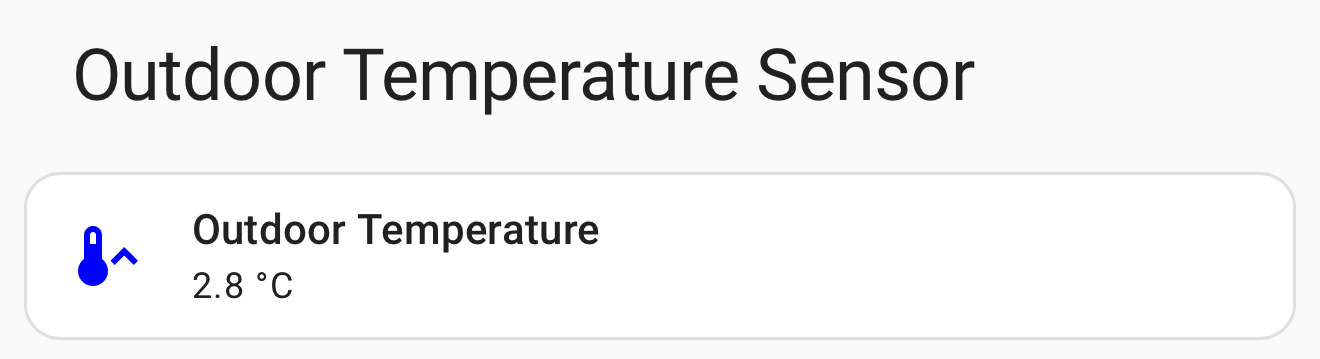
type: custom:mushroom-entity-card
entity: sensor.indoor_outdoor_meter_7465
name: Outdoor Temperature
icon_type: icon
icon_color: white
card_mod:
  style: |
    :host {
      --card-mod-icon:
    {% if 'Rising' in states('sensor.outdoor_temperature_trend') %}
    mdi:thermometer-chevron-up
    {% elif 'Falling' in states('sensor.outdoor_temperature_trend') %}
    mdi:thermometer-chevron-down
    {% else %}
    mdi:thermometer-lines
    {% endif %};
      {% if states('sensor.indoor_outdoor_meter_7465') | round(1) > 25 %} --card-mod-icon-color: red;
      {% elif states('sensor.indoor_outdoor_meter_7465') | round(1) < 5 %} --card-mod-icon-color: Blue;
      {% else %} --card-mod-icon-color: green;
      {% endif %}
    }
I also have below template sensor that can show steady temperature:
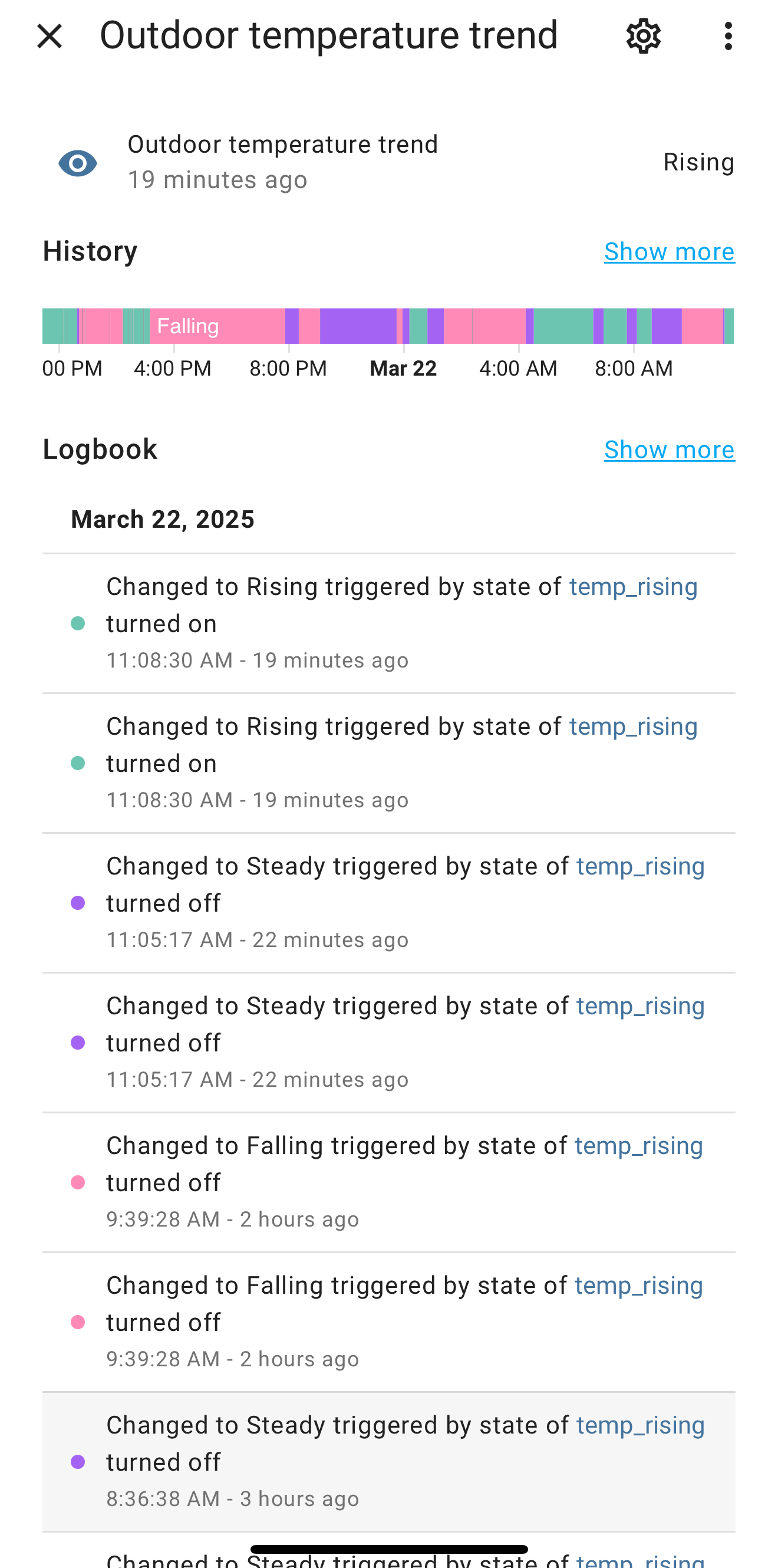
{% if is_state('binary_sensor.temp_rising','on') %}
            Rising
          {% elif is_state('binary_sensor.temp_falling','on') %}
            Falling
          {% else %}
            Steady
          {% endif %}
Hi, can you explain how you make the trend sensor? I been triying for almost a month hahahah, and im sure its gonna be easy but i cant figure it out
Did you follow the manually config step outlined on: Trend - Home Assistant
yeap, but i cant get it to work correctly
What exactly are you running into, post errors or screenshots so the community can help.
I am trying to do exactly the same. Tried the trend sensor this week but run into some jargon where I am not sure what to do.
I have several aqara temperature sensors and two sensores for outside and started with just one.
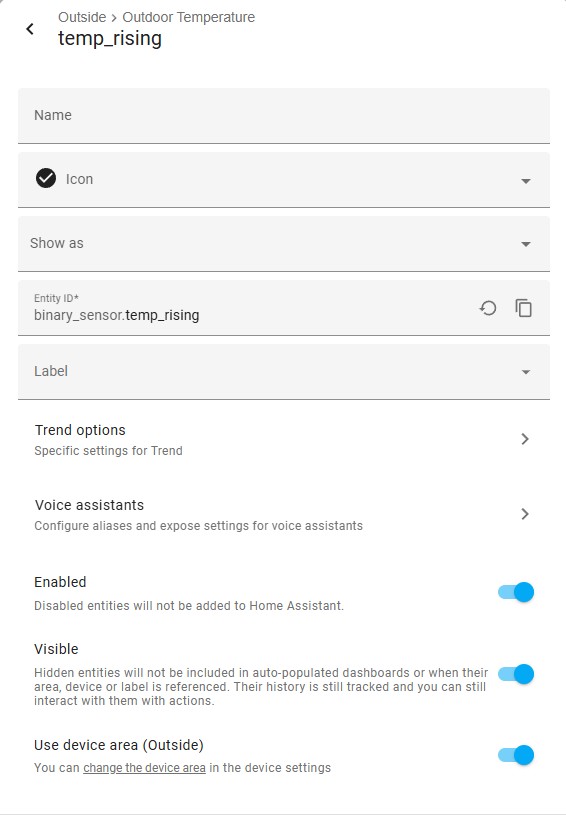
Here is how I setup the trend - I may have made mistakes

Options, I took value from the documentation example
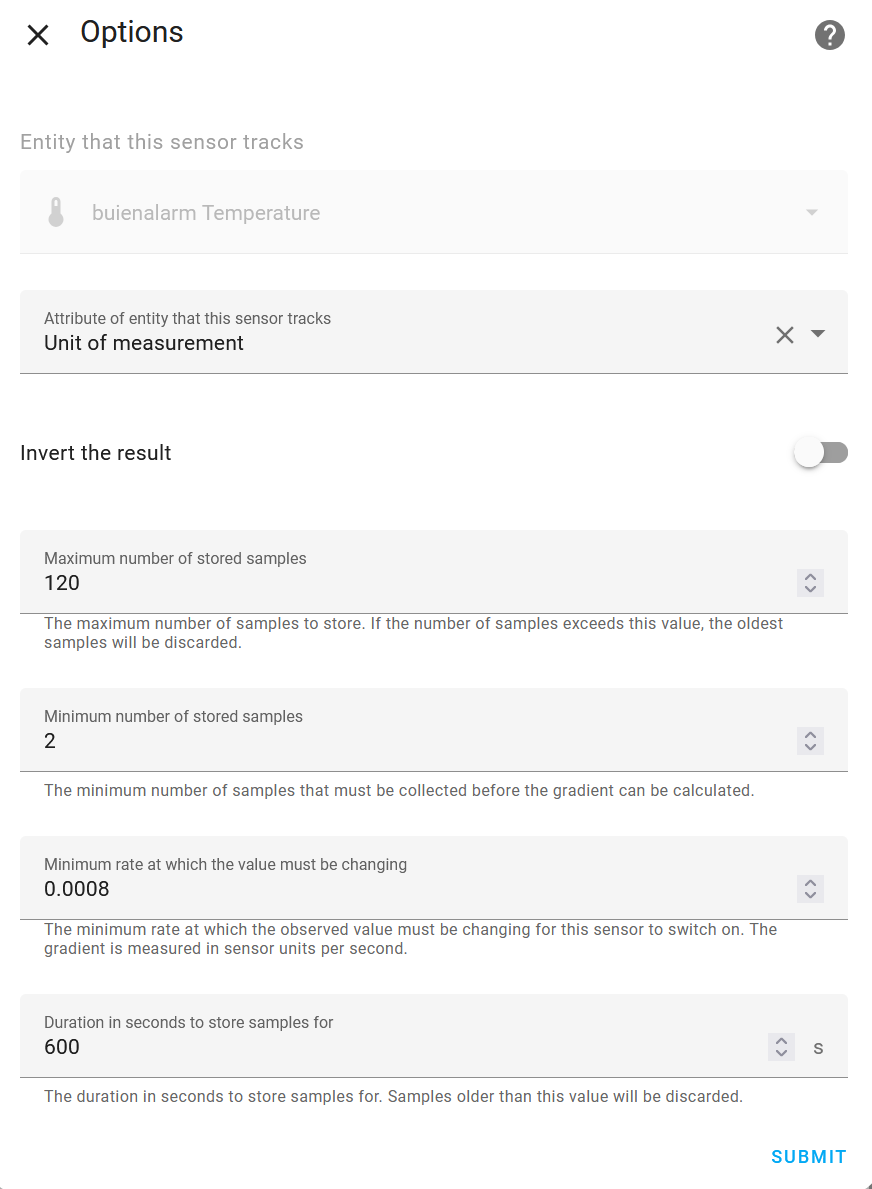
I also added this sensor to configuration.yaml to be recorded
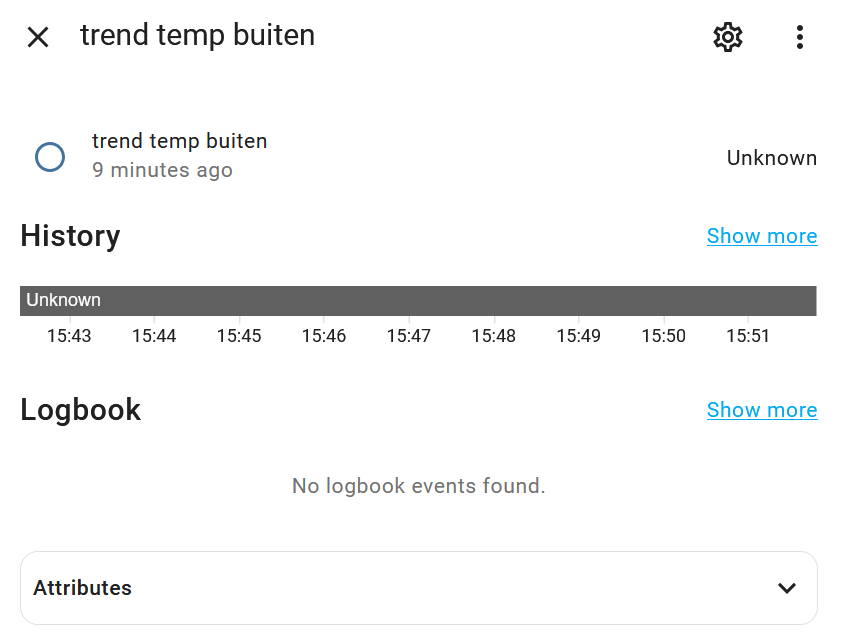
If I now click on the trend it shows no data
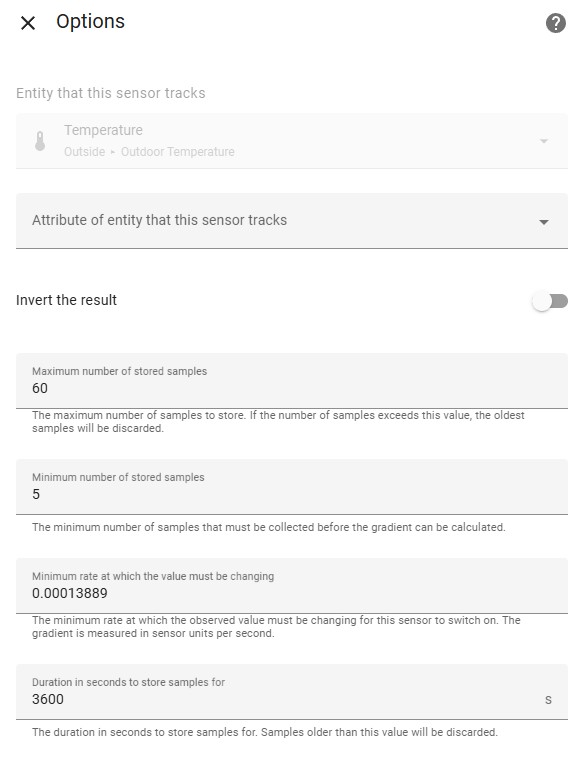
Thank you very much! Tried this and can confirm it works (after waiting some time). I think the trick was to keep the attribute open but at least it works now 
1 Like
Everything works based on one sensor (measuring temperature rise). If it rises its on, otherwise off.
I notice in dashboard that its always rising or falling, never steady. Without jumping into code - is this the correct way to get a decent steady state?
- create a sensor for temperature rising (set parameter such that a decent rise is needed for it to be ON, otherwise off)
- create another sensor for temperature falling (set parameter such that a decent decline needed for it to be ON, otherwise off)
- create a mechanism that checks both sensors, if neither are on then its steady - from post 5 above:
{% if is_state('binary_sensor.temp_rising','on') %}
            Rising
          {% elif is_state('binary_sensor.temp_falling','on') %}
            Falling
          {% else %}
            Steady
          {% endif %}
Just trying to understand what I need to achieve before trying it. Where do I put the code copied above? I think it is a template sensor from post above, I think they can be made both via helpers or in config.yaml - can someone point me how to make this template sensor please?
Am I correct this goes in config.yaml?
- sensor:
    - name: "newsensorname"
      state: >
        {% if is_state('binary_sensor.temptrend_knmi_up','on') %}
        Rising
        {% elif is_state('binary_sensor.temptrend_knmi_down','on') %}
        Falling
        {% else %}
        Steady
        {% endif %}
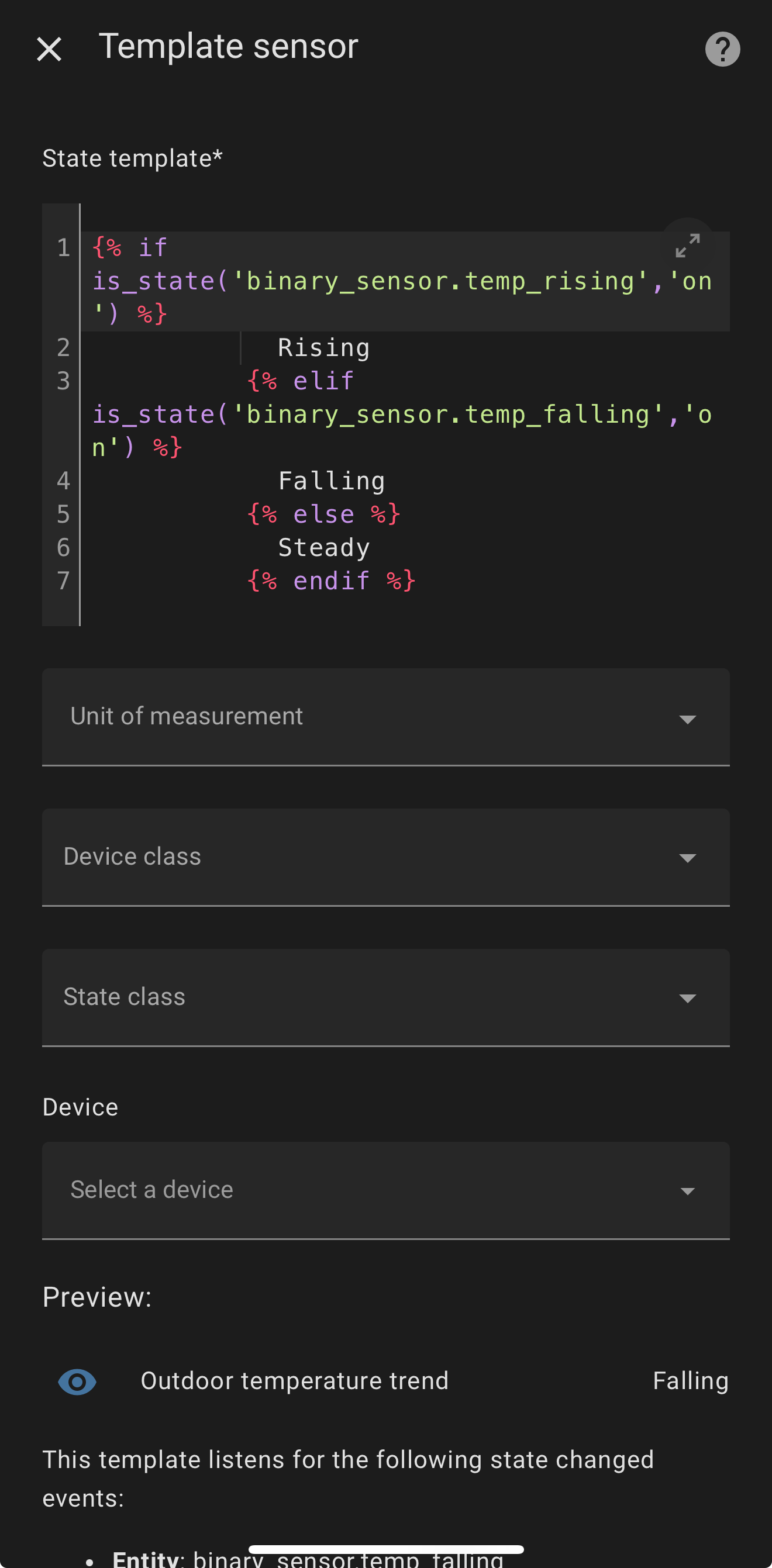
Once you have the rising and falling trends working properly, you can use below code to create a helper template sensor:
{% if is_state('binary_sensor.temp_rising','on') %}
            Rising
          {% elif is_state('binary_sensor.temp_falling','on') %}
            Falling
          {% else %}
            Steady
          {% endif %}
1 Like
Thanks again! Just double checking my sensors now for correctly working, then will take this next step. Appreciated!!
Still bit puzzled by trend documentation. Not native English.
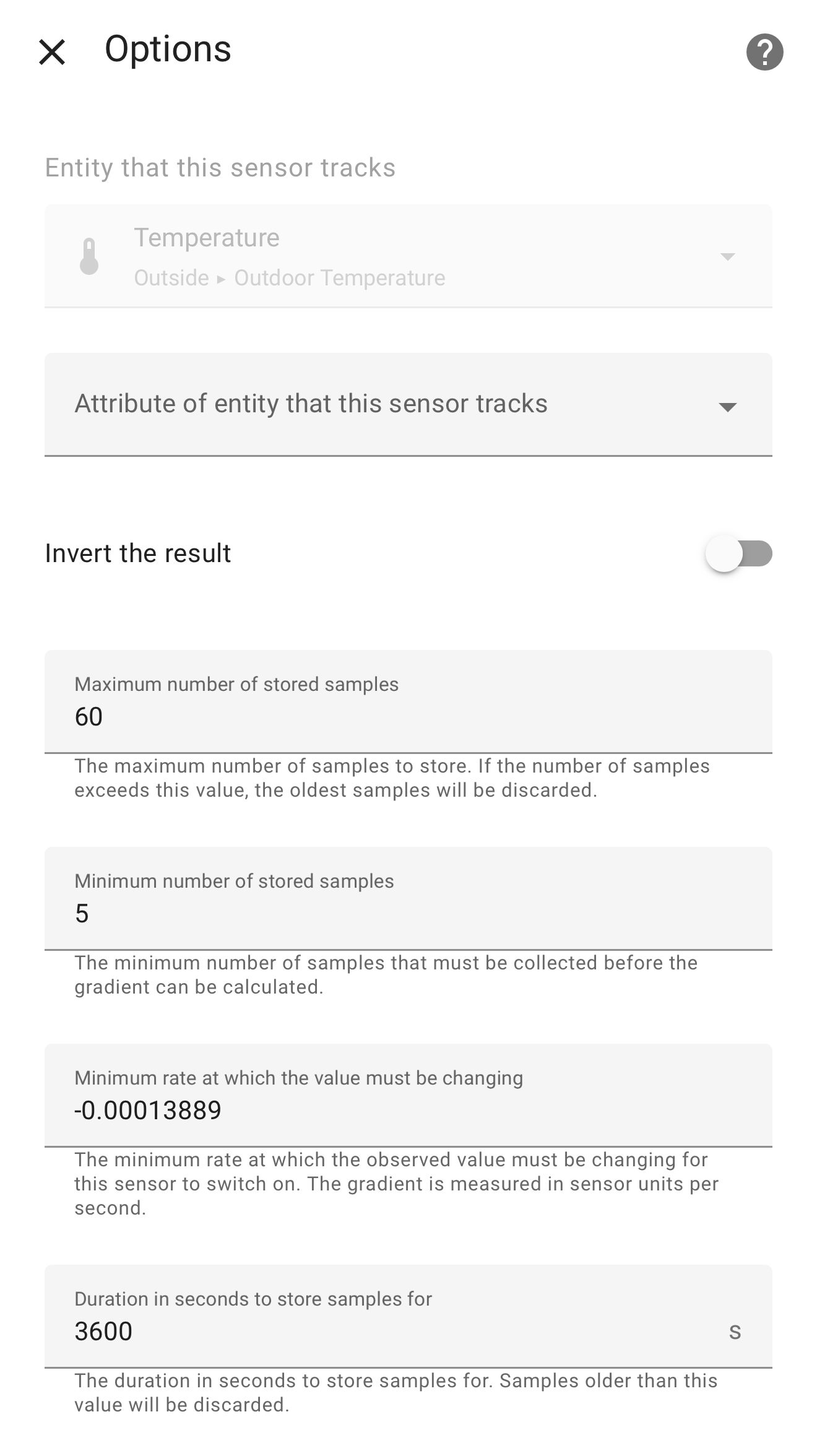
For a temperature down trend
E.g. -0.000278
Should I select invert?
Or does it magically understand now that trend is negative and read -0.000279 and lower as exceeds?
Or is -0.000277 exceeding this like temp up and triggering an on state?
You need to put a negative value for falling temperature (think of it as positive and negative slopes), see below example.
Thanks again
No problem, hope you managed to get it working.
So just curious, followed the chat and I am trying to configure a device temperature attribute which I create a sensor for but it is not working, it is working for thermostats which have a temperature entity out of the box so to speak.
So my question is if it is possible to create a trend tracking helper for a sensor which was created from a device attribute, or is there another way to achieve this?
And just to add I have successfully create history tracking charts for the said temperature sensor but can’t seem to create a trend helper for the same.