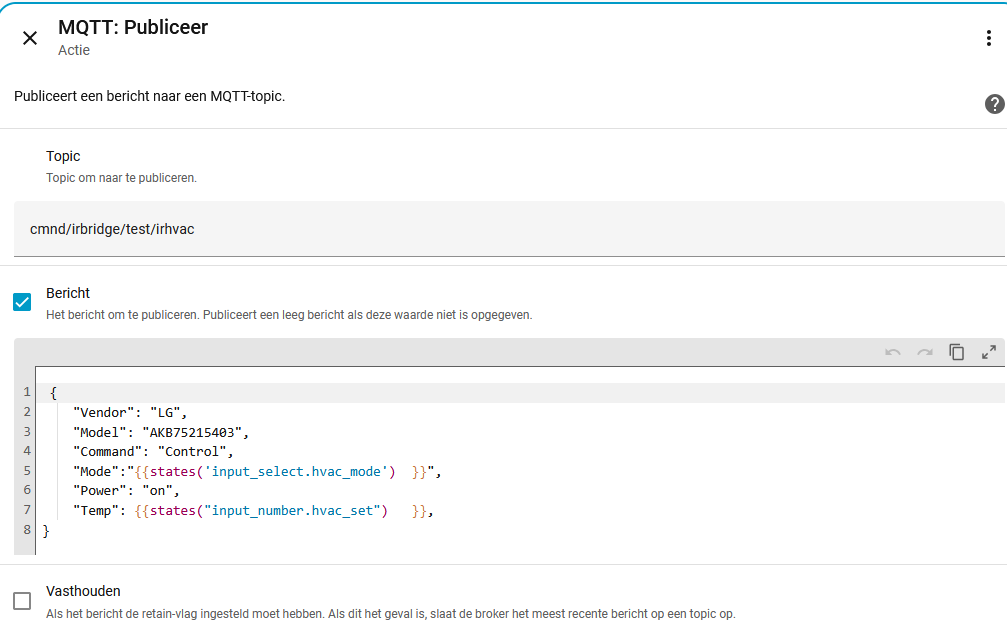
It works with a static json
but I want to use a helper to set the temperature.and I needto use a template.
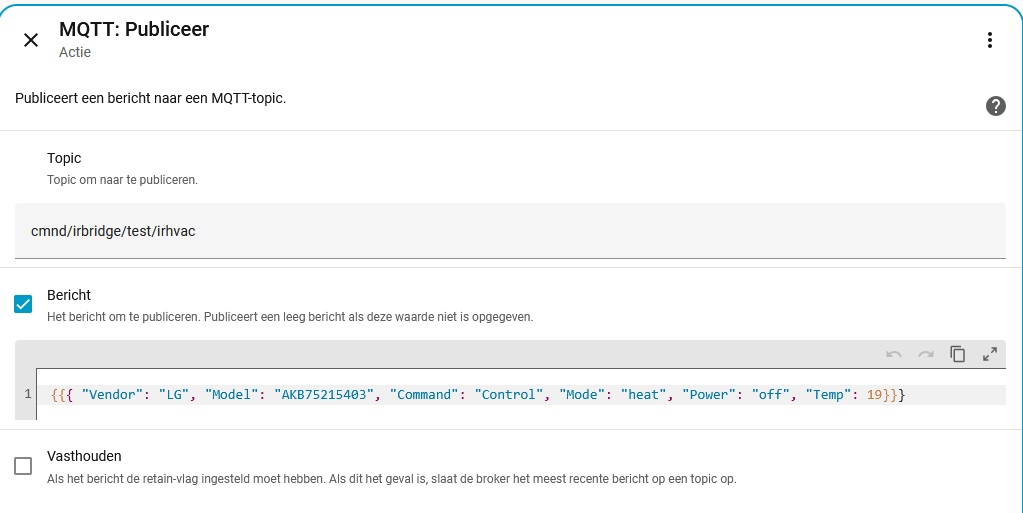
I tested it in the template in and this looks ok (same message as before, no dynamics)
Have you found a bug, or is it working as documented?
Without delving into the Tasmota documentation, which is comprehensive, but devoid of many examples…
Does using the double quotes get translated the other way to single quotes?
Is there an ‘as-is’ option to treat your JSON as an ASCII string and just shuffle it along untouched? Can you add the appropriate codes by using hex values tucked in at both ends?
Can you just squirt out the correct data to the right port in the correct format, bypassing MQTT mangling it altogether? WireShark may assist in looking at the content at the packet level if you don’t want to delve into Python source code.
Just tossing about ideas.
Here is how I recommend you do it. Replace input_number.test_number with the entity_id of your Input Number helper (or whatever helper you are using to store the temperature value).
As a precaution, I suggest you consider adding either an int() or float() filter to the template and include a default value.
In the following example, the int filter will convert the helper’s value to an integer. If it is unable to convert it, int will use the supplied default value 19.
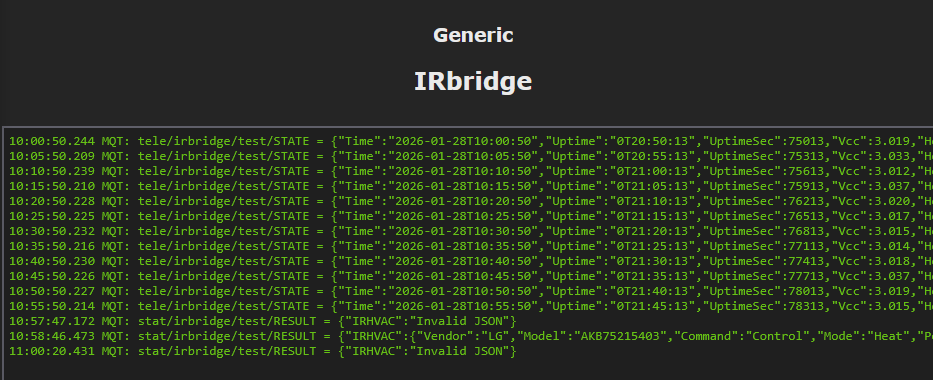
If I send the mqtt message with " then it works and tehe AC reacts.
If it is send with ’ the AC doesn’t react.
In the template editor it all looks ok (editor.pgn) but if I use a automation to send the message I receive it with ’ ilo ".
Is this a bug or a mistake from my side? Or is tasmota to picky?
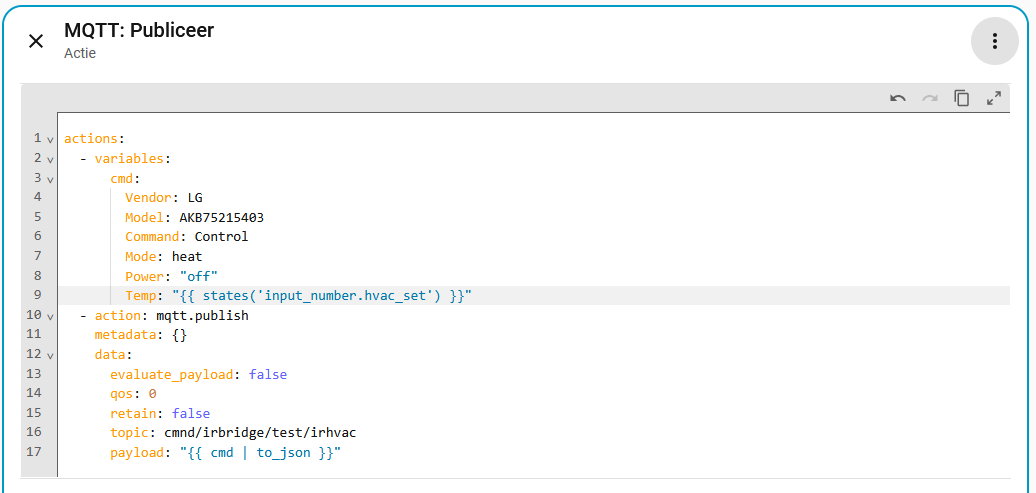
The screenshot shows you copied the YAML code in the wrong place. All of that YAML does not belong in the “MQTT: Publiceer” action.
The YAML code I posted represents the actions section of an automation. It is not a single action but an entire actions section. I assumed you would use it to replace your existing automation’s entire actions section. You copied it into the mqtt.publish (MQTT: Publiceer") action and that’s why you got an error message (Unable to determine action).
That’s why my example uses a variable (cmd) to handle the JSON payload’s formatting. It makes it simpler to publish it in JSON format (using the to_json filter) instead of fussing with the correct order and quantity of double-quotes (") and commas (,).
The YAML code for your automation will look something like this (I don’t know the triggers and conditions because you never shared your automation).
alias: Your Automation
triggers:
  ... your triggers go here ...
conditions:
  ... your conditions go here, if any ...
actions:
  - variables:
      cmd:
        Vendor: LG
        Model: AKB75215403
        Command: Control
        Mode: "{{ states('input_select.hvac_mode') }}"
        Power: "on"
        Temp: "{{ states('input_number.hvac_set') }}"
  - action: mqtt.publish
    metadata: {}
    data:
      topic: cmnd/irbridge/test/irhvac
      payload: "{{ cmd | to_json }}"
Because the JSON standard uses double-quotes to delimit text, not single-quotes.
Again, creating valid JSON becomes very easy if done the way I had suggested (I have been using the same technique for a long time). Here’s an example from 2 years ago:
The linked topic demonstrates just how messy and illegible it can be to embed Jinja2 templates directly into JSON-formatted text. One missing double-quote or comma and the JSON payload is corrupted.
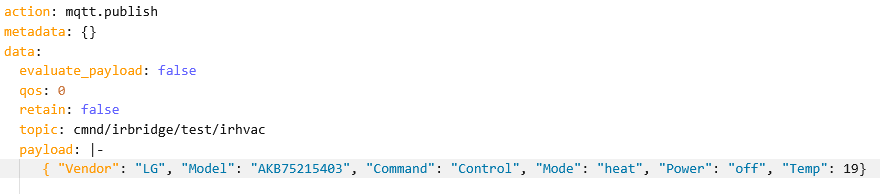



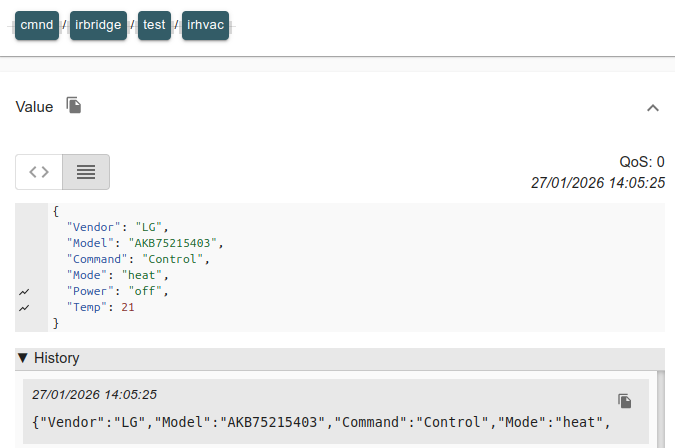
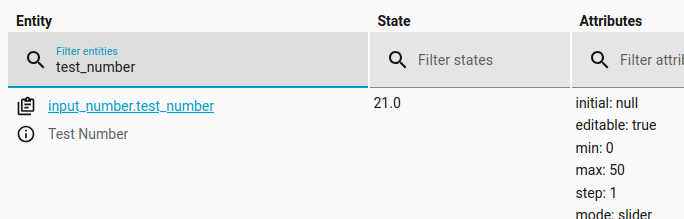
 )
)