Has anyone seen any movement on this? It’s only gotten worse for me as more entities and automations are added to Hass.
I’m another frustrated new Lenovo tablet user. Fairly simple dashboard, runs well upon reboot and then slows down. Tablet is running lean, no unnecessary apps running. Fully kiosk and browser mod. Latest version of HAOS. Phones and desktop fly. This is a design problem.
Any way to avoid this without giving up CSS?
I have noticed if the device has 4GB or less RAM is can be a little laggy. I do have very complex dashboards as seen in Dashboard Hardware and Control
Card-Mod is always the last thing to load when opening a page, gives a perceived lag while waiting for Card-Mod to apply.
- On my lowest end device OPPO A16s I get an average of 10sec delay until the card-mod is applied, when switching between dashboards.
- I have a Digital Twin 3D model that is three separate models totalling 15MB this crashes my A16s.
Lenovo Tab 11
- OS Android
- Works absolutely fine
- Loads my Digital Twin 3D model
- MediaTek® Helio G90T (8C, 2x A76 @2.05GHz + 6x A55 @2.0GHz)
- 8GB Soldered LPDDR4x
Oppo A16s
- OS Android
- Works fine on all of my dashboards except the 3D model
- Crashes when trying to load my Digital Twin 3D model
- MediaTek Helio G35 octa-core
- 4GB Soldered LPDDR4x
Raspberry Pi 400
- OS Debian Lite
- Works absolutely fine
- Loads my Digital Twin 3D model albeit slowly.
- Broadcom BCM2711 quad-core Cortex-A72 (ARM v8) 64-bit SoC @ 1.8GHz
- 4GB LPDDR4-3200
AOPEN WT22M-FW
- OS ChromeOS
- Works absolutely fine
- Loads my Digital Twin 3D model albeit slowly.
- Intel Core i3-5010U (2.1 GHz, dual-core) with HD Graphics 5500
- 4 GB DDR3L SDRAM
HP Chromebase
- OS ChromeOS
- Works absolutely fine
- Loads my Digital Twin 3D model
- Intel Pentium Gold 6405U (2.4 GHz, 2 cores)
- 4 GB DDR4-2666 MHz RAM
I find most of my devices adequate.
I am unsure if this is improving my performance, but thing I do have in my config is,
recorder:
  exclude:
    event_types:
      - call_service
1 Like
We can put the hardware discussion to bed. I have a Samsung Galaxy Tab Ultra 8 and an Ultra 9 in the house, one on the wall in a custom frame and one on my desk. My home assistant instance now has 6500 entities total. I understand that’s a lot, but it’s a bigger than average home. I don’t have anything “just to have it”. It’s all automated or controlled in some way. After a reboot, these tablets are very snappy for about 15 minutes. You can literally watch them slow down. I’ve set up a second home assistant instance just for dashboards, and passed the 200 or so entities needed for those dashboards to the 2nd instance from the first, and the performance is unbelievable. Live video loads instantly. No lag. Instant page transitions, as you would expect on this hardware. I see now why I had to go to such ridiculous hardware to get any performance at all. This works for me now, and wasn’t too difficult to do since I already had a Proxmox host up and running. There are now two instances to maintain, of course, which isn’t ideal. I’m not a web or frontend developer, although I do have some experience in the area. It seems absolutely crazy to me that a webpage with 40 or 50 entities on it is forced to sift through data for the entire 6500. Surely there’s a better way.
2 Likes
Just want to say I agree completely. Have a modern Lenovo M9 and dashboards with bare minimum entities and no automations, using fully kiosk browser. It starts fast and 20 minutes later it’s bogged down. Very frustrating. HA flies on my phone. I didn’t expect this.
It’s crappy, but what can we do? I’ve trained myself to open HASS on my desktop, interact with whatever and close it straight away.
Are others actually deploying 2 installs and bridging them with an add-on or integration? How painful is that? how are updates? do states get out of sync?
Buy better equipment and stop whining about the same thing over and over again. 
I think you missed this post. There’s no better equipment to buy. Terrible performance on seemingly most android tablets - #68 by sdholden28
So the problem with this whole thing is that I put up a tablet in the kitchen. With main goal of displaying the front door camera feed when someone rings the doorbell or whatever. Very useful. Then there was a sonos request, so it gets used for whole house music. Now there’s a family calendar. Its all great, and people USE it. Then it slowed down, more and more and more, and now people don’t use it, and complain about it. So, yes, I deployed a second instance. Its been running for two days. Works great. No out of sync states. It was painful, but not as bad as you might think. Took me 4 hours probably. I deployed another promox HAOS vm via script and went to work. I used this GitHub - custom-components/remote_homeassistant: Links multiple home-assistant instances together. I copied over the dashboard yaml and added a list of entities to bring over from my existing instance. Then it was just going through the dashboards and finding what didn’t work. Installing custom cards, changing themes, installing card-mod, etc etc. Some things don’t work over the remote link, like media players and cameras. So I had to install the sonos integration, and the frigate integration, etc etc etc. But, in the end, I have an instance that ONLY knows about the entities that are in the dashboards. Its 506 entities vs 6500+. If I open the messages window in chrome, its one update every 2 to 3 seconds, or even less, compared to 100x that on the other instance.
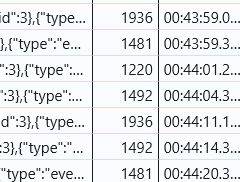
When viewing a dashboard in the companion app, is the full stream processed over the websocket in the same way? I assume not, because that would be tons of unnecessary data over 5g or whatever, and would certainly impact battery life. On the otherhand, I have no reason or evidence to show that it’s not just a webpage wrapped in an html5 wrapper. I guess I will test. There will be some functionality lost compared to using fully kiosk browser, but if the performance is drastically better then maybe workarounds can be found for the deficiencies.
All front ends use the same websocket communication
I don’t believe that’s correct, the Android companion seems to use the newer compressed format with the subscribe_entities command we discussed earlier.
You see how that line of code says websocket? There’s only 1 websocket api that HA provides.
Yes there is 1 websocket API, but front ends use different methods available from it. The web front end uses the original subscribe_events which only has the ability to filter by event type, for example all state changes.
By contrast, the Android companion uses the much more efficient subscribe_entities which only sends events for the entities requested, and in the compressed format. This is a different communication format.
As a moderator here your words have more “weight”, so please make sure you’re following the discussion before sending knee-jerk responses.
Right, but the commutation method is the websocket api, which is what I was answering.
For Android at least, the answer seems to be “no” and is the crux of the issue here.
There’s only one way via the websocket api to subscribe to state changes from entities. So the answer is still yes…. They just may be using it in a non optimal fashion.
If you’re relying on the documentation, you may only be familiar with the subscribe_events command to subscribe to state changes from entities.
However if you look at the code linked in this discussion, you’ll find that a second way was added (by Paulus no less) and is in use by the Android companion. I agree that the Home Assistant frontend uses the older non-optimal method, but that’s not something an end user has much control over.
So the answer is still no, the Android companion app uses the newer much improved method while the browser through Fully Kiosk uses the older method.
I think you’re miss understanding my comments. And no, I use the api and contribute to the code base quite frequently. My original comment is simply pointing out that both use the exact same api, that comment was not referencing internal methods or ways they store and or reuse information. The comment was point out the API as a whole, I.e the communication method. I see how that’s not very clear in my original post.