Hi everyone,
I have a Tibber Pulse connected to a Dutch smart meter.
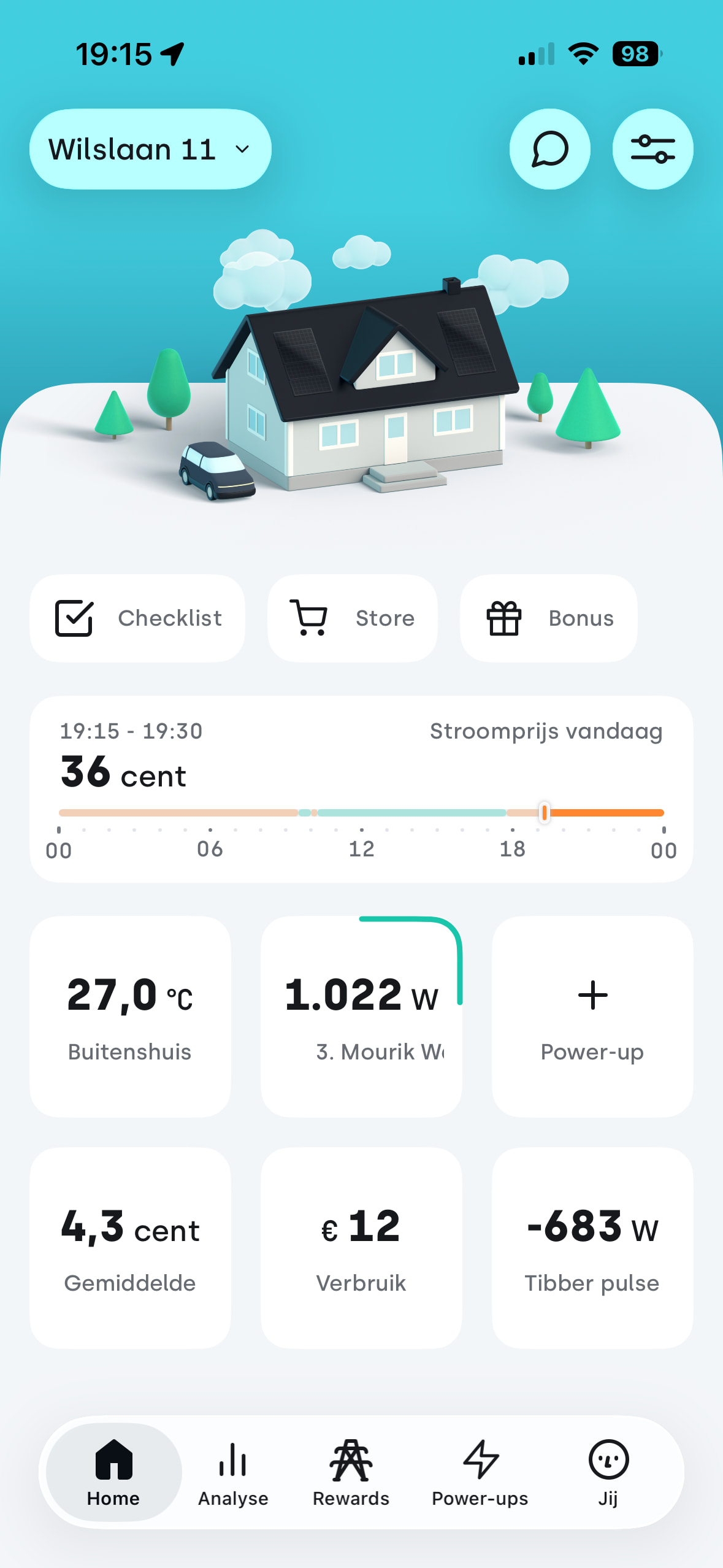
The Tibber app shows the live net power correctly (for example -1700 W while exporting solar power).
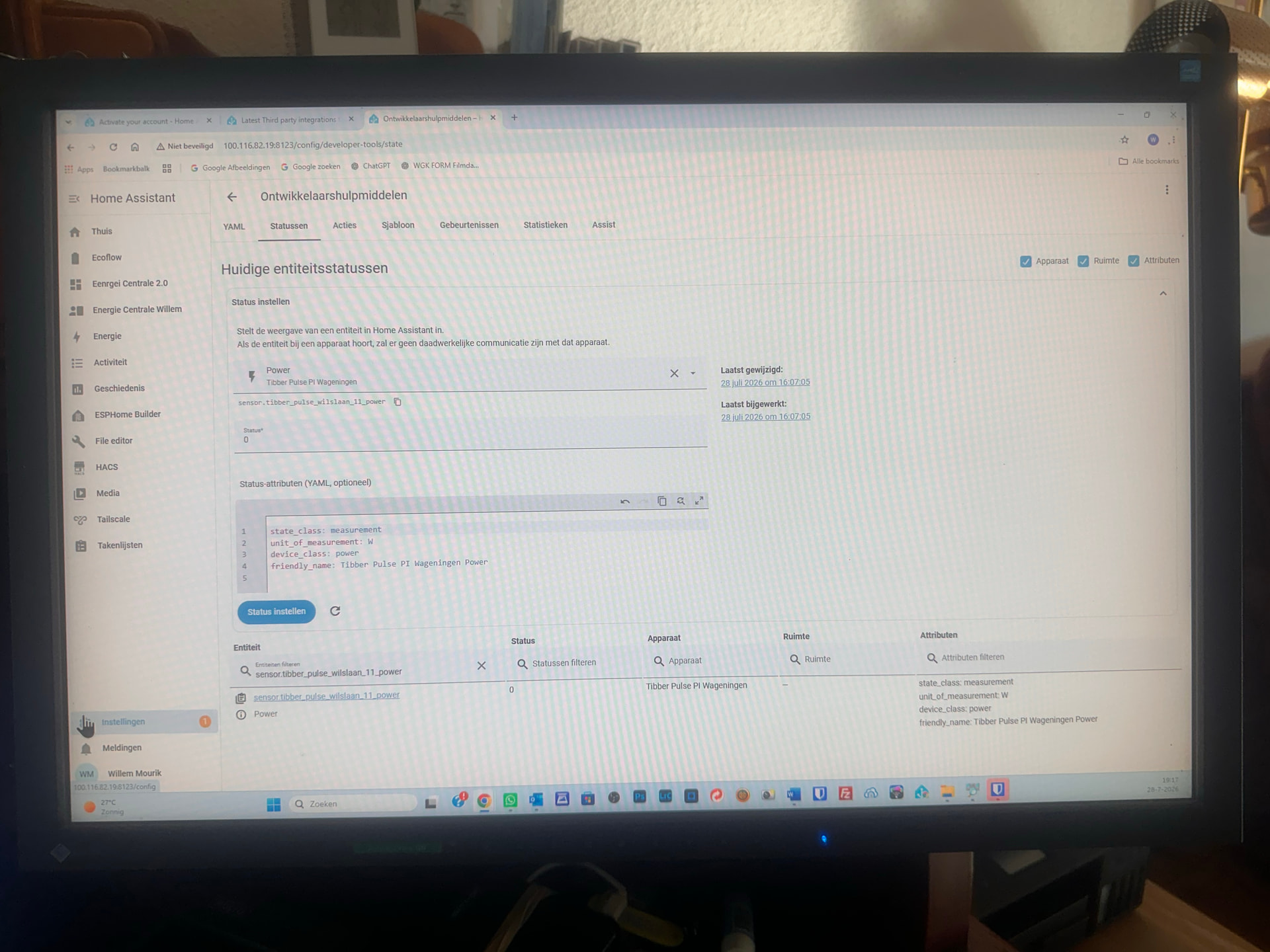
However, in Home Assistant the entity
sensor.tibber_pulse_wilslaan_11_power
always stays at 0 W.
Other Tibber entities update correctly, for example:
- accumulated_consumption
- accumulated_production
- electricity_price
- stroomproductie
- stroom L1
So the integration is communicating with Tibber.
I also created a template sensor that uses sensor.tibber_pulse_wilslaan_11_power, but it also stays at 0 because the source entity never changes.
I have already:
- Reloaded the Tibber integration.
- Restarted Home Assistant.
- Confirmed that real-time data works in the Tibber app.
- Confirmed that real-time consumption is enabled in Tibber Developer.
Is this a known issue?
Has the power entity been deprecated or replaced by another live power entity?
Thanks!
Daarna klik je op Create Topic.
Additional findings after further testing:
We have now tested this extensively, and I do not think this is a configuration or Power Flow Card issue.
- The Tibber Pulse works correctly in the Tibber app with live power updates.
- The entity
sensor.tibber_pulse_wilslaan_11_power is enabled and correctly configured.
- The Power Flow Card uses this entity directly.
- After Home Assistant starts (or after reloading the integration), the sensor may update for a while.
- After some time, the entity stops updating. The state remains at 0 W, and “last updated” keeps increasing (for example 21 minutes ago), while the Tibber app continues to show live values.
- There are no Tibber-related errors in the Home Assistant logs.
This strongly suggests that the real-time connection between the Tibber integration and Home Assistant becomes unreliable or freezes after some time.
Has anyone experienced the same behaviour, or is this a known issue with the current Tibber integration?
Another observation: clicking “Download diagnostics” for the Tibber integration immediately fails with “Site was not available”, so I cannot generate the diagnostics file either.