Hey all!
I am looking at purchasing one of these to monitor the energy coming in and out of my house from the grid. Does anyone know if this device is good/accurate?
Thanks!
Hey all!
I am looking at purchasing one of these to monitor the energy coming in and out of my house from the grid. Does anyone know if this device is good/accurate?
Thanks!
It is Tuya, so cloud dependant. Search the forum about the Tuya integration.
On the other hand, same meter is available in Zigbee. No cloud issues, local only.
Maybe the Local Tuya integration can help to remove the cloud dependency. It works pretty good and you only need the cloud once for setup.
A Zigbee Model for the device would also be a good idea!
Would you say that the product is trustworthy? And or does anyone have experience using this?
The zigbee one does sound better. I will have another look into that one
I have some of these devices TO-Q-SY1-JWT installed using LocalTuya.
Connection by Wifi on multiple Accesspoints.
Integration is not plug&play but it works. I can control the switches and read power, voltage and current.
But on one wifi accesspoint the connection is often lost.
There are 2 Tongou devices connected to this accesspoint, together with some Shellyplugs, a heat pump and an SMA solar inverter.
All devices stay well connected except the Tongou modules. They seem to connect alternately, with a slight overlap. If I put the accesspoint closer to one of them, that one connects and the other one almost never connects.
Is this a wifi problem or has it to do something with the LocalTuya integration (or with the Tongou modules themselves)?
Sounds like a device problem to me, although I have no experience with these devices (since I am still doing my research). Did you manage to find a way to read power being exported to the grid?
To measure the current to and from the gird I use a smart meter in combination with with the P1 DSMR module from SmartGateways.nl
To measure the current of my solar panels I use the Tongou TO-Q-SY2-163JZT (ZigBee) to my complete satisfaction.
So I don’t know whether the Tongou also measures negative current flow, but I assume it does.
Hello, can you confirm that it also measures negative current flow, please? Thanks!
I has installed those and works ok except I cant have the energy meter in HASS, only in tuya app.
I do trust the zigbee devices from tongou (them all running with tuya). Implementing those in HA is a job to do. use ZHA or Zigbee2MQTT need as host device / gateway.’
I believe it is worth it. All tuya wifi devices are not my thing (anymore). Zigbee/MQTT gateway is purely local, still works if you modem collapses.
i’m not sure but i prefer to separate the devices with minimum 20 cm to improve wifi connection and minimize the risk to lost the radio/wifi connection.
I have 8 of them, and they work perfectly. I installed them 8 months ago, and since then, I’ve been able to monitor the power consumption of all my hardwired devices like the A/C, water heater, oven, etc. Everything works flawlessly through the Smart Life app.
I can see the devices in Home Assistant via the Tuya integration, but unfortunately, no data is showing up there. I really hope there will be a way to view the same detailed power data in Home Assistant as I can in the Smart Life app.
Solar panels means DC usually or are you talking about measuring the output of your inverter on the AC side ?
I have not found any hints that those are DC rated too.
Thanks
Yes, I was talking about measuring the output from the inverter on the AC side.
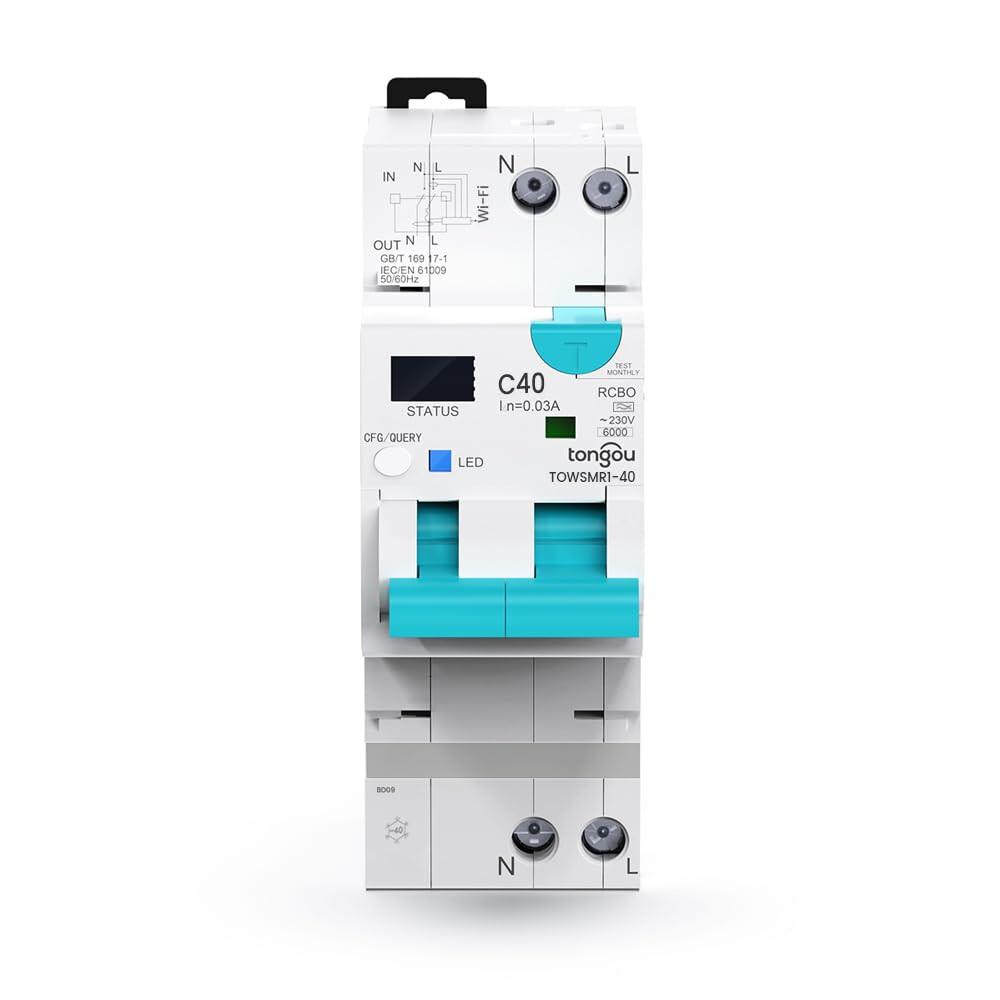
Anyone experience with this one “TOWSMR1”?
Can be found here on Aliexpress for 50€ or on Amazon for 90€ .
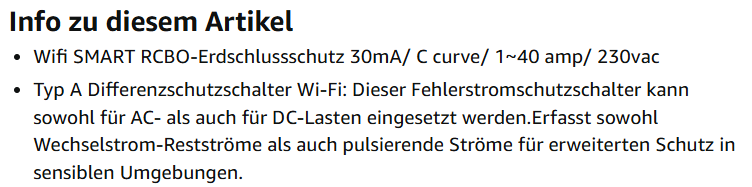
On Amazon you can find a hint that it is able to deal with DC Loads too.
I need that as a remote switch to turn off 1 string in the evening before the dawn cause my growatt inverter is not dealing properly in these 2 hours before with the
It simply draws too much from the grid even the 16 kWh battery is fully loaded, the PV strings deliver 0,5 kW in total and the load might be 2,5 kW.
For whatever reason it simply starts drawing 2 kW from the grid or sometime 1,7 kW and 0,3 kW from the grid. But it draws by average with a 15 kWp south facing array still 50 kW from the grid in march and april and may even though we had enough energy.
I have a dc mini circuit breaker for each string just next to the growatt SPH inverter and shut them down. After a few minutes I can see in home assistant that the inverter had switch from “PV array + battery mode” to “battery” only mode and it works right.
So I need to automatise this “shut down both strings” by these devices (rate for up to 295 V and I guess 40A). Each strings comes with 6 panels and roughly 45V and max 13 A.
So I am safe within their limits and I only need 1 switching cycle each evening with maybe 500 W load in total , hence 250 W for each of them.
Do they support homeassistant ?
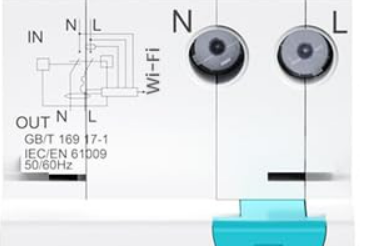
Here is the picture from Amazon - but be aware that on Aliexpress you can get RS485, zigbee and what not editions or that you can also find FALSE pictures on AMAZON where you find “RS485” instead of the “WiFi” here . Do not get confused cause I have seen some wrong pictures on Amazon.
which is an excerpt of this
I hope someone has some experience for these simliar ones .
Thanks a lot !
UPDATE: here in MARCH 2025 they explained in a blog their home assistant support but not on the device level which is supported or not. They also have a link to a youtube video about tongu and HA support.
ATTENTION: TONGOU descriptions can be wrong and completely misleading
Their german amazon website describes that the RCBO can deal with AC and DC loads.
THAT IS WRONG.
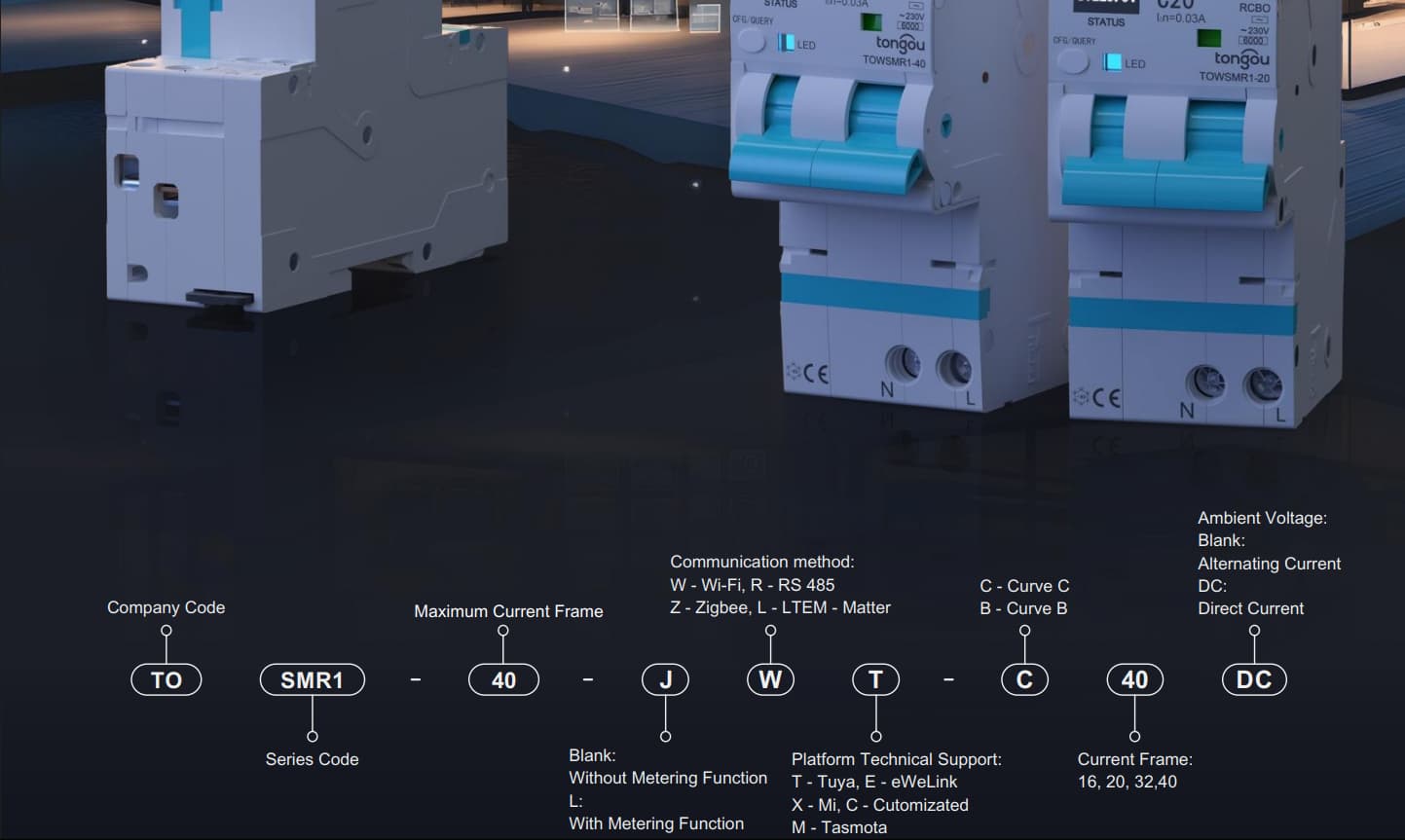
You have to order a specific DC version and all the details can only be found in the technical data pdf - for some switches they call that pdf operating manual, so be aware if you check their products on their “ha compliant” smartbreaker page.
If you search on that page for “TOSMR1-JWT” and then open the product page be aware that they do not really know how to call their products cause in the picture on the item you can clearly read “TOW SMR1 - 40” even though it is called “TO” and not “TOW”
And in the pdf screenshot below the item picture there is the explanation line and it is called “TO SMR1 - 40 …” but on the item you can read TOW.
Not a big deal for many but be aware that none of the products will have a proper certification if that certifacte calls it “TO SMR” while the product shows “TOW”. Insurances would not pay out in a case of a fire where certfication does not match the product.
WORST OF ALL: You might think that the product with DC would have the same or similiar specs like 230 V ?!?
WRONG, but to get behind the truth I had to go a far longer way. I checked the other HA compliant switches and started with the most simple ones:
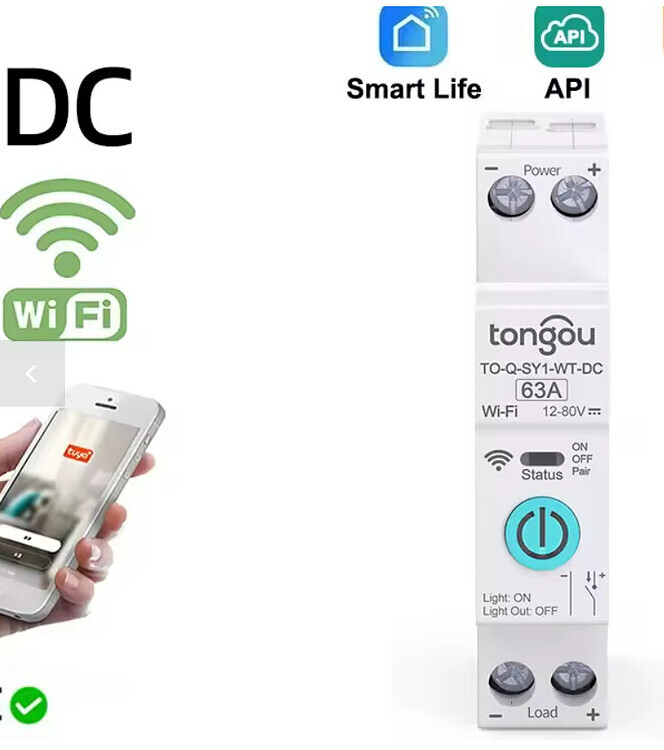
no circuit breaker, just a simple smart wifi switch with power monitoring which you can find on their “ha compliant” smartbreaker page by searching for “TO-Q-SY1-JWT”
Of cause this is also available as “DC” Version - hence I searched aliexpress for a DC offer and now I finally got one for DC and 15€ here.
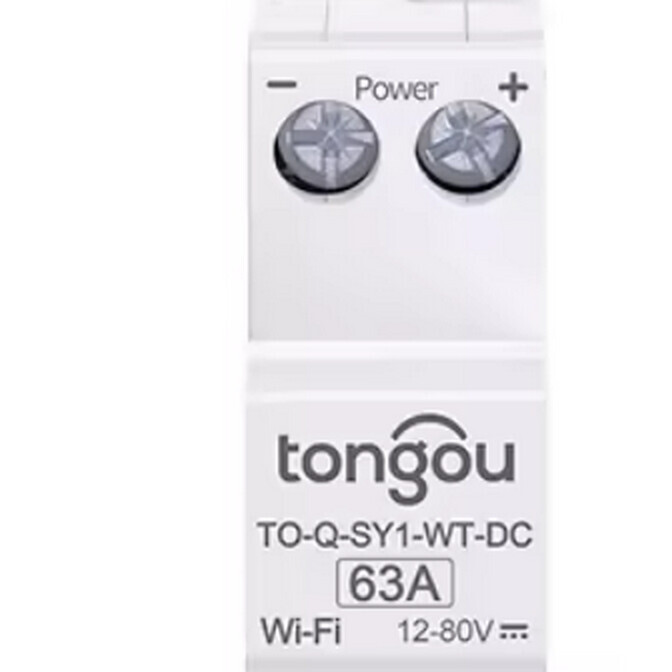
And it looks great, but also quite different to those from Tongou website & pdfs cause the DC one is white and not black like the AC ones
At least the labels are right with “+” and “-” but be aware of the tiny changes in the item name cause “TO-Q-SY1-JWT” became “TO-Q-SY1-WT-DC”
and then the biggest mess of all can be found in the last line
12 - 80V DC is a complete different world and has nothing to do with 295V shown before in the app screenshots.
I had found a much better 100V DC WLAN Smart Switch last week.
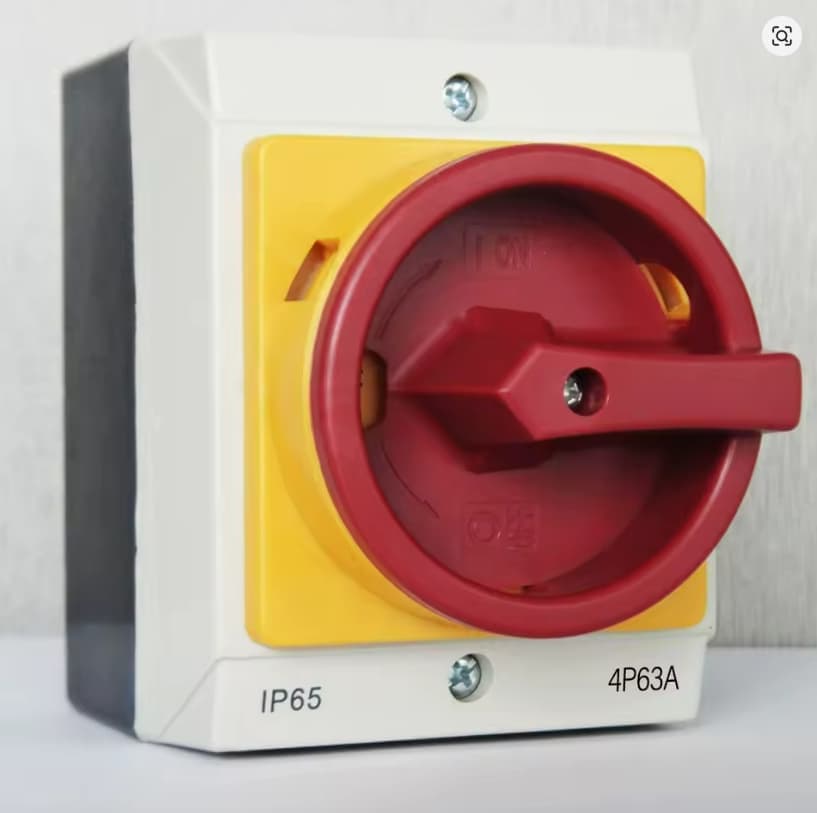
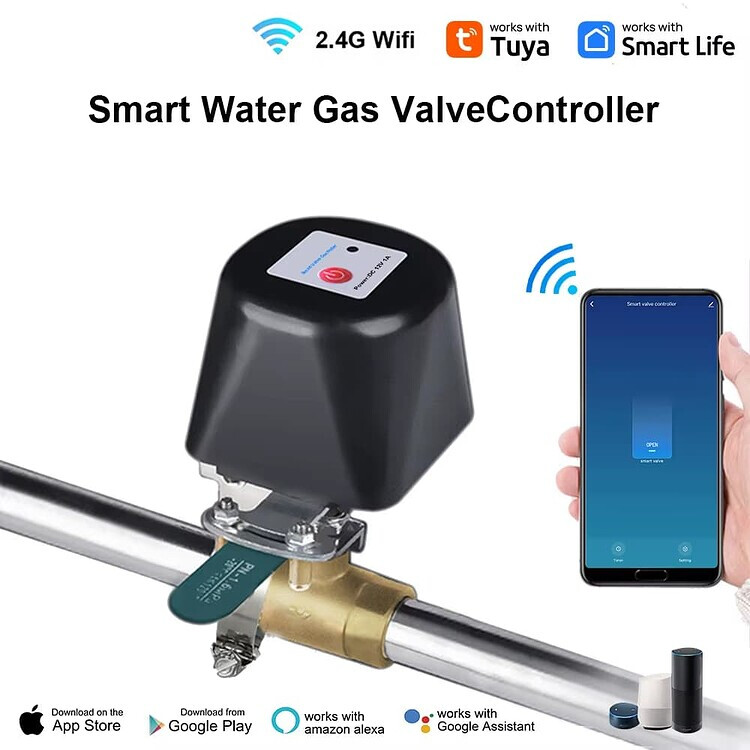
At the end I will stop the research and build my own solution out of a 4 pole (for 2 strings) switch and the WLAN valve arm stepper motor that can turn that knob on and off by moving its a switch arm by 90°.
That DC isolator switch looks like this
The blank metal arm with 2 screws (upper half is blank and lower is here bronze and hard to recognice) above the blue valve arm is turning 90°.
This arm has to turn the electric switch knob.
Hope it will work - the valve controller is working fine in our heatpump solution for the warm water circulation which we turn on 6 times a day for 30 minutes only (it does not need a circulation pump cause gravitation is starting the circulation or rather the hot water from the boiler is pushing the colder water through the ciruclation pipe).
Of cause you can get motorised switch disconnector for 1500 V DC farms but they will cost you about 500 to 2000€ ( ABB and bremas for example)
Might help someone who has to remotely turn off and on his string to force the single phase growatt SPH inverter to switch into the “battery only mode” before the dawn to avoid the draw of 1 - 2 kWh from the grid even though the 16 kWh battery is full. Growatt bug and Growatt not able nor willing to fix that.
Hi @Capilya ,
I have some of these devices TO-Q-SY1-JWT installed using LocalTuya.
Do you remember what you did to configure your Tongou smart switch with LocalTuya?
I have one as well but I never used LocalTuya so I’m not sure where to start…
Thanks!
Hi,
I have a question regarding the TO-Q-SY2-JZT Zigbee relay product. I am currently charging my Tesla using the original Mobile Connector and have limited the charging current to 10A in the Tesla app for safety.
I am interested in modulating the power output dynamically based on the production of my solar panels, to ensure I fully utilize solar energy without drawing power from the grid. At the moment, the setup is connected to a 16A circuit breaker. I am considering replacing this breaker with the TO-Q-SY2-JZT relay.
While the product supports up to 63A, which exceeds my needs, I have not found many users employing it specifically for EV charging. My main concern is safety—would using this relay be a reliable and safe solution to make the Mobile Connector smarter by adjusting the current based on solar output?
Thank you for your advice.
I am obviously not an expert electrician, and I have learned that this device is not a circuit breaker itself but rather a smart relay that should be installed adjacent to the existing breaker. Therefore, to clarify, I do not intend to replace my 16A circuit breaker with the TO-Q-SY2-JZT; instead, I plan to connect it alongside the breaker as an additional control element.
Just to say i use the Zigbee version of this switch. The TO-Q-SY2-JZT to switch on and off daily my water boiler of 2500watt. It passed more that 1.5MWh without any problem or burn marks. I use the “63A” version. Off course it’s installed after a RCBO also from Tongou the TOBNS-16 B16 version. The smart relay is not intended to replace a MCB or RCBO but to use after. In the wiring diagram you can read this.