Okay I had to migrate my network, and now none of TP-Link devices will connect to HA. I manually enter the IP, it now asks me for authentication but it errors out.
Any ideas? I have reset my system, and put in a fresh HAOS SD card. Looked at a lot of Forums and community notes on TP-link. Haven’t found a solution yet.
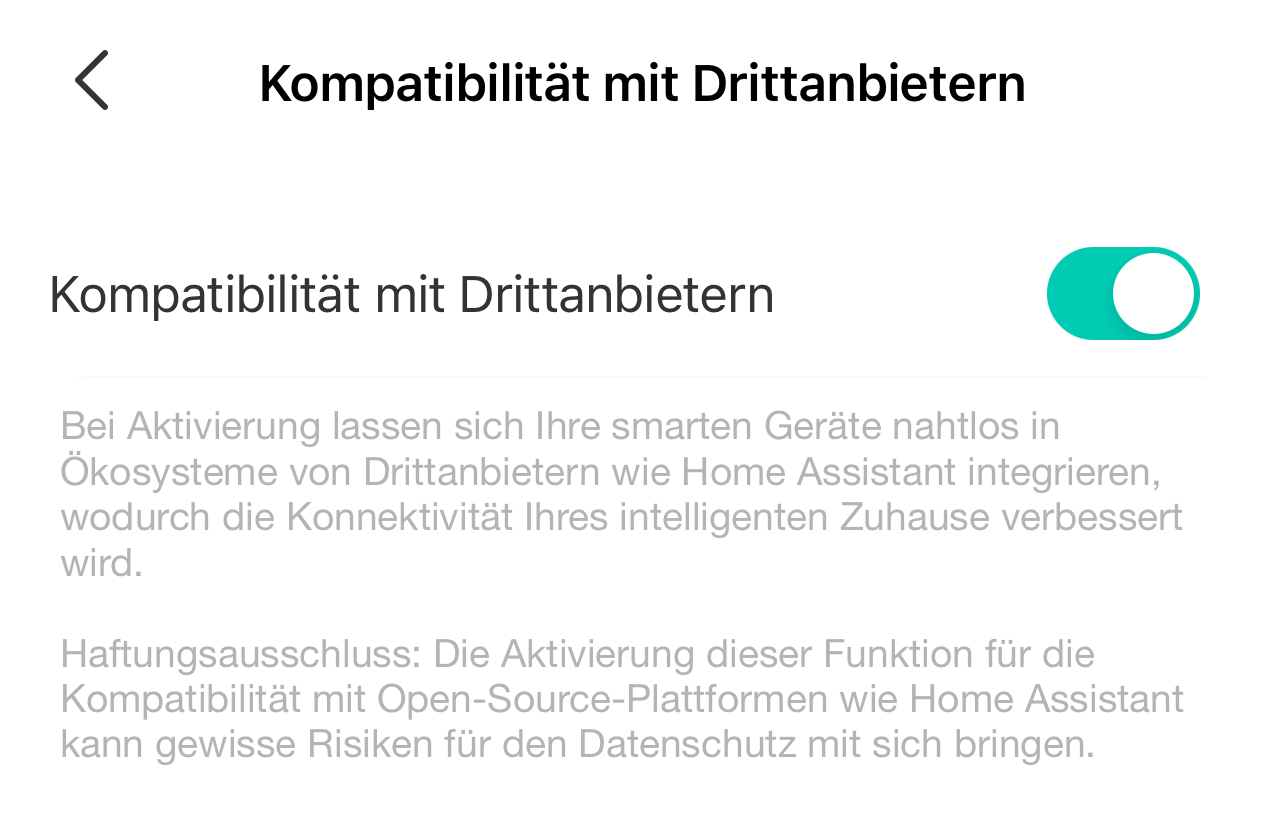
Yep. Same issue here as well. Made sure all switches are up to date, Home Assistant is up to date, and third party services is enabled in the app. I spoke with customer service via online chat today and they created a ticket for me.
We’ll see what comes of that. I asked what the SLA was on the ticket being answered and they said within 1 business day.
Update!
I figured out my issue before support reached out.
So I also have a TP-Link router (deco series) and I had enabled device isolation on all my smart/IoT devices. This prevents new configs being setup.
I disabled ‘Device Isolation’ and that fixed the issue immediately!
Something to note that send me down the wrong path. When setting up the new integration it asks for an IP/Hostname OR leave it blank. Leaving it blank and clicking submit will show you all Kasa devices on your network. If they do not show up something isn’t right because Home Assistant cannot see your switches. Entering in any valid IP address will falsely advance you to the next screen for TP-Link credentials which is what got me. Finally figured that out by entering in an IP that I new was NOT a switch and it still proceeded to the next screen. It does NOT validate that the IP address is valid for your switch. DUMB!
Long story short, make sure your device isolation is disabled and that your Home Assistant device is on the same network/VLAN. Meaning if you have an IoT network or guest network make sure both your Home Assistant and Kasa’s are on the same network.
Just installed 2 brand new 3-way switches. And … got this error.
My PI is on 2 networks at the same time, and it can happily find my old HS105 smart plug (which I did by IP). However none of the switches can be discovered or accessed.
And yes, any valid hostname makes you go to next screen.
PROBLEM SOLVED: I removed my WIFI dongle from the PI. As I suspected, this integration in particular was only seeing wlan0 (maybe my metrics), and since the cable “sees” the 10.0.0.x network, after removing the wifi, pings were working. Therefore I was able to add all devices w/o a single user/pass request. Direct network access.
I suspected about this when my HS205 failed to connect, and then was also asking for password, while my Alexa was able to find all devices with no trouble.
I’m having this SAME issue, but only with 2 of my switches (of over 40 Kasa/TP-Link devices). Here’s the twist. If I change the IP address on them, they’ll show up and work fine. For anywhere from 5 minutes to a day or so before the same problem arises with the new IP address. So, I don’t see how it could be a device isolation issue, but maybe it is and I just don’t know it. New IP address, switches show up as if they are new and they add fine. Then, they go back eventually to being unavailable until I rinse and repeat. My router is Ubiquiti. Does this behavior give anyone any clues? It’s SO weird that it’s just these two switches (and that they are physically right next to each other!)
Well, I celebrated too early. I have a few different TPLink smart switches, and today I installed the HS200 ones. Two of them, and did a FW update as I do for all others. For those 2, consistently, it asks the user/pass, and they are in the very same network.
I noticed the onboarding process for the HS200 uses a different portion of the Kasa app, like … an old thing.
Also, it is worth to mention that my Alexa found the 2 HS200, but couldn’t operate them. Errors all the time, while they would work normally through my Kasa app.
Then I did 2 things: turned off/on the third party thing inside Kasa app, and clicked on the TPLink skill inside Alexa (maybe to install it, I honestly don’t know).
After those 2 steps, Alexa now can normally control both devices.
HomeAssistant still insists on the user/password.
EDIT 1
But now the error is:
Unable to authenticate: Server response doesn’t match our challenge on ip 10.0.0.5
EDIT 2
OMG OMG OMG … IT WORKED.
I was trying several combinations, and by accident I was attempting with the wrong creds. I used my email (not the username), and my Kasa App password. BOOM. Worked.
This worked for me with a few p115
Alright, I’ve figured it out! I had a good intuition initially that it had something to do with tss, the solution only became clear once I found what TSS was about…
tss = “TP-Link Simple Setup” - TSS: Smart, Swift, and Simple TP-Link Device Setup - Home Network Community
tss is an Oboarding protocol which allows new devices that you plug in to obtain the configuration (credentials and WiFi password) from existing devices on your network.
If you plug in a new device and there are existing Tapo devices on your network that also support tss, then this is the onboarding protocol that will be used, and it would appear that it completely breaks local KLAP. I suppose this might be because the credentials are shared with additional hashing or in a different format when the device uses tss onboarding. So there is indeed a different treatment when tss is used to onboard new devices.
Here is how you can fix the KLAP auth issue on your devices:
1. Physically remove all existing similar TP-Link devices from your house power sockets.
2. Plug in only ONE device
3. Press the power button for 8 seconds (until you see the LED flashing green) - this will factory reset the device
4. Open the Tapo app on your smartphone and make sure your smartphone bluetooth is on
5. Find the device model to add, and wait for it to be found (make sure you are close to the device)
6. Add the device… This will effectively do a “tp-link” onboarding as opposed to a “tss” onboarding
7. Once the device is added, auth should now work. And --debug should read ‘obd_src’: ‘tp-link’ (if not it means you have other TP link devices that support tss plugged in somewhere in your house).
8. Repeat the procedure for all your devices.
Hope this helps! All my P110M are now working as expected with Home Assistant and they are all on the latest firmware.