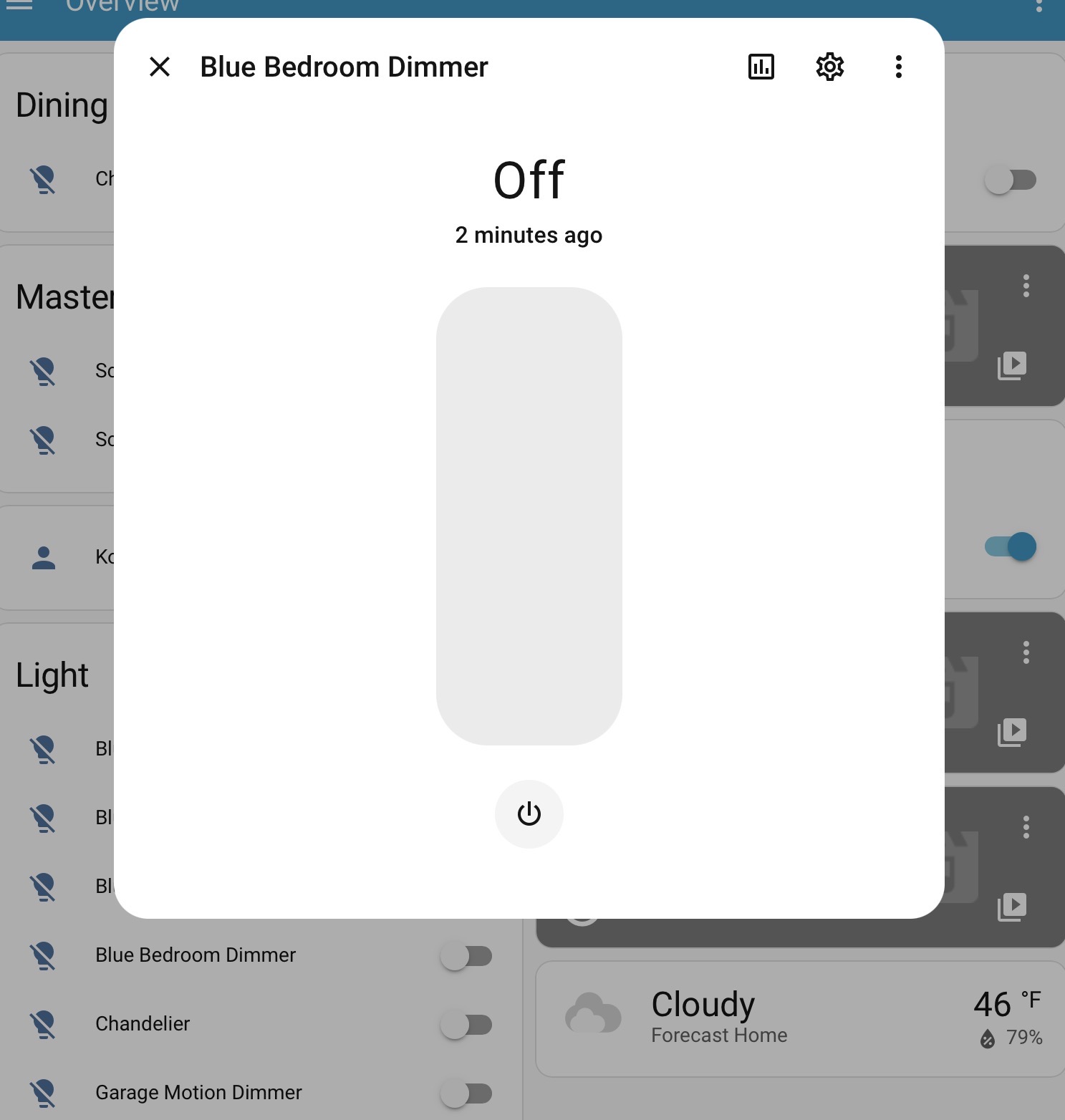
Hi, newbie here. I have a ton of Leviton Decora WiFi devices at home and banging my head over the wall all day today trying to add Decora WiFi integration to HA. Different docs tell me different stories - some tell that it must be installed via UI, while other docs (and HA itself) tell me that it must be done in YAML.
When I search available integrations I get “Leviton”, “Leviton Decora” and “Leviton Decora WiFi”. First one only can add Leviton Zigbee devices while my devices are WiFi. Second and third integration gives me the error This Integration cannot be added from UI.
After reboot I can see my devices, but Integration is minimal - I only can switch things on and off while those switches and dimmers have a ton of parameters.
I cannot switch 100% to Matter because motion detecting dimmers from Leviton are not Matter compatible (yet?).
Please tell me what is it I am doing wrong.
Konstantin
Fair warning: I don’t own these devices nor use the integration. Any advice I give you is based on searching the docs & github code/issues. With that out of the way…
What parameters exactly are you missing? The Leviton decora Wifi is ancient, but it had support for dimming since at least 2019.
Can you show a screenshot of the device page for one of your dimmers and show exactly where you’re clicking? The issue could be as simple as clicking on the toggle switch on the dashboard instead of clicking on the name to get more options.
Leviton Decora WiFi Gen.2 line was introduced in 2021, so not exactly ancient in my opinion or is it? Are there well regarded modern alternatives?
Anyway what fooled me is the claims that after firmware upgrade they are Matter compatible. In reality only switches are Matter compatible, dimmers are not. And for motion sensing dimmers information about motion detected is only available to their proprietary MyLeviton app, but not through the API and therefore not usable from HA. Bummer.
It also looks like the toggle on the right side and the icon on the left side (at the bottom of the picture) simply duplicate the info.
I am getting to realization that I got the wrong product for the purpose.
I use my Leviton Decora devices with HA using the HomeKit Device integration. This integration can be used without the need of Apple Home. It is a convenient way to use devices that support HomeKit. It provides local control without needing the cloud.
This probably won’t be available using the HomeKit integration either.
What do you mean “without the need of Apple Home”? I don’t need apple hardware for it? Then how it can be controlled locally? Sorry, I am very green in those matters.
Once it is added to HA then you control it using HA. HA communicates directly with the device using the HomeKit api.
If the HomeKit Device integration is installed then HA should discover the device. You need the HomeKit 8 digit code in order to configure the device once it is discovered.
I will be looking into it today. Where do I get 8 digit code?
Also what is better (or different) when Decoras are integrated through HomeKit rather than directly?
All Decora devices may not support HomeKit. My fan controllers and smart plugs with dimming explicitly stated on the box that they supported HomeKit/Apple Home. The HomeKit code was stamped on the device by the QR symbol.
I prefer the HomeKit integration because it’s local whereas the Leviton Decora integration requires the cloud.
I have all my Decora dimmers D2MSG installed and added to MyLeviton app. Now I want to add them to HA as HomeKit devices - HA shows them as discovered HA devices. But where do I get 8 digits installation code to add them as HomeKit devices? I don’t want to pull them out of the wall to look at the code, I have too many of them. Don’t see them in MyLeviton in device properties. Help?
As you noticed the Leviton app doesn’t expose the HomeKit code.
You are going to have to pull out a switch to see the code. You may or may not have to disconnect the switch depending upon if there is enough slack in the wires.
Just try one switch first and see if all the features you want are exposed in HA.
Yes, I already learned it hard way. But I made a mistake - I was adding dimmers to HomeKit app. Now I understand I supposed to add them to HA as HomeKit devices. Bummer. Now I need to pull them out again and repeat the process. I removed all dimmers (and pretty much everything) from HomeKit app and now the process seems to be - factory reset each dimmer, add to HA as HomeKit device, then add to MyLeviton app. BTW after factory reset, when I add dimmers as HomeKit app, where do I tell it which home network to join and the password?
Another thing I don’t understand - when the dimmers were added only to MyLeviton app I could make some of them to not lit up when motion is detected. When I add them as HomeKit devices they lit up on motion again. How do I make some of them to report motion to HA, but not lit up?
Thanks!
You should add them to the Leviton app first. This will add them to your network. After they are added to the app, HA will discover them if the HomeKit Device integration is installed. Then you configure them by providing the HomeKit code at the prompt.
(From your previous posts it sounded like you had already got to this point in the process, but just needed the code)
Edit 1:
Also, you shouldn’t need to do a factory reset. Just remove them from the whatever HomeKit app you added them to, then HA should discover them.
Edit 2:
HA won’t “rediscover” the devices if you clicked on the ignore option when they were discovered the first time. If you did this you will need to unignore the device in the integrations screen.
Most burning problem for me now is how to stop dimmers from lit up when motion is detected. I disabled that in MyLeviton app, but HomeKit integration reenables that and I don’t see how to turn it off.
I would think that you could disable this using the Leviton app, and it would take effect for HA as well. That is my experience with other manufacturer’s products that I’ve added to HA as HomeKit devices.
Edit:
If that doesn’t work go to Developer tools->States in HA and see if it is listed as an attribute for the device. Attributes can usually be changed.
I was able to add all my D2MSD motion dimmers to HA as HomeKit devices. It does expose presence sensor as the entity so it is already better than native integration. My Leviton switches are Matter compatible so I added those as the Matter devices.
Interestingly HA found all D2MSD dimmers and offered to integrate those, but not the switches. Looks like it cannot discover Matter devices on its own.
Regarding turning the light when motion is detected - I also hoped that turning it off in MyLeviton app would do it but it did not. Out of desperation I turned motion detectors ON in MyLeviton app and they stopped working (while still reporting motion to HA). This is mind bending - to disable motion when the dimmer is only connected to MyLeviton you need to disabled it in the app setting. BUT when they also added to HA as HomeKit devices the meaning of the same switch changes to the opposite! Turn the switch On to turn motion detection Off! My poor head.