I have a Nexx garage NXG-200 (not the NXG-100 that looks like a sonoff) Due to their lack of security and zero ability to connect to Home assistant, I’m trying to flash it for use in home assistant but cannot seem to get it to communicate. I’m open to get it working with Tasmota or ESPhome or opengarage, not picky. In the included pics, I have the UART flasher I’m using, the wiring, the ESP32 chip in the Nexx (ESP32-D0WDQ6) and a full view of the board. I have flashed other things without much trouble but this doesnt want to connect. There isnt any info on flashing this version at all. Any help would be appreciated. TIA


I doubt FT232 is capable of powering Esp32 reliably. You could power it separately and disconnect the 3.3V wire between Esp32 and FT232.
From datasheet:
3.3V output from integrated L.D.O. regulator. This pin should be decoupled to ground using a 100nF capacitor. The prime purpose of this pin is to provide the internal 3.3V supply to the USB transceiver cell and the internal 1.5k[ch937] pull up resistor on USBDP. Up to 50mA can be drawn from this pin to power external logic if required. This pin can also be used to supply the FT232R’s VCCIO pin.
I’ve tried powering the NXG from its USB too.
i can get it to do all sorts of different things but i cant get it to communicate.
For anyone else trying to do this, I got it working. just hook it up the way the picture show except DO NOT connect the 3.3v pin (red wire)
after that, hold down the reset button (keep it held through the whole upload) and power the board with a USB cable. holding the reset button puts in it boot mode so it can be flashed. Then upload the yaml below using ESPhome builder.
The board is named NXG-200 but can be named whatever you want. The “cover” is named Garage Door.
The LED’s on the box are coded to:
Power = comes on and stays on with the power
WIFI = turns on when WIFI connects and off if it disconnects
Activity/RF = blinks when it gives the command to open or close the cover, on when the door is open and off when closed based on the reed sensor. Used this during testing so I could see the state of the cover but it might be useful during other times.
Coded the beeper to beep 4 times before closing the same way it worked before. this is a safety feature to prevent anyone from getting hit by the door if its closed remotely.
There is some code in there for a temp and humidity sensor but I was unable to get it working with the DHT sensor I have on hand. This is the little phono jack on the side next to the sensor and door close connectors. I am basing its function purely on the word “TEMP” screen printed next to it on the board. I have the plug mapped out and will add some diagrams later if someone wants to try to make it work.
I was unable to do anything with the bluetooth and didn’t really try because I never used that feature. If someone knows how to make it work, let me know, and I’ll try to add it. There is an MTDI pin that goes to a SYN470R chip on its D0 pin.
I do not know if the keychain remote still works, mine got wet and quit working.
type or paste code here
esphome:
  name: "nxg-200"
  friendly_name: NXG-200
  platform: ESP32
  board: esp32dev

ota:
  - platform: esphome
    password: !secret nxg200_ota_pass

wifi:
  ssid: !secret wifi_ssid
  password: !secret wifi_password
  on_connect:
    - light.turn_on: wifi_led
    - logger.log: "Connected to WiFi!"
  on_disconnect:
    - light.turn_off: wifi_led
    - logger.log: "WiFi disconnected!"

  # Enable fallback hotspot (captive portal) in case wifi connection fails
  ap:
    ssid: "Nxg200 Fallback Hotspot"
    password: "EfXFCwNHbj7q"

captive_portal:

# Enable logging
logger:

# Enable Home Assistant API
api:
  encryption:
    key: !secret nxg200_api_key

web_server:

status_led:
#Power LED
  pin:
    number: GPIO27
    inverted: True
    id: "power_led"

binary_sensor:

#Reset Button
  - platform: gpio
    pin:
      number: GPIO0
      mode: INPUT_PULLUP
      inverted: True
    internal: true
    name: "Reset Button"
    on_click:
      min_length: 500ms
      max_length: 2000ms
      then:
        - light.turn_on: rf_led
        - if:
            condition:
              switch.is_on: relay
            then:
              # just in case someone manually changed it
              - switch.turn_off: relay
              - delay: 0.5s
        # Turn the OPEN switch on briefly
        - switch.turn_on: relay
        - delay: 0.2s
        - switch.turn_off: relay
        - light.turn_off: rf_led
    entity_category: DIAGNOSTIC

# Reed Switch Sensor
  - platform: gpio
    pin:
      number: GPIO14
      mode: INPUT_PULLUP
      inverted: True
    name: "Door Closed"
    id: "doorclosed"
  #  Turns on the RF LED when the door is open and off when closed
    on_press:
      then:
        - light.turn_off: rf_led
    on_release:
      then:
        - light.turn_on: rf_led

#status
  - platform: status
    name: "Status"
    internal: true

sensor:

# WiFi signal sensor
  - platform: wifi_signal
    name: "WiFi Signal"
    update_interval: 60s

# Thermal probe - mini-phono style input
  # labeled on the board as "temp", tried connecting an arduino that may or not be a DHT but ws not aboe to get it to work
#  - platform: dht
#    model: DHT22
#    pin: GPIO4
#    id: "temp_sensor"
#    temperature:
#      name: "Garage Temperature"
#      unit_of_measurement: "°F"
#      disabled_by_default: True
#    humidity:
#      name: "Garage Humidity"
#      unit_of_measurement: "%"
#      disabled_by_default: True
#    update_interval: 3600s # 1 hour

output:
# Piezo Buzzer pin setting
  - platform: ledc
    pin:
      number: GPIO16
    id: buzzer1
    inverted: no

light:

#WiFi LED - status
  - platform: status_led
    name: "Wifi LED"
    pin: GPIO26
    id: "wifi_led"
    internal: True
    disabled_by_default: True
    icon: "mdi:led-off"
    entity_category: DIAGNOSTIC

#RF LED - status
  - platform: status_led
    name: "RF LED"
    pin: GPIO17
    id: "rf_led"
    internal: True
    disabled_by_default: True
    icon: "mdi:led-off"
    entity_category: DIAGNOSTIC

switch:

# Piezo Buzzer output config
  - platform: output
    id: beep1
    output: buzzer1
    on_turn_on:
      then:
        - output.turn_on: buzzer1
        - output.ledc.set_frequency:
            id: buzzer1
            frequency: "4000Hz"
        - output.set_level:
            id: buzzer1
            level: "100%"
    on_turn_off:
      then:
        - output.turn_off: buzzer1

#Open/Close dry contacts
  - platform: gpio
    name: "Door Relay"
    pin: GPIO25
    id: "relay"
    internal: true

# Restart Switch on dashboard
  - platform: restart
    name: "Restart"
    entity_category: DIAGNOSTIC

cover:
#  Garage Door
  - platform: template
    name: "Garage Door"
    id: "garage_door"
    #icon: "mdi:garage-variant"
    device_class: garage
    stop_action:
      - logger.log: "Door was stopped by command"
    open_action:
      - if:
          condition:
            binary_sensor.is_off: doorclosed
          then:
            - light.turn_on: rf_led
            - logger.log: "Door is already open"
            - delay: 0.5s
            - light.turn_off: rf_led
          else:
            - light.turn_on: rf_led
            - if:
                condition:
                  switch.is_on: relay
                then:
                  # just in case someone manually changed it
                  - switch.turn_off: relay
                  - delay: 0.5s
            # Turn the OPEN switch on briefly
            - switch.turn_on: relay
            - delay: 0.2s
            - switch.turn_off: relay
            - light.turn_off: rf_led
    close_action:
      - if:
          condition:
            binary_sensor.is_on: doorclosed
          then:
            - light.turn_on: rf_led
            - logger.log: "Door is already closed"
            - delay: 0.5s
            - light.turn_off: rf_led
          else:
            - light.turn_on: rf_led
  #  beep the nxg200 4 times for safety
            - switch.turn_on: beep1
            - delay: 500ms
            - switch.turn_off: beep1
            - delay: 500ms
            - switch.turn_on: beep1
            - delay: 500ms
            - switch.turn_off: beep1
            - delay: 500ms
            - switch.turn_on: beep1
            - delay: 500ms
            - switch.turn_off: beep1
            - delay: 500ms
            - switch.turn_on: beep1
            - delay: 500ms
            - switch.turn_off: beep1
  #  now close the door
            - if:
                condition:
                  switch.is_on: relay
                then:
                  # just in case someone manually changed it
                  - switch.turn_off: relay
                  - delay: 0.5s
            # Turn the OPEN switch on briefly
            - switch.turn_on: relay
            - delay: 0.2s
            - switch.turn_off: relay
            - light.turn_off: rf_led
    optimistic: False
    assumed_state: False
  #  syncs entity state to actual door position
    lambda: |-
      if (id(doorclosed).state) {
        return COVER_CLOSED;
      } else {
        return COVER_OPEN;
      }
1 Like
thanks, disconnecting the 3.3v did end up being a key point to figuring this out.
Are you talking about the Wireless Tilt Sensor? I don’t remember the nxg-200 coming with a keychain remote or are you talking about the NXAD-200 Nexx Smart Garage Adapter?
The SYN470R chip would probably be used for the NXAD-200, but as I never needed or had one I wouldn’t know. I am pretty sure the Bluetooth is only to connect the nxg-200 to the app on your phone/tablet. So it is pretty much useless once flashed with the ESPhome Code.
Personally, I got tired of changing the 12v battery in the wireless tilt sensor and used the contact sensor from my old nxg-100.
Also thanks for figuring this out on the NXG-200. I was wanting to do the same thing with mine but never got the time to mess around with so I could flash it. Ended up using a esp8266 as a temporary solution, but I will try flashing the nxg-200 now and see how things go. Next step is getting alexa working with this again for voice commands.
For the Temp/Carbon Sensor. I don’t know if Nexx even released it. I can’t seem to find it anywhere online or on there site. And from the looks of it, the nxg-300 doesn’t even have the connector for it, and doesn’t say anythiing about temp/carbon sensor being built into it.
yes, i meant the adapter. however, it’s probably the same radio used for the tilt sensor.
I did too and got the wired reed sensor, which is what the firmware supports.
Mine is working with Google home ok. i have it exposed through HA. Let me know how it goes.
Thank you for posting your success!! I am a newbie to HAOS (less than a year) and am struggling to get this connected. I added to ESPhome Builder, the yaml file is validated but cannot get it to connect. Any tips on what I am doing wrong?
- Add New Device (esphome builder)
- Select ESP32 device
- Skip Encyrption Key (On IOT VLAN)
- Edit (Copy/Paste Yaml code)
- Validate
- Install (Holding Down Reset Button, USB2TTL attached as pictured, Device Powered by MicroUSB to power block)
Times out 10 minutes… and not sure what I am doing wrong…
Thanks for your time and patience!
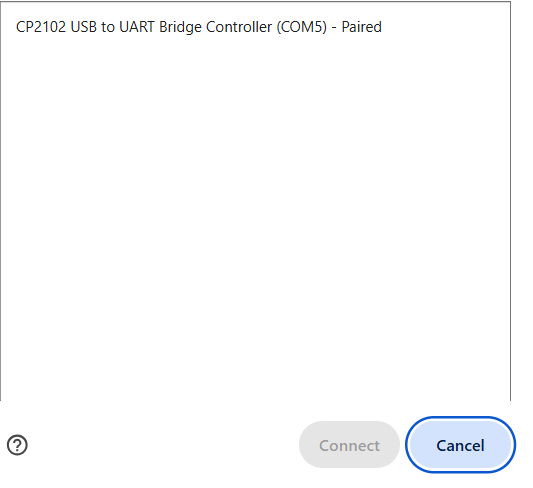
is esphome connecting to the TTL? you may be missing the driver.