Trying to install Zigbee2MQTT - Will not start?

This is my setup:

Installation method Home Assistant OS
Core 2025.10.4
Supervisor 2025.10.0
Operating System 16.2
Frontend 20251001.4

I have a SONOFF Universal Zigbee 3.0 USB Dongle Plus on /dev/ttyUSB0.
The dongle seems to be installed correctly - I see this in my Devices:
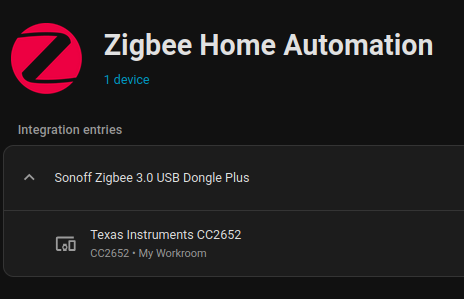

However, when I try and start the Zibee2MQTT Add-On, it will not start. And this is the log:

[19:13:55] INFO: Preparing to start...
[19:13:55] INFO: Socat not enabled
[19:13:55] INFO: Starting Zigbee2MQTT...
Starting Zigbee2MQTT without watchdog.
[2025-10-25 19:13:57] info: 	z2m: Logging to console, file (filename: log.log)
[2025-10-25 19:13:57] info: 	z2m: Starting Zigbee2MQTT version 2.6.2 (commit #unknown)
[2025-10-25 19:13:57] info: 	z2m: Starting zigbee-herdsman (6.1.5)
[2025-10-25 19:13:57] info: 	zh:adapter:discovery: Matched adapter: {"path":"/dev/ttyUSB0","manufacturer":"ITead","serialNumber":"20c5089fcb74ef1192dfc48c8fcc3fa0","pnpId":"usb-ITead_Sonoff_Zigbee_3.0_USB_Dongle_Plus_20c5089fcb74ef1192dfc48c8fcc3fa0-if00-port0","vendorId":"10c4","productId":"ea60"} => zstack: 4
[2025-10-25 19:13:57] info: 	zh:zstack:znp: Opening SerialPort with {"path":"/dev/ttyUSB0","baudRate":115200,"rtscts":false,"autoOpen":false}
[2025-10-25 19:13:57] error: 	z2m: Error while starting zigbee-herdsman
[2025-10-25 19:13:57] error: 	z2m: Failed to start zigbee-herdsman
[2025-10-25 19:13:57] error: 	z2m: Check https://www.zigbee2mqtt.io/guide/installation/20_zigbee2mqtt-fails-to-start_crashes-runtime.html for possible solutions
[2025-10-25 19:13:57] error: 	z2m: Exiting...
[2025-10-25 19:13:57] error: 	z2m: Error: Error Resource temporarily unavailable Cannot lock port

… then gives up!
Running ls -l /proc/[0-9]/fd/ |grep /dev/ttyUISB0

As suggested in the “… fails to start” link, nothing is reported.

Any suggestions will be most welcome. As I have not got any Zigbee experience, I do not know what should & should not happen.

Regards, Martin
You can’t use ZHA and Z2M with a single coordinator (dongle). To start Z2M, you will need to disable ZHA.

1 Like

Ahhhh… That makes sense!
So, now I think Zigbee2MQTT has started successfully?

[07:01:53] INFO: Preparing to start...
[07:01:53] INFO: Socat not enabled
[07:01:53] INFO: Starting Zigbee2MQTT...
Starting Zigbee2MQTT without watchdog.
[2025-10-26 07:01:55] info: 	z2m: Logging to console, file (filename: log.log)
[2025-10-26 07:01:55] info: 	z2m: Starting Zigbee2MQTT version 2.6.2 (commit #unknown)
[2025-10-26 07:01:55] info: 	z2m: Starting zigbee-herdsman (6.1.5)
[2025-10-26 07:01:55] info: 	zh:adapter:discovery: Matched adapter: {"path":"/dev/ttyUSB0","manufacturer":"ITead","serialNumber":"20c5089fcb74ef1192dfc48c8fcc3fa0","pnpId":"usb-ITead_Sonoff_Zigbee_3.0_USB_Dongle_Plus_20c5089fcb74ef1192dfc48c8fcc3fa0-if00-port0","vendorId":"10c4","productId":"ea60"} => zstack: 4
[2025-10-26 07:01:55] info: 	zh:zstack:znp: Opening SerialPort with {"path":"/dev/ttyUSB0","baudRate":115200,"rtscts":false,"autoOpen":false}
[2025-10-26 07:01:55] info: 	zh:zstack:znp: Serialport opened
[2025-10-26 07:01:55] info: 	z2m: zigbee-herdsman started (resumed)
[2025-10-26 07:01:55] info: 	z2m: Coordinator firmware version: '{"meta":{"maintrel":1,"majorrel":2,"minorrel":7,"product":1,"revision":20210708,"transportrev":2},"type":"ZStack3x0"}'
[2025-10-26 07:01:55] info: 	z2m: Currently 0 devices are joined.
[2025-10-26 07:01:55] info: 	z2m: Connecting to MQTT server at mqtt://core-mosquitto:1883
[2025-10-26 07:01:56] info: 	z2m: Connected to MQTT server
[2025-10-26 07:01:56] info: 	z2m:mqtt: MQTT publish: topic 'zigbee2mqtt/bridge/state', payload '{"state":"online"}'
[2025-10-26 07:01:56] info: 	z2m: Started frontend on port 8099
[2025-10-26 07:01:56] info: 	z2m: Zigbee2MQTT started!
[2025-10-26 07:02:01] info: 	z2m:mqtt: MQTT publish: topic 'homeassistant/binary_sensor/1221051039810110150109113116116_0x00124b0032d43106/connection_state/config', payload '{"default_entity_id":"binary_sensor.zigbee2mqtt_bridge_connection_state","device":{"hw_version":"ZStack3x0 20210708","identifiers":["zigbee2mqtt_bridge_0x00124b0032d43106"],"manufacturer":"Zigbee2MQTT","model":"Bridge","name":"Zigbee2MQTT Bridge","sw_version":"2.6.2"},"device_class":"connectivity","entity_category":"diagnostic","name":"Connection state","object_id":"zigbee2mqtt_bridge_connection_state","origin":{"name":"Zigbee2MQTT","sw":"2.6.2","url":"https://www.zigbee2mqtt.io"},"payload_off":"offline","payload_on":"online","state_topic":"zigbee2mqtt/bridge/state","unique_id":"bridge_0x00124b0032d43106_connection_state_zigbee2mqtt","value_template":"{{ value_json.state }}"}'

When I open the web UI and click-around, I do not see anything interesting?
I have some SONOFF SNZB-02D Temp/Humd displays which I repeatedly press the “Pairing” Button. The wireless icon flashes for about 2 min but nothing shows up on the Zigbee2MQTT UI Dashboard or Devices tab?

Is there a “Scan” or “Connect” button that I have not found yet?

Sorry for the supplementary questions. Regards, M.

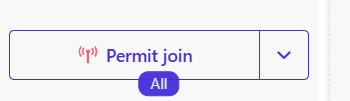
You need to allow pairing in the Z2M console. After you’ve pressed it, you pair your devices.

Dho…

Thank you. Got them all in my Dashboard now.

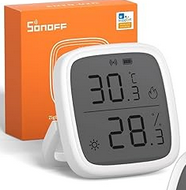
One more silly question - do you know if it is possible to flip the display on these SNZV-02D’s? All the images I have seen look like this:


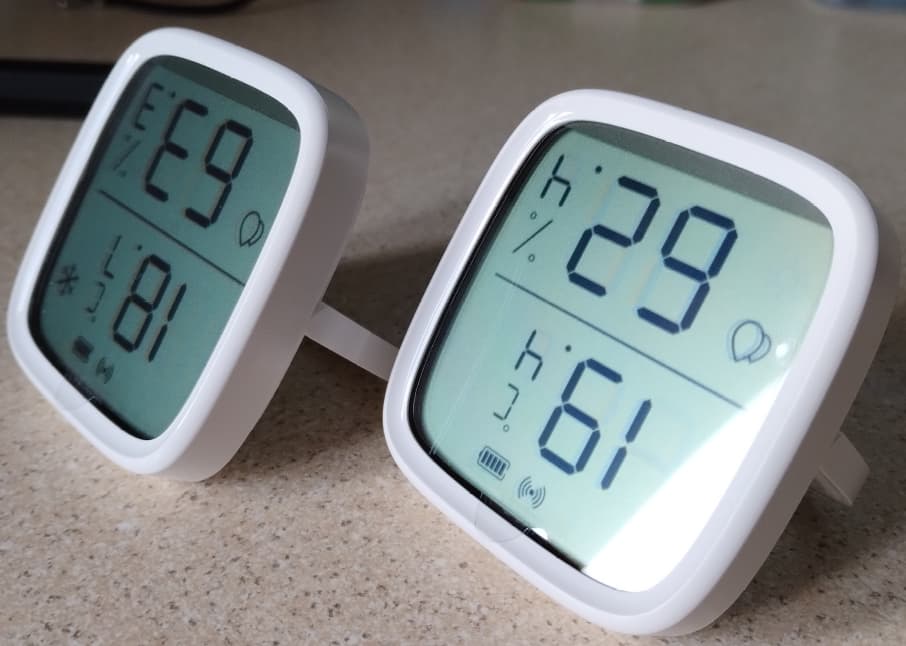
… but mine are like this?

I have seen on the web a suggestion that a “magic sequence” on the pairing button will do this? But no suggestion on what that sequence should be!

Regards, M.

Seems you have them upside down. In your reference picture the battery and network icons are at the top, yours are at the bottom. Just turn them around? :slight_smile:

That’s the point. In the images for both mine and the manufacture, the body and leg position are the same way. This way round they will stand up with the display at an angle of about 45deg. Physically turn them around and the legs will not hold the display up!
Regards, M.

The legs were probably installed the wrong way round at the factory (or you put them the wrong way round when you removed the back for pairing). Remove the back & legs, flip them 180 & reinstall them.

Ah… I wish it were that simple.
Anyway this is not a topic for this forum! My fault for bringing it up.

Thank you all very much for your help on getting the Displays paired.
However, if anybody has knowledge on improving the VERY poor LQI (excluding changing channels or moving the USB interfaces out of range), I’d love to hear from you.

Regards, M.

LQI for battery-powered devices is not always particularly informative.

If it works, it works; don’t waste time on LQI.