Hello,
I am a newbie and recently installed HAOS on a Dell Inspiron 14 laptop but it’s not loading - showing below:
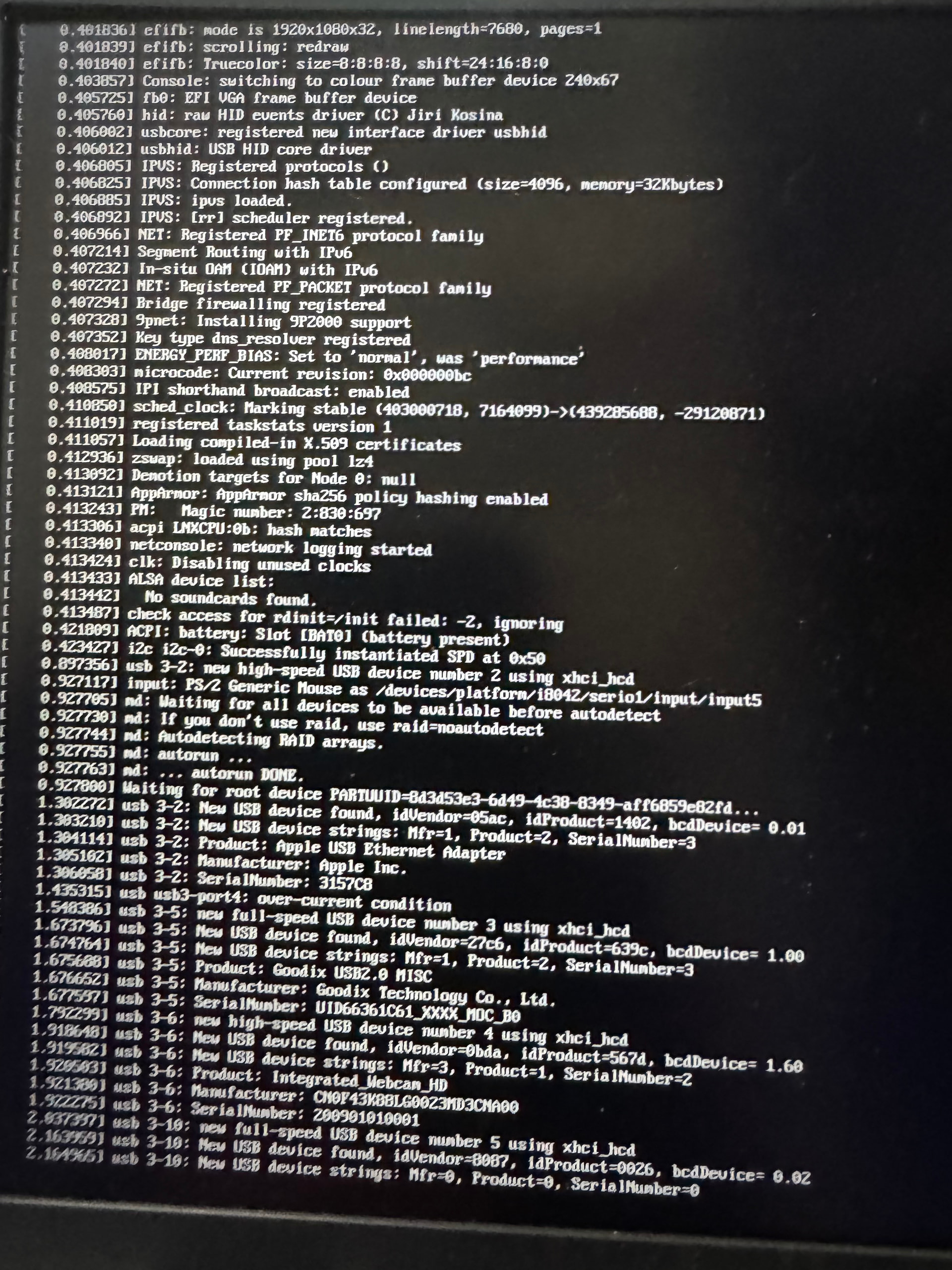
Anyone with similar experience and was able to resolve it?
Check your Bios settings are correct. The install docs mention stuff like secure boot.
Also, why is a Dell Inspiron loading an Apple usb ethernet adapter? Surely it’s got a built-in one.
@ShadowFist Thanks. I have gone through every BIOS setting before and after Installing the OS as outlined in the installation guide. In the BIOS option to select RAID or AHCI is one of the options I’m having challenges with. Each time I select AHCI rather than RAID, it automatically goes back to RAID. Could that be the issue?
The Dell Inspiron does not have an Ethernet port so I had to use the Apple USB—> Ethernet adapter for wired internet connection.
I’m not sure, but I’d more likely suspect that HAOS doesn’t have the drivers for your ethernet adapter.
The over current warning on usb 3-4 isn’t a good sign either.
Do you get anything else on that screen? I don’t see any other warning or error
Try to boot with the debug flag. Press e at the boot slot selection and add it at the end.
I’d say, from what you show, that there is an issue with your boot partition (“Waiting for root device”)
Dell BIOSes are quite a bit different than other BIOSes.
It is often forgotten to save the changes.
There isn’t any other error on the screen.