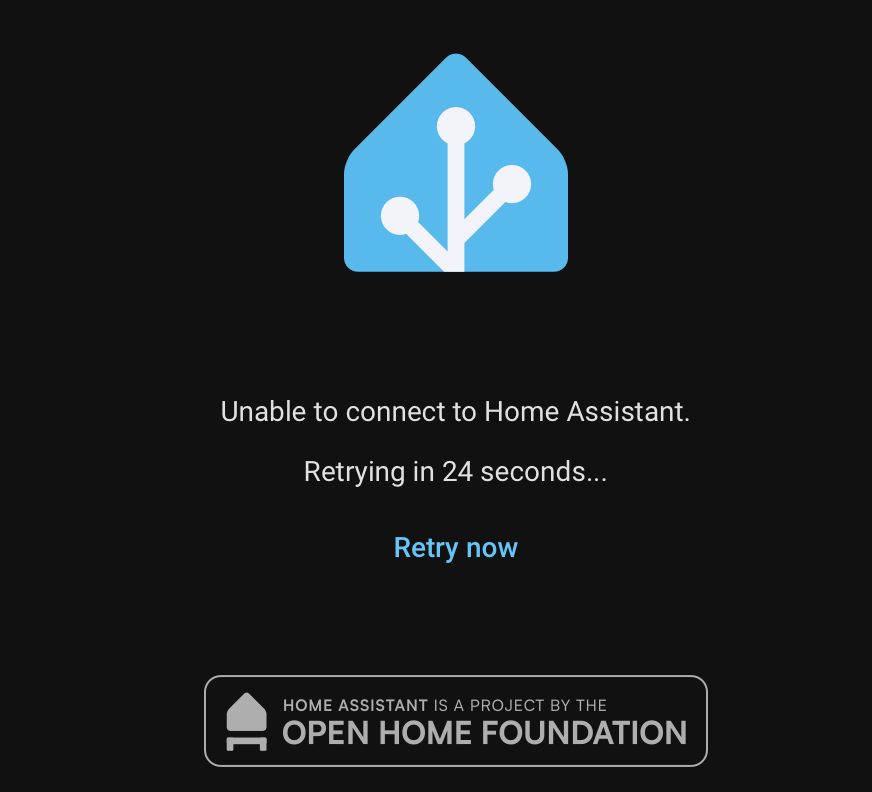
Unable to connect to Home Assistant. Retrying in 35 seconds

Last week, this was a working install. I went away, came back, it's dead.

I'm not sure what is wrong or why. All I can conclude is whatever is supposed to be listening on port 8123 is not happy and won't talk to anything.

Not completely dead, just the web interface from what I can see.

When I browse to port https://ha.example.org:8123 in my web browser, I see:

Unable to connect to Home Assistant.
Retrying in 33 seconds...

Which retries, and retries, and never connects.

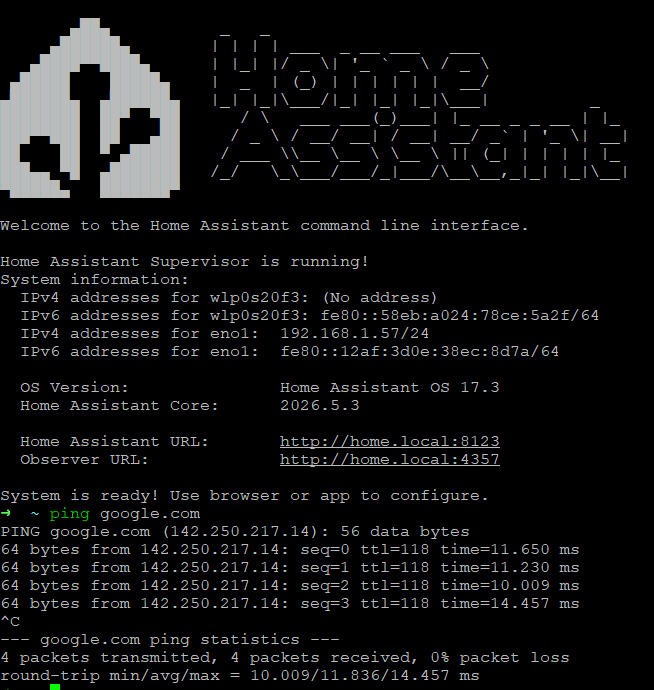
I can get to the console:

Welcome to Home Assistant
home-assistant login: 

I can log in as root. I can use "Use ha to access the Home Assistant CLI."

I can see something listening on port 8123:

# netstat -na | grep 8123
tcp        0      0 0.0.0.0:8123            0.0.0.0:*               LISTEN      
tcp        0      0 :::8123                 :::*                    LISTEN      

I can see various outgoing and incoming network connections, each of which are expected for my configuration.

The info:

# ha info
arch: amd64
channel: stable
docker: 29.3.1
features:
- reboot
- shutdown
- services
- network
- hostname
- timedate
- os_agent
- haos
- resolved
- journal
- disk
- mount
hassos: "17.2"
homeassistant: 2026.5.3
hostname: home-assistant.int.unixathome.org
logging: info
machine: qemux86-64
machine_id: 1833ea77058a40a096fa2fdd146eaee0
operating_system: Home Assistant OS 17.2
state: running
supervisor: 2026.05.0
supported: true
supported_arch:
- amd64
timezone: Etc/GMT

Core info:

# ha core info
arch: amd64
audio_input: null
audio_output: null
backups_exclude_database: false
boot: true
duplicate_log_file: false
image: ghcr.io/home-assistant/qemux86-64-homeassistant
ip_address: 172.30.32.1
machine: qemux86-64
port: 8123
ssl: false
update_available: false
version: 2026.5.3
version_latest: 2026.5.3
watchdog: true

Have you tried the actual IP address? 192.168.1.103:8123
Have you tried the default hostname: homeassistant.local:8123

I would not expect those two locations to work from the browser on my laptop. I also tried them. They didn't connect at all. They never connect. From the usual hostname:8123, I see this. The time counts down, retries, and resets to 60 seconds. Repeat...

I also tried from the console:

# ping 192.168.1.103
No response from 192.168.1.103

I think I covered your suggestions. Thank you.

They weren't suggestions, they were questions- trying to fill in the information you didn't give in your first post.

Let's continue the game of 20-questions.

Can you see the host IP address on your router?
Are you using a static or reserved IP?
Can you ping the router from the Home Assistant CLI?

3 Likes

Thank you, I misunderstood. Sorry.

Can you see the host IP address on your router?

See? As in ping? Yes

[20:40 gw01 dvl ~] % ping ha.unixathome.org
PING ha.unixathome.org (10.55.0.72): 56 data bytes
64 bytes from 10.55.0.72: icmp_seq=0 ttl=64 time=0.328 ms
64 bytes from 10.55.0.72: icmp_seq=1 ttl=64 time=0.267 ms
^C
--- ha.unixathome.org ping statistics ---
2 packets transmitted, 2 packets received, 0.0% packet loss
round-trip min/avg/max/stddev = 0.267/0.297/0.328/0.031 ms

Are you using a static or reserved IP?

For my internet connection?

The ha.unixathome.org host uses a static IP address. Split DNS is in use here. I'm running my own dns servers in the basement. That host name will resolve to a non-RFC 1918 address for you.

My home connection is dynamic, but since it's an RFC1918 address, it never hits the public internet.

Can you ping the router from the Home Assistant CLI?

Yes, any hostname I've tried:

# ping google.com
google.com is alive!
# ping gw01
gw01 is alive!
# ping apple.com
apple.com is alive!
# 

I would inspect the logs to see if there are any clues: How to get to your log after restart/restore

1 Like

I would start there...

Enterprise Smart Home Syndrome

2 Likes

I get the joke. I understand it.

What leads you to think it's DNS?

It's the first thing I think of when I'm trying to get to a webpage, expecially via a FQDN, and it doesn't get there.
Then you said you are running your own DNS Server, well, I took a guess...

Some people I know can pull that off. Not many of them can consistantly.

1 Like
  1. There should be an ipv4 address when you get into the CLI console of the HAOS. What do you see?
  2. also from the HAOS console, run ha network info
  3. And you misunderstood the 1st 2 questions from Steve
    3.1 "Can you see the host IP address on your router?"
    He meant the host IP of the VM server that runs HAOS VM. And I would add, also check whether you can see the host IP of the HAOS, per #1 or #2 above, from your router
    3.2 "Are you using a static or reserved IP?"
    He meant the IP of the HAOS - is that static or reserved?
  4. What's the internal (not internet) IP of your router
  5. from a different machine (a PC or laptop or phone) on the same home network, what's the IP of this machine? can this machine ping the IP's (IP, not any hostname) of both your router, and your HAOS?

All of the above is to investigate around IP - no hostname here. Post the results of each of those questions above. And if the above looks fine, DNS is your problem.

1 Like

Scroll above for the screen shot. It gets to SOMETHING. That something tries to connect. It never does. That something is not my web browser.

I don't see an ipv4 address there, at least not without running some command. I do see 10.55.0.72/24 in the next command output.

# 

Welcome to Home Assistant
home-assistant login: root
Welcome to Home Assistant OS.

Use `ha` to access the Home Assistant CLI.
# ha cli

The cli command allows you to manage the internal Home Assistant CLI backend by
exposing commands to view, monitor, configure and control it.

Usage:
  ha cli [command]

Examples:

  ha cli info
  ha cli update

Available Commands:
  info        Shows information about the internal Home Assistant CLI backend
  stats       Provides system usage stats of the Home Assistant CLI backend
  update      Updates the internal Home Assistant CLI backend

Flags:
  -h, --help   help for cli

Global Flags:
      --api-token string   Home Assistant Supervisor API token
      --config string      Optional config file (default is $HOME/.homeassistant.yaml)
      --endpoint string    Endpoint for Home Assistant Supervisor (default is 'supervisor')
      --log-level string   Log level (defaults to WARN)
      --no-progress        Disable the progress spinner
      --raw-json           Output raw JSON from the API

Use "ha cli [command] --help" for more information about a command.
# ha network info
docker:
  address: 172.30.32.0/23
  dns: 172.30.32.3
  gateway: 172.30.32.1
  interface: hassio
host_internet: true
interfaces:
- connected: true
  enabled: true
  interface: enp0s5
  ipv4:
    address:
    - 10.55.0.72/24
    gateway: 10.55.0.1
    method: auto
    nameservers:
    - 10.55.0.1
    - 10.55.0.13
    - 10.55.0.73
    ready: true
    route_metric: null
  ipv6:
    addr_gen_mode: stable-privacy
    address:
    - fe80::3f7:a5e:4649:ad46/64
    gateway: fe80::227c:14ff:fef5:8e53
    ip6_privacy: default
    method: auto
    nameservers: []
    ready: false
    route_metric: null
  llmnr: announce
  mac: 58:9C:FC:08:5D:13
  mdns: announce
  primary: true
  type: ethernet
  vlan: null
  wifi: null
supervisor_internet: true

I'm guessing that is the ipv4 address from above.

This is is on the router/gateway/firewall, pinging the physical server.

[0:14 gw01 dvl ~] % ping ha.unixathome.org
PING ha.unixathome.org (10.55.0.72): 56 data bytes
64 bytes from 10.55.0.72: icmp_seq=0 ttl=64 time=0.404 ms
64 bytes from 10.55.0.72: icmp_seq=1 ttl=64 time=0.264 ms
^C
--- ha.unixathome.org ping statistics ---
2 packets transmitted, 2 packets received, 0.0% packet loss
round-trip min/avg/max/stddev = 0.264/0.334/0.404/0.070 ms
[0:15 gw01 dvl ~] % 

I am sure that 10.55.0.72 is assigned statically. I also don't know how to verify that.

10.55.0.1

This is r730-03, another physical host in the basement:

[0:18 r730-03 dvl ~] % host r730-03
r730-03.int.unixathome.org has address 10.55.0.143

Yes:

[0:20 r730-03 dvl ~] % ping 10.55.0.1
PING 10.55.0.1 (10.55.0.1): 56 data bytes
64 bytes from 10.55.0.1: icmp_seq=0 ttl=64 time=0.112 ms
64 bytes from 10.55.0.1: icmp_seq=1 ttl=64 time=0.095 ms
^C
--- 10.55.0.1 ping statistics ---
2 packets transmitted, 2 packets received, 0.0% packet loss
round-trip min/avg/max/stddev = 0.095/0.104/0.112/0.009 ms
[0:21 r730-03 dvl ~] % ping 10.55.0.72
PING 10.55.0.72 (10.55.0.72): 56 data bytes
64 bytes from 10.55.0.72: icmp_seq=0 ttl=64 time=0.406 ms
64 bytes from 10.55.0.72: icmp_seq=1 ttl=64 time=0.308 ms
^C
--- 10.55.0.72 ping statistics ---
2 packets transmitted, 2 packets received, 0.0% packet loss
round-trip min/avg/max/stddev = 0.308/0.357/0.406/0.049 ms

Far enough.

I think I set up my first dns server in 1999. Happy to run any tests you can suggest.

This is what you should see on the host console:

What do you see?
From another PC on your LAN, can you ping 10.55.0.72 ?

Everything I see is saying DNS.

Do you have your internal URL in the configuration.yaml?

homeassistant:
  name: Home
  external_url: !secret external_url
  internal_url: !secret internal_url

(I named mine "home" because I get tired of typing "homeassistant")

Your HAOS is getting an IP, and that IP is not a static IP.

So, from r730-03, open a web browser, and go here: http://10.55.0.72:8123
Would you see greeting screens of your HA?

If not, you have a networking problem not an HA problem: r730-03 pinging 10.55.0.72 is OK, but browsing http://10.55.0.72:8123 is not. Next would be to check http://10.55.0.72:4357

If yes, then from another phone or laptop that is also on 10.55.0.xxx network, try web browser to http://10.55.0.72:8123 Do you see greeting screens of your HA?

1 Like

Have you tried to power cycle your HA machine by pulling the plug?

See what happens when it restarts. Sometimes my instance does this my memory and swap usage is very high when it happens. I am using a Home Assistant Blue Odroid N2+

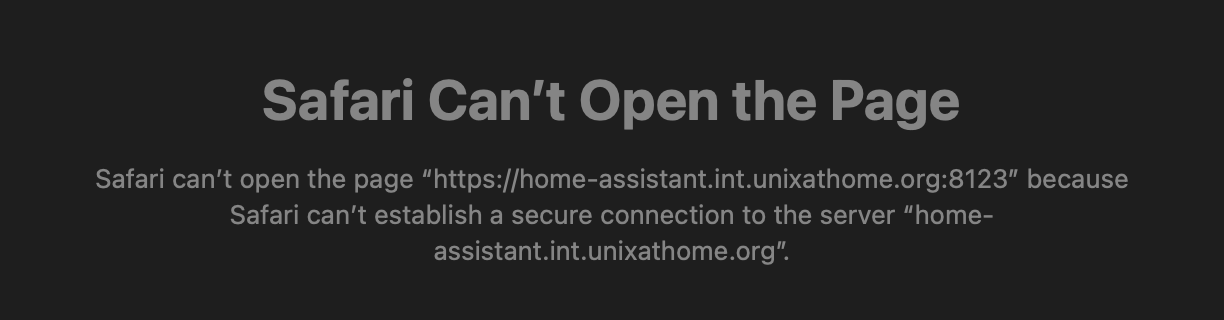
Do you get anything with https://home-assistant.int.unixathome.org:8123?

Is there a hostname conflict base on these images from your replies?

I'll read up on journalctl - It reminded me of the benefits of plain file logging. I'll continue my reading.

I get this with Safari:

and this with Firefox:

Secure Connection Failed

An error occurred during a connection to home-assistant.int.unixathome.org:8123.
SSL received a record that exceeded the maximum permissible length.

A conflict? None that I know of. I've been using ha.unixathome.org since at least March 2023.

There are multiple A records:

[7:39 pro07 dvl ~] % host home-assistant
home-assistant.int.unixathome.org has address 10.55.0.72
[7:39 pro07 dvl ~] % host ha
ha.int.unixathome.org has address 10.55.0.72
[7:39 pro07 dvl ~] % 

and one PTR:

[7:39 pro07 dvl ~] % host 10.55.0.72
72.0.55.10.in-addr.arpa domain name pointer home-assistant.int.unixathome.org.