I am pretty sure I followed the instructions as they were written, and I tried four times with my phone (OnePlus 15) and twice with my wife’s phone (OnePlus 12).
On both I had Bluetooth HCI snoop-log on.
For my phone I unpaired a BT speaker, while on my wife phone that wasn’t necessary since she had never been paired with that speaker. Then turned BT off and on again and re-paired.
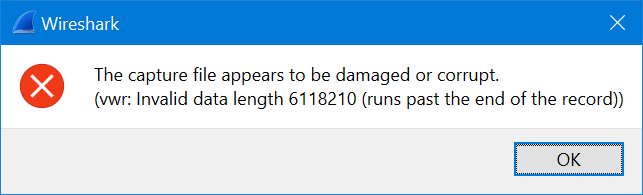
The adb command adb bugreport scanwatch chewed rather slowly through the percents, and the zip file was downloaded, but there was no FS\data\misc\bluetooth\logs\btsnoop_hci.log in the zip file. I found a directory with today’s date and the time I did the pair/repair called BT_HCI_2026_0809_151542.cfa buried deeper in, but that’s obviously not it, because I opened it and got this from Wireshark:
The last time I tried ADB with my own phone I had BT turned off, but that gave a file with a different name, bugreport-(redacted - probably ID on the phone)-BP2A.250605.015-2026-08-09-15-21-20.zip and still not the one logfile I’m looking for.
Any idea why this is not working? I tried both with the latest version of adb, downloaded today, and one I had been using for a while.