I just installed VictoriaMetrix, following the docs as best I could.
It wouldn’t start due to some change that doesn’t allow the DB connection settings:
api_version: 1
host: localhost
port: 8428
In the configuration.yaml now - and I have no idea where to put them.
When I restart HA - I get this:
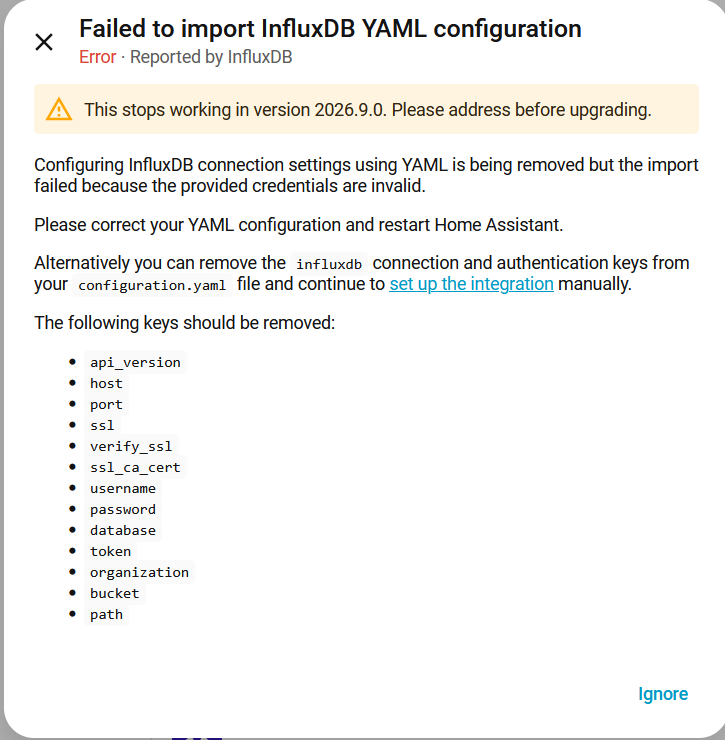
maybe remove influx and re-add it?
Do you use the victoriametrics addon?
If you have not set authentication within, then this config i am using is working for me:
influxdb:
  api_version: 1
  host: IP.OF.YOUR.VICTORAMETRICS
  port: 8428
  max_retries: 3
  measurement_attr: entity_id
  tags_attributes:
    - friendly_name
    - unit_of_measurement
Put it somewhere in your configuration.yaml. At first successful connection home assistant 2026.3 will import api_version, host and port into the integration, after that you should delete or outcomment these lines.
If its not working, can you access http://IP.OF.YOUR.VICTORAMETRICS:8428 in your Browser?
HA influxdb has changed and doesn’t allow those settings anymore. (see the screen capture I posted.)
Apparently this is a known bug with VictoriaMetrix: