I don’t know what your problem is, but the integration definitely doesn’t need an EA version. As a small note regarding API key creation: Protect and Network API keys are currently the same.
This isn’t the intended way, but if you can’t find the button in your GUI, you might try it this way. docker run -it ghcr.io/uilibs/uiprotect:v7.33.3 create-api-key keyname
i managed to create one in the ui before protect had fully started when it does show up to get HA working but after its started the buttons disappear and i get the same ui as op here, ive contacted unifi and they have no clue and going to get back to me.
right i might have solved my issue, hover over access and talk a little three dots should appear uninstall them if your not using them and update innerspace then my ui changed to how it should be and i have integrations back.
1 Like
That’s done it - just needed to remove access as described above and ive got the integration tab back at the top of the screen - thanks @Blair_Pollard
Confirmed!!! This worked for me too. I uninstalled Access and Talk, then installed Innerspace, then the Integrations tab appeared for me and was able to create an API Key. Thanks!
My experience to share:
I did as everyone here suggested - uninstalled access / talk installed innerspace and even tried release candidate channel - I’m not sure if that was the direct cause, but it still wouldn’t show up on my “owner” account.
It finally showed up when i granted super admin to a local access only account - and then logged in locally as that super admin.
the url will be:
https://<local_ip>/protect/settings/control-plane/integrations
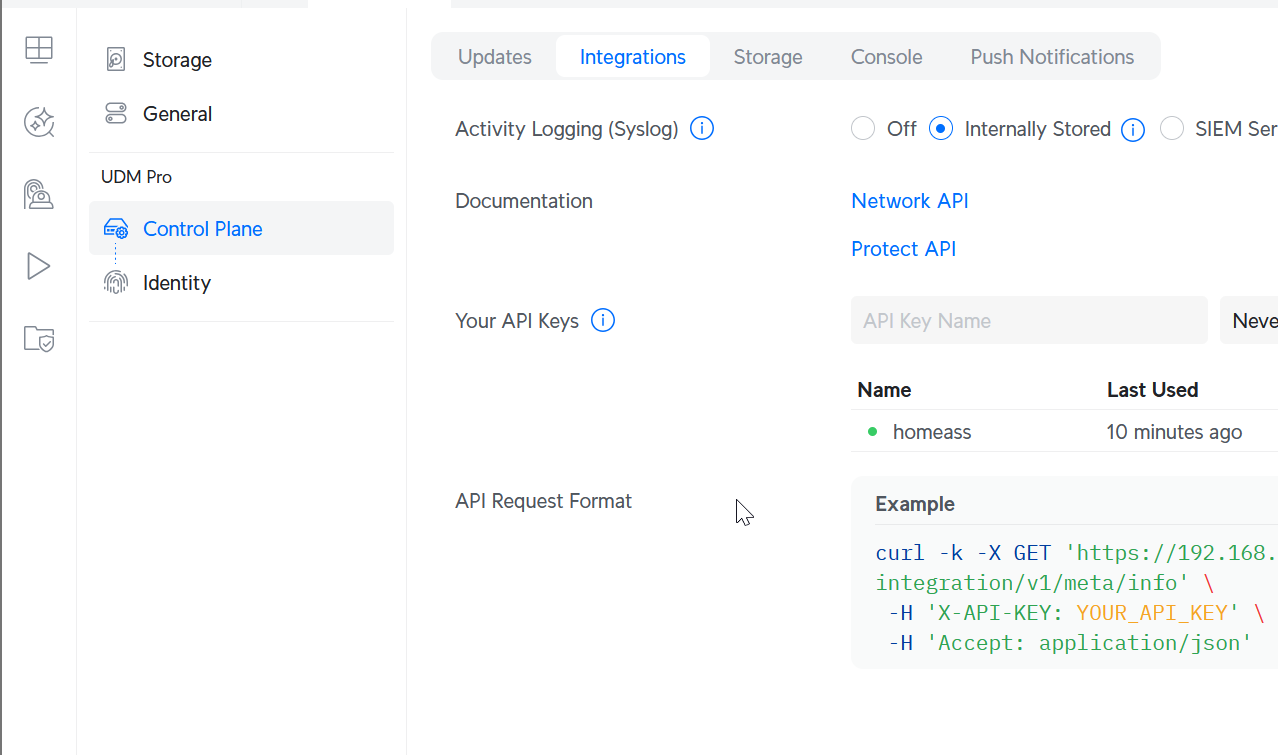
the second i removed super admin from that local account that url becomes “protected” from the local account, and if i try to go to that url from the owner account - it redirects me to general settings for protect. totally makes sense.
but it’s working for me now
1 Like
Merci !!! Great News