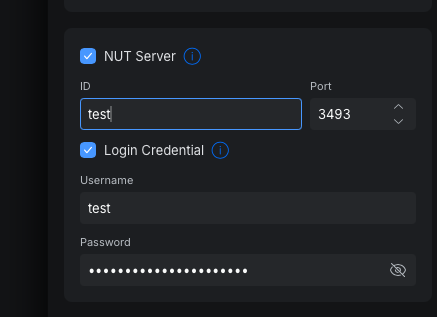
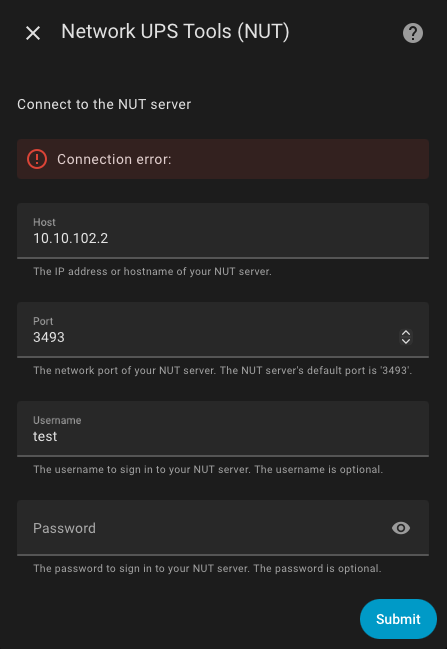
I’ve tried to connect to it but did not work out (I can reach the IP correctly from hass) and another person I spoke with had the same issue and could only get this working on upsc
I just installed my UPS-2U today and have spent the last 3+ hours trying to make it work with NUT. I can definitely see the UPS…adjusted my network firewall rules to allow access to 3493, etc. I can see it on my HA instance…just cannot connect with NUT…
I’m having similar issues with my new UPS-2U. I reached out to Ubiquiti support but it needed escalation. Hopefully they get back to me.
In the meantime, I’ve done some digging and packet capturing and I think the problem is with the NUT server implementation in the UPS devices. It appears that rather than prompt the client for authentication they just reject the list commands if the client hasn’t already authenticated. I can telnet to the device, login, and then list commands and variables just fine. It is possible that tweaking the HA integration code could work around this, but it would be better if Ubiquiti could just fix their implementation.
Here’s an example from a pcap of upscmd:
> LIST CMD ups_2u
< ERR ACCESS-DENIED
> LOGOUT
< OK Logged out
And here’s what I can get via telnet if I first set the username and password:
$ telnet 192.168.0.3 3493
Trying 192.168.0.3...
Connected to 192.168.0.3.
Escape character is '^]'.
> USERNAME testuser
< OK Username set
> PASSWORD secret!
< OK Logged in
> LIST CMD ups_2u
< BEGIN LIST CMD "test.battery.start"
< CMD test.battery.start
< CMD load.off
< CMD load.on
< CMD shutdown.reboot
< END LIST CMD "test.battery.start"
> LOGOUT
< OK Logged out
Connection closed by foreign host.
Interestingly after getting a PCAP of Home Assistant trying to connect it does appear to be setting the credentials first.
> USERNAME testuser
< OK Username set
> PASSWORD secret!
< OK Logged in
> LIST UPS
< BEGIN LIST UPS "ups_2u"
< UPS ups_2u UPS identifier
< END LIST UPS "ups_2u"
But I still get a “connection error” in the HA portal. I’m not familiar enough with HA to figure out how to get more detailed logs.
It’s not quite what you’re asking but I have a Unifi PDU and am able to very easily access all of the power measurement entities (per plug, even) using the Unifi integration, and I would expect the same would be true for the UPS too (rather than trying to get it via NUT). (Perhaps I’m biased because (a) there are a lot of other useful things that you can get from the Unifi integration (b) I’ve had pretty low accuracy results from most of my NUT integrations with other branded UPSs.)
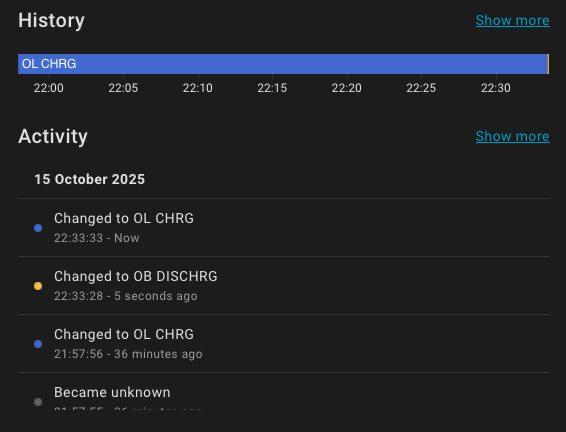
NUT is working perfect after the latest firmware update on the UPS. The UniFi network integration is nice but only shows the performance of the network part of the UPS not the information to use in an automation to gracefully shut down devices.