Full disclosure: I used Claude to brainstorm the general architecture of the project and Claude wrote all the code. I am not a programmer and don’t know the first thing about python scripts or how to use AppDaemon. For me, Claude was an essential tool and I never would have been able to make this happen without it.
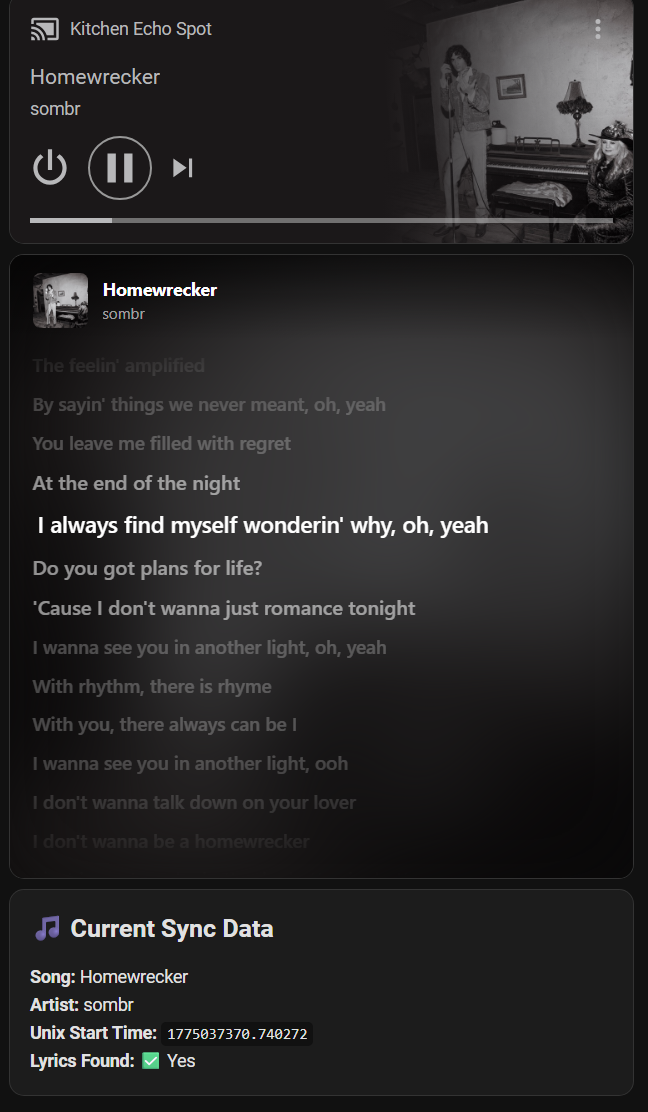
This is real-time synced lyrics on my kitchen refrigerator dashboard running on a Fire HD10 tablet I bought used for $50. No Spotify, no microphone, and no API keys needed.
The other day I searched for a way to get live lyrics on a dashboard next to a media player card. There are several options out there that I’m sure are great, but they all require an API key, a subscription, or even a setup where you use a microphone to figure out the song and lyrics.
None of those options worked for my setup, so I’ve been working on a project to get high-fidelity, synchronized lyrics onto my Home Assistant dashboards.
In this specific case the environment was my kitchen, which has an Echo Spot that I use for music and the Fire HD 10 tablet mounted on the refrigerator showing a dashboard that has the media player, my shopping list, controls for the TV in my living room that I can see from the Kitchen, and the MACS card because I also got Voice Assist working on the tablet using Voice Satellite. When music is playing the lyrics card replaces the MACS card.
Note: Even though I’m using an Echo Spot in the kitchen this logic should work for any media_player that provides basic metadata.
The goal was a smooth 60fps scroll that doesn’t lag behind the audio.
How it works:
- Backend (AppDaemon): A Python script monitors your media player. When a song starts, it fetches synced lyrics from LRCLib. It then calculates a precise start_time offset and writes a small lyrics_data.json file to your /www/ folder.
- Frontend (HTML/JS): A lightweight HTML file (served via iFrame) polls that JSON file. It uses client-side math (Date.now()) to handle the scrolling animations locally, ensuring the lyrics stay in sync even if the network blips.
Why we built it this way:
- Smoothness: By calculating the scroll position in the browser rather than pushing updates from HA, the movement is buttery smooth.
- Clean UI: I use a Conditional Card so the lyrics iFrame only appears when the music is actually playing.
- Privacy: No persistent cloud accounts — lyrics are fetched anonymously with no login or tracking.
The result is honestly amazing to me. But it’s not 100% perfect - sometimes it’s a little slow or a little fast, but it re-syncs every new song so it doesn’t get worse and worse over time.
Setup & Code:
I’ve put together a Gist with the Python script, AppDaemon yaml, the HTML frontend, and a sample dashboard card configuration:
GitHub Gist: Universal Synced Lyrics for Home Assistant
Note for setup: Make sure to replace the placeholder entity IDs in the code with your specific media player.
Hope this helps anyone else looking to add some life to their dashboards!
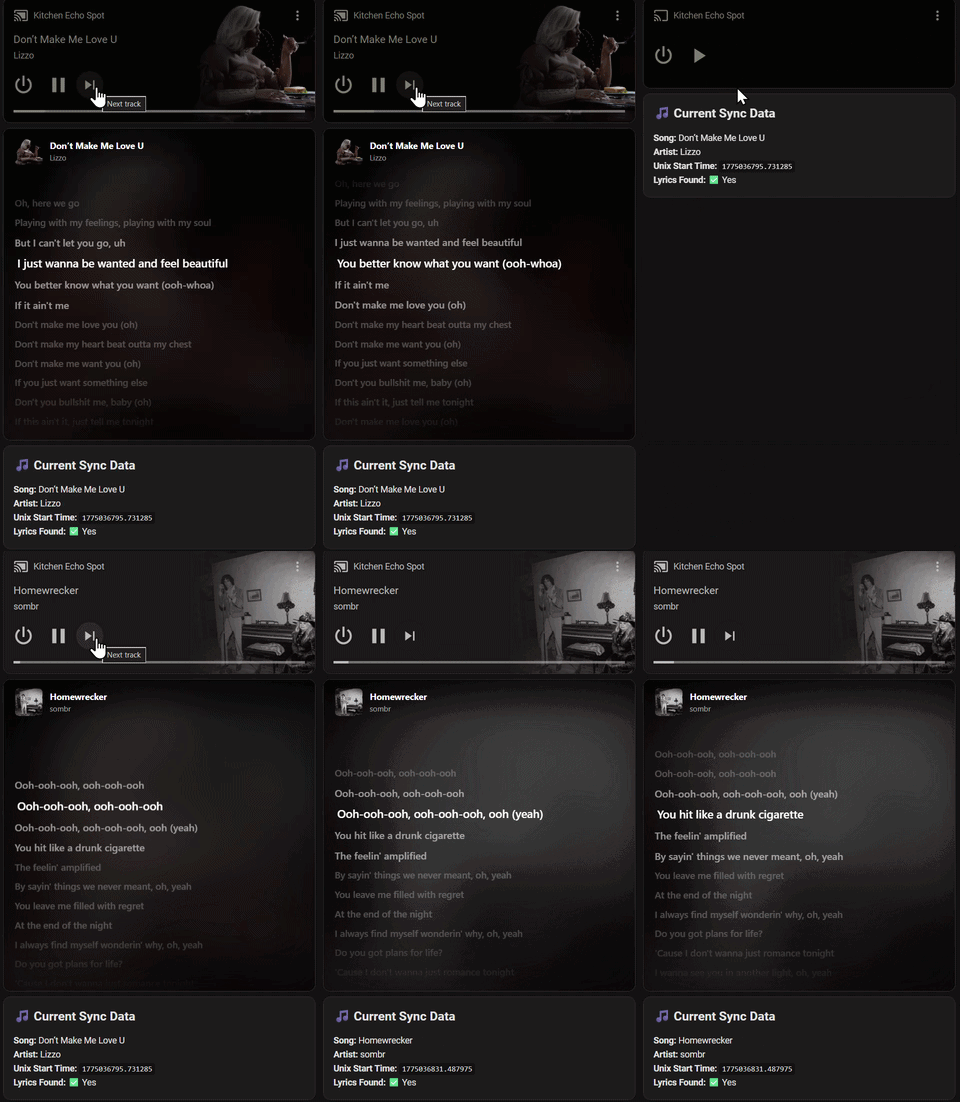
Note on the Video: I’ve included a data monitor at the bottom of the dashboard for this demo. It shows the raw JSON attributes being pulled from the AppDaemon backend. You can see the start_time refresh when I skip to the next track—this is the what keeps the lyrics in sync without needing a heavy continuous stream of data.