I have a Raspberry Pi 5 with 8GB and recently I’ve got a message that my operating system was unsupported. So I followed the instructions, made a backup and followed the instructions below.
And then used the Raspberry Pi imager to install Home Assistant OS on a new A2 SD-card (according the instructions below).
Then did a backup restore after the above installation finished.
Easy peasy… BUT now a few days later I get the same message. What did I wrong?
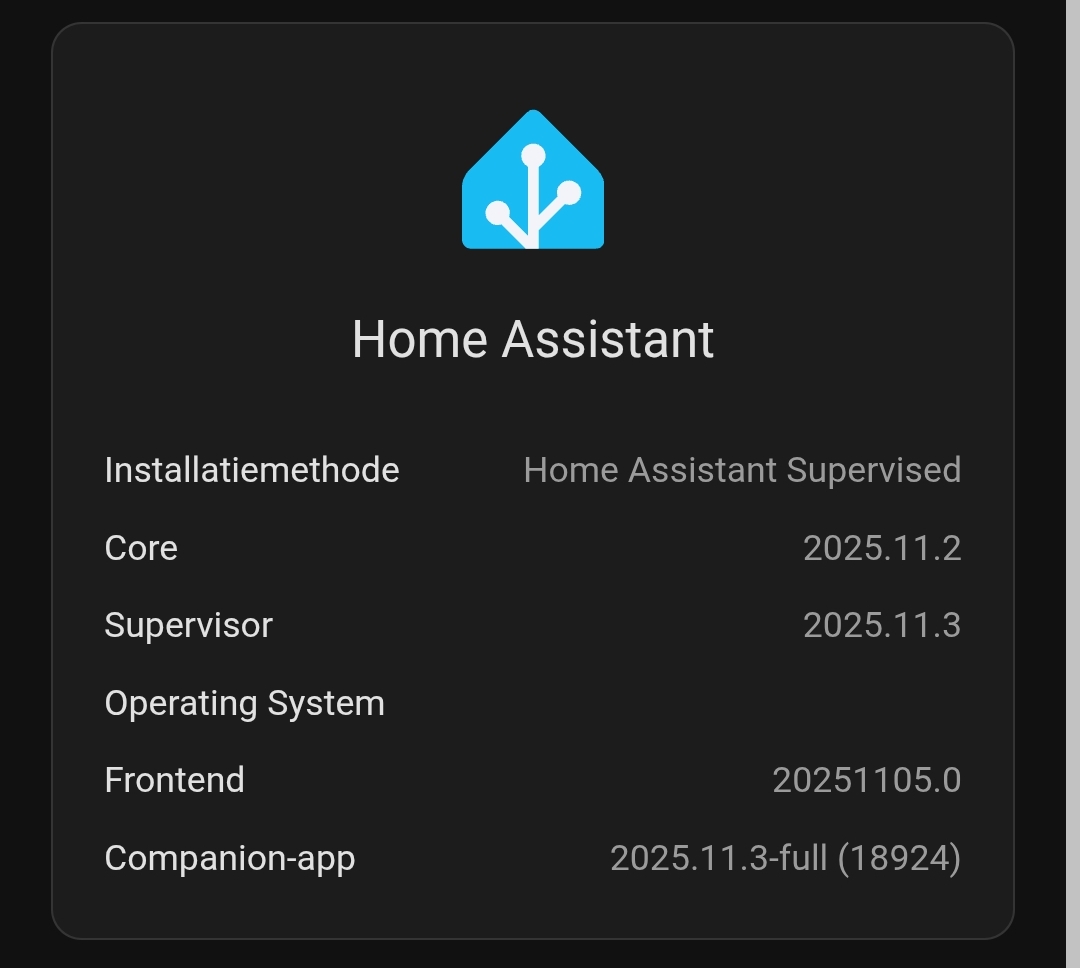
A full reboot does not help… The system info shows
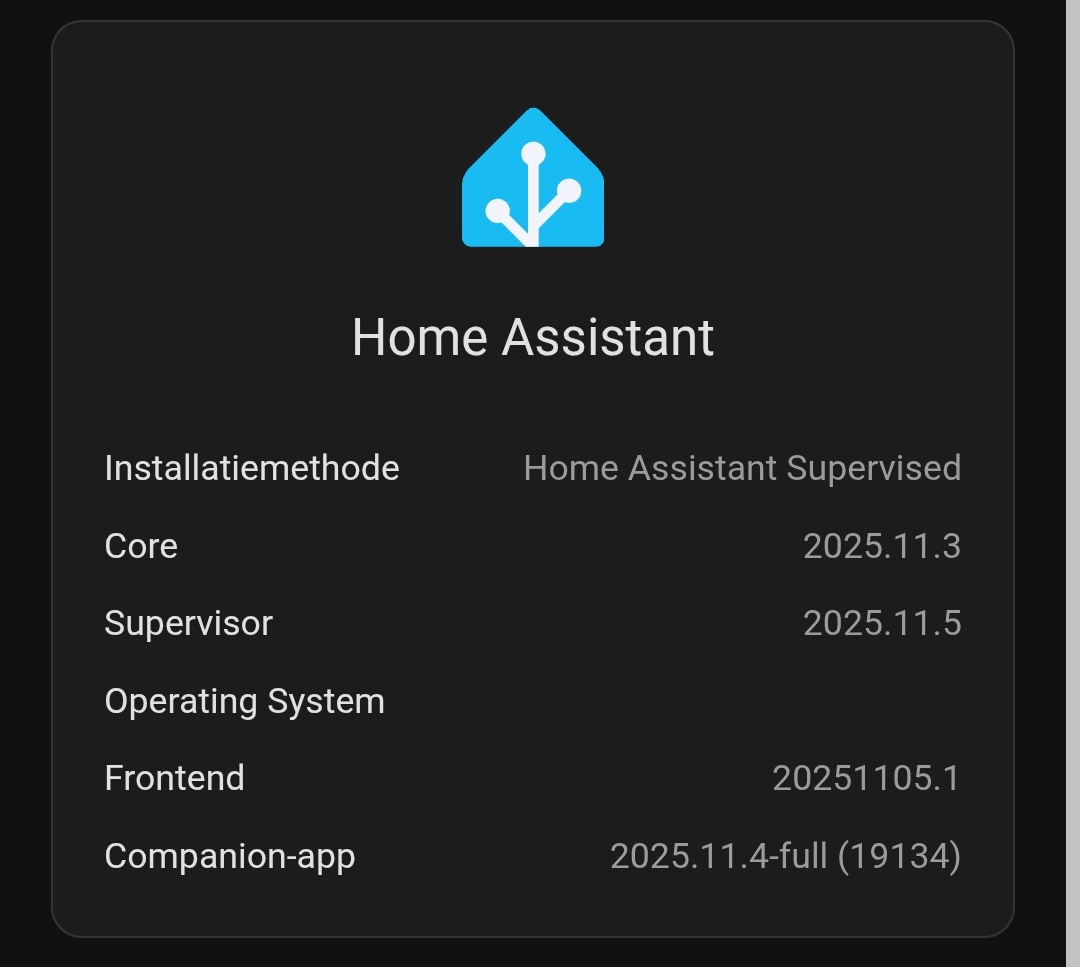
So correct me if I’m wrong but why does it show “Home Assistant Supervised” for the installation method while I assumed I installed the Home Assistant OS? And why is there no Operating System info shown?
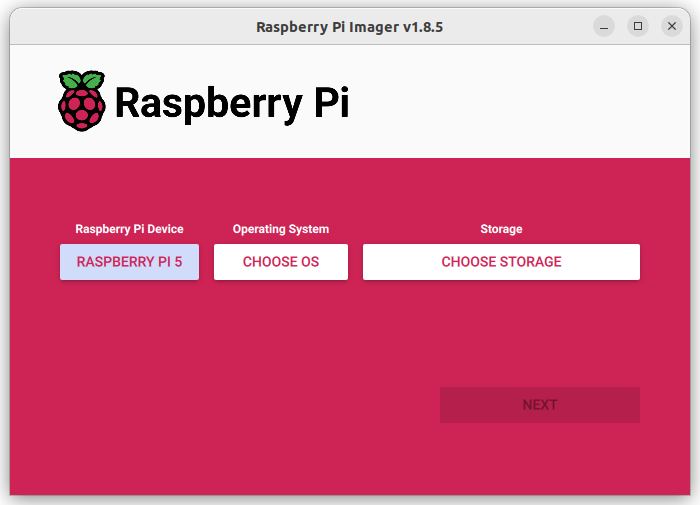
I think you can choose, way back in step 2, and the default is not HomeAssistant, but the standard Raspberry Pi image.
It is so easy just to keep pressing ok and hope for the best. Slow down, savour the experience, and read the screens and match up with the detailed instructions.
At least you get to experience this another time. Most of us only go through it once…
Fun fact: I still have my MSDOS 1.1 installed, including EDLIN.COM* on my primary home computer. Yes, like grandfathers axe, I have upgraded it many times, both hardware and software and it runs the latest version 11 of Windoze on 64Gb of RAM, not the 640Kb I started with, but as long as EDLIN.COM can be found in the C:\WINDOWS folder, I can comfortably be assured that it is still there, and I do not have to break out my five inch 320kb single sided floppies and start installing again from scratch onto the 5Mb ST506 hard disk drive, which these days is a 2Tb M2 SSD living on the motherboard. My mom recently asked me if she should still keep that secret box under her bed marked ‘offsite backup’ that I look at every Christmas, and I said yes. It is shoebox size, and has floppies, IDE, and SSD drives in it, my final port of call should my entire house be obliterated, but I survive. Each Christmas break a full (verified) backup goes in there, the final contingency.
*EDLIN.COM? The original MicroSoft [note the correct spelling, right off the front cover of the spiral bound book inside the stiff cardboard slip cover that it came in] word processor. Refer “vi” if you are transposed into an Unix/Linux universe.
I previously choosed the “Upload Back-up” function and selected the full manual backup I’ve made. Maybe it then also recovers the OS?
At the second time I now selected “Create my Smart Home” and created a user and a location. I then went to “Settings” and “Back-up” and then the “Upload Back-Up” at the top right (see below). I then uploaded there the manual created backup. It is now uploading so fingers crossed…
As @IOT7712 said:
I think you can choose, way back in step 2, and the default is not HomeAssistant, but the standard Raspberry Pi image.
I first installed HA on Raspberry (changed to NUC install later). It sounds like you may have installed the wrong image. You said there was “only one option”, but that’s not how I remember it. From what I remember there was more than one choice for images.
On this screen, which image did you choose? You should select “CHOOSE OS” and then select “Other specific-purpose OS”, and then select HA.
In both 1st and 2nd attempt I folowed the instructions. But it’s quite obvious because with some logical there is only one option and that’s the one below.
After the backup was uploaded and restored the system is now restored with the Home Assistant OS as installation method and the operating System is showing version 16.3 so I think it now went correct.
A small investment in a decent SSD will make the RPI run CONSIDERABLY faster. Trust me, it’s like being nearly blind and then getting really good glasses. Seriously. Works very fast if connected through USB, even slighlty faster than that if running off an NVME (similar IO specs but the pipeline is more direct). It’s like night and day.
Ok, but what does this has to do with the backup and installing the OS?
My current setup is already really fast and have a good A2 256Gb SD card which is running fine…
Glad you got it going. A learning experience to troubleshoot something that should have been straight forward.
Can you possibly feed that back to the author of the instructions to make it clearer for others that may stumble at this point and possibly take the wrong path?
Thanks.
Ok, things get annoying now, yesterday I got again the message that my system is unsupported. Strange thing is that it says that the notification is from twee weeks ago. I’m sure that I got the message yesterday and before that the system is rebooted a few times.
Anyway somebody has a clue how I solve this because it seems I’m doing something wrong. As far as I know I’m installing HA OS and not the supervised version. Is it even possible to install the supervised version by just using the Raspberry Pi imager?