Update notifications for Home Assistant

:counterclockwise_arrows_button:Update Notifications for Home Assistant

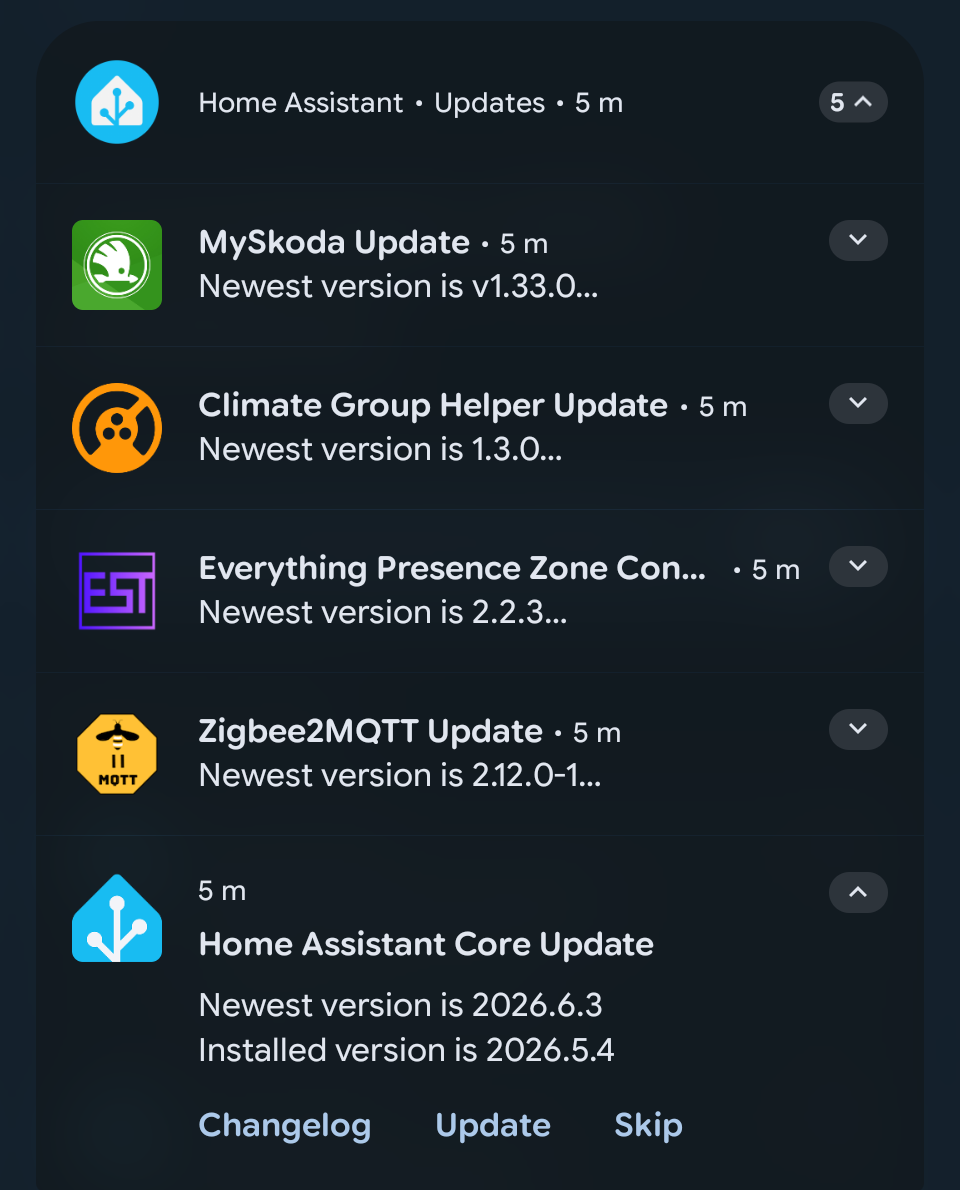
Get notified whenever there's an update in Home Assistant; check the changelog, update or skip.

Current version: 2.2

Open your Home Assistant instance and show the blueprint import dialog with a specific blueprint pre-filled.

:light_bulb: This is an evolution of this blueprint, which hasn't received updates in ages. I have only updated it, but the original author has to be credited for the idea and most of the initial work.

Improvements over the original Blueprint

New features

  • Exclude specific update entities: silence notifications for things that update constantly (e.g. ESPHome devices).
  • Exclude auto-updating add-ons: suppress notifications for add-ons that update themselves without user action.
  • New Configuration UI: settings are now grouped in sections, with better labels too.
  • Lazy Mode: a single reminder, once per week, on a configured weekday and time.

Improvements

  • Notifications and cleanup now cover all updates: Real-time "Updating…" feedback and automatic cleanup on startup now work for every update entity, not just the ones you configured.
  • Stale notifications cleared on startup: the original only cleared Core and OS on restart. Now covers all completed updates.

Broken things that now work

  • iOS install and skip buttons: the original's buttons failed silently on iOS due to a platform difference in notification event payloads.
  • Tapping Skip now clears the notification: the original left it on the device after skipping.
  • Lots of bugfixes a lot!
  • Code improvements both for reliability and logic.

Requirements

  • HA version: 2026.5.0 or later. It's the version i've tested this on.

  • HACS version: 2.0.x

  • Mobile device, iOS or Android, running the Home Assistant app.

Features

You will receive a notification on your mobile device running the Home Assistant App every time an update becomes available (any update entity turns on)

  1. Notifications include the following features:
  • New version
  • Current version
  • Link to open item
  • Update action
  • Skip action
  • Entity picture as icon (if available)
  • Changelog link (if available)
  1. Notification switches to "Updating..." when update is in progress
  2. Notification is automatically dismissed when the update is completed
  3. iOS and Android are fully supported
    Note: To see actions on iOS, you need to long-press the notification.
  4. Can create a persistent notification in the Home Assistant notification area as well. Text is identical to mobile notifications and are dismissed on complete, however, no action buttons are available
  5. Choose whether update action takes a partial backup or not. Note: HA native backup parameter applies only to HA Core and Apps/Add-ons, not HACS components
  6. Can send reminders about all available updates every N hours (configurable)
  7. Option to provide changelog links for update entities which don't have them so your notifications can still include them
  8. Do not disturb: limit when notifications are sent to mobile devices with a time window (always sent to HA notification area instead)

Installation

There is no direct migration from the original blueprint. Delete the original automation, then the original blueprint, and finally import the new one.

Click the Import Blueprint badge above, then follow the process to configure the automation.

History

2026-06-30 - Version 2.2 - Lazy Mode
2026-06-21 - Version 2.1.1 - Fix for Android notifications not being delivered
2026-06-21 - Version 2.1 - New features and lots of bugfixes
2026-06-17 - Version 2.0.1 - Fix for iOS action "Install"
2026-06-15 - Version 2.0 - Initial release

1 Like

Changelog

Version 2.2

Version 2.2

New Features

  • Lazy mode: A new mode in the Schedule section. When enabled, the Reminder interval is ignored and a single reminder is sent once per week on a configured weekday and time. Ideal if you prefer to handle updates on your own schedule without repeated reminders.
    • Note: the Notify after / Notify before time window still applies.
  • Disabled option for Reminder interval: The "None" interval has been re-introduced. When selected, no hourly reminders are sent. Intended for use together with Lazy mode.
    • Note: if both are off, no notifications will be sent.

Version 2.1.1

Version 2.1.1

Bug Fixes

  • Fixed: reminder notifications not delivered on Android: The stale-notification cleanup loop ran on every reminder trigger, sending one clear_notification FCM call per completed update. With a large number of installed updates this exceeded FCM's 240 messages/minute per-device limit, causing to drop notifications. The cleanup loop now skips the reminder trigger: it was never needed there, as real-time cleanup is already handled by other triggers.

Version 2.1

Version 2.1

New Features

  • Configuration sections: The configuration is now organised into sections - Schedule, Notifications, and Behaviour - making setup easier to navigate.
  • Exclude entities: New optional input to permanently silence notifications for specific updates. Useful for integrations that release very frequently, like ESPHome.
  • Clearer entity selection label: The "Update entities" field has been renamed to "Real-time monitoring for dashboard installs" and moved to the Behaviour section. An improved description clarifies that regular notifications work for all updates automatically. This field only affects dashboard-initiated installs.
    • Home Assistant Core is pre-selected: The Core update entity is now pre-selected when setting up the automation, reducing the initial configuration effort.
  • Exclude auto-updating Apps: New toggle (default: on) to suppress notifications for Apps (Add-ons) that have automatic updates enabled in their settings. These update themselves without user action, so the notification is redundant.
  • Notification persists after tapping Changelog: iOS does not support sticky notifications like Android, so tapping the Changelog action would previously remove the notification. The Changelog button now re-sends the notification immediately after tapping, restoring the same experience on iOS. Note: if you tap Changelog on the re-sent notification a second time, iOS will suppress the subsequent banner (same notification ID); it will reappear on the next scheduled reminder.

Changes

  • Reminder interval is now required: The "None" option has been removed. The reminder is the primary notification mechanism, so an interval must always be set. Default is 6 hours; options are 1 / 3 / 6 / 12 / 24.
  • Improved labels and descriptions throughout for clarity.

Bug Fixes

  • iOS install/skip buttons now work correctly (replaces the 2.0.1 fix): iOS does not echo action_data back in notification action events, so the previous fix that read the tag from action_data still failed. The tag is now encoded directly in the action string (install-update--<tag>, skip-update--<tag>), making it recoverable on both platforms without any platform-specific logic.
  • Removed dead iOS triggers: install_ios skip_ios sticky_ios were never used. iOS now sends action: like Android. All three removed.
  • Early-exit guard: The automation now exits immediately when triggered by an unrelated notification tap (e.g. from another automation), preventing the full cleanup loop from running unnecessarily.
  • Tapping Update/Skip on a stale notification now clears it correctly: If an update was already applied (e.g. via the dashboard) while the notification was still on the device, tapping Update or Skip now dismisses the notification and stops cleanly instead of failing silently.
  • iOS notification preview no longer shows a broken attachment error: On long press, iOS was trying to download the entity icon as a rich attachment and failing with a 404 for internal paths. The image field is now only set when the icon URL is externally reachable (http). Internal paths still show correctly as the small notification icon.
  • Double-tap race condition on Install: Tapping "Update" twice in quick succession no longer causes an error. A guard condition now checks that the update entity is still available and not already in progress before doing anything, so the second tap exits cleanly instead of sending a stuck "Updating…" notification or throwing "No update available" in HA Core logs.
  • Skip did not clear the notification: Tapping "Skip" left the notification on the device until the next cleanup run. The Skip branch now immediately sends clear_notification (and dismisses the HA persistent notification if enabled).
  • "Updating…" notification was dismissible on tap-to-install: When installing from the mobile notification, the "Updating…" message was sent without sticky: true, making it dismissible during the update. It now matches the dashboard-install path and stays pinned until cleared.
  • Startup cleanup covers all entities: On HA restart, stale notifications are now correctly cleared for all completed updates, not just Core and OS.
  • Completed updates always cleared: Stale notifications for completed updates are now cleared on every automation run, not just on HA restart. This covers updates installed from the HA dashboard for entities not in the real-time monitoring list.
  • Reminder no longer fires needlessly: The reminder trigger now respects the exclude list - if all pending updates are excluded, the trigger correctly evaluates to false instead of firing and doing nothing.
  • Skip action YAML fix: The Skip sequence was using an implicit mapping form instead of the correct list-item syntax, which relied on HA's lenient parser.
  • second == 0 removed: the reminder now fires reliably at any second within the matching minute, instead of requiring an exact second match that HA's template engine could easily miss.
  • "Updating…" notification now works correctly on iOS: When tapping Install, the iOS notification previously had no tap URL and was placed outside the configured notification group. It now navigates correctly on tap and respects the channel grouping.
  • "Updating…" notification from dashboard installs fixed on iOS: The notification shown when an update starts from the HA dashboard (real-time monitoring) was sending Android-specific fields to iOS devices. It now uses the correct platform-specific payload.
  • Skip now clears the notification before calling the service: Previously, if the skip service call failed (e.g. entity temporarily unavailable), the notification was left on the device with active buttons. The notification is now dismissed before the service call.

Version 2.0.1

Version 2.0.1

Bug Fixes

  • iOS install/skip buttons now work: Tapping the Update or Skip button on iOS now correctly recovers the entity tag from the notification. Previously, iOS did not echo back the notification data on regular button taps (only on URI/Changelog actions), causing an action_data undefined error and no update being installed.

Version 2.0

Version 2.0

Enhancements & Modernisation

  • Live Notification updates: The "Updating..." visual feedback and automatic notification dismissal now work for all updates, bypassing the previous limitation that required entities to be manually listed in the blueprint inputs.
  • Changelog for Home Assistant Apps (Add-ons): since Apps do not provide a changelog URL, the Blueprint will point to the "Info" section of the App, which will show a changelog
  • Improved UX for Custom Changelogs: Rewrote the description for changelog_urls, added an example directly inside the blueprint UI to easily guide the configuration.
  • Relative Path Support for Icons: Expanded the image processing logic to natively accept local/relative paths (such as /api/hassio/addons/...). This fixes missing icons while ensuring seamless handling
  • Modern Home Assistant Compatibility: Fully migrated the blueprint to use modern core standards, updating deprecated service: definitions to the current action: syntax.

Cleanups & Deprecations

  • Removed Configuration Check: stripped out the run_config_check option, triggers, and corresponding sequence blocks, as the old "Check Home Assistant configuration" add-on is now fully deprecated.
  • Removed Release Summary: Removed the code that would display the Release Summary, as this is not supported anymore, being replaced by Changelog URL.
  • Dead Code Elimination: Streamlined the Update completed and startup sequences by removing complex nested YAML anchors and conditional structures left behind by the deprecated features.

Bug Fixes

  • Resolved Device Notification Crashes: Fixed Error sending notification failures caused by strict Firebase Cloud Messaging (FCM) API serialization constraints. Removed incompatible iOS-exclusive flags on Android targets and added rigorous input validation to omit empty string payloads.
  • Fixed Template Type-Casting Bugs: Corrected a structural issue where multiline string operators (>-) inadvertently coerced data blocks into plain strings, causing loops to break with extra keys not allowed messages. Reminders are now handled cleanly via native Python types and a strictly anchored id: reminder template trigger.

thanks for the updated version. what is the migration path to follow if I am using the old blueprint?

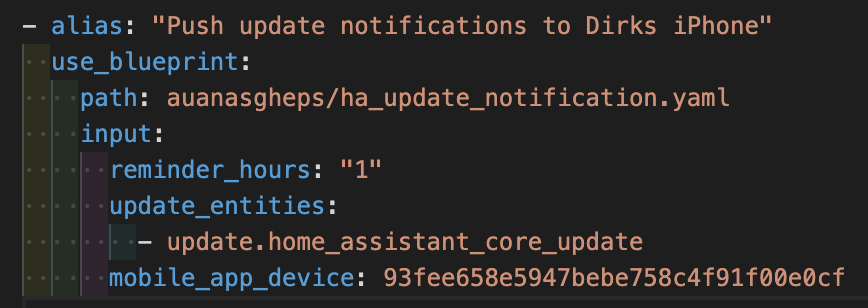
edit: okay, what I did was I just imported the new template and changed the path in my existing automation:

Indeed: there's no direct migration path, because the Blueprint is on a new GitHub Gist..
Just delete the old automation, then import the new Blueprint.

By the way, I'm already working on version 2.1 with some cool improvements like Exclude Entities :slight_smile:

Cool!

Is there a way to add all devices at once?

I'm not sure I got your question.

You mean that you would like to notify multiple mobile devices at once? This is not possible right now.

Or you mean to monitor all updates? They are already monitored automatically, you just need one to make the automation work. I'm trying to make this more clear in 2.1

I meant adding all "update" entities to add to the automation

You just need to enter one to let the automation work. The ones that are entered will be notified as soon as are available, all the other updates will be notified using the "Reminder Hours".

I tried to remove the "Update entities" selection, but it breaks some logics.

I'm evaluating a way to auto-add all update entities, but this could break other things.

1 Like

Your blueprint isn’t working: I do get the update notification but if I hit the update button there is no update being made.

* Template variable warning: 'update_entities' is undefined when rendering '{% set ns = namespace(core=none) %} {% for u in integration_entities('hassio') | select('in', update_entities) if (device_attr(u, 'identifiers') | first)[1] == 'core' %} {% set ns.core = u %} {% endfor %} {% if run_config_check and ns.core is string and expand(ns.core) | first | attr('state') == 'on' %} {% for e in expand(integration_entities('hassio')) | selectattr('attributes.device_class', 'eq', 'running') if (device_attr(e.entity_id, 'identifiers') | first)[1] == 'core_check_config' %} {{ e.state == 'off' and e.last_changed > expand(ns.core) | first | attr('last_changed') }} {% endfor %} {% else %} {{ false }} {% endif %}'
* Template variable warning: 'run_config_check' is undefined when rendering '{% set ns = namespace(core=none) %} {% for u in integration_entities('hassio') | select('in', update_entities) if (device_attr(u, 'identifiers') | first)[1] == 'core' %} {% set ns.core = u %} {% endfor %} {% if run_config_check and ns.core is string and expand(ns.core) | first | attr('state') == 'on' %} {% for e in expand(integration_entities('hassio')) | selectattr('attributes.device_class', 'eq', 'running') if (device_attr(e.entity_id, 'identifiers') | first)[1] == 'core_check_config' %} {{ e.state == 'off' and e.last_changed > expand(ns.core) | first | attr('last_changed') }} {% endfor %} {% else %} {{ false }} {% endif %}'
* Template variable error: 'dict object' has no attribute 'action_data' when rendering '{{ trigger.event.data.tag if trigger.event.data.tag is string and trigger.event.data.tag != '' else trigger.event.data.action_data.tag }}'

* Push update notifications to Dirks iPhone: Choose at step 1: Install update action: Error executing script. Error rendering template for variables at pos 1: UndefinedError: 'dict object' has no attribute 'action_data'
* Push update notifications to Dirks iPhone: Error executing script. Error rendering template for choose at pos 1: UndefinedError: 'dict object' has no attribute 'action_data'

Error while executing automation automation.push_update_notifications_to_dirks_iphone: UndefinedError: 'dict object' has no attribute 'action_data'

Thanks for the heads-up. I actually did not try the Install action on iOS, only on Android. Nice catch!
I'm working on 2.1 but it's not ready yet, so I released a hot-fix.

Use Re-Import Blueprint to update to 2.0.1.

Version 2.0.1

Bug Fixes

  • iOS install/skip buttons now work: Tapping the Update or Skip button on iOS now correctly recovers the entity tag from the notification. Previously, iOS did not echo back the notification data on regular button taps (only on URI/Changelog actions), causing an action_data undefined error and no update being installed.
3 Likes

Update on iOS still (2.0.1) not working:

* Template variable warning: 'update_entities' is undefined when rendering '{% set ns = namespace(core=none) %} {% for u in integration_entities('hassio') | select('in', update_entities) if (device_attr(u, 'identifiers') | first)[1] == 'core' %} {% set ns.core = u %} {% endfor %} {% if run_config_check and ns.core is string and expand(ns.core) | first | attr('state') == 'on' %} {% for e in expand(integration_entities('hassio')) | selectattr('attributes.device_class', 'eq', 'running') if (device_attr(e.entity_id, 'identifiers') | first)[1] == 'core_check_config' %} {{ e.state == 'off' and e.last_changed > expand(ns.core) | first | attr('last_changed') }} {% endfor %} {% else %} {{ false }} {% endif %}'
* Template variable warning: 'run_config_check' is undefined when rendering '{% set ns = namespace(core=none) %} {% for u in integration_entities('hassio') | select('in', update_entities) if (device_attr(u, 'identifiers') | first)[1] == 'core' %} {% set ns.core = u %} {% endfor %} {% if run_config_check and ns.core is string and expand(ns.core) | first | attr('state') == 'on' %} {% for e in expand(integration_entities('hassio')) | selectattr('attributes.device_class', 'eq', 'running') if (device_attr(e.entity_id, 'identifiers') | first)[1] == 'core_check_config' %} {{ e.state == 'off' and e.last_changed > expand(ns.core) | first | attr('last_changed') }} {% endfor %} {% else %} {{ false }} {% endif %}'
* Template variable error: 'dict object' has no attribute 'action_data' when rendering '{{ trigger.event.data.tag if trigger.event.data.tag is string and trigger.event.data.tag != '' else trigger.event.data.action_data.tag }}'

* Push update notifications to Dirks iPhone: Choose at step 1: Install update action: Error executing script. Error rendering template for variables at pos 1: UndefinedError: 'dict object' has no attribute 'action_data'
* Push update notifications to Dirks iPhone: Error executing script. Error rendering template for choose at pos 1: UndefinedError: 'dict object' has no attribute 'action_data'


Error while executing automation automation.push_update_notifications_to_dirks_iphone: UndefinedError: 'dict object' has no attribute 'action_data'

Hi Dirk,

Two thinks are happening here

  • The automation does crash when clicking Install on iOS - just reproduced. Sorry for this, I usually don't use it for HA so my testing was limited on this platform.
  • run_config_check does not exist in v2.0. Can you please delete everything about the old automation?

I'm working on a fix, as iOS notifications are quite complex and there's still a lot of old code.

I deleted the old blueprint, installed the new one. and I only have that triggering automation that I already shared with you here: Update notifications for Home Assistant - #3 by dm82m

edit: I deleted and re-created my triggering automation. maybe there was something cached or whatsoever. will let you know after I got the next update pushed.
and please keep me posted if that ios bug is fixed and 2.0.2 is released

Version 2.1 is now available!

This version has some useful new features, but I also fixes a lot of bugs: the list is quite long because I kept discovering them!
iOS notifications are a pain to deal with, but they have been fixed as well.

The changelog is available in the second post.

Upgrade note
Use Re-Import Blueprint button to update to 2.1.

If your previous configuration had the reminder interval set to "None", you will need to select a new interval — "None" has been removed in v2.1. All other settings carry forward automatically.

New Update available

I quickly realised I did something stupid because I wasn't receiving reminders anymore. Now it's fixed.

Version 2.1.1

Bug Fixes

  • Fixed: reminder notifications not delivered on Android: The stale-notification cleanup loop ran on every reminder trigger, sending one clear_notification FCM call per completed update. With a large number of installed updates this exceeded FCM's 240 messages/minute per-device limit, causing to drop notifications. The cleanup loop now skips the reminder trigger: it was never needed there, as real-time cleanup is already handled by other triggers.

Upgrade note
Use Re-Import Blueprint button to update to 2.1.1.

Wow great, so many updates to the original blueprint :+1:t3:

Maybe a quick list of fixes and feature improvements (comparison to the original blueprint) would be very helpful for people so they can decide if they need or want to migrate to this forked version.

In my case

  • the original one is working flawlessly for years and
  • (until now) I don’t miss any features
  • (but read the reminder interval „none“ has been removed which irritates me a bit as I only want to get notified about one update once)

So I‘d really appreciate a comparison table or similar in the original post. With so many updates already it’s rather difficult to spot the differences as the changelogs are rather intensive already (which is rare and in general great in my opinion).

The old one does not work anymore at all... so...?

For me it does. Perfectly. But I‘m not sure if I patched it on my own once in the last few years to make it continue to work.

Sure!

I have used the original one for a long, long time, keeping it alive with fixes from this forum and GitHub, but I thought was time to give real justice to this blueprint. Also, for some reason it stopped to work on my side.

EDIT: Also added this list to the first post, so anyone can see this!

New features

  • Exclude specific update entities: silence notifications for things that update constantly (e.g. ESPHome devices).
  • Exclude auto-updating add-ons: suppress notifications for add-ons that update themselves without user action.
  • New Configuration UI: settings are now grouped in sections, with better labels too.

Improvements

  • Notifications and cleanup now cover all updates: Real-time "Updating…" feedback and automatic cleanup on startup now work for every update entity, not just the ones you configured.
  • Stale notifications cleared on startup: the original only cleared Core and OS on restart. Now covers all completed updates.

Broken things that now work

  • iOS install and skip buttons: the original's buttons failed silently on iOS due to a platform difference in notification event payloads. Fully fixed.
  • Tapping Skip now clears the notification: the original left it on the device after skipping.
  • Lots of bugfixes not worth mentioning in a summary
  • Code improvements both for reliability and logic
3 Likes

@auanasgheps thanks a lot taking the effort and improve the original blueprint!
Really appreciate it.

Because i was also distracte by the retry intervalls i have modified the orignal blueprint to just push notifications once a week.

Here it is:

blueprint:
  name: Update notifications
  description: Send notifications for new updates and install or skip on action
  homeassistant:
    min_version: 2022.4.0
  domain: automation
  input:
    update_entities:
      name: Update entities
      description: >
        List of update entities to watch for updates on and be notified
        as soon as one is available.
      selector:
        entity:
          domain:
            - update
          multiple: true

    mobile_app_device:
      name: Device to notify
      description: Device needs to run the official Home Assistant app to receive notifications.
      selector:
        device:
          integration: mobile_app

    send_to_ha:
      name: Send to HA
      description: Send to HA as a persistent notification
      default: false
      selector:
        boolean: {}

    reminder_weeks:
      name: Reminder interval (weeks)
      description: >
        0 = disabled. Otherwise sends reminders every N weeks on the selected
        weekday and time.
      default: 1
      selector:
        number:
          min: 0
          max: 12
          step: 1
          mode: box

    reminder_weekday:
      name: Reminder weekday
      description: Weekday on which reminder notifications should be sent
      default: Saturday
      selector:
        select:
          options:
            - Monday
            - Tuesday
            - Wednesday
            - Thursday
            - Friday
            - Saturday
            - Sunday
          multiple: false
          custom_value: false

    reminder_time:
      name: Reminder time
      description: Time at which reminder notifications should be sent
      default: "11:00:00"
      selector:
        time: {}

    take_backup:
      name: Take backup
      description: Do a partial backup before updating if able
      default: true
      selector:
        boolean: {}

    run_config_check:
      name: Run config check
      description: >
        If true, this automation will start the `check configuration`
        addon when a core update is available. The notification will initially say
        config check is running and then update when it completes. Clicking the notification
        will open that addon's logs so you can check the status. WARNING: You must
        list your update entity for core in `update_entities` to use this feature.
      default: false
      selector:
        boolean: {}

    changelog_urls:
      name: Changelog urls
      description: >
        Some update entities (ex. the ones for addons) don't have a link
        to the changelog because they can't. If this bothers you then you can provide
        a dictionary here. Each key should be an update entity ID and the value the
        url to its changelog. This will only be used if `release_url` is `null` on
        the update entity. EX. `update.adguard_home_update: https://github.com/hassio-addons/addon-adguard-home/releases/latest`
        or `update.mariadb_update: https://github.com/home-assistant/addons/blob/473ffc13a36af757dbdc9187018d16b88b95493e/mariadb/CHANGELOG.md`
      default: none
      selector:
        object: {}

    only_after:
      name: Only after
      description: Only send notifications to mobile devices after this time
      default: 00:00:00
      selector:
        time: {}

    only_before:
      name: Only before
      description: Only send notifications to mobile devices before this time
      default: 00:00:00
      selector:
        time: {}

    notification_channel:
      name: Channel/Group
      description: >
        Sets the [channel](https://companion.home-assistant.io/docs/notifications/notifications-basic#notification-channels)
        (android) and [group](https://companion.home-assistant.io/docs/notifications/notifications-basic#grouping)
        (ios) for update notifications
      default: Updates
      selector:
        text: {}

    status_bar_icon:
      name: Status bar icon
      description: >
        (Android only) Sets the [status bar icon](https://companion.home-assistant.io/docs/notifications/notifications-basic/#notification-icon).
        NOTE: Different then the icon inside the notification, that is always set
        to the entity picture of the update entity (if it has one).
      default: mdi:package-up
      selector:
        icon:
          placeholder: mdi:package-up

  source_url: https://gist.github.com/mdegat01/13d91bc293e8b98cba2c9ee932527dea

mode: parallel
max: 100

trigger_variables:
  run_config_check: !input run_config_check
  update_entities: !input update_entities

trigger:
  - id: new
    platform: state
    entity_id: !input update_entities
    to: "on"

  - id: started
    platform: state
    entity_id: !input update_entities
    attribute: in_progress
    from: false
    to: true

  - id: done
    platform: state
    entity_id: !input update_entities
    from: "on"
    to: "off"

  - id: install
    platform: event
    event_type: mobile_app_notification_action
    event_data:
      action: install-update

  - id: install_ios
    platform: event
    event_type: mobile_app_notification_action
    event_data:
      actionName: install-update

  - id: skip
    platform: event
    event_type: mobile_app_notification_action
    event_data:
      action: skip-update

  - id: skip_ios
    platform: event
    event_type: mobile_app_notification_action
    event_data:
      actionName: skip-update

  - id: core_check
    platform: template
    value_template: >-
      {% set ns = namespace(core=none) %}
      {% for u in integration_entities('hassio') | select('in', update_entities)
          if (device_attr(u, 'identifiers') | first)[1] == 'core' %}
        {% set ns.core = u %}
      {% endfor %}
      {% if run_config_check and ns.core is string and expand(ns.core) | first | attr('state') == 'on' %}
        {% for e in expand(integration_entities('hassio')) | selectattr('attributes.device_class', 'eq', 'running')
            if (device_attr(e.entity_id, 'identifiers') | first)[1] == 'core_check_config' %}
          {{ e.state == 'off' and e.last_changed > expand(ns.core) | first | attr('last_changed') }}
        {% endfor %}
      {% else %}
        {{ false }}
      {% endif %}

  - id: ha_start
    platform: homeassistant
    event: start

  - id: reminder
    platform: time
    at: !input reminder_time

  - id: sticky_ios
    platform: event
    event_type: mobile_app_notification_action
    event_data:
      action: URI

variables:
  mobile_app_device: !input mobile_app_device
  send_to_ha: !input send_to_ha
  reminder_weeks_raw: !input reminder_weeks
  reminder_weeks: "{{ reminder_weeks_raw | int(0) }}"
  reminder_weekday: !input reminder_weekday
  _changelog_urls: !input changelog_urls
  changelog_urls: "{{ _changelog_urls if _changelog_urls is mapping else {} }}"
  take_backup: !input take_backup

  core_update_entity: >-
    {% for u in integration_entities('hassio') | select('search', '^update[.]')
        if (device_attr(u, 'identifiers') | first)[1] == 'core' %}
      {{ u }}
    {% endfor %}

  os_update_entity: >-
    {% for u in integration_entities('hassio') | select('search', '^update[.]')
        if (device_attr(u, 'identifiers') | first)[1] == 'OS' %}
      {{ u }}
    {% endfor %}

  skip_action:
    action: skip-update
    title: Skip
    destructive: true
    authenticationRequired: true

  update_action:
    action: install-update
    title: Update
    destructive: true
    authenticationRequired: true

action:
  - choose:
      - alias: Install update action
        conditions: "{{ trigger.id in ['install', 'install_ios'] }}"
        sequence:
          - variables:
              entity_id: >-
                update.{{
                  trigger.event.data.tag
                  if trigger.event.data.tag is string and trigger.event.data.tag != ''
                  else trigger.event.data.action_data.tag
                }}
          - service: update.install
            data:
              entity_id: "{{ entity_id }}"
              backup: >-
                {% set ids = device_attr(entity_id, 'identifiers') | first %}
                {{ take_backup and ids[0] == 'hassio' and ids[1] not in ['supervisor', 'OS'] }}

      - alias: Skip update action
        conditions: "{{ trigger.id in ['skip', 'skip_ios'] }}"
        sequence:
          - service: update.skip
            data:
              entity_id: >-
                update.{{
                  trigger.event.data.tag
                  if trigger.event.data.tag is string and trigger.event.data.tag != ''
                  else trigger.event.data.action_data.tag
                }}

      - alias: Update completed
        conditions: "{{ trigger.id == 'done' }}"
        sequence:
          - &id004
            variables:
              entity_id: "{{ trigger.entity_id }}"

          - &id001
            variables:
              message: clear_notification
              data:
                tag: "{{ entity_id[7:] }}"

          - &id002
            choose: []
            default:
              - variables:
                  data: "{{ dict(data, action_data={'tag': data.tag}) }}"
              - choose:
                  - alias: Send to first mobile device if specified
                    conditions: "{{ not not mobile_app_device }}"
                    sequence:
                      - device_id: !input mobile_app_device
                        domain: mobile_app
                        type: notify
                        title: "{{ title | default('') }}"
                        message: >-
                          {{
                            message
                            if device_attr(mobile_app_device, 'manufacturer') != 'Apple'
                            else message | replace('<br>', '\n')
                          }}
                        data: >-
                          {{
                            data
                            if device_attr(mobile_app_device, 'manufacturer') != 'Apple'
                               or data.icon_url is not string
                            else dict(data, image=data.icon_url)
                          }}

          - &id003
            alias: Dismiss from HA if replicating there
            choose:
              - conditions: "{{ send_to_ha }}"
                sequence:
                  - service: persistent_notification.dismiss
                    data:
                      notification_id: "{{ entity_id[7:] }}"

      - alias: On startup, dismiss core and os notifications as they occurred while off
        conditions: "{{ trigger.id == 'ha_start' }}"
        sequence:
          - alias: Dismiss core update notification if off
            choose:
              - conditions: >-
                  {{
                    core_update_entity != ''
                    and expand(core_update_entity) | first | attr('state') == 'off'
                  }}
                sequence:
                  - variables:
                      entity_id: "{{ core_update_entity }}"
                  - *id001
                  - *id002
                  - *id003

          - alias: Dismiss os update notification if off
            choose:
              - conditions: >-
                  {{
                    os_update_entity != ''
                    and expand(os_update_entity) | first | attr('state') == 'off'
                  }}
                sequence:
                  - variables:
                      entity_id: "{{ os_update_entity }}"
                  - *id001
                  - *id002
                  - *id003

      - alias: New update available
        conditions: "{{ trigger.id == 'new' }}"
        sequence:
          - *id004

          - &id005
            variables:
              ids: "{{ device_attr(entity_id, 'identifiers') | first }}"

              changelog_action:
                action: URI
                title: Changelog
                uri: >-
                  {% set version = state_attr(entity_id, 'latest_version') %}
                  {{
                    state_attr(entity_id, 'release_url')
                    | default(changelog_urls[entity_id] | default(''), true)
                    | regex_replace('(/CHANGELOG.md)$', '\\1#' ~ version | regex_replace('[^-\\w]'))
                    | default(None, true)
                  }}

              include_core_check: >-
                {{ run_config_check and ids[0] == 'hassio' and ids[1] == 'core' }}

              core_check_complete: >-
                {% set ns = namespace(core=none) %}
                {% for u in integration_entities('hassio') | select('in', update_entities)
                    if (device_attr(u, 'identifiers') | first)[1] == 'core' %}
                  {% set ns.core = u %}
                {% endfor %}
                {% if run_config_check and ns.core is string and expand(ns.core) | first | attr('state') == 'on' %}
                  {% for e in expand(integration_entities('hassio')) | selectattr('attributes.device_class', 'eq', 'running')
                      if (device_attr(e.entity_id, 'identifiers') | first)[1] == 'core_check_config' %}
                    {{ e.state == 'off' and e.last_changed > expand(ns.core) | first | attr('last_changed') }}
                  {% endfor %}
                {% else %}
                  {{ false }}
                {% endif %}

              title: "{{ state_attr(entity_id, 'friendly_name') }}"

              message: >-
                {% set summary = state_attr(entity_id, 'release_summary') %}
                Newest version is {{ state_attr(entity_id, 'latest_version') }}<br>
                Installed version is {{ state_attr(entity_id, 'installed_version') }}
                {% if include_core_check %}
                  <br>Config check has {{ 'completed, check addon logs for status.' if core_check_complete else 'started, should be done soon.' }}
                {% endif %}
                {{ '<br>' ~ summary if summary is string }}

              url: >-
                {% set url = device_attr(entity_id, 'configuration_url') %}
                {% set ids = device_attr(entity_id, 'identifiers') | first %}
                {% if url is string %}
                  {{ url | regex_replace('^homeassistant://') }}
                {% elif ids[0] == 'hassio' and ids[1] in ['supervisor', 'OS'] %}
                  /hassio/system
                {% elif run_config_check and ids[0] == 'hassio' and ids[1] == 'core' %}
                  /hassio/addon/core_check_config/logs
                {% else %}
                  /config
                {% endif %}

              data:
                tag: "{{ entity_id[7:] }}"
                channel: !input notification_channel
                group: !input notification_channel
                notification_icon: !input status_bar_icon
                icon_url: "{{ state_attr(entity_id, 'entity_picture') | default('', true) }}"
                url: "{{ url }}"
                clickAction: "{{ url }}"
                sticky: "true"
                actions: >-
                  {{
                    ([changelog_action] if changelog_action.uri is string else [])
                    + [update_action]
                    + ([] if ids[0] == 'hassio' and ids[1] == 'supervisor' else [skip_action])
                  }}

          - &id007
            choose:
              - alias: Only send to mobile devices if within provided time range
                conditions:
                  - condition: time
                    after: !input only_after
                    before: !input only_before
                sequence:
                  - *id002

          - &id006
            alias: Send to HA if replicating there
            choose:
              - conditions: "{{ send_to_ha }}"
                sequence:
                  - service: persistent_notification.create
                    data:
                      notification_id: "{{ entity_id[7:] }}"
                      title: "{{ title }}"
                      message: >-
                        {{
                          '%s\n\n### More info\n- [Open](%s)' % (message | replace('<br>', '\n'), data.url)
                          ~ ('\n- [Changelog](%s)' % changelog_action.uri if changelog_action.uri is string else '')
                        }}

          - alias: Stop if this isn't core or we're not running a config check
            condition: template
            value_template: "{{ include_core_check }}"

          - alias: Start config check addon
            service: hassio.addon_start
            data:
              addon: core_check_config

      - alias: Emulate sticky on IOS by recreating the notification
        conditions:
          - "{{ trigger.id == 'sticky_ios' }}"
          - "{{ trigger.event.data.action_data is mapping and trigger.event.data.action_data.tag is string }}"
          - "{{ is_state('update.' ~ trigger.event.data.action_data.tag, 'on') }}"
        sequence:
          - variables:
              entity_id: >-
                update.{{
                  trigger.event.data.tag
                  if trigger.event.data.tag is string and trigger.event.data.tag != ''
                  else trigger.event.data.action_data.tag
                }}
          - *id005
          - *id002
          - *id006

      - alias: Core check addon completed
        conditions: "{{ trigger.id == 'core_check' }}"
        sequence:
          - variables:
              entity_id: "{{ core_update_entity }}"
          - *id005
          - *id007
          - *id006

      - alias: Update started
        conditions: "{{ trigger.id == 'started' }}"
        sequence:
          - *id004
          - *id005
          - variables:
              message: Updating...
              data: >-
                {{
                  dict(data, actions=[changelog_action] if changelog_action.uri is string else [])
                }}
          - *id007
          - *id006

      - alias: Send reminders if enabled
        conditions: >-
          {% set weekday_map = {
            'Monday': 1,
            'Tuesday': 2,
            'Wednesday': 3,
            'Thursday': 4,
            'Friday': 5,
            'Saturday': 6,
            'Sunday': 7
          } %}
          {% if reminder_weeks > 0 %}
            {{
              trigger.id == 'reminder'
              and now().isoweekday() == weekday_map[reminder_weekday]
              and ((now().isocalendar()[1] - 1) % reminder_weeks == 0)
            }}
          {% else %}
            {{ false }}
          {% endif %}
        sequence:
          - alias: Get all pending, unstarted updates
            variables:
              updates: >-
                {{
                  states.update
                  | selectattr('state', 'eq', 'on')
                  | rejectattr('attributes.in_progress', 'true')
                  | map(attribute='entity_id')
                  | list
                }}

          - alias: Loop over updates and send reminder
            repeat:
              count: "{{ updates | count }}"
              sequence:
                - variables:
                    entity_id: "{{ updates[repeat.index - 1] }}"
                - *id005
                - *id007
                - *id006

and this is how you use it:

alias: Update notifications
description: ""
use_blueprint:
  path: mdegat01/update_notifications.yaml
  input:
    reminder_hours: "3"
    mobile_app_device: xxxxxxx
    send_to_ha: true
    only_after: "08:00:00"
    only_before: "21:00:00"
    update_entities:
      - update.hacs_update
    mobile_app_device_2: xxxxx
    reminder_weeks: 1
    reminder_weekday: Friday
    reminder_time: "14:00:00"

The benefit is that not on every update my HA instance/phone wants me to update this thing :slight_smile: and again, and again... i'll do it when i have time but want one update notification in a week.

So when i looked at the features and migration list of @e-raser i saw that "None" interval was removed.

I like the other features you have added so my question are:

  • Can you please add the "None" Intervall back?
  • And optionally Notification when they arrive?
  • or once on a defined calender event?

That would be really nice.
keep up the good work.