check what I wrote in a post above - menu option hass.io, tab: System, then button “change hostname” and “reboot” after that.
1 Like
as per the post right above yours. Go to hassio>system
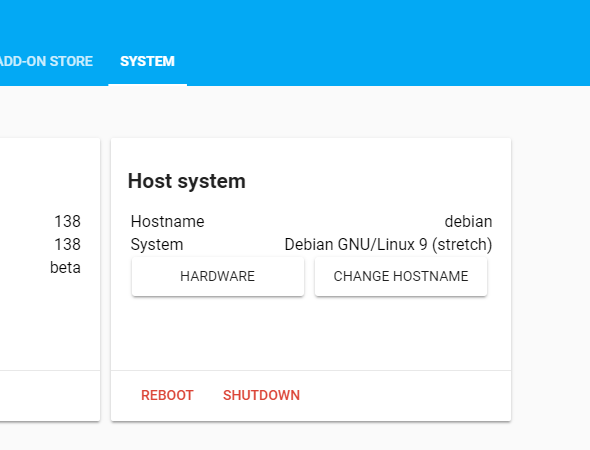
Click changehostname
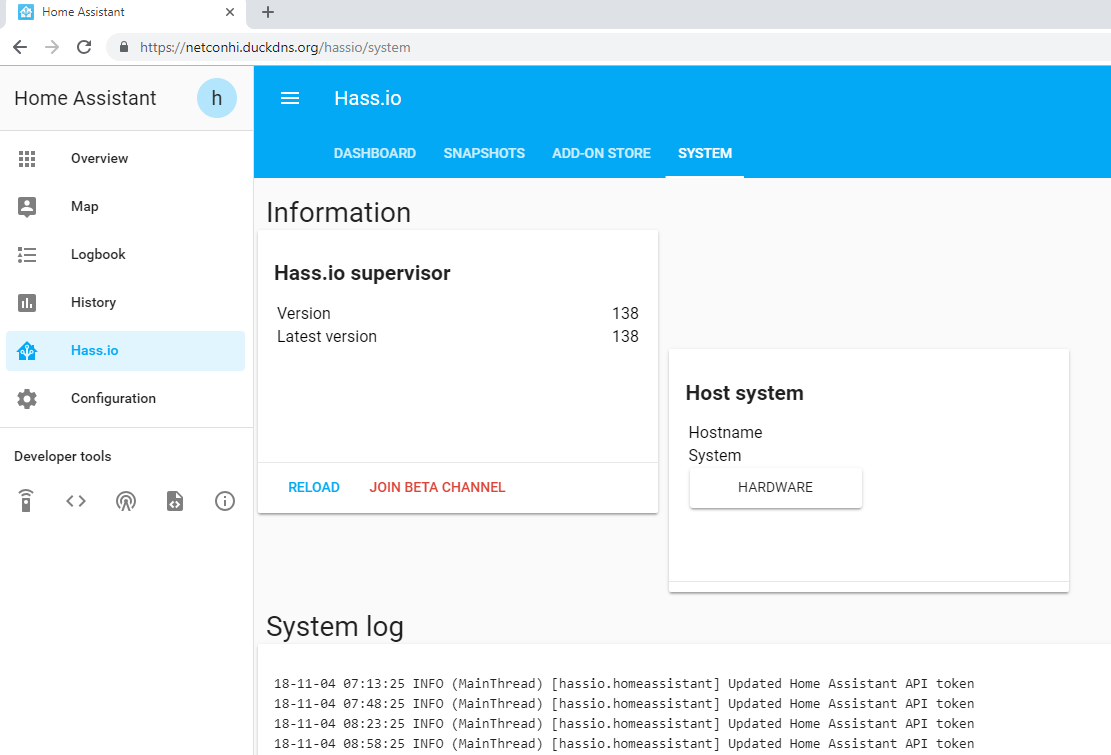
hmm, try ctrl-f5 [force refresh] maybe? the layout looks like it wants to display something, but forgot what. kinda messed up
Too many changes all at the same time… some change management control protocols are probably in order here.
Anyway… after now upgrading to HA 0.81.6 and Samba 8 (I’m running hass.io 1.12), Samba has settled down after the following configuration mods:
{
  "workgroup": "WORKGROUP",
  "username": "hassio",
  "password": "your-old-api-password",
  "interface": "",
  "allow_hosts": [
    "192.168.0.0/16"
  ]
}
Drive and folder mapping have changes and I would really like to find out where the smb.conf file is on a pi3 running the above and if I can configure samba in the normal method.
(by the way, if you do the above, when you attempt to share on your pc, you will be prompted for the login/password… enter it and click on “save forever”)
What is the ‘normal’ method?
I do find it a good idea to read the docs for the addon and when I update an addon I usually copy the config to a text file and click on defaults to see if anything has changed.
Under linux/unix it would be to work with the /etc/samba/smb.conf file but under hassio… it ain’t there.
RTF isn’t working here… there is no obviously published docs or source for the hassio/samba addon.
1 Like
Yeah well that’s hass.io - the price you pay for using that.
Again… so much for the RTFM argument the developers love to default to.
The manual has the correct configuration information.
Please direct me to the manual. I cannot find any more than a default config file display which without modifications shown as I did above, errored out.
Full circle.
I don’t understand your complaint. It tells you what you have to change. The username and password are not optional.
Issue accessing from Windows 10 after update.
I can access from file explorer on Android device but windows 10 won’t access.
Seem to remember having a similar issue when I set it up and think the fix was to use guest mode but this is now gone.
Any ideas.
AFAIR, SambaV1 isn’t enabled by default in Windows10 anymore. they also did something with SambaV2 guest mode. can’t find the article right now, but I know that about V1 the fix was to enable it by hand; the V2 issue is described here - didn’t tried it, as I don’t use guest shares, but maybe you should take a look on both of those topics 
not sure if it’s your issue, but at least there are some keywords to look for 
@mchauhan I have the same issue. Did you ever sort this out? I have a thread going about it. It’s related to this error in the hassio logs:
18-11-08 23:28:22 ERROR (MainThread) [hassio.host.control] No manager D-Bus connection available
The changelog link shows up on the addon’s page but once you update it no longer appears. After that you have to go to the addons github page, find the addon, and find that addon’s changelog.
Samba 7 https://github.com/home-assistant/hassio-addons/blob/master/samba/CHANGELOG.md
Hostname of the device is used.
Guest access disabled.
I moved from Hassio to HassOS and I am running latest OS and latest HA 0.81.6, no file share or samba issue. I had a long outstanding issue with my HASSIO installation, command $hassio host reboot was failing with last few months with error message and had to pull power plug for host reboot every time so moved to HassOs. Let me know if you need any help with HassOS, my hardware is RPI 3B.
Thats the exact issue i’m having on a pi3. Been pulling power for each restart for… what seems like months. I was trying to avoid moving to a new installation. Looks like ill have to bite the bullet.