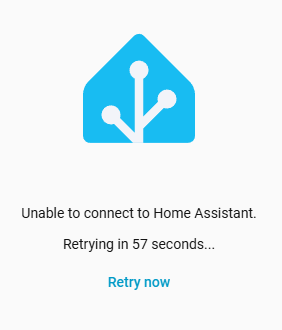
Same here. After a core update, core/os/supervisor update says everything is up-to-date: core is in 2026.4.1 but the 2026.4.1 update does not fix this issue apparently.
Try leaving it another day or so, and check the nuc welcome screen and logs for errors. Sometimes it can take a long time to update, it needs a reset to reconfigure, and people panic early.
For me it’s been like that for about half a day before I realized what happened, as the automations and notifications kept working. The only error was the above mentioned one. Tried multiple reboots as well. I’ve been using HA for years and nothing like this ever happened before
I haven’t open an issue and for me its not needed any more.
I try this again after 5h waiting time and now its working.
Maybe the docker download wasn’t available in the time of my first trys.
Now superviso logs show:
Well, more than 24 hours have passed. I have retried os/core/supervisor updates. Os is 17.2, core is 2026.4.1 and supervisor is 2026.03.3 and I still get the same error and no login. Going back to 2026.3.4 solves it…
Can those in this thread affected by this issue check their custom_components directory for me? Multiple reporters in the referenced github issue turned out to have an http folder in there.
For those unaware, this directory is how extra community built integrations (such as from HACS) get incorporated into Home Assistant. However it also has another trick it can do. If the folder name you use in here matches a native integration such as http then it uses the code in that folder instead of the native code for that integration. Which means if you have a folder called http in your custom_components folder then you are not using the shipped code at all, you’re using a custom version of the http integration.
Well mostly. The http integration is obviously very core to the functionality of Home Assistant. So we believe what’s happening is to the users in the github issue is some code is being imported from the native http integration before the custom component is loaded. And this code references the new supervisor_unix_socket_path attribute that doesn’t exist in the custom overrides of HomeAssistantHTTP that get loaded later.
If this describes your setup I’d strongly recommend removing that custom component. The http integration is updated frequently and many many other integrations depend on it. A custom version is likely to be a constant source of catastrophic failures from release to release.
We would be curious to learn why you felt a need to do that though if you care to share. To see what we can improve in the core product to make that unnecessary going forward.
If this was all caused by my http component I’m sorry but I didn’t see this thread and I don’t get advanced notice of HA code which breaks my component
Maybe in future raise problems with an issue on Github where the code now resides - I might see it quicker.
FWIW I’ve been informed by HA developers this subnet banning is never going to get into the core
Dude right above me made a PR to have this extremely useful feature merged in a year ago. He gets strung along for 6 months, only to be told no because “Giving users control over IP ranges to ban is not functionality we want to include in Home Assistant Core”.
Might be time to revisit that decision instead of having users resort to custom components or additional firewall addons.
Sometimes I feel a bit bad for contributors who don’t receive a clear explanation when their PR gets rejected.
It seems like this is becoming more common across both core and frontend repositories, and it can be discouraging, especially for people who are trying to help or improve things.
For some contributors, that PR might have been their last attempt to contribute, which is a bit unfortunate…
Hm that’s fair. I’ll ask although there are suggested alternatives in this comment that don’t involve replacing the http component with a custom one. For you and any others in here. Curious if those worked for people, had issues, or weren’t tried.
I did indeed read that comment, which is why I said
Someone saying “not user configurable (except for enabling or disabling the automatic banning)” in that comment sounds a bit off, considering affected users can manually enter individual IPs in that file

 Sometimes I feel a bit bad for contributors who don’t receive a clear explanation when their PR gets rejected.