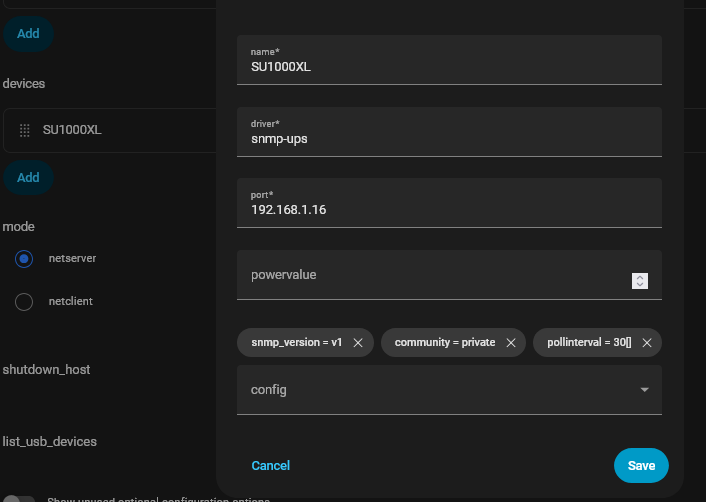
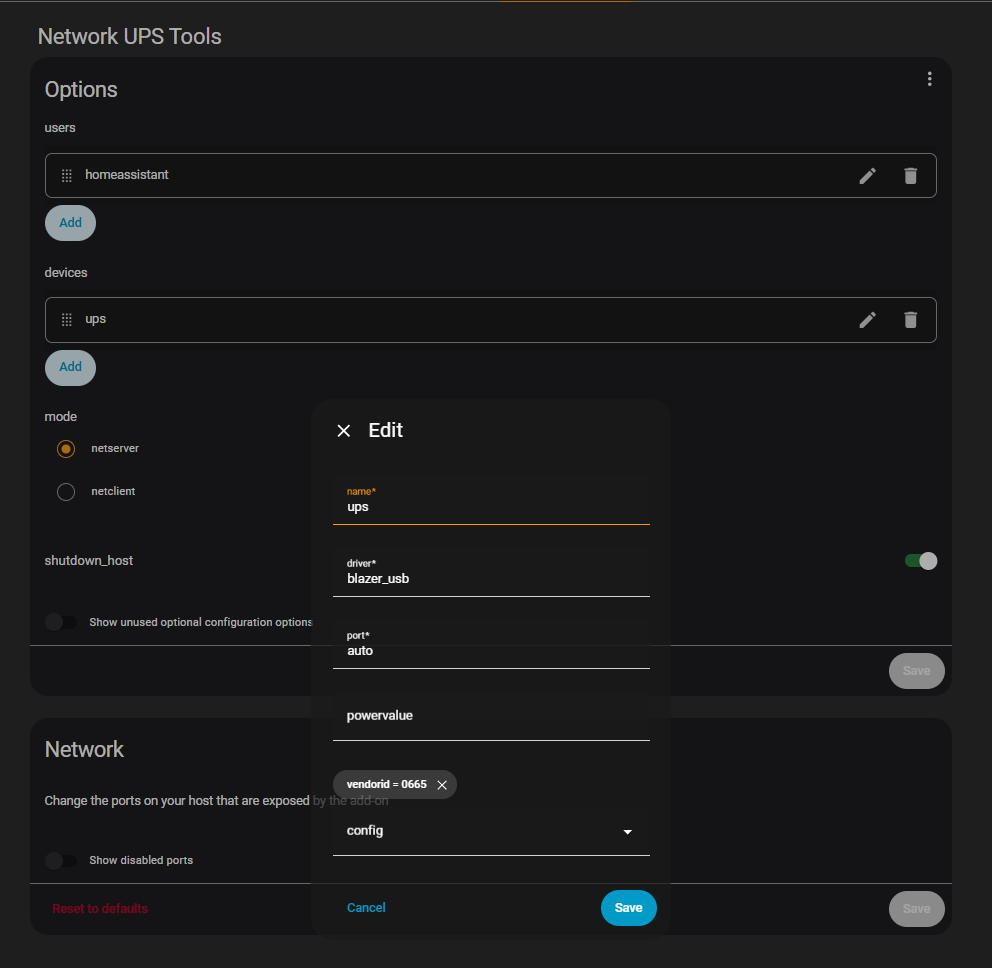
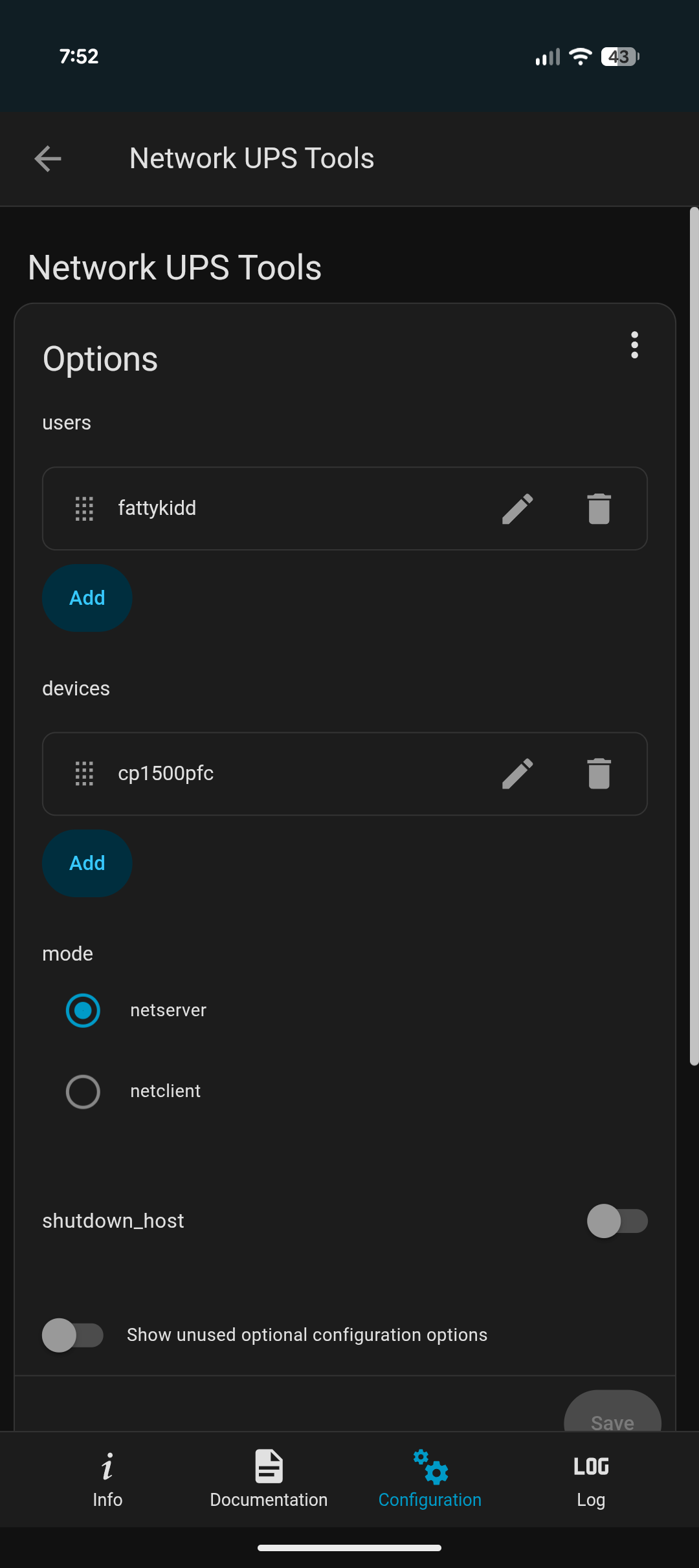
How do you have it connected to the network and home assistant? USB or network cable or WiFi? You use the USB if the UPS is connected to the Home Assistant Host via a USB cable. Use Network if network port is used.
This has been a real mind-numbing first experience with HA. I hope this isn’t the norm.
Since there doesn’t seem to be any detailed instructions on how to set-up something that should be so simple, I roamed Google to figure out what others have entered into the mystery fields that nobody seems to document.
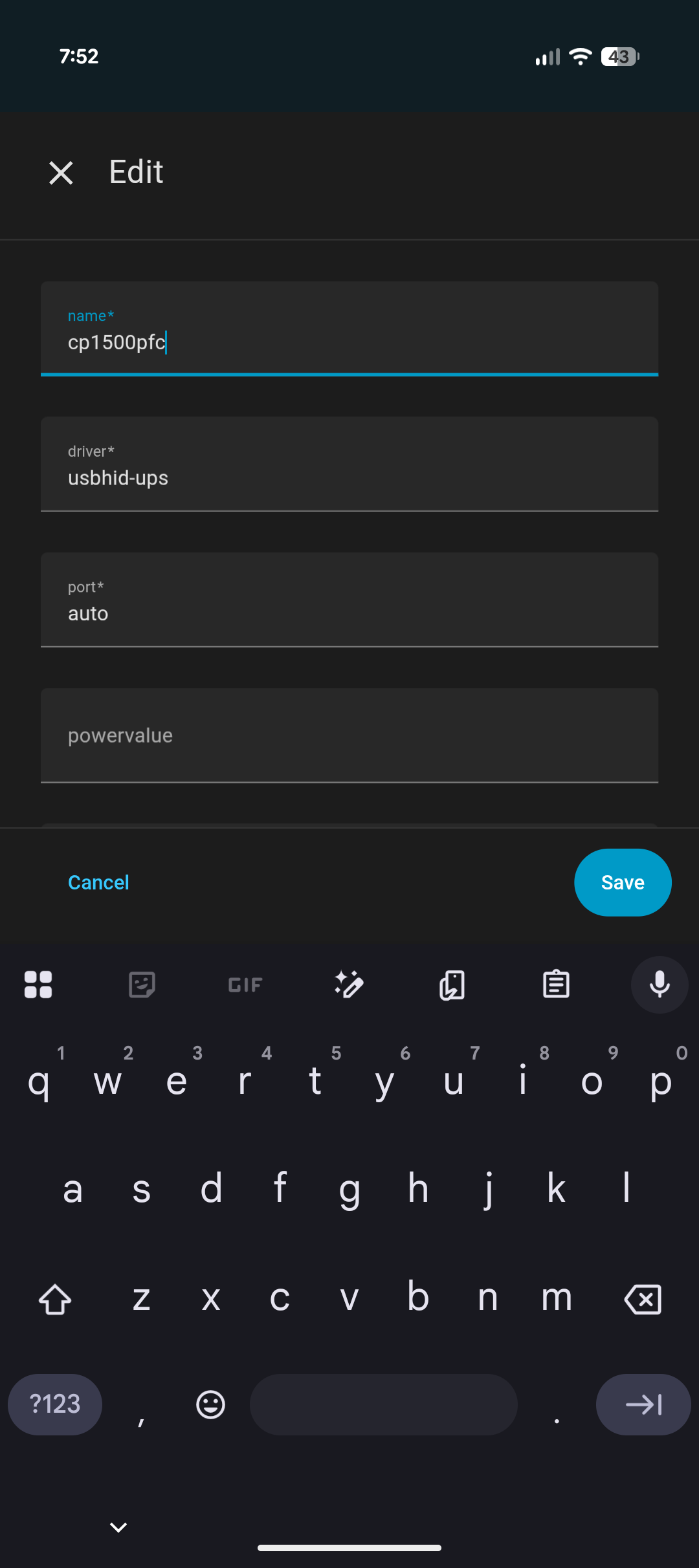
This is what I entered and it FINALLY connected. I don’t know if it’s correct (you tell me) but at least it communicating.
CONFIGURATION TAB
Users
-username = myusername
-password = mypassword
-instcmds = all (have no idea what this does?)
-actions = set (have no idea what this does?)
-upsmon = master
Devices
-name = myupsname
-driver = usbhid-ups
-port = 3493
-powervalue = ø (have no idea what this does?)
-config = pollinterval = 15 (not sure what this does?)
Now that I have it communicating, I have another research project on how to get it to do a shutdown.
Here is what I currently have, but I don’t know if it’s correct?
Automation
WHEN
-trigger = battery charge battery level changes
-above =
-below = 10 (can I assume %)
AND IF (do I need this?)
THEN DO
-Home Assistant Supervisor ‘Power off the host system’
NO TARGET SET (Is this a warning that there is more to setup?)
Let me know if this is correct or if I need to change something. Also, will my HA Green reboot automatically when power is restored?
All I have been doing is blindly Google’n for answers that I don’t understand. How can something so simple have no clear documentation? I have been doing home automation for over 20 years, and I have never been so frustrated. I wish someone would have told me that HA was going to be a 10 hour daily research project, just to do something on a MAC that would take 60 seconds, and work.
I came to this forum to find HA experts who can explain IN DETAIL how to set things up STEP-BY-STEP, then maybe HA would start to make sense.
I understand your frustration, I have it about 1 a month, whether it is the monthly 1st release or a patch release that breaks something. Today it was a weekly patch that had frontend changes that broke one of the cards I use (circle sensor card). It is in HACS, find doc, see it now has a module call, figure out where to put that (either main yaml config or in the card yaml (which didn’t at first)) then ended up re downloading the card which fixed the issue. I comes down to trial and error all the time. The module is in the main config yaml currently.
So I googled your UPS download the manual pdf, which doesn’t give any info either. Just that the business version of PanelPower which I gather is somewhat like APCs Powerchute.
So now comes for some testing of the UPS and The NUT and HA green. How low do you have it set for? Can you temporary set to 50% of battery and trigger it to shutdown the UPS at that level? The reason for the level is that if the trigger doesn’t work via USB communication you have time to change the level back to the previous setting. Then check what happened, hopefully it sent the shut down to HA Greenand it shutdow correctly. using the HA shutdown command.
The shutdown command in terminal on the HA is: ha shutdown
This forum is run entirely by volunteers, most of whom have no idea on how to use the NUT integration with your specific model.
Yet they jumped in and did their best to walk you through it & shared what works for them.
If this is the thanks they should be expecting of you from now onwards, I wouldn’t blame them if they stopped answering your questions.