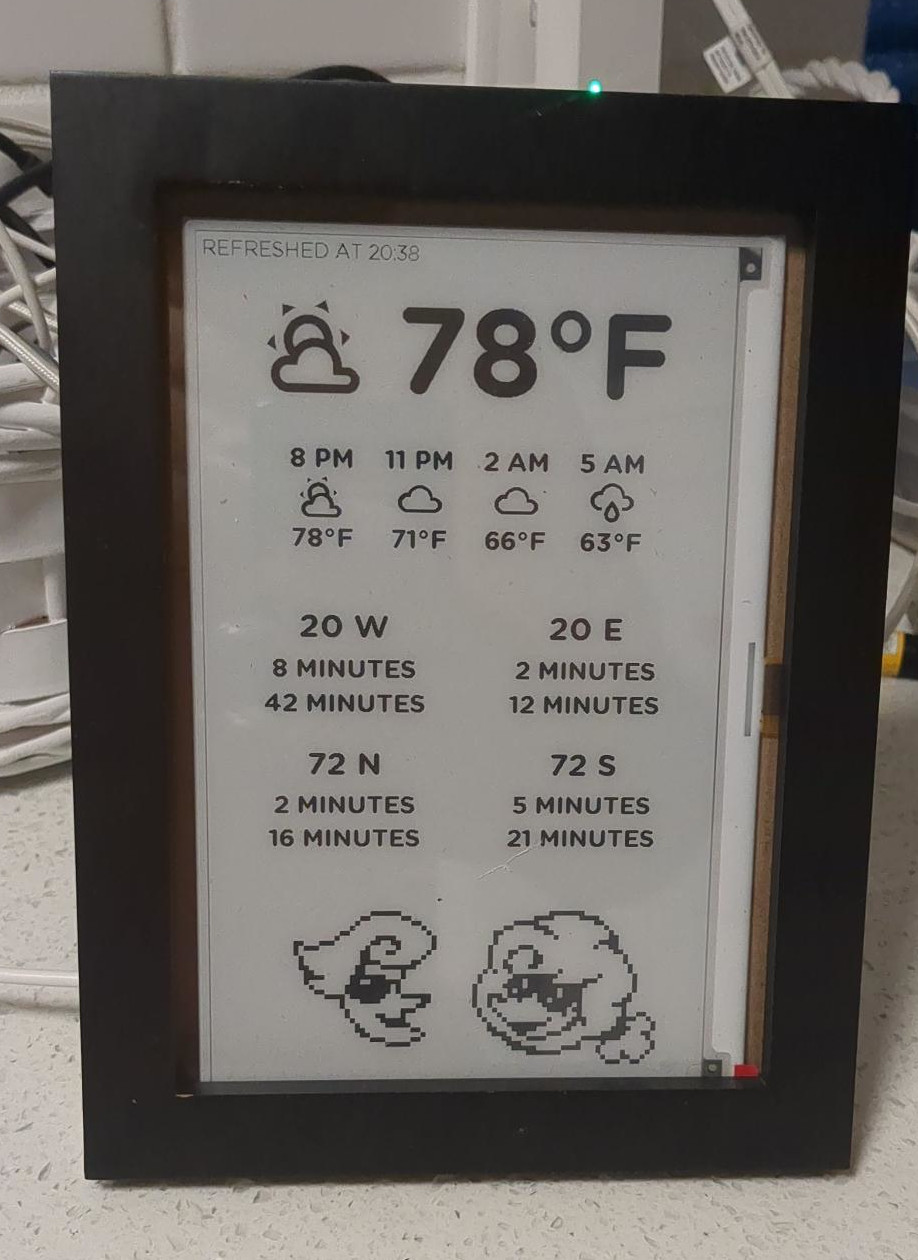
I got this working! It shows:
- current temperature and weather icon
- row of temperatures and weather icons for: now, now+3h, now+6h, now+9h
- This is useful because I want to know how hot it will be this evening, for example
- Uses PirateWeather
- two bus stops near my house and their departure/arrival times
- Uses the Portland-area transit Trimet Web Services API for arrival/departure times instead of GTFS
- I had to do this because TriMet supports GTFS but not realtime GTFS
- Uses the Portland-area transit Trimet Web Services API for arrival/departure times instead of GTFS
- Art of some weather-related characters I like from Deltarune

I ended up putting it in a freestanding picture frame and just plugging it in, with the ESP device coming out the back and sitting right behind it:
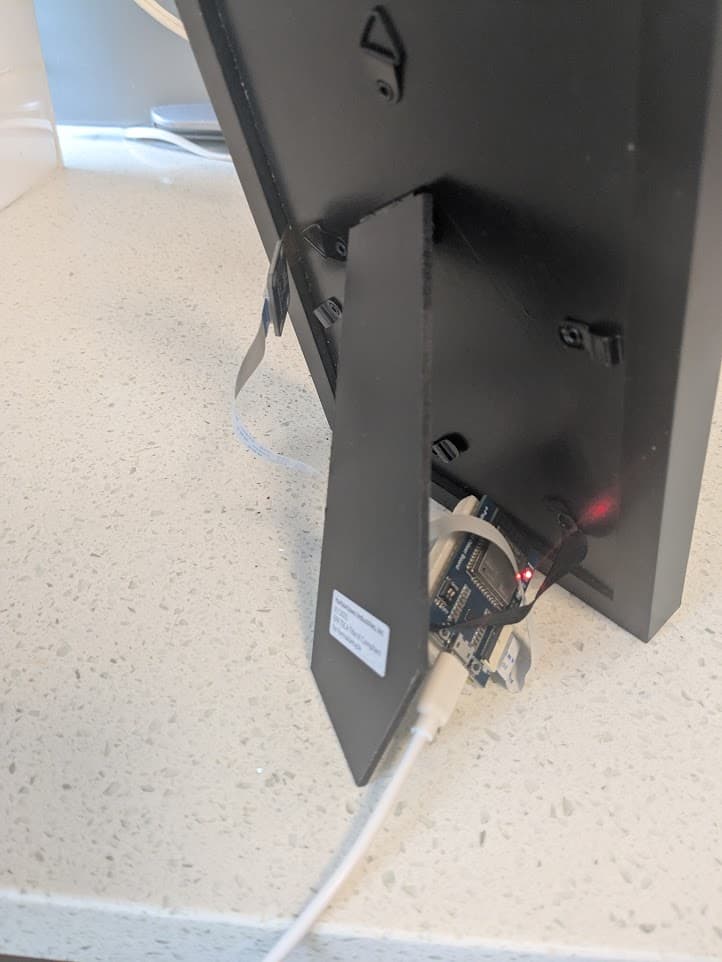
Crucially, the device is plugged into a smart plug that I have configured to turn off between 11pm and 6am, which means the device is off 7 hours a day. I did this because I don’t have a motion sensor at home and the original code had some clever stuff that only refreshed the display when motion was detected (since the device is only good for a high-but-fixed number of refreshes). So I wrote an override setting the “motion detector” to just be a state variable that is always on. The manufacturer also recommends keeping the device unpowered from time to time, so having it plugged in to a smart plug that is off 7 hours a day kills two birds with one stone.
My code is all here:
I included inline comments all throughout, I hope it helps someone!