Using E-Ink Shop Price Tag with Home Assistant

Hey,

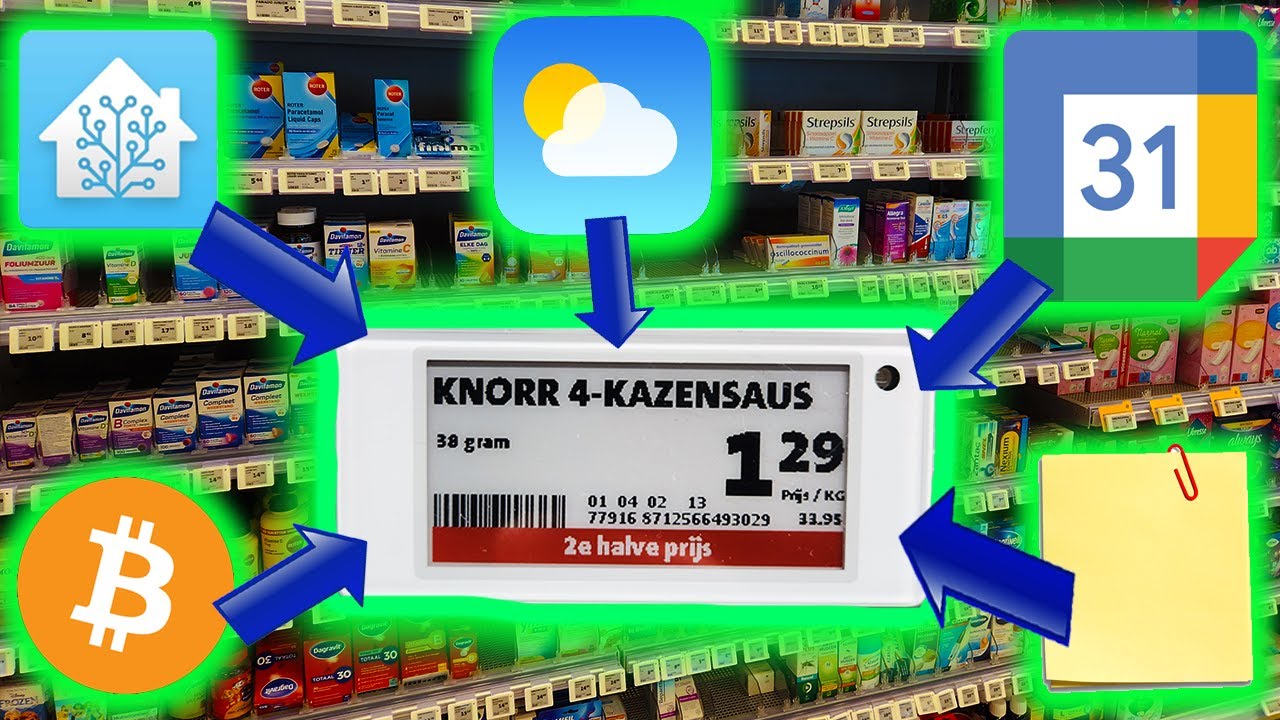
I’m not sure if I’ll have time to work on this project, but I found a cool way to use electronic price tags, especially with home assistant.

My main goal is to share it with you and hear from those who might be interested in trying it out…

4 Likes

Hi,

Checkout OpenEpaperLink.de, there is a HA integration to that :slight_smile:

I use it to display electricity prices, weather etc etc.
open_epaper_link.0000021f1f683b15
open_epaper_link.000002ca624e4835

2 Likes

WOHHH!
Even better!
Thanks, I will check this.

after further investigation, seems really hard work to achieve…

Do you have a link to a compatible tag? AliExpress, eBay or similar?

Have a look at this thread

1 Like

You can use Bluetooth-based Tags, like this one: https://s.click.aliexpress.com/e/_oB8JEVu (2.9 inch)
https://s.click.aliexpress.com/e/_opGKKIa (4.2 inch)

Works great with OpenEpaperLink flashed to ESP32-S3 (https://s.click.aliexpress.com/e/_oD84c3G)

The Home Assistant integration Just Works :heart:

1 Like

Can you give me a url where I can configure this? I just ordered te components by Ali

No problem :slight_smile:

and this is the Home Assistant integration: GitHub - OpenEPaperLink/Home_Assistant_Integration: Home assistant Integration for the OpenEPaperLink project

1 Like

Thank you!! :+1:

Can you also tell me which template I should use for the ESP32-S3 from the site: https://install.openepaperlink.org/? I think I’m using the wrong one

BLE only or something like that is the name of the build.

Use:
image

Thank you!

Thank you!!

did everything worked?

Yes it works very fine. I got the info I want on the tags. Very nice system so far!!

The latest version of the integration allows using displays without the OpenEpaperLink gateway. You need to have a Bluetooth adapter in your Home Assistant server, ESPHome gateways, or Shelly devices around the house to have Bluetooth gateway.

You need to flash the displays with the custom firmware from atc1441.
Download the bin file from: atc1441.github.io/ATC_BLE_OEPL.bin at 1c4833b4ed8d8afbbbb2bc88f337acf151a40348 · atc1441/atc1441.github.io · GitHub
Open Telink BLE E-Paper Flasher, connect to your display and flash it (select the bin file you downloaded)
Open: ATC_BLE_OEPL Uploader, connect to the device, go to Advanced View (top right corner of the page) and set device type:
image

Update the integration to the latest version (version 2.1.0 currently).

Tested displays:
GICIsky 2.9 inch display: https://s.click.aliexpress.com/e/_c3Dj4YsP
GICIsky 4.2 inch display: https://s.click.aliexpress.com/e/_c4LefB1N

Both of them have been tested and they work without any problems.
The display update time is much better - the display reacts almost instantly as you call the service. Before, I had to manually reset the gateway once a week, because the displays stopped refreshing; now the problem doesn’t occur as the gateway is obsolete.

This is great and I’m really excited about this. Particularly getting rid of the shaky AP that required frequent reboots and expanding support for more BLE ESLs.

It was difficult for me to find the link to the bin file, but eventually came across the same path at github.io.

I tried flashing my GiCiSky 2.9 this morning using the web flasher - it was previously joined to OEPL bt-only AP - I could pair with it, and initiate the flash, and it got to like 95% and failed with a GATT error.

EDIT: After working on this some more, I found that my Dell XPS was taking over 3 minutes to work up to about 95-99% when attempting to flash the tag, and would fail every time with one of two messages (these are literal):

  • “Update Error: some error while sending char data”
  • “Update error: NotSupportedError: GATT operation failed for unknown reason”

I had also tried shipping the file via my ble-only AP running on an ESP32 and it didn’t like that either.

I tried to go through the same procedure with my wife’s Mac, and it worked! The transfer of data ran about twice as fast and it succeeded on the first go. Interestingly, attempting to set the type using the image uploader, I could not find the device again to pair with on the Mac, even trying various prefixes (N, A, P), and rebooting the tag.

Back to the Dell, the uploader found it right away, and I was able to set the type. So that’s weird. Not sure what the differences there were, but between my PC and a Mac, both steps completed.

I went to HA, and the tag was ready to be added, so great success! I did not have to drop the tag from the AP or anything like that, but while troubleshooting my BLE firmware upload I did unplug the AP from power just to eliminate any chance of conflicts for the BT connection. I don’t think it would have mattered though. HA still shows my AP and old tag registered with the extension. I went ahead and deleted them.

Prior to flashing, my tag showed a firmware version of 0x33025.
After flashing, my tag in HA shows a firmware version of 108.

One final hurdle: when I tried to execute the drawcustom action (either from an existing automation or from developer tools) on the new tag, I was getting an error “Action open_epaper_link.drawcustom not found”. I did a restart of HA, and the action worked as expected. I should note that after I updated the integration a few days ago, I had already restarted HA. Anyway, more restarts never hurt.

Hopefully these notes will help you intrepid OEPL users. Very happy to have shut down the ESP32 AP and have this functionality consolidated on the HA server.