Is there any way of getting these screens to use the available width so I can read the whole text?


just plenty of space for it to be a lot wider
I can’t even read it when I press an item
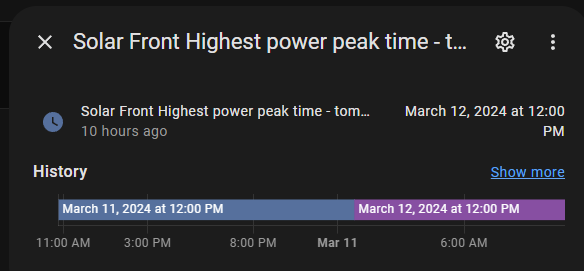
Is there any way of getting these screens to use the available width so I can read the whole text?
just plenty of space for it to be a lot wider
I can’t even read it when I press an item
+1, fyi:
Thanks. is there a way to vote for a feature request or something like that
is using grid layout an option for you?
i did this with this in the lovelace view yaml:
grid-template-columns: 25% 50% 25%
grid-template-rows: auto
came here with the same question! Tried to get these results while playing in the developer tools of my browser and do custom CSS, but since it is build with shadowroots I cannot get it to work.
