Hello all,
I've implemented utility energy data integration into Home Assistant via the Green Button Connect standard. GitHub repos:
- Home Assistant Add-in (HACS only for now): GitHub - rocketraman/open-green-button-homeassistant: Bring your utility's Green Button (NAESB ESPI) energy data into the Home Assistant Energy dashboard via a stateless OAuth proxy. · GitHub
- Thin Stateless Server Component: GitHub - rocketraman/open-green-button: Stateless OAuth proxy server bridging Green Button (NAESB ESPI) utility data to local software like Home Assistant. Hosted on Fly.io; backs the open-green-button-homeassistant integration. · GitHub
Example from my own instance:
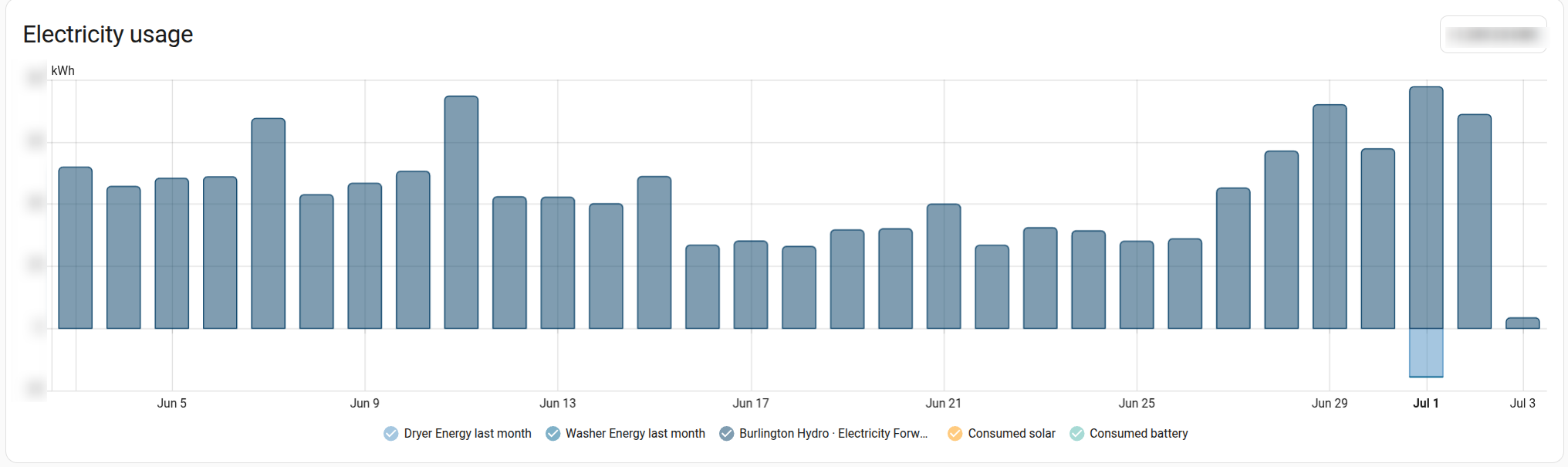
TL;DR how to use it:
NOTE: Currently the only utility supported is my own: Burlington Hydro in Ontario, Canada. Request utility support here.
If you are lucky enough to use an already supported utility, then:
- Install the add-on via HACS
- In "Integrations" add the "Open Green Button" integration
- Follow the prompts to go through the authorization process
- If the integration loaded successfully, then on the Energy dashboard, click "Edit" and "Add grid connection"
- On "Energy imported from grid" choose the statistic with your utility energy usage in the drop-down
- On "Cost tracking" choose "Use an entity tracking the total costs" and choose the statistic with your utility energy cost in the drop-down
- Click "Save"
Background
What is Green Button
Green Button is a standard for consumers (via third parties) to retrieve utility energy data. It was created by The Green Button Alliance, and implemented by many utilities throughout Canada, the USA, and Europe.
Generally there are two ways for consumers to use this: Green Button "Download my Data" (DMD) or "Connect my Data" (CMD) . The former requires the consumer to log in to their utility and download the XML data, feeding it manually to some local tooling. "Connect my Data" provides an ongoing connection to tooling to download utility data via API and consume it.
This integration uses "Connect my Data" to provide an end-to-end hands-off integration with Home Assistant.
How does it Work?
Green Button Connect requires the consumer to complete an OAuth2 third-party authorization that allows the selected pre-registered third party to access data on the consumer's behalf. Each utility needs an OAuth2 redirect URI to a stable URL operated by the pre-registered third party data consumer. This approach does not work well with user-managed Home Assistant deployments, as each and every end-user would need to register with their utility as a Green Button third-party data consumer, and connect their local Home Assistant instance to the utility via a public URL.
My approach allows the Home Assistant Community to register the endpoints for a shared thin stateless server component once for each utility. Then, each of us connects and authorizes our individual Home Assistant instances to our own utility account. The HA add-in is responsible for downloading the data and updating the Home Assistant statistics -- but it connects to the stateless server component, which simply proxies the request to the selected utility.
Where is my Data Stored?
The server component provides a stable URL for oauth callbacks and basic error handling, but is otherwise stateless. Your individual utility data is not stored in any way within the server component, unlike other Green Button Connect third-party providers. Even authorization tokens are stored in Home Assistant, and passed to the proxy as needed. The only storage of your authorization and energy data is in your own Home Assistant instance.
The only reason requests are proxied via the stateless server is to deal transparently with authorization failures and token refreshes.
FAQs
I'll keep this section updated as comments and questions arrive.
How much does it cost?
Nothing.
That being said, if this integration is useful to you and you want to help keep it maintained and the costs for hosting the proxy server covered, I'd certainly appreciate a tip:
 Live! Consumers Energy (Michigan, USA), thank you Michael Phillippi (