I built these based on my own frustrations and daily needs. I wanted my VA to stop being just a fancy speaker and start being a real personal/family assistant. I figured if they solved problems for me, they’ll likely solve problems for many of you too!
A huge plus: These work great with both local and cloud LLMs.
I poured the most time into two specific blueprints, and I genuinely think they’ll be game changers for your setup:
Voice Assist - Smart Scheduling & Timers
Voice Assist - Memory & Information Retrieval
I hope you guys check them out and find them useful for your smart homes. Let me know what you think in the comments below. Thanks a lot!
Thanks. The create calendar event one (and then the check calendar one) worked great and has been something I’ve been trying to get working for days. Who knew “add meeting with Bob tomorrow at 2pm” was so complicated.
Thanks a lot. I’m happy to hear you needed these blueprints and that they worked well for you. I put a good amount of time into creating them, not because they were hard to design, but because making sure they ran smoothly and without errors took several rounds of revisions. If you run into any issues while using them, just leave a message here or open an issue and I’ll take care of it quickly.
It’s minor but when I asked "What are my events for the next week it always said the date/time as "tomorrow, August 25 (all day at Home). Now obviously the 25th is not tomorrow. Both events that showed up for were all day events that reoccur every tuesday.
The main cause of this issue is that the LLM is missing the current date and time context, as the recent Home Assistant version removed it to prevent affecting prompt caching, leaving it up to the LLM to check live context. I’ll update all datetime-related blueprints, including the one you used, to fix this issue.
Worked like a champ once I figured out “re-import” was re-download. I ask Gemini etc questions and they all give out of date names and paths such as “Settings, Addons” instead of “Settings, Apps” etc.
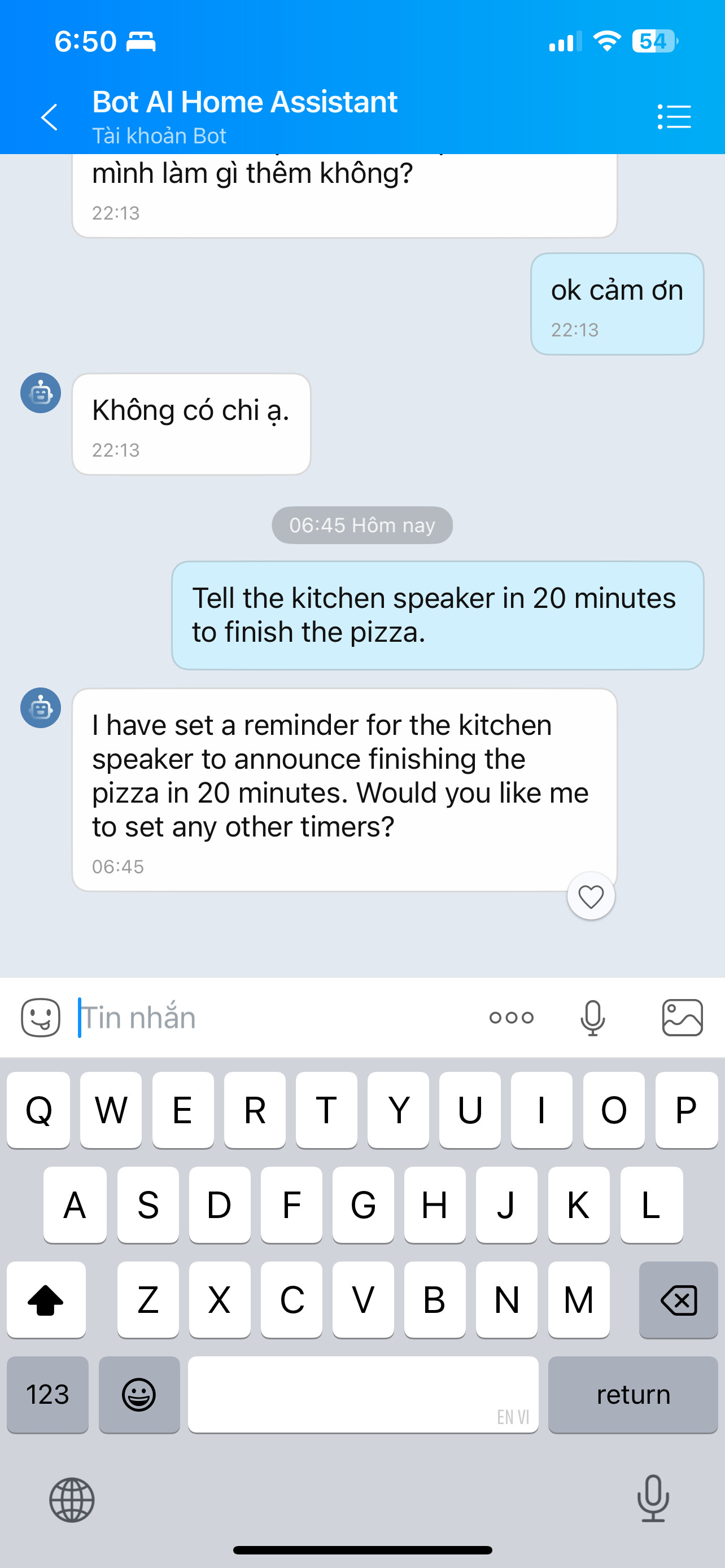
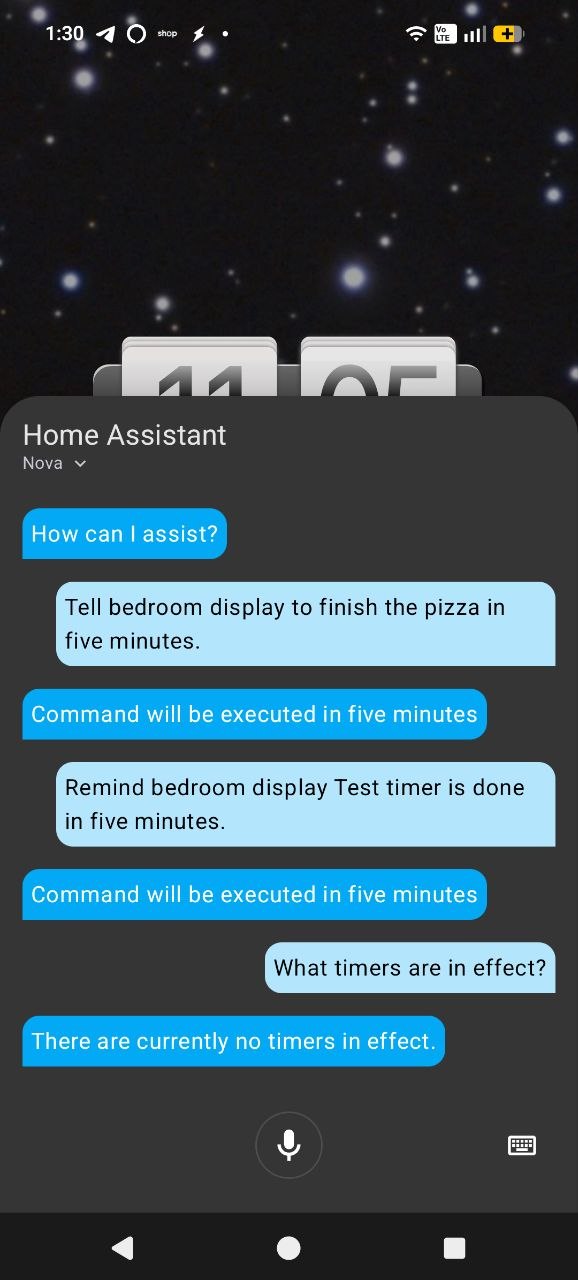
Do you have anything you recommend for “Alexa type” timers? Set a pizza timer for 20 minutes. Remind me in 20 minutes to check on x and set a pizza timer for 20 minutes on bedroom display (google home device).
@famewolf Since I don’t use Alexa myself, I’m not entirely sure which specific feature you’re looking for. However, in my GitHub project I’ve published a blueprint set called “Smart Scheduling & Timers” that you might want to check out. Theoretically, it can schedule anything that Home Assistant is capable of handling.
@luuquangvu saw it but it seemed more focused on “run this fan for an hour then turn it off” rather than a basic cooking type timer to remind me to flip items in the air fryer. Did I just misread it? Both google home and alexa have the same basic timer features.
Well I tried it and it said it set the timer but I never got notified and I think it only allowed one timer at a time so I couldn’t set an exercise timer if I already had a kitchen one going etc.
While I don’t disagree, each of his is already focused on one thing? If you are referring to me asking about timers I wasn’t suggesting he add them to any of his. Just asking since I’m a home assistant newbie.
@famewolf For the built‑in timer feature, your device must support it. For example, it works with Voice PE, but not with other platforms like Google Home. Since I don’t know your exact setup, I can’t determine the root cause with certainty.
@luuquangvu well right now my only device is voice assist through the home assistant companion app but I do have some of the $13 atom echo devices ordered which are supposed to be able to be used as voice assistant’s in home assistant. It would seem to me though that home assistant should be able to run the time itself and send a notification to the home companion app or telegram, google displays etc. It has the ability to send voice to the google displays which I use when asking for my agenda via a script I had gemini add but not as simple to generate a timer script that way.
@luuquangvu Thank you! I also realized you are the author of the blueprint updater so you are helping me left and right! Just got music assistant working to stream to my google display so things are coming along. Appreciate the feedback.
@luuquangvu I installed the 3 blueprints for the timers and it ACTS like it’s working except the timer never actually gets saved/executed. Example: (the final time and check for timers was done back to back so timer should still have been in effect)
@famewolf Looks like the Pyscript integration and required scripts haven’t been installed yet. Each blueprint description lists the requirements and setup steps, so make sure to read and follow them closely. Only one “Devices Schedules Controller” blueprint should be exposed to Voice Assist, but we need install all three blueprints. They’re a bit more complex since they’re built to survive a Home Assistant restart.
@luuquangvu I mistakenly assumed the blueprints pulled in what they needed (and in my defense up till now they had). It seems like every single integration and blueprint has cascading requirements. Is there not a document that lists all that needs to be installed/configured up front? Asis I go to install the first blueprint and find it needs device_handler and another. device_handler requires installing pyscript which itself requires 2 other scripts and a configuration.yaml change…and on it goes. Honestly it’s to complicated for me as a newbie to trace all this down and I’m a retired mainframe programmer.
Not sure what I’m doing wrong with the “get calendar events” script but it constantly tells me it’s off. I created the script based on the blueprint and it’s exposed to assist so not sure what else needs to happen.
@famewolf Actually, I’m not great at writing detailed instructions, but since you’re looking for the most complex blueprint in my collection, it might seem a bit confusing, though it’s not too hard. As for the “Get Calendar Events” script, I’m not entirely sure what you mean. You can check the debug section in the voice assist and review the script traces to pinpoint which step is causing the error. If it turns out the issue is with the blueprint, let me know so I can fix it.